mirror of
https://github.com/JaKooLit/Debian-Hyprland.git
synced 2025-12-21 18:20:13 +01:00
Compare commits
No commits in common. "main" and "Debian-Hyprland-v1" have entirely different histories.
main
...
Debian-Hyp
1
.github/FUNDING.yml
vendored
1
.github/FUNDING.yml
vendored
@ -2,3 +2,4 @@
|
||||
|
||||
github: JaKooLit
|
||||
ko_fi: jakoolit
|
||||
|
||||
|
||||
83
.github/ISSUE_TEMPLATE/bug.yml
vendored
83
.github/ISSUE_TEMPLATE/bug.yml
vendored
@ -1,83 +0,0 @@
|
||||
name: Bug Report
|
||||
description: Something is not working right
|
||||
title: "[Bug]: "
|
||||
labels: ["bug"]
|
||||
assignees:
|
||||
- JaKooLit
|
||||
|
||||
body:
|
||||
- type: checkboxes
|
||||
attributes:
|
||||
label: Already reported ? *
|
||||
description: Before opening a new bug report, please take a moment to search through the current open and closed issues to check if it already exists.
|
||||
options:
|
||||
- label: I have searched the existing open and closed issues.
|
||||
required: true
|
||||
|
||||
- type: dropdown
|
||||
id: type
|
||||
attributes:
|
||||
label: Regression?
|
||||
description: |
|
||||
Regression means that something used to work but no longer does.
|
||||
options:
|
||||
- "Yes"
|
||||
- "No"
|
||||
- "Not sure"
|
||||
validations:
|
||||
required: true
|
||||
|
||||
- type: textarea
|
||||
id: ver
|
||||
attributes:
|
||||
label: System Info and Version
|
||||
description: |
|
||||
Paste the output of `inxi --full` here.
|
||||
install inxi if command not found.
|
||||
value: "<details>
|
||||
<summary>System/Version info</summary>
|
||||
|
||||
|
||||
```
|
||||
|
||||
<Paste the output of the command here, without removing any formatting around this>
|
||||
|
||||
```
|
||||
|
||||
|
||||
</details>"
|
||||
validations:
|
||||
required: true
|
||||
|
||||
- type: textarea
|
||||
id: dots
|
||||
attributes:
|
||||
label: KooL's Dots version
|
||||
description: |
|
||||
Paste the output of `find ~/.config/hypr/ -type f -name 'v*' -exec basename {} \;`
|
||||
This is just KooL's Hyprland Dots version.
|
||||
validations:
|
||||
required: true
|
||||
|
||||
- type: textarea
|
||||
id: desc
|
||||
attributes:
|
||||
label: Description
|
||||
description: "What went wrong? What exactly happened?"
|
||||
validations:
|
||||
required: true
|
||||
|
||||
- type: textarea
|
||||
id: repro
|
||||
attributes:
|
||||
label: How to reproduce
|
||||
description: "How can someone else reproduce the issue?"
|
||||
validations:
|
||||
required: true
|
||||
|
||||
- type: textarea
|
||||
id: logs
|
||||
attributes:
|
||||
label: install logs, images or videos
|
||||
description: |
|
||||
Anything that can help. Please always ATTACH and not paste them.
|
||||
1
.github/ISSUE_TEMPLATE/config.yml
vendored
1
.github/ISSUE_TEMPLATE/config.yml
vendored
@ -1 +0,0 @@
|
||||
blank_issues_enabled: false
|
||||
30
.github/ISSUE_TEMPLATE/documentation-update.yml
vendored
30
.github/ISSUE_TEMPLATE/documentation-update.yml
vendored
@ -1,30 +0,0 @@
|
||||
name: Documentation update
|
||||
description: Propose a change to the project documentation wiki
|
||||
title: "[Documentation update]: "
|
||||
labels: ["documentation_update"]
|
||||
assignees:
|
||||
- JaKooLit
|
||||
|
||||
body:
|
||||
- type: textarea
|
||||
id: desc
|
||||
attributes:
|
||||
label: Description
|
||||
description: "Provide a clear and concise description of the documentation update"
|
||||
validations:
|
||||
required: true
|
||||
|
||||
- type: textarea
|
||||
id: repro
|
||||
attributes:
|
||||
label: Proposed Solution
|
||||
description: "Provide a clear and concise description of the updated documentation that you'd like to see added"
|
||||
validations:
|
||||
required: true
|
||||
|
||||
- type: textarea
|
||||
id: logs
|
||||
attributes:
|
||||
label: install links, images or videos
|
||||
description: |
|
||||
Add any other information about the documentation update here. For example, you might include links to similar documentation in other projects, or screenshots or diagrams to help explain your idea
|
||||
38
.github/ISSUE_TEMPLATE/feature.yml
vendored
38
.github/ISSUE_TEMPLATE/feature.yml
vendored
@ -1,38 +0,0 @@
|
||||
name: Feature Request
|
||||
description: I'd like to propose some changes and enhancements
|
||||
title: "[Enhancement]: "
|
||||
labels: ["enhancement"]
|
||||
assignees:
|
||||
- JaKooLit
|
||||
|
||||
body:
|
||||
- type: checkboxes
|
||||
attributes:
|
||||
label: Already reported ? *
|
||||
description: Before opening a new feature request, please take a moment to search through the current open and closed issues / request to check if it already exists.
|
||||
options:
|
||||
- label: I have searched the existing open and closed request.
|
||||
required: true
|
||||
|
||||
- type: textarea
|
||||
id: desc
|
||||
attributes:
|
||||
label: Description
|
||||
description: "Describe your idea?"
|
||||
validations:
|
||||
required: true
|
||||
|
||||
- type: textarea
|
||||
id: repro
|
||||
attributes:
|
||||
label: Proposed Solution
|
||||
description: "describe if you have a specific solution in mind"
|
||||
validations:
|
||||
required: true
|
||||
|
||||
|
||||
|
||||
|
||||
|
||||
|
||||
|
||||
43
.github/PULL_REQUEST_TEMPLATE.md
vendored
43
.github/PULL_REQUEST_TEMPLATE.md
vendored
@ -1,43 +0,0 @@
|
||||
# Pull Request
|
||||
|
||||
## Description
|
||||
|
||||
Please read these instructions and remove unnecessary text.
|
||||
|
||||
- Try to include a summary of the changes and which issue is fixed.
|
||||
- Also include relevant motivation and context (if applicable).
|
||||
- List any dependencies that are required for this change. (e.g., packages or other PRs)
|
||||
- Provide a link if there is an issue related to this pull request. e.g., Fixes # (issue)
|
||||
- Please add Reviewers, Assignees, Labels, Projects, and Milestones to the PR. (if applicable)
|
||||
|
||||
## Type of change
|
||||
|
||||
Please put an `x` in the boxes that apply:
|
||||
|
||||
- [ ] **Bug fix** (non-breaking change which fixes an issue)
|
||||
- [ ] **New feature** (non-breaking change which adds functionality)
|
||||
- [ ] **Breaking change** (fix or feature that would cause existing functionality to not work as expected)
|
||||
- [ ] **Documentation update** (non-breaking change; modified files are limited to the documentations)
|
||||
- [ ] **Technical debt** (a code change that does not fix a bug or add a feature but makes something clearer for devs)
|
||||
- [ ] **Other** (provide details below)
|
||||
|
||||
## Checklist
|
||||
|
||||
Please put an `x` in the boxes that apply:
|
||||
|
||||
- [ ] I have read the [CONTRIBUTING](https://github.com/JaKooLit/Debian-Hyprland/blob/main/CONTRIBUTING.md) document.
|
||||
- [ ] My code follows the code style of this project.
|
||||
- [ ] My commit message follows the [commit guidelines](https://github.com/JaKooLit/Debian-Hyprland/blob/main/CONTRIBUTING.md#git-commit-messages).
|
||||
- [ ] My change requires a change to the documentation.
|
||||
- [ ] I want to add something in Debian-Hyprland wiki.
|
||||
- [ ] I have added tests to cover my changes.
|
||||
- [ ] I have tested my code locally and it works as expected.
|
||||
- [ ] All new and existing tests passed.
|
||||
|
||||
## Screenshots
|
||||
|
||||
(if appropriate)
|
||||
|
||||
## Additional context
|
||||
|
||||
Add any other context about the problem here.
|
||||
343
CHANGELOGS.md
343
CHANGELOGS.md
@ -1,348 +1,7 @@
|
||||
## CHANGELOGS
|
||||
|
||||
## 10 December 2025
|
||||
|
||||
- Updated:
|
||||
- Hyprland Build to v0.52.2
|
||||
- Thanks entirely to @sdegler
|
||||
- Fixed:
|
||||
- `qt5-style-kvantum-themes` failed to install
|
||||
- Wrong package name it's `qt-style-kvantume-themes`
|
||||
- `libdisplay-info2` failed to install
|
||||
- New package name: `libdisplay-info3`
|
||||
|
||||
## 10 October 2025
|
||||
|
||||
### Hyprland 0.51.x install support
|
||||
|
||||
- Hyprland builds 0.51.x from source
|
||||
- Added documentation for upgrading from 0.49/0.50.x to 0.51.1.
|
||||
|
||||
### New scripts and modules
|
||||
|
||||
- update-hyprland.sh: Manage the Hyprland stack with:
|
||||
- --install / --dry-run build modes
|
||||
- --only and --skip for selective components
|
||||
- --with-deps to (re)install build deps
|
||||
- --set {KEY=TAG} and --restore tag backup support
|
||||
- --fetch-latest to pull latest GitHub release tags
|
||||
- --via-helper to delegate summary-only dry-runs
|
||||
- dry-run-build.sh: Compile-only helper with summary output
|
||||
- install-scripts/wayland-protocols-src.sh: Build wayland-protocols from
|
||||
source (>= 1.45) to satisfy Hyprland 0.51.x requirements
|
||||
|
||||
### Core features
|
||||
|
||||
- Centralized tag management via hypr-tags.env; tags exported to all
|
||||
modules. Environment overrides remain first priority.
|
||||
- Automatic dependency ordering for Hyprland 0.51.x:
|
||||
wayland-protocols-src → hyprland-protocols → hyprutils → hyprlang →
|
||||
aquamarine → hyprland
|
||||
- Optional auto-fetch of latest tags on install runs that include
|
||||
hyprland (can be disabled via --no-fetch)
|
||||
- Selective updates for targeted components and skip lists
|
||||
- Dry-run mode to validate builds without installing
|
||||
|
||||
### Installer integration
|
||||
|
||||
- install.sh reads hypr-tags.env and optionally refreshes tags.
|
||||
- Ensures wayland-protocols-src is built before Hyprland.
|
||||
- Maintains proper sequencing for the Hyprland dependencies.
|
||||
|
||||
### Docs
|
||||
|
||||
- Debian-Hyprland-Install-Upgrade.md and .es.md:
|
||||
- Add explicit section: Upgrade 0.49/0.50.x → 0.51.1
|
||||
- Recommend: `./update-hyprland.sh --install --only hyprland`
|
||||
- Provide optional `--with-deps` and `--dry-run` flows
|
||||
- Full install via install.sh is not required for this
|
||||
upgrade unless optional modules need refresh
|
||||
|
||||
### Usage highlights
|
||||
|
||||
- Pin and upgrade to 0.51.1:
|
||||
./update-hyprland.sh --set HYPRLAND=v0.51.1
|
||||
./update-hyprland.sh --install --only hyprland
|
||||
- Optional:
|
||||
./update-hyprland.sh --with-deps --install --only hyprland
|
||||
./update-hyprland.sh --dry-run --only hyprland
|
||||
|
||||
### Notes
|
||||
|
||||
- Target OS remains Debian Trixie/Testing/SID
|
||||
- Run as sudo-capable user (not root)
|
||||
- Ensure deb-src entries are enabled.
|
||||
|
||||
## 22 July 2025
|
||||
|
||||
- Updated sddm theme and script to work with the updated simple_sddm_2 theme
|
||||
- Manual building process
|
||||
|
||||
## 21 June 2025
|
||||
|
||||
- Added a warning message that support is now very limited
|
||||
|
||||
## 08 June 2025
|
||||
|
||||
- updated SDDM theme.
|
||||
|
||||
## 20 March 2025
|
||||
|
||||
- added findutils as dependencies
|
||||
|
||||
## 11 March 2025
|
||||
|
||||
- Added uninstall script
|
||||
- forked AGS v1 into JakooLit repo. This is just incase Aylur decide to take down v1
|
||||
|
||||
## 10 March 2025
|
||||
|
||||
- Dropped pyprland in favor of hyprland built in tool for a drop down like terminal and Desktop magnifier
|
||||
|
||||
## 06 March 2025
|
||||
|
||||
- Switched to whiptail version for Y & N questions
|
||||
- switched eza to lsd
|
||||
|
||||
## 23 Feb 2025
|
||||
|
||||
- added Victor Mono Font for proper hyprlock font rendering for Dots v2.3.12
|
||||
- added Fantasque Sans Mono Nerd for Kitty
|
||||
|
||||
## 22 Feb 2025
|
||||
|
||||
- replaced eog with loupe
|
||||
- changed url for installing oh-my-zsh to get wider coverage. Some countries are blocking github raw url's
|
||||
|
||||
## 18 Feb 2025
|
||||
|
||||
- Change default zsh theme to adnosterzak
|
||||
- pokemon coloscript integrated with fastfetch when opted with pokemon to add some bling
|
||||
- additional external oh-my-zsh theme
|
||||
|
||||
## 06 Feb 2025
|
||||
|
||||
- added semi-unattended function.
|
||||
- move all the initial questions at the beginning
|
||||
|
||||
## 04 Feb 2025
|
||||
|
||||
- Re-coded for better visibility
|
||||
- Offered a new SDDM theme.
|
||||
- script will automatically detect if you have nvidia but script still offer if you want to set up for user
|
||||
|
||||
## 30 Jan 2025
|
||||
|
||||
- AGS (aylur's GTK shell) v1 for desktop overview is now optional
|
||||
|
||||
## 12 Jan 2025
|
||||
|
||||
- switch to final version of aylurs-gtk-shell-v1
|
||||
|
||||
## 01 Jan 2025
|
||||
|
||||
- Switched to download dots from KooL's Hyprland dots specific branch
|
||||
|
||||
## 26 Dec 2024
|
||||
|
||||
- Removal of Bibata Ice cursor on assets since its integrated in the GTK Themes and Icons extract from a separate repo
|
||||
|
||||
## 10 Dec 2024
|
||||
|
||||
- updated swww.sh to download from version v0.9.5
|
||||
|
||||
## 24 Nov 2024
|
||||
|
||||
- switched to download rofi-wayland from releases instead from upstream
|
||||
|
||||
## 20 Sep 2024
|
||||
|
||||
- User will be ask if they want to set Thunar as default file manager if they decided to install it
|
||||
|
||||
## 19 Sep 2024
|
||||
|
||||
- updated xdph installation since it is now in Debian Repo
|
||||
- Added fastfetch on tty. However, will be disabled if user decided to install pokemon colorscripts
|
||||
|
||||
## 14 Sep 2024
|
||||
|
||||
- Added Essential Packages final check in lieu of errors from Install log files in Install-Logs directory
|
||||
- nwg-look is now in Debian Repo
|
||||
|
||||
## 10 Sep 2024
|
||||
|
||||
- added background check of known login managers if they are active if user chose to install sddm
|
||||
|
||||
## 08 Sep 2024
|
||||
|
||||
- Added final error checks on install-logs
|
||||
|
||||
## 07 Sep 2024
|
||||
|
||||
- Fix installation issue on hyprlock and xdph
|
||||
- disabled imagemagick compilation from source
|
||||
- dotfiles adjusted so it will be compatible for imagemagick v6
|
||||
|
||||
## 04 Sep 2024
|
||||
|
||||
- added a function to check if it is Ubuntu or Based on Ubuntu and script will exit
|
||||
|
||||
## 28 Aug 2024
|
||||
|
||||
- Added final check if hyprland is installed and will give an error to user
|
||||
|
||||
## 24 Aug 2024
|
||||
|
||||
- Created a newer and compatible Hyprland-Dots repo
|
||||
-
|
||||
|
||||
## 23 Aug 2024
|
||||
|
||||
- Moved Ubuntu-Hyprland on a separate Github Repo
|
||||
|
||||
## 22 Aug 2024
|
||||
|
||||
- refactor Debian-Hyprland script. As Hyprland is now in official repo
|
||||
|
||||
## 07 Jul 2024
|
||||
|
||||
- added eza (ls replacement for tty). Note only on .zshrc
|
||||
|
||||
## 06 July 2024
|
||||
|
||||
- Version bumps for Debian (Hyprland v0.41.2)
|
||||
|
||||
## 11 June 2024
|
||||
|
||||
- adjusted script to install only Hyprland-Dots v2.2.14
|
||||
|
||||
## 10 June 2024
|
||||
|
||||
- changed behaviour of rofi-wayland.sh. To redownload a new rofi-wayland from repo instead of pulling changes. (It proves giving issue)
|
||||
|
||||
## 04 June 2024
|
||||
|
||||
- switched over to source install for imagemagick
|
||||
- removal of fzf for Debian and Ubuntu (headache)
|
||||
|
||||
## 26 May 2024
|
||||
|
||||
- Added fzf for zsh (CTRL R to invoke FZF history)
|
||||
|
||||
## 23 May 2024
|
||||
|
||||
- added qalculate-gtk to work with rofi-calc. Default keybinds (SUPER ALT C)
|
||||
- added power-profiles-daemon for ROG laptops. Note, I cant add to all since it conflicts with TLP, CPU-Auto-frequency etc.
|
||||
- Note: Fastfetch configs will be added from Hyprland-Dots v2.2.12. However, you need to install from Fastfetch github page
|
||||
|
||||
## 19 May 2024
|
||||
|
||||
- Disabled the auto-login in .zprofile as it causes auto-login to Hyprland if any wayland was chosen. Can enabled if only using hyprland
|
||||
|
||||
## 15 May 2025
|
||||
|
||||
- Backed down hyprland version to install as v0.40.0 is failing to install
|
||||
- removed from waybar-git to install. Instead to install from official repo
|
||||
- cliphist install script is removed as it is now on Debian repo
|
||||
- dependencies cleaned up and added
|
||||
|
||||
## 10 May 2024
|
||||
|
||||
- added wallust-git and remove python-pywal for migration to wallust on Hyprland-Dots v2.2.11
|
||||
|
||||
## 07 May 2024
|
||||
|
||||
- added ags.sh for upcoming ags overview for next Hyprland-Dots release. Will be installed form source
|
||||
- added manual installation of waybar since Debian is very slow in updating their packages
|
||||
|
||||
## 03 May 2024
|
||||
|
||||
- Bump swww to v0.9.5
|
||||
- added python3-pyquery for new weather-waybar python based on Hyprland-Dots
|
||||
|
||||
## 02 May 2024
|
||||
|
||||
- Added pyprland (hyprland plugin) - warning, I cant make it to properly run. Drop Down terminal not working, zoom is hit and miss
|
||||
|
||||
## 30 Apr 2024
|
||||
|
||||
- Updated hyprland.sh to install v0.39.1 Hyprland
|
||||
- adding hypridle and hyprlock
|
||||
- dropping swaylock-effects and swayidle
|
||||
- adjusted to work with current Hyprland-Dots
|
||||
|
||||
## 22 Apr 2024
|
||||
|
||||
- Change dotfiles to specific version only as Debian and Ubuntu cant keep up with Hyprland development
|
||||
|
||||
## 20 Apr 2024
|
||||
|
||||
- Change default Oh-my-zsh theme to xiong-chiamiov-plus
|
||||
|
||||
## 11 Jan 2024
|
||||
|
||||
- dropped wlsunset
|
||||
- added hyprlang build and install
|
||||
|
||||
## 02 Jan 2024
|
||||
|
||||
- Readme updated for cliphist instruction for ubuntu 23.10 users
|
||||
- Created cliphist.sh for ubuntu 23.10 users (disabled by default and needs to be enabled on install.sh if desired)
|
||||
|
||||
## 30 December 2023
|
||||
|
||||
- Code Cleaned up.
|
||||
- Pokemon Color Scripts now offered as optional
|
||||
|
||||
## 29 December 2023
|
||||
|
||||
- Remove dunst in favor of swaync. NOTE: Part of the script is to also uninstall mako and dunst (if installed) as on my experience, dunst is sometimes taking over the notification even if it is not set to start
|
||||
|
||||
## 16 Dec 2023
|
||||
|
||||
- zsh theme switched to `agnoster` theme by default
|
||||
- pywal tty color change disabled by default
|
||||
|
||||
## 13 Dec 2023
|
||||
|
||||
- Added a script / function to force install packages. Some users reported that it is not installed.
|
||||
|
||||
## 11 Dec 2023
|
||||
|
||||
- Changing over to zsh automatically if user opted
|
||||
- If chose to install zsh and have no login manager, zsh auto login will auto start Hyprland
|
||||
- added as optional, with zsh, pokemon colorscripts
|
||||
- improved zsh install scripts, so even the existing zsh users of can still opt for zsh and oh-my-zsh installation :)
|
||||
|
||||
## 03 Dec 2023
|
||||
|
||||
- Added kvantum for qt apps theming
|
||||
- return of wlogout due to theming issues of rofi-power
|
||||
|
||||
## 1 Dec 2023
|
||||
|
||||
- replace the Hyprland to specific branch/version as newest needed some new libraries and debian dont have those yet
|
||||
|
||||
## 26 Nov 2023
|
||||
|
||||
- nvidia - Move to normal hyprland package as nvidia patches are doing nothing see [`commit`](https://github.com/hyprwm/Hyprland/commit/cd96ceecc551c25631783499bd92c6662c5d3616)
|
||||
|
||||
## 25 Nov 2023
|
||||
|
||||
- drop wlogout since Hyprland-Dots v2.1.9 uses rofi-power
|
||||
|
||||
## 23-Nov-2023
|
||||
|
||||
- Added Bibata cursor to install if opted for GTK Themes. However, it is not pre-applied. Use nwg-look utility to apply
|
||||
|
||||
## 19-Nov-2023
|
||||
|
||||
- Adjust dotfiles script to download from releases instead of from upstream
|
||||
## Changelogs
|
||||
|
||||
## 14-Oct-2023
|
||||
|
||||
- initial release. Added swappy for screenshots
|
||||
|
||||
## 12-Oct-2023
|
||||
|
||||
- BETA release
|
||||
|
||||
@ -1,128 +0,0 @@
|
||||
# Contributor Covenant Code of Conduct
|
||||
|
||||
## Our Pledge
|
||||
|
||||
We as members, contributors, and leaders pledge to make participation in our
|
||||
community a harassment-free experience for everyone, regardless of age, body
|
||||
size, visible or invisible disability, ethnicity, sex characteristics, gender
|
||||
identity and expression, level of experience, education, socio-economic status,
|
||||
nationality, personal appearance, race, religion, or sexual identity
|
||||
and orientation.
|
||||
|
||||
We pledge to act and interact in ways that contribute to an open, welcoming,
|
||||
diverse, inclusive, and healthy community.
|
||||
|
||||
## Our Standards
|
||||
|
||||
Examples of behavior that contributes to a positive environment for our
|
||||
community include:
|
||||
|
||||
* Demonstrating empathy and kindness toward other people
|
||||
* Being respectful of differing opinions, viewpoints, and experiences
|
||||
* Giving and gracefully accepting constructive feedback
|
||||
* Accepting responsibility and apologizing to those affected by our mistakes,
|
||||
and learning from the experience
|
||||
* Focusing on what is best not just for us as individuals, but for the
|
||||
overall community
|
||||
|
||||
Examples of unacceptable behavior include:
|
||||
|
||||
* The use of sexualized language or imagery, and sexual attention or
|
||||
advances of any kind
|
||||
* Trolling, insulting or derogatory comments, and personal or political attacks
|
||||
* Public or private harassment
|
||||
* Publishing others' private information, such as a physical or email
|
||||
address, without their explicit permission
|
||||
* Other conduct which could reasonably be considered inappropriate in a
|
||||
professional setting
|
||||
|
||||
## Enforcement Responsibilities
|
||||
|
||||
Community leaders are responsible for clarifying and enforcing our standards of
|
||||
acceptable behavior and will take appropriate and fair corrective action in
|
||||
response to any behavior that they deem inappropriate, threatening, offensive,
|
||||
or harmful.
|
||||
|
||||
Community leaders have the right and responsibility to remove, edit, or reject
|
||||
comments, commits, code, wiki edits, issues, and other contributions that are
|
||||
not aligned to this Code of Conduct, and will communicate reasons for moderation
|
||||
decisions when appropriate.
|
||||
|
||||
## Scope
|
||||
|
||||
This Code of Conduct applies within all community spaces, and also applies when
|
||||
an individual is officially representing the community in public spaces.
|
||||
Examples of representing our community include using an official e-mail address,
|
||||
posting via an official social media account, or acting as an appointed
|
||||
representative at an online or offline event.
|
||||
|
||||
## Enforcement
|
||||
|
||||
Instances of abusive, harassing, or otherwise unacceptable behavior may be
|
||||
reported to the community leaders responsible for enforcement at
|
||||
mail[at]ml4w.com.
|
||||
All complaints will be reviewed and investigated promptly and fairly.
|
||||
|
||||
All community leaders are obligated to respect the privacy and security of the
|
||||
reporter of any incident.
|
||||
|
||||
## Enforcement Guidelines
|
||||
|
||||
Community leaders will follow these Community Impact Guidelines in determining
|
||||
the consequences for any action they deem in violation of this Code of Conduct:
|
||||
|
||||
### 1. Correction
|
||||
|
||||
**Community Impact**: Use of inappropriate language or other behavior deemed
|
||||
unprofessional or unwelcome in the community.
|
||||
|
||||
**Consequence**: A private, written warning from community leaders, providing
|
||||
clarity around the nature of the violation and an explanation of why the
|
||||
behavior was inappropriate. A public apology may be requested.
|
||||
|
||||
### 2. Warning
|
||||
|
||||
**Community Impact**: A violation through a single incident or series
|
||||
of actions.
|
||||
|
||||
**Consequence**: A warning with consequences for continued behavior. No
|
||||
interaction with the people involved, including unsolicited interaction with
|
||||
those enforcing the Code of Conduct, for a specified period of time. This
|
||||
includes avoiding interactions in community spaces as well as external channels
|
||||
like social media. Violating these terms may lead to a temporary or
|
||||
permanent ban.
|
||||
|
||||
### 3. Temporary Ban
|
||||
|
||||
**Community Impact**: A serious violation of community standards, including
|
||||
sustained inappropriate behavior.
|
||||
|
||||
**Consequence**: A temporary ban from any sort of interaction or public
|
||||
communication with the community for a specified period of time. No public or
|
||||
private interaction with the people involved, including unsolicited interaction
|
||||
with those enforcing the Code of Conduct, is allowed during this period.
|
||||
Violating these terms may lead to a permanent ban.
|
||||
|
||||
### 4. Permanent Ban
|
||||
|
||||
**Community Impact**: Demonstrating a pattern of violation of community
|
||||
standards, including sustained inappropriate behavior, harassment of an
|
||||
individual, or aggression toward or disparagement of classes of individuals.
|
||||
|
||||
**Consequence**: A permanent ban from any sort of public interaction within
|
||||
the community.
|
||||
|
||||
## Attribution
|
||||
|
||||
This Code of Conduct is adapted from the [Contributor Covenant][homepage],
|
||||
version 2.0, available at
|
||||
https://www.contributor-covenant.org/version/2/0/code_of_conduct.html.
|
||||
|
||||
Community Impact Guidelines were inspired by [Mozilla's code of conduct
|
||||
enforcement ladder](https://github.com/mozilla/diversity).
|
||||
|
||||
[homepage]: https://www.contributor-covenant.org
|
||||
|
||||
For answers to common questions about this code of conduct, see the FAQ at
|
||||
https://www.contributor-covenant.org/faq. Translations are available at
|
||||
https://www.contributor-covenant.org/translations.
|
||||
@ -1,149 +0,0 @@
|
||||
# Commit Message Guidelines
|
||||
|
||||
A good commit message should be descriptive and provide context about the changes made. This makes it easier to understand and review the changes in the future.
|
||||
|
||||
Here are some guidelines for writing descriptive commit messages:
|
||||
|
||||
- Start with a short summary of the changes made in the commit.
|
||||
|
||||
- Use imperative mood for the summary, as if you're giving a command. For example, "Add feature" instead of "Added feature".
|
||||
|
||||
- Provide additional details in the commit message body, if necessary. This could include the reason for the change, the impact of the change, or any dependencies that were introduced or removed.
|
||||
|
||||
- Keep the message within 72 characters per line to ensure that it's easy to read in Git log output.
|
||||
|
||||
Examples of good commit messages:
|
||||
|
||||
- "Add authentication feature for user login"
|
||||
- "Fix bug causing application to crash on startup"
|
||||
- "Update documentation for API endpoints"
|
||||
|
||||
Remember, writing descriptive commit messages can save time and frustration in the future, and help others understand the changes made to the codebase.
|
||||
|
||||
## Commit Message Types
|
||||
|
||||
Here's a more comprehensive list of commit types that you can use:
|
||||
|
||||
`feat`: Adding a new feature to the project
|
||||
|
||||
```markdown
|
||||
feat: Add multi-image upload support
|
||||
```
|
||||
|
||||
`fix`: Fixing a bug or issue in the project
|
||||
|
||||
```markdown
|
||||
fix: Fix bug causing application to crash on startup
|
||||
```
|
||||
|
||||
`docs`: Updating documentation in the project
|
||||
|
||||
```markdown
|
||||
docs: Update documentation for API endpoints
|
||||
```
|
||||
|
||||
`style`: Making cosmetic or style changes to the project (such as changing colors or formatting code)
|
||||
|
||||
```markdown
|
||||
style: Update colors and formatting
|
||||
```
|
||||
|
||||
`refactor`: Making code changes that don't affect the behavior of the project, but improve its quality or maintainability
|
||||
|
||||
```markdown
|
||||
refactor: Remove unused code
|
||||
```
|
||||
|
||||
`test`: Adding or modifying tests for the project
|
||||
|
||||
```markdown
|
||||
test: Add tests for new feature
|
||||
```
|
||||
|
||||
`chore`: Making changes to the project that don't fit into any other category, such as updating dependencies or configuring the build system
|
||||
|
||||
```markdown
|
||||
chore: Update dependencies
|
||||
```
|
||||
|
||||
`perf`: Improving performance of the project
|
||||
|
||||
```markdown
|
||||
perf: Improve performance of image processing
|
||||
```
|
||||
|
||||
`security`: Addressing security issues in the project
|
||||
|
||||
```markdown
|
||||
security: Update dependencies to address security issues
|
||||
```
|
||||
|
||||
`merge`: Merging branches in the project
|
||||
|
||||
```markdown
|
||||
merge: Merge branch 'feature/branch-name' into develop
|
||||
```
|
||||
|
||||
`revert`: Reverting a previous commit
|
||||
|
||||
```markdown
|
||||
revert: Revert "Add feature"
|
||||
```
|
||||
|
||||
`build`: Making changes to the build system or dependencies of the project
|
||||
|
||||
```markdown
|
||||
build: Update dependencies
|
||||
```
|
||||
|
||||
`ci`: Making changes to the continuous integration (CI) system for the project
|
||||
|
||||
```markdown
|
||||
ci: Update CI configuration
|
||||
```
|
||||
|
||||
`config`: Making changes to configuration files for the project
|
||||
|
||||
```markdown
|
||||
config: Update configuration files
|
||||
```
|
||||
|
||||
`deploy`: Making changes to the deployment process for the project
|
||||
|
||||
```markdown
|
||||
deploy: Update deployment scripts
|
||||
```
|
||||
|
||||
`init`: Creating or initializing a new repository or project
|
||||
|
||||
```markdown
|
||||
init: Initialize project
|
||||
```
|
||||
|
||||
`move`: Moving files or directories within the project
|
||||
|
||||
```markdown
|
||||
move: Move files to new directory
|
||||
```
|
||||
|
||||
`rename`: Renaming files or directories within the project
|
||||
|
||||
```markdown
|
||||
rename: Rename files
|
||||
```
|
||||
|
||||
`remove`: Removing files or directories from the project
|
||||
|
||||
```markdown
|
||||
remove: Remove files
|
||||
```
|
||||
|
||||
`update`: Updating code, dependencies, or other components of the project
|
||||
|
||||
```markdown
|
||||
update: Update code
|
||||
```
|
||||
|
||||
These are just some examples, and you can create your own custom commit types as well. However, it's important to use them consistently and write clear, descriptive commit messages to make it easy for others to understand the changes you've made.
|
||||
|
||||
**Important:** If you are planning to use a custom commit message type other than the ones listed above, make sure to add it to this list so that others can understand it as well. Create a pull request to add it to this file.
|
||||
@ -1,69 +0,0 @@
|
||||
# Contributing to KooL Hyprland Projects
|
||||
|
||||
Thank you for your interest in contributing to KooL Hyprland Projects! We welcome any contributions, including bug fixes, feature enhancements, documentation improvements, and other general improvements.
|
||||
|
||||
## Getting Started
|
||||
|
||||
1. Fork the branch development repository to your GitHub account. This will create a copy of this repository in your account. You can make changes to this copy without affecting the original repository.
|
||||
- For fork this repository, click the **Fork** button in the top right corner of this page or click [here](https://github.com/JaKooLit/Debian-Hyprland/fork).
|
||||
- Make sure to uncheck the Copy the `main` branch only. This will copy the development branch and other branches (if any)
|
||||
|
||||
2. Clone your forked repository to your local machine.
|
||||
|
||||
- Use the following command to clone your forked repository to your local machine.
|
||||
|
||||
```bash
|
||||
git clone --depth=1 -b development https://github.com/JaKooLit/Debian-Hyprland.git
|
||||
```
|
||||
|
||||
3. Create a new branch for your changes.
|
||||
|
||||
- For example, to create a new branch named `your-branch-name`, use the following command.
|
||||
|
||||
```bash
|
||||
git checkout -b your-branch-name
|
||||
```
|
||||
|
||||
4. Make your changes and commit them with a descriptive commit message.
|
||||
|
||||
- For example, to commit your changes, use the following command and make sure to follow the [commit message guidelines](https://github.com/JaKooLit/Debian-Hyprland/blob/main/COMMIT_MESSAGE_GUIDELINES.md).
|
||||
|
||||
```bash
|
||||
git commit -m "feat: add a new feature"
|
||||
```
|
||||
|
||||
5. Push your changes to your forked repository.
|
||||
|
||||
- For example, to push your changes to your forked repository, use the following command.
|
||||
|
||||
```bash
|
||||
git push origin your-branch-name
|
||||
```
|
||||
|
||||
6. Submit a **pull request** to the development branch repository.
|
||||
- For example, to create a pull request, use the following steps.
|
||||
1. Go to your forked repository.
|
||||
2. Click the **Compare & pull request** button next to your `your-branch-name` branch.
|
||||
3. Add a title and description for your pull request.
|
||||
4. Click **Create pull request** and remember to add the relevant labels with using the [pull request template](https://github.com/JaKooLit/Debian-Hyprland/blob/main/.github/PULL_REQUEST_TEMPLATE.md).
|
||||
|
||||
## Guidelines
|
||||
|
||||
- Follow the code style of the project.
|
||||
- Update the **documentation** if necessary.
|
||||
- Add tests if applicable.
|
||||
- Make sure all tests pass or fully tested before submitting your changes.
|
||||
- Keep your pull request focused and avoid including unrelated changes.
|
||||
- Remember to follow the following files before submitting your changes.
|
||||
- [bug.yml](https://github.com/JaKooLit/Debian-Hyprland/blob/main/.github/ISSUE_TEMPLATE/bug.yml) - Use this template to create a report to help us improve.
|
||||
- [feature.yml](https://github.com/JaKooLit/Debian-Hyprland/blob/main/.github/ISSUE_TEMPLATE/feature.yml) - Use this template to suggest a feature for this project.
|
||||
- [documentation-update.yml](https://github.com/JaKooLit/Debian-Hyprland/blob/main/.github/ISSUE_TEMPLATE/documentation-update.yml) - Use this template to propose a change to the documentation.
|
||||
- [PULL_REQUEST_TEMPLATE.md](https://github.com/JaKooLit/Debian-Hyprland/blob/main/.github/PULL_REQUEST_TEMPLATE.md) - Use this template to submit a pull request.
|
||||
- [COMMIT_MESSAGE_GUIDELINES.md](https://github.com/JaKooLit/Debian-Hyprland/blob/main/COMMIT_MESSAGE_GUIDELINES.md) - Read this file to learn about the commit message guidelines.
|
||||
- [CONTRIBUTING.md](https://github.com/JaKooLit/Debian-Hyprland/blob/main/CONTRIBUTING.md) - Read this file to learn about the contributing guidelines.
|
||||
- [LICENSE](https://github.com/JaKooLit/Debian-Hyprland/blob/main/LICENSE.md) - Read this file to learn about the license.
|
||||
- [README.md](https://github.com/JaKooLit/Debian-Hyprland/blob/main/README.md) - Read this file to learn about the project.
|
||||
|
||||
## Contact
|
||||
|
||||
If you have any questions, feel free to contact via [GitHub Discussions](https://github.com/JaKooLit/Debian-Hyprland/discussions) or [Through Discord Server](https://discord.gg/kool-tech-world)
|
||||
@ -1,423 +0,0 @@
|
||||
# Guía de Instalación y Actualización de Debian-Hyprland
|
||||
|
||||
Esta guía cubre los flujos de instalación y actualización mejorados para el proyecto Debian-Hyprland de KooL, incluyendo nuevas funciones de automatización, gestión centralizada de versiones y capacidades de dry-run.
|
||||
|
||||
## Tabla de Contenidos
|
||||
|
||||
1. [Resumen](#resumen)
|
||||
2. [Nuevas Funciones](#nuevas-funciones)
|
||||
3. [Gestión Central de Versiones](#gestión-central-de-versiones)
|
||||
4. [Métodos de Instalación](#métodos-de-instalación)
|
||||
5. [Flujos de Actualización](#flujos-de-actualización)
|
||||
6. [Pruebas con Dry-Run](#pruebas-con-dry-run)
|
||||
7. [Gestión de Logs](#gestión-de-logs)
|
||||
8. [Uso Avanzado](#uso-avanzado)
|
||||
9. [Solución de Problemas](#solución-de-problemas)
|
||||
|
||||
## Resumen
|
||||
|
||||
El proyecto Debian-Hyprland ahora incluye herramientas de automatización y gestión mejoradas, manteniendo la compatibilidad con el script original install.sh. Las principales adiciones son:
|
||||
|
||||
- **Gestión centralizada de versiones** mediante `hypr-tags.env`
|
||||
- **Orden automático de dependencias** para los requisitos de Hyprland 0.51.x
|
||||
- **Pruebas de compilación con dry-run** sin modificar el sistema
|
||||
- **Actualizaciones selectivas de componentes** con `update-hyprland.sh`
|
||||
- **Obtención automática de últimas versiones** desde GitHub
|
||||
|
||||
## Nuevas Funciones
|
||||
|
||||
### install.sh mejorado
|
||||
El script original ahora:
|
||||
|
||||
- **Unifica versiones**: Lee `hypr-tags.env` y exporta variables de versión a todos los módulos
|
||||
- **wayland-protocols automático**: Instala wayland-protocols desde el código fuente (≥1.45) antes de Hyprland
|
||||
- **Orden robusto de dependencias**: Garantiza la secuencia correcta de requisitos
|
||||
|
||||
### Nuevos Scripts
|
||||
|
||||
#### update-hyprland.sh
|
||||
Herramienta enfocada para gestionar y compilar solo el stack de Hyprland:
|
||||
```bash
|
||||
chmod +x ./update-hyprland.sh
|
||||
./update-hyprland.sh --help # Ver todas las opciones
|
||||
```
|
||||
|
||||
#### dry-run-build.sh
|
||||
Herramienta de pruebas que compila componentes sin instalarlos:
|
||||
```bash
|
||||
chmod +x ./dry-run-build.sh
|
||||
./dry-run-build.sh --help # Ver todas las opciones
|
||||
```
|
||||
|
||||
#### wayland-protocols-src.sh
|
||||
Módulo que compila wayland-protocols desde el origen para satisfacer los requisitos de Hyprland 0.51.x.
|
||||
|
||||
## Gestión Central de Versiones
|
||||
|
||||
### hypr-tags.env
|
||||
Archivo con etiquetas de versión para todos los componentes de Hyprland:
|
||||
|
||||
```bash
|
||||
# Versiones actuales (ejemplo)
|
||||
HYPRLAND_TAG=v0.51.1
|
||||
AQUAMARINE_TAG=v0.9.3
|
||||
HYPRUTILS_TAG=v0.8.2
|
||||
HYPRLANG_TAG=v0.6.4
|
||||
HYPRGRAPHICS_TAG=v0.1.5
|
||||
HYPRWAYLAND_SCANNER_TAG=v0.4.5
|
||||
HYPRLAND_PROTOCOLS_TAG=v0.6.4
|
||||
HYPRLAND_QT_SUPPORT_TAG=v0.1.0
|
||||
HYPRLAND_QTUTILS_TAG=v0.1.4
|
||||
WAYLAND_PROTOCOLS_TAG=1.45
|
||||
```
|
||||
|
||||
### Prioridad de Sobrescritura de Versiones
|
||||
1. Variables de entorno (exportadas)
|
||||
2. Valores en el archivo `hypr-tags.env`
|
||||
3. Valores por defecto en cada módulo
|
||||
|
||||
## Métodos de Instalación
|
||||
|
||||
### Método 1: Instalación Completa Original
|
||||
```bash
|
||||
# Instalación estándar con todos los componentes
|
||||
chmod +x install.sh
|
||||
./install.sh
|
||||
```
|
||||
|
||||
Ahora, este método automáticamente:
|
||||
- Carga versiones desde `hypr-tags.env`
|
||||
- Instala wayland-protocols desde el origen antes de Hyprland
|
||||
- Mantiene el orden correcto de dependencias
|
||||
|
||||
### Método 2: Solo el Stack de Hyprland
|
||||
```bash
|
||||
# Instala solo Hyprland y componentes esenciales
|
||||
./update-hyprland.sh --install
|
||||
```
|
||||
|
||||
### Método 3: Instalación Nueva con Últimas Versiones
|
||||
```bash
|
||||
# Obtiene últimas versiones de GitHub e instala
|
||||
./update-hyprland.sh --fetch-latest --install
|
||||
```
|
||||
|
||||
### Método 4: Instalación con Preset
|
||||
```bash
|
||||
# Usa un preset para elecciones automáticas
|
||||
./install.sh --preset ./preset.sh
|
||||
```
|
||||
|
||||
## Flujos de Actualización
|
||||
|
||||
Enlace rápido: [Actualización 0.49/0.50.x → 0.51.1](#actualización-049050x--0511)
|
||||
|
||||
### Actualizar a la Última Versión de Hyprland
|
||||
|
||||
#### Opción A: Descubrimiento Automático
|
||||
```bash
|
||||
# Obtiene las últimas etiquetas e instala
|
||||
./update-hyprland.sh --fetch-latest --install
|
||||
```
|
||||
|
||||
#### Opción B: Versión Específica
|
||||
```bash
|
||||
# Establece una versión específica de Hyprland
|
||||
./update-hyprland.sh --set HYPRLAND=v0.51.1 --install
|
||||
```
|
||||
|
||||
#### Opción C: Probar Antes de Instalar
|
||||
```bash
|
||||
# Prueba la compilación primero, luego instala si es exitoso
|
||||
./update-hyprland.sh --fetch-latest --dry-run
|
||||
# Si es exitoso:
|
||||
./update-hyprland.sh --install
|
||||
```
|
||||
|
||||
### Actualizar Componentes Individuales
|
||||
|
||||
```bash
|
||||
# Actualiza solo librerías núcleo (a menudo necesario para nuevas versiones de Hyprland)
|
||||
./update-hyprland.sh --fetch-latest --install --only hyprutils,hyprlang
|
||||
|
||||
# Actualiza aquamarine específicamente
|
||||
./update-hyprland.sh --set AQUAMARINE=v0.9.3 --install --only aquamarine
|
||||
```
|
||||
|
||||
### Actualizaciones Selectivas
|
||||
|
||||
```bash
|
||||
# Instalar todo excepto los componentes Qt
|
||||
./update-hyprland.sh --install --skip hyprland-qt-support,hyprland-qtutils
|
||||
|
||||
# Instalar solo componentes específicos
|
||||
./update-hyprland.sh --install --only hyprland,aquamarine
|
||||
```
|
||||
|
||||
### Actualización: 0.49/0.50.x ➜ 0.51.1
|
||||
|
||||
Si actualmente estás en Hyprland 0.49 o 0.50.x, puedes actualizar directamente a 0.51.1 sin una reinstalación completa.
|
||||
|
||||
Ruta recomendada:
|
||||
```bash
|
||||
# Asegura que hypr-tags.env apunte a la versión objetivo (omitir si ya es v0.51.1)
|
||||
./update-hyprland.sh --set HYPRLAND=v0.51.1
|
||||
|
||||
# Actualiza Hyprland (los prerrequisitos se incluyen y ordenan automáticamente)
|
||||
./update-hyprland.sh --install --only hyprland
|
||||
```
|
||||
|
||||
Notas:
|
||||
- El comando garantiza y ejecuta, según sea necesario: wayland-protocols-src, hyprland-protocols, hyprutils, hyprlang, aquamarine y luego hyprland.
|
||||
- No es necesario usar install.sh para esta actualización, a menos que también quieras instalar/actualizar módulos opcionales (p. ej., SDDM, Bluetooth, Thunar, AGS, dotfiles) o estés recuperándote de una instalación fallida/parcial.
|
||||
- Opcional: agrega --with-deps para reinstalar dependencias primero:
|
||||
```bash
|
||||
./update-hyprland.sh --with-deps --install --only hyprland
|
||||
```
|
||||
- Puedes hacer un dry-run primero para validar:
|
||||
```bash
|
||||
./update-hyprland.sh --dry-run --only hyprland
|
||||
```
|
||||
|
||||
## Pruebas con Dry-Run
|
||||
|
||||
### ¿Por qué usar Dry-Run?
|
||||
- Probar compatibilidad de compilación antes de instalar
|
||||
- Validar combinaciones de versiones
|
||||
- Depurar problemas de compilación sin cambios en el sistema
|
||||
- Integración en CI/CD
|
||||
|
||||
### Uso Básico de Dry-Run
|
||||
|
||||
```bash
|
||||
# Probar la configuración actual de versiones
|
||||
./update-hyprland.sh --dry-run
|
||||
|
||||
# Probar con últimas versiones de GitHub
|
||||
./update-hyprland.sh --fetch-latest --dry-run
|
||||
|
||||
# Probar una versión específica
|
||||
./update-hyprland.sh --set HYPRLAND=v0.51.1 --dry-run
|
||||
```
|
||||
|
||||
### Pruebas Avanzadas con Dry-Run
|
||||
|
||||
```bash
|
||||
# Formato alternativo de resumen
|
||||
./update-hyprland.sh --via-helper
|
||||
|
||||
# Probar con instalación de dependencias
|
||||
./dry-run-build.sh --with-deps
|
||||
|
||||
# Probar solo componentes específicos
|
||||
./dry-run-build.sh --only hyprland,aquamarine
|
||||
```
|
||||
|
||||
### Limitaciones de Dry-Run
|
||||
- **Las dependencias se instalan**: apt se ejecuta para asegurar la compilación
|
||||
- **Requisitos de pkg-config**: Algunos componentes necesitan requisitos instalados en el sistema
|
||||
- **Sin cambios en el sistema**: No instala archivos en /usr/local o /usr
|
||||
|
||||
## Gestión de Logs
|
||||
|
||||
### Ubicación de Logs
|
||||
Todas las actividades de construcción generan logs con sello de tiempo en:
|
||||
```
|
||||
Install-Logs/
|
||||
├── 01-Hyprland-Install-Scripts-YYYY-MM-DD-HHMMSS.log # Log principal de instalación
|
||||
├── install-DD-HHMMSS_module-name.log # Logs por módulo
|
||||
├── build-dry-run-YYYY-MM-DD-HHMMSS.log # Resumen de dry-run
|
||||
└── update-hypr-YYYY-MM-DD-HHMMSS.log # Resumen de actualización
|
||||
```
|
||||
|
||||
### Análisis de Logs
|
||||
```bash
|
||||
# Ver el log de instalación más reciente
|
||||
ls -t Install-Logs/*.log | head -1 | xargs less
|
||||
|
||||
# Buscar errores en un módulo específico
|
||||
grep -i error Install-Logs/install-*hyprland*.log
|
||||
|
||||
# Ver resumen de dry-run
|
||||
cat Install-Logs/build-dry-run-*.log
|
||||
```
|
||||
|
||||
### Retención de Logs
|
||||
- Los logs se acumulan con el tiempo para referencia histórica
|
||||
- Se recomienda limpieza manual periódica:
|
||||
```bash
|
||||
# Mantener solo logs de los últimos 30 días
|
||||
find Install-Logs/ -name "*.log" -mtime +30 -delete
|
||||
```
|
||||
|
||||
## Uso Avanzado
|
||||
|
||||
### Gestión de Versiones
|
||||
|
||||
#### Copia de Seguridad y Restauración
|
||||
```bash
|
||||
# Las etiquetas se respaldan automáticamente cuando cambian
|
||||
# Restaurar la copia más reciente
|
||||
./update-hyprland.sh --restore --dry-run
|
||||
```
|
||||
|
||||
#### Múltiples Conjuntos de Versiones
|
||||
```bash
|
||||
# Guardar configuración actual
|
||||
cp hypr-tags.env hypr-tags-stable.env
|
||||
|
||||
# Probar versiones experimentales
|
||||
./update-hyprland.sh --fetch-latest --dry-run
|
||||
|
||||
# Restaurar estable si es necesario
|
||||
cp hypr-tags-stable.env hypr-tags.env
|
||||
```
|
||||
|
||||
### Integración con el Entorno
|
||||
|
||||
#### PKG_CONFIG_PATH personalizado
|
||||
```bash
|
||||
# Asegurar que /usr/local tenga prioridad
|
||||
export PKG_CONFIG_PATH="/usr/local/lib/pkgconfig:/usr/local/share/pkgconfig:${PKG_CONFIG_PATH:-}"
|
||||
./update-hyprland.sh --install
|
||||
```
|
||||
|
||||
#### Compilaciones en Paralelo
|
||||
```bash
|
||||
# Controlar el paralelismo (por defecto: todos los núcleos)
|
||||
export MAKEFLAGS="-j4"
|
||||
./update-hyprland.sh --install
|
||||
```
|
||||
|
||||
### Flujo de Trabajo de Desarrollo
|
||||
|
||||
#### Probar Nuevos Lanzamientos
|
||||
```bash
|
||||
# 1. Crear entorno de pruebas
|
||||
cp hypr-tags.env hypr-tags.backup
|
||||
|
||||
# 2. Probar nueva versión
|
||||
./update-hyprland.sh --set HYPRLAND=v0.52.0 --dry-run
|
||||
|
||||
# 3. Instalar si es exitoso
|
||||
./update-hyprland.sh --install
|
||||
|
||||
# 4. Revertir si hay problemas
|
||||
./update-hyprland.sh --restore --install
|
||||
```
|
||||
|
||||
#### Desarrollo de Componentes
|
||||
```bash
|
||||
# Solo instalar dependencias
|
||||
./update-hyprland.sh --with-deps --dry-run
|
||||
|
||||
# Pruebas manuales de módulo
|
||||
DRY_RUN=1 ./install-scripts/hyprland.sh
|
||||
|
||||
# Ver logs de un módulo específico
|
||||
tail -f Install-Logs/install-*hyprland*.log
|
||||
```
|
||||
|
||||
## Solución de Problemas
|
||||
|
||||
### Problemas Comunes
|
||||
|
||||
#### Falla de Configuración con CMake
|
||||
**Síntomas**: "Package dependency requirement not satisfied"
|
||||
|
||||
**Soluciones**:
|
||||
```bash
|
||||
# Instalar requisitos faltantes
|
||||
./update-hyprland.sh --install --only wayland-protocols-src,hyprutils,hyprlang
|
||||
|
||||
# Limpiar caché de compilación
|
||||
rm -rf hyprland aquamarine hyprutils hyprlang
|
||||
|
||||
# Reintentar instalación
|
||||
./update-hyprland.sh --install --only hyprland
|
||||
```
|
||||
|
||||
#### Errores de Compilación
|
||||
**Síntomas**: "too many errors emitted"
|
||||
|
||||
**Soluciones**:
|
||||
```bash
|
||||
# Actualizar dependencias núcleo primero
|
||||
./update-hyprland.sh --fetch-latest --install --only hyprutils,hyprlang
|
||||
|
||||
# Revisar incompatibilidades de API en logs
|
||||
grep -A5 -B5 "error:" Install-Logs/install-*hyprland*.log
|
||||
```
|
||||
|
||||
#### Etiqueta No Encontrada
|
||||
**Síntomas**: "Remote branch X not found"
|
||||
|
||||
**Soluciones**:
|
||||
```bash
|
||||
# Ver etiquetas disponibles
|
||||
git ls-remote --tags https://github.com/hyprwm/Hyprland
|
||||
|
||||
# Usar etiqueta confirmada
|
||||
./update-hyprland.sh --set HYPRLAND=v0.50.1 --install
|
||||
```
|
||||
|
||||
### Pasos de Depuración
|
||||
|
||||
1. **Verificar compatibilidad del sistema**:
|
||||
```bash
|
||||
# Verificar versión de Debian
|
||||
cat /etc/os-release
|
||||
|
||||
# Asegurar deb-src habilitado
|
||||
grep -E "^deb-src" /etc/apt/sources.list
|
||||
```
|
||||
|
||||
2. **Verificar entorno**:
|
||||
```bash
|
||||
# Ver etiquetas actuales
|
||||
cat hypr-tags.env
|
||||
|
||||
# Probar dry-run primero
|
||||
./update-hyprland.sh --dry-run --only hyprland
|
||||
```
|
||||
|
||||
3. **Analizar logs**:
|
||||
```bash
|
||||
# Errores más recientes
|
||||
grep -i "error\|fail" Install-Logs/*.log | tail -20
|
||||
|
||||
# Problemas por módulo
|
||||
ls -la Install-Logs/install-*[component]*.log
|
||||
```
|
||||
|
||||
### Obtener Ayuda
|
||||
|
||||
1. **Revisar logs**: Consulte siempre Install-Logs/ para detalles
|
||||
2. **Probar dry-run**: Valide antes de instalar
|
||||
3. **Soporte de la comunidad**: Envíe issues con extractos de logs
|
||||
4. **Documentación**: Consulte README.md del proyecto para requisitos base
|
||||
|
||||
## Migración desde Versiones Previas
|
||||
|
||||
### Instalaciones Existentes
|
||||
Las nuevas herramientas funcionan junto a instalaciones existentes:
|
||||
|
||||
```bash
|
||||
# Actualizar instalación existente
|
||||
./update-hyprland.sh --install
|
||||
|
||||
# Probar sin afectar el sistema actual
|
||||
./update-hyprland.sh --dry-run
|
||||
```
|
||||
|
||||
### Convertir a Gestión por Etiquetas
|
||||
```bash
|
||||
# Las versiones actuales se guardan en hypr-tags.env automáticamente
|
||||
# Verificar con:
|
||||
cat hypr-tags.env
|
||||
|
||||
# Modificar versiones según necesidad:
|
||||
./update-hyprland.sh --set HYPRLAND=v0.51.1
|
||||
```
|
||||
|
||||
El flujo mejorado ofrece mayor control, capacidad de prueba y automatización, manteniendo la compatibilidad total con el proceso de instalación original.
|
||||
@ -1,423 +0,0 @@
|
||||
# Debian-Hyprland Install & Upgrade Guide
|
||||
|
||||
This guide covers the enhanced installation and upgrade workflows for KooL's Debian-Hyprland project, including new automation features, centralized version management, and dry-run capabilities.
|
||||
|
||||
## Table of Contents
|
||||
|
||||
1. [Overview](#overview)
|
||||
2. [New Features](#new-features)
|
||||
3. [Central Version Management](#central-version-management)
|
||||
4. [Installation Methods](#installation-methods)
|
||||
5. [Upgrade Workflows](#upgrade-workflows)
|
||||
6. [Dry-Run Testing](#dry-run-testing)
|
||||
7. [Log Management](#log-management)
|
||||
8. [Advanced Usage](#advanced-usage)
|
||||
9. [Troubleshooting](#troubleshooting)
|
||||
|
||||
## Overview
|
||||
|
||||
The Debian-Hyprland project now includes enhanced automation and management tools while maintaining backward compatibility with the original install.sh script. The key additions are:
|
||||
|
||||
- **Centralized version management** via `hypr-tags.env`
|
||||
- **Automated dependency ordering** for Hyprland 0.51.x requirements
|
||||
- **Dry-run compilation testing** without system modifications
|
||||
- **Selective component updates** via `update-hyprland.sh`
|
||||
- **GitHub latest tag fetching** for automatic version discovery
|
||||
|
||||
## New Features
|
||||
|
||||
### Enhanced install.sh
|
||||
The original install.sh script now includes:
|
||||
|
||||
- **Tag consistency**: Reads `hypr-tags.env` and exports version variables to all modules
|
||||
- **Automatic wayland-protocols**: Installs wayland-protocols from source (≥1.45) before Hyprland
|
||||
- **Robust dependency ordering**: Ensures prerequisites are built in the correct sequence
|
||||
|
||||
### New Scripts
|
||||
|
||||
#### update-hyprland.sh
|
||||
A focused tool for managing and building just the Hyprland stack:
|
||||
```bash
|
||||
chmod +x ./update-hyprland.sh
|
||||
./update-hyprland.sh --help # View all options
|
||||
```
|
||||
|
||||
#### dry-run-build.sh
|
||||
A testing tool that compiles components without installing:
|
||||
```bash
|
||||
chmod +x ./dry-run-build.sh
|
||||
./dry-run-build.sh --help # View all options
|
||||
```
|
||||
|
||||
#### wayland-protocols-src.sh
|
||||
A new module that builds wayland-protocols from source to satisfy Hyprland 0.51.x requirements.
|
||||
|
||||
## Central Version Management
|
||||
|
||||
### hypr-tags.env
|
||||
This file contains version tags for all Hyprland components:
|
||||
|
||||
```bash
|
||||
# Current versions (example)
|
||||
HYPRLAND_TAG=v0.51.1
|
||||
AQUAMARINE_TAG=v0.9.3
|
||||
HYPRUTILS_TAG=v0.8.2
|
||||
HYPRLANG_TAG=v0.6.4
|
||||
HYPRGRAPHICS_TAG=v0.1.5
|
||||
HYPRWAYLAND_SCANNER_TAG=v0.4.5
|
||||
HYPRLAND_PROTOCOLS_TAG=v0.6.4
|
||||
HYPRLAND_QT_SUPPORT_TAG=v0.1.0
|
||||
HYPRLAND_QTUTILS_TAG=v0.1.4
|
||||
WAYLAND_PROTOCOLS_TAG=1.45
|
||||
```
|
||||
|
||||
### Version Override Priority
|
||||
1. Environment variables (exported)
|
||||
2. hypr-tags.env file values
|
||||
3. Default hardcoded values in each module
|
||||
|
||||
## Installation Methods
|
||||
|
||||
### Method 1: Original Full Installation
|
||||
```bash
|
||||
# Standard installation with all components
|
||||
chmod +x install.sh
|
||||
./install.sh
|
||||
```
|
||||
|
||||
This method now automatically:
|
||||
- Loads versions from `hypr-tags.env`
|
||||
- Installs wayland-protocols from source before Hyprland
|
||||
- Maintains proper dependency ordering
|
||||
|
||||
### Method 2: Hyprland Stack Only
|
||||
```bash
|
||||
# Install only Hyprland and essential components
|
||||
./update-hyprland.sh --install
|
||||
```
|
||||
|
||||
### Method 3: Fresh Installation with Latest Versions
|
||||
```bash
|
||||
# Fetch latest GitHub releases and install
|
||||
./update-hyprland.sh --fetch-latest --install
|
||||
```
|
||||
|
||||
### Method 4: Preset-Based Installation
|
||||
```bash
|
||||
# Use preset file for automated choices
|
||||
./install.sh --preset ./preset.sh
|
||||
```
|
||||
|
||||
## Upgrade Workflows
|
||||
|
||||
Quick link: [Upgrade 0.49/0.50.x → 0.51.1](#upgrade-049050x--0511)
|
||||
|
||||
### Upgrading to Latest Hyprland Release
|
||||
|
||||
#### Option A: Automatic Discovery
|
||||
```bash
|
||||
# Fetch latest tags and install
|
||||
./update-hyprland.sh --fetch-latest --install
|
||||
```
|
||||
|
||||
#### Option B: Specific Version
|
||||
```bash
|
||||
# Set specific Hyprland version
|
||||
./update-hyprland.sh --set HYPRLAND=v0.51.1 --install
|
||||
```
|
||||
|
||||
#### Option C: Test Before Installing
|
||||
```bash
|
||||
# Test compilation first, then install if successful
|
||||
./update-hyprland.sh --fetch-latest --dry-run
|
||||
# If successful:
|
||||
./update-hyprland.sh --install
|
||||
```
|
||||
|
||||
### Upgrading Individual Components
|
||||
|
||||
```bash
|
||||
# Update only core libraries (often needed for new Hyprland versions)
|
||||
./update-hyprland.sh --fetch-latest --install --only hyprutils,hyprlang
|
||||
|
||||
# Update aquamarine specifically
|
||||
./update-hyprland.sh --set AQUAMARINE=v0.9.3 --install --only aquamarine
|
||||
```
|
||||
|
||||
### Selective Updates
|
||||
|
||||
```bash
|
||||
# Install everything except Qt components
|
||||
./update-hyprland.sh --install --skip hyprland-qt-support,hyprland-qtutils
|
||||
|
||||
# Install only specific components
|
||||
./update-hyprland.sh --install --only hyprland,aquamarine
|
||||
```
|
||||
|
||||
### Upgrade: 0.49/0.50.x ➜ 0.51.1
|
||||
|
||||
If you’re currently on Hyprland 0.49 or 0.50.x, you can upgrade directly to 0.51.1 without a full reinstall.
|
||||
|
||||
Recommended path:
|
||||
```bash
|
||||
# Ensure hypr-tags.env pins the target version (skip if already v0.51.1)
|
||||
./update-hyprland.sh --set HYPRLAND=v0.51.1
|
||||
|
||||
# Upgrade Hyprland (prerequisites are auto-included and ordered)
|
||||
./update-hyprland.sh --install --only hyprland
|
||||
```
|
||||
|
||||
Notes:
|
||||
- The command will automatically ensure and run, as needed: wayland-protocols-src, hyprland-protocols, hyprutils, hyprlang, aquamarine, then hyprland.
|
||||
- Full install via install.sh is not required for this upgrade unless you also want to install/refresh optional modules (e.g., SDDM, Bluetooth, Thunar, AGS, dotfiles) or you’re recovering from a failed/partial setup.
|
||||
- Optional: add --with-deps to re-run dependency installation first:
|
||||
```bash
|
||||
./update-hyprland.sh --with-deps --install --only hyprland
|
||||
```
|
||||
- You can dry-run first to validate:
|
||||
```bash
|
||||
./update-hyprland.sh --dry-run --only hyprland
|
||||
```
|
||||
|
||||
## Dry-Run Testing
|
||||
|
||||
### Why Use Dry-Run?
|
||||
- Test compilation compatibility before installing
|
||||
- Validate version combinations
|
||||
- Debug build issues without system changes
|
||||
- CI/CD pipeline integration
|
||||
|
||||
### Basic Dry-Run Usage
|
||||
|
||||
```bash
|
||||
# Test current tag configuration
|
||||
./update-hyprland.sh --dry-run
|
||||
|
||||
# Test with latest GitHub releases
|
||||
./update-hyprland.sh --fetch-latest --dry-run
|
||||
|
||||
# Test specific version
|
||||
./update-hyprland.sh --set HYPRLAND=v0.51.1 --dry-run
|
||||
```
|
||||
|
||||
### Advanced Dry-Run Testing
|
||||
|
||||
```bash
|
||||
# Use alternative summary format
|
||||
./update-hyprland.sh --via-helper
|
||||
|
||||
# Test with dependencies installation
|
||||
./dry-run-build.sh --with-deps
|
||||
|
||||
# Test only specific components
|
||||
./dry-run-build.sh --only hyprland,aquamarine
|
||||
```
|
||||
|
||||
### Dry-Run Limitations
|
||||
- **Dependencies still install**: apt operations run to ensure compilation succeeds
|
||||
- **pkg-config requirements**: Some components need system-installed prerequisites
|
||||
- **No system changes**: No files installed to /usr/local or /usr
|
||||
|
||||
## Log Management
|
||||
|
||||
### Log Location
|
||||
All build activities generate timestamped logs in:
|
||||
```
|
||||
Install-Logs/
|
||||
├── 01-Hyprland-Install-Scripts-YYYY-MM-DD-HHMMSS.log # Main install log
|
||||
├── install-DD-HHMMSS_module-name.log # Per-module logs
|
||||
├── build-dry-run-YYYY-MM-DD-HHMMSS.log # Dry-run summary
|
||||
└── update-hypr-YYYY-MM-DD-HHMMSS.log # Update tool summary
|
||||
```
|
||||
|
||||
### Log Analysis
|
||||
```bash
|
||||
# View most recent install log
|
||||
ls -t Install-Logs/*.log | head -1 | xargs less
|
||||
|
||||
# Check for errors in specific module
|
||||
grep -i error Install-Logs/install-*hyprland*.log
|
||||
|
||||
# View dry-run summary
|
||||
cat Install-Logs/build-dry-run-*.log
|
||||
```
|
||||
|
||||
### Log Retention
|
||||
- Logs accumulate over time for historical reference
|
||||
- Manual cleanup recommended periodically:
|
||||
```bash
|
||||
# Keep only logs from last 30 days
|
||||
find Install-Logs/ -name "*.log" -mtime +30 -delete
|
||||
```
|
||||
|
||||
## Advanced Usage
|
||||
|
||||
### Tag Management
|
||||
|
||||
#### Backup and Restore
|
||||
```bash
|
||||
# Tags are automatically backed up on changes
|
||||
# Restore most recent backup
|
||||
./update-hyprland.sh --restore --dry-run
|
||||
```
|
||||
|
||||
#### Multiple Version Sets
|
||||
```bash
|
||||
# Save current configuration
|
||||
cp hypr-tags.env hypr-tags-stable.env
|
||||
|
||||
# Try experimental versions
|
||||
./update-hyprland.sh --fetch-latest --dry-run
|
||||
|
||||
# Restore stable if needed
|
||||
cp hypr-tags-stable.env hypr-tags.env
|
||||
```
|
||||
|
||||
### Environment Integration
|
||||
|
||||
#### Custom PKG_CONFIG_PATH
|
||||
```bash
|
||||
# Ensure /usr/local takes precedence
|
||||
export PKG_CONFIG_PATH="/usr/local/lib/pkgconfig:/usr/local/share/pkgconfig:${PKG_CONFIG_PATH:-}"
|
||||
./update-hyprland.sh --install
|
||||
```
|
||||
|
||||
#### Parallel Builds
|
||||
```bash
|
||||
# Control build parallelism (default: all cores)
|
||||
export MAKEFLAGS="-j4"
|
||||
./update-hyprland.sh --install
|
||||
```
|
||||
|
||||
### Development Workflow
|
||||
|
||||
#### Testing New Releases
|
||||
```bash
|
||||
# 1. Create test environment
|
||||
cp hypr-tags.env hypr-tags.backup
|
||||
|
||||
# 2. Test new version
|
||||
./update-hyprland.sh --set HYPRLAND=v0.52.0 --dry-run
|
||||
|
||||
# 3. Install if successful
|
||||
./update-hyprland.sh --install
|
||||
|
||||
# 4. Rollback if issues
|
||||
./update-hyprland.sh --restore --install
|
||||
```
|
||||
|
||||
#### Component Development
|
||||
```bash
|
||||
# Install dependencies only
|
||||
./update-hyprland.sh --with-deps --dry-run
|
||||
|
||||
# Manual module testing
|
||||
DRY_RUN=1 ./install-scripts/hyprland.sh
|
||||
|
||||
# Check logs for specific module
|
||||
tail -f Install-Logs/install-*hyprland*.log
|
||||
```
|
||||
|
||||
## Troubleshooting
|
||||
|
||||
### Common Issues
|
||||
|
||||
#### CMake Configuration Fails
|
||||
**Symptoms**: "Package dependency requirement not satisfied"
|
||||
|
||||
**Solutions**:
|
||||
```bash
|
||||
# Install missing prerequisites
|
||||
./update-hyprland.sh --install --only wayland-protocols-src,hyprutils,hyprlang
|
||||
|
||||
# Clear build cache
|
||||
rm -rf hyprland aquamarine hyprutils hyprlang
|
||||
|
||||
# Retry installation
|
||||
./update-hyprland.sh --install --only hyprland
|
||||
```
|
||||
|
||||
#### Compilation Errors
|
||||
**Symptoms**: "too many errors emitted"
|
||||
|
||||
**Solutions**:
|
||||
```bash
|
||||
# Update core dependencies first
|
||||
./update-hyprland.sh --fetch-latest --install --only hyprutils,hyprlang
|
||||
|
||||
# Check for API mismatches in logs
|
||||
grep -A5 -B5 "error:" Install-Logs/install-*hyprland*.log
|
||||
```
|
||||
|
||||
#### Tag Not Found
|
||||
**Symptoms**: "Remote branch X not found"
|
||||
|
||||
**Solutions**:
|
||||
```bash
|
||||
# Check available tags
|
||||
git ls-remote --tags https://github.com/hyprwm/Hyprland
|
||||
|
||||
# Use confirmed existing tag
|
||||
./update-hyprland.sh --set HYPRLAND=v0.50.1 --install
|
||||
```
|
||||
|
||||
### Debug Steps
|
||||
|
||||
1. **Check system compatibility**:
|
||||
```bash
|
||||
# Verify Debian version
|
||||
cat /etc/os-release
|
||||
|
||||
# Ensure deb-src enabled
|
||||
grep -E "^deb-src" /etc/apt/sources.list
|
||||
```
|
||||
|
||||
2. **Verify environment**:
|
||||
```bash
|
||||
# Check current tags
|
||||
cat hypr-tags.env
|
||||
|
||||
# Test dry-run first
|
||||
./update-hyprland.sh --dry-run --only hyprland
|
||||
```
|
||||
|
||||
3. **Analyze logs**:
|
||||
```bash
|
||||
# Most recent errors
|
||||
grep -i "error\|fail" Install-Logs/*.log | tail -20
|
||||
|
||||
# Module-specific issues
|
||||
ls -la Install-Logs/install-*[component]*.log
|
||||
```
|
||||
|
||||
### Getting Help
|
||||
|
||||
1. **Check logs**: Always review Install-Logs/ for detailed error information
|
||||
2. **Test dry-run**: Use --dry-run to validate before installing
|
||||
3. **Community support**: Submit issues with relevant log excerpts
|
||||
4. **Documentation**: Refer to main project README.md for base requirements
|
||||
|
||||
## Migration from Previous Versions
|
||||
|
||||
### Existing Installations
|
||||
The new tools work alongside existing installations:
|
||||
|
||||
```bash
|
||||
# Update existing installation
|
||||
./update-hyprland.sh --install
|
||||
|
||||
# Test without affecting current system
|
||||
./update-hyprland.sh --dry-run
|
||||
```
|
||||
|
||||
### Converting to Tag Management
|
||||
```bash
|
||||
# Current versions are saved to hypr-tags.env automatically
|
||||
# Verify with:
|
||||
cat hypr-tags.env
|
||||
|
||||
# Modify versions as needed:
|
||||
./update-hyprland.sh --set HYPRLAND=v0.51.1
|
||||
```
|
||||
|
||||
The enhanced workflow provides better control, testing capabilities, and automation while maintaining full compatibility with the original installation process.
|
||||
698
LICENSE.md
698
LICENSE.md
@ -1,674 +1,24 @@
|
||||
GNU GENERAL PUBLIC LICENSE
|
||||
Version 3, 29 June 2007
|
||||
|
||||
Copyright (C) 2007 Free Software Foundation, Inc. <https://fsf.org/>
|
||||
Everyone is permitted to copy and distribute verbatim copies
|
||||
of this license document, but changing it is not allowed.
|
||||
|
||||
Preamble
|
||||
|
||||
The GNU General Public License is a free, copyleft license for
|
||||
software and other kinds of works.
|
||||
|
||||
The licenses for most software and other practical works are designed
|
||||
to take away your freedom to share and change the works. By contrast,
|
||||
the GNU General Public License is intended to guarantee your freedom to
|
||||
share and change all versions of a program--to make sure it remains free
|
||||
software for all its users. We, the Free Software Foundation, use the
|
||||
GNU General Public License for most of our software; it applies also to
|
||||
any other work released this way by its authors. You can apply it to
|
||||
your programs, too.
|
||||
|
||||
When we speak of free software, we are referring to freedom, not
|
||||
price. Our General Public Licenses are designed to make sure that you
|
||||
have the freedom to distribute copies of free software (and charge for
|
||||
them if you wish), that you receive source code or can get it if you
|
||||
want it, that you can change the software or use pieces of it in new
|
||||
free programs, and that you know you can do these things.
|
||||
|
||||
To protect your rights, we need to prevent others from denying you
|
||||
these rights or asking you to surrender the rights. Therefore, you have
|
||||
certain responsibilities if you distribute copies of the software, or if
|
||||
you modify it: responsibilities to respect the freedom of others.
|
||||
|
||||
For example, if you distribute copies of such a program, whether
|
||||
gratis or for a fee, you must pass on to the recipients the same
|
||||
freedoms that you received. You must make sure that they, too, receive
|
||||
or can get the source code. And you must show them these terms so they
|
||||
know their rights.
|
||||
|
||||
Developers that use the GNU GPL protect your rights with two steps:
|
||||
(1) assert copyright on the software, and (2) offer you this License
|
||||
giving you legal permission to copy, distribute and/or modify it.
|
||||
|
||||
For the developers' and authors' protection, the GPL clearly explains
|
||||
that there is no warranty for this free software. For both users' and
|
||||
authors' sake, the GPL requires that modified versions be marked as
|
||||
changed, so that their problems will not be attributed erroneously to
|
||||
authors of previous versions.
|
||||
|
||||
Some devices are designed to deny users access to install or run
|
||||
modified versions of the software inside them, although the manufacturer
|
||||
can do so. This is fundamentally incompatible with the aim of
|
||||
protecting users' freedom to change the software. The systematic
|
||||
pattern of such abuse occurs in the area of products for individuals to
|
||||
use, which is precisely where it is most unacceptable. Therefore, we
|
||||
have designed this version of the GPL to prohibit the practice for those
|
||||
products. If such problems arise substantially in other domains, we
|
||||
stand ready to extend this provision to those domains in future versions
|
||||
of the GPL, as needed to protect the freedom of users.
|
||||
|
||||
Finally, every program is threatened constantly by software patents.
|
||||
States should not allow patents to restrict development and use of
|
||||
software on general-purpose computers, but in those that do, we wish to
|
||||
avoid the special danger that patents applied to a free program could
|
||||
make it effectively proprietary. To prevent this, the GPL assures that
|
||||
patents cannot be used to render the program non-free.
|
||||
|
||||
The precise terms and conditions for copying, distribution and
|
||||
modification follow.
|
||||
|
||||
TERMS AND CONDITIONS
|
||||
|
||||
0. Definitions.
|
||||
|
||||
"This License" refers to version 3 of the GNU General Public License.
|
||||
|
||||
"Copyright" also means copyright-like laws that apply to other kinds of
|
||||
works, such as semiconductor masks.
|
||||
|
||||
"The Program" refers to any copyrightable work licensed under this
|
||||
License. Each licensee is addressed as "you". "Licensees" and
|
||||
"recipients" may be individuals or organizations.
|
||||
|
||||
To "modify" a work means to copy from or adapt all or part of the work
|
||||
in a fashion requiring copyright permission, other than the making of an
|
||||
exact copy. The resulting work is called a "modified version" of the
|
||||
earlier work or a work "based on" the earlier work.
|
||||
|
||||
A "covered work" means either the unmodified Program or a work based
|
||||
on the Program.
|
||||
|
||||
To "propagate" a work means to do anything with it that, without
|
||||
permission, would make you directly or secondarily liable for
|
||||
infringement under applicable copyright law, except executing it on a
|
||||
computer or modifying a private copy. Propagation includes copying,
|
||||
distribution (with or without modification), making available to the
|
||||
public, and in some countries other activities as well.
|
||||
|
||||
To "convey" a work means any kind of propagation that enables other
|
||||
parties to make or receive copies. Mere interaction with a user through
|
||||
a computer network, with no transfer of a copy, is not conveying.
|
||||
|
||||
An interactive user interface displays "Appropriate Legal Notices"
|
||||
to the extent that it includes a convenient and prominently visible
|
||||
feature that (1) displays an appropriate copyright notice, and (2)
|
||||
tells the user that there is no warranty for the work (except to the
|
||||
extent that warranties are provided), that licensees may convey the
|
||||
work under this License, and how to view a copy of this License. If
|
||||
the interface presents a list of user commands or options, such as a
|
||||
menu, a prominent item in the list meets this criterion.
|
||||
|
||||
1. Source Code.
|
||||
|
||||
The "source code" for a work means the preferred form of the work
|
||||
for making modifications to it. "Object code" means any non-source
|
||||
form of a work.
|
||||
|
||||
A "Standard Interface" means an interface that either is an official
|
||||
standard defined by a recognized standards body, or, in the case of
|
||||
interfaces specified for a particular programming language, one that
|
||||
is widely used among developers working in that language.
|
||||
|
||||
The "System Libraries" of an executable work include anything, other
|
||||
than the work as a whole, that (a) is included in the normal form of
|
||||
packaging a Major Component, but which is not part of that Major
|
||||
Component, and (b) serves only to enable use of the work with that
|
||||
Major Component, or to implement a Standard Interface for which an
|
||||
implementation is available to the public in source code form. A
|
||||
"Major Component", in this context, means a major essential component
|
||||
(kernel, window system, and so on) of the specific operating system
|
||||
(if any) on which the executable work runs, or a compiler used to
|
||||
produce the work, or an object code interpreter used to run it.
|
||||
|
||||
The "Corresponding Source" for a work in object code form means all
|
||||
the source code needed to generate, install, and (for an executable
|
||||
work) run the object code and to modify the work, including scripts to
|
||||
control those activities. However, it does not include the work's
|
||||
System Libraries, or general-purpose tools or generally available free
|
||||
programs which are used unmodified in performing those activities but
|
||||
which are not part of the work. For example, Corresponding Source
|
||||
includes interface definition files associated with source files for
|
||||
the work, and the source code for shared libraries and dynamically
|
||||
linked subprograms that the work is specifically designed to require,
|
||||
such as by intimate data communication or control flow between those
|
||||
subprograms and other parts of the work.
|
||||
|
||||
The Corresponding Source need not include anything that users
|
||||
can regenerate automatically from other parts of the Corresponding
|
||||
Source.
|
||||
|
||||
The Corresponding Source for a work in source code form is that
|
||||
same work.
|
||||
|
||||
2. Basic Permissions.
|
||||
|
||||
All rights granted under this License are granted for the term of
|
||||
copyright on the Program, and are irrevocable provided the stated
|
||||
conditions are met. This License explicitly affirms your unlimited
|
||||
permission to run the unmodified Program. The output from running a
|
||||
covered work is covered by this License only if the output, given its
|
||||
content, constitutes a covered work. This License acknowledges your
|
||||
rights of fair use or other equivalent, as provided by copyright law.
|
||||
|
||||
You may make, run and propagate covered works that you do not
|
||||
convey, without conditions so long as your license otherwise remains
|
||||
in force. You may convey covered works to others for the sole purpose
|
||||
of having them make modifications exclusively for you, or provide you
|
||||
with facilities for running those works, provided that you comply with
|
||||
the terms of this License in conveying all material for which you do
|
||||
not control copyright. Those thus making or running the covered works
|
||||
for you must do so exclusively on your behalf, under your direction
|
||||
and control, on terms that prohibit them from making any copies of
|
||||
your copyrighted material outside their relationship with you.
|
||||
|
||||
Conveying under any other circumstances is permitted solely under
|
||||
the conditions stated below. Sublicensing is not allowed; section 10
|
||||
makes it unnecessary.
|
||||
|
||||
3. Protecting Users' Legal Rights From Anti-Circumvention Law.
|
||||
|
||||
No covered work shall be deemed part of an effective technological
|
||||
measure under any applicable law fulfilling obligations under article
|
||||
11 of the WIPO copyright treaty adopted on 20 December 1996, or
|
||||
similar laws prohibiting or restricting circumvention of such
|
||||
measures.
|
||||
|
||||
When you convey a covered work, you waive any legal power to forbid
|
||||
circumvention of technological measures to the extent such circumvention
|
||||
is effected by exercising rights under this License with respect to
|
||||
the covered work, and you disclaim any intention to limit operation or
|
||||
modification of the work as a means of enforcing, against the work's
|
||||
users, your or third parties' legal rights to forbid circumvention of
|
||||
technological measures.
|
||||
|
||||
4. Conveying Verbatim Copies.
|
||||
|
||||
You may convey verbatim copies of the Program's source code as you
|
||||
receive it, in any medium, provided that you conspicuously and
|
||||
appropriately publish on each copy an appropriate copyright notice;
|
||||
keep intact all notices stating that this License and any
|
||||
non-permissive terms added in accord with section 7 apply to the code;
|
||||
keep intact all notices of the absence of any warranty; and give all
|
||||
recipients a copy of this License along with the Program.
|
||||
|
||||
You may charge any price or no price for each copy that you convey,
|
||||
and you may offer support or warranty protection for a fee.
|
||||
|
||||
5. Conveying Modified Source Versions.
|
||||
|
||||
You may convey a work based on the Program, or the modifications to
|
||||
produce it from the Program, in the form of source code under the
|
||||
terms of section 4, provided that you also meet all of these conditions:
|
||||
|
||||
a) The work must carry prominent notices stating that you modified
|
||||
it, and giving a relevant date.
|
||||
|
||||
b) The work must carry prominent notices stating that it is
|
||||
released under this License and any conditions added under section
|
||||
7. This requirement modifies the requirement in section 4 to
|
||||
"keep intact all notices".
|
||||
|
||||
c) You must license the entire work, as a whole, under this
|
||||
License to anyone who comes into possession of a copy. This
|
||||
License will therefore apply, along with any applicable section 7
|
||||
additional terms, to the whole of the work, and all its parts,
|
||||
regardless of how they are packaged. This License gives no
|
||||
permission to license the work in any other way, but it does not
|
||||
invalidate such permission if you have separately received it.
|
||||
|
||||
d) If the work has interactive user interfaces, each must display
|
||||
Appropriate Legal Notices; however, if the Program has interactive
|
||||
interfaces that do not display Appropriate Legal Notices, your
|
||||
work need not make them do so.
|
||||
|
||||
A compilation of a covered work with other separate and independent
|
||||
works, which are not by their nature extensions of the covered work,
|
||||
and which are not combined with it such as to form a larger program,
|
||||
in or on a volume of a storage or distribution medium, is called an
|
||||
"aggregate" if the compilation and its resulting copyright are not
|
||||
used to limit the access or legal rights of the compilation's users
|
||||
beyond what the individual works permit. Inclusion of a covered work
|
||||
in an aggregate does not cause this License to apply to the other
|
||||
parts of the aggregate.
|
||||
|
||||
6. Conveying Non-Source Forms.
|
||||
|
||||
You may convey a covered work in object code form under the terms
|
||||
of sections 4 and 5, provided that you also convey the
|
||||
machine-readable Corresponding Source under the terms of this License,
|
||||
in one of these ways:
|
||||
|
||||
a) Convey the object code in, or embodied in, a physical product
|
||||
(including a physical distribution medium), accompanied by the
|
||||
Corresponding Source fixed on a durable physical medium
|
||||
customarily used for software interchange.
|
||||
|
||||
b) Convey the object code in, or embodied in, a physical product
|
||||
(including a physical distribution medium), accompanied by a
|
||||
written offer, valid for at least three years and valid for as
|
||||
long as you offer spare parts or customer support for that product
|
||||
model, to give anyone who possesses the object code either (1) a
|
||||
copy of the Corresponding Source for all the software in the
|
||||
product that is covered by this License, on a durable physical
|
||||
medium customarily used for software interchange, for a price no
|
||||
more than your reasonable cost of physically performing this
|
||||
conveying of source, or (2) access to copy the
|
||||
Corresponding Source from a network server at no charge.
|
||||
|
||||
c) Convey individual copies of the object code with a copy of the
|
||||
written offer to provide the Corresponding Source. This
|
||||
alternative is allowed only occasionally and noncommercially, and
|
||||
only if you received the object code with such an offer, in accord
|
||||
with subsection 6b.
|
||||
|
||||
d) Convey the object code by offering access from a designated
|
||||
place (gratis or for a charge), and offer equivalent access to the
|
||||
Corresponding Source in the same way through the same place at no
|
||||
further charge. You need not require recipients to copy the
|
||||
Corresponding Source along with the object code. If the place to
|
||||
copy the object code is a network server, the Corresponding Source
|
||||
may be on a different server (operated by you or a third party)
|
||||
that supports equivalent copying facilities, provided you maintain
|
||||
clear directions next to the object code saying where to find the
|
||||
Corresponding Source. Regardless of what server hosts the
|
||||
Corresponding Source, you remain obligated to ensure that it is
|
||||
available for as long as needed to satisfy these requirements.
|
||||
|
||||
e) Convey the object code using peer-to-peer transmission, provided
|
||||
you inform other peers where the object code and Corresponding
|
||||
Source of the work are being offered to the general public at no
|
||||
charge under subsection 6d.
|
||||
|
||||
A separable portion of the object code, whose source code is excluded
|
||||
from the Corresponding Source as a System Library, need not be
|
||||
included in conveying the object code work.
|
||||
|
||||
A "User Product" is either (1) a "consumer product", which means any
|
||||
tangible personal property which is normally used for personal, family,
|
||||
or household purposes, or (2) anything designed or sold for incorporation
|
||||
into a dwelling. In determining whether a product is a consumer product,
|
||||
doubtful cases shall be resolved in favor of coverage. For a particular
|
||||
product received by a particular user, "normally used" refers to a
|
||||
typical or common use of that class of product, regardless of the status
|
||||
of the particular user or of the way in which the particular user
|
||||
actually uses, or expects or is expected to use, the product. A product
|
||||
is a consumer product regardless of whether the product has substantial
|
||||
commercial, industrial or non-consumer uses, unless such uses represent
|
||||
the only significant mode of use of the product.
|
||||
|
||||
"Installation Information" for a User Product means any methods,
|
||||
procedures, authorization keys, or other information required to install
|
||||
and execute modified versions of a covered work in that User Product from
|
||||
a modified version of its Corresponding Source. The information must
|
||||
suffice to ensure that the continued functioning of the modified object
|
||||
code is in no case prevented or interfered with solely because
|
||||
modification has been made.
|
||||
|
||||
If you convey an object code work under this section in, or with, or
|
||||
specifically for use in, a User Product, and the conveying occurs as
|
||||
part of a transaction in which the right of possession and use of the
|
||||
User Product is transferred to the recipient in perpetuity or for a
|
||||
fixed term (regardless of how the transaction is characterized), the
|
||||
Corresponding Source conveyed under this section must be accompanied
|
||||
by the Installation Information. But this requirement does not apply
|
||||
if neither you nor any third party retains the ability to install
|
||||
modified object code on the User Product (for example, the work has
|
||||
been installed in ROM).
|
||||
|
||||
The requirement to provide Installation Information does not include a
|
||||
requirement to continue to provide support service, warranty, or updates
|
||||
for a work that has been modified or installed by the recipient, or for
|
||||
the User Product in which it has been modified or installed. Access to a
|
||||
network may be denied when the modification itself materially and
|
||||
adversely affects the operation of the network or violates the rules and
|
||||
protocols for communication across the network.
|
||||
|
||||
Corresponding Source conveyed, and Installation Information provided,
|
||||
in accord with this section must be in a format that is publicly
|
||||
documented (and with an implementation available to the public in
|
||||
source code form), and must require no special password or key for
|
||||
unpacking, reading or copying.
|
||||
|
||||
7. Additional Terms.
|
||||
|
||||
"Additional permissions" are terms that supplement the terms of this
|
||||
License by making exceptions from one or more of its conditions.
|
||||
Additional permissions that are applicable to the entire Program shall
|
||||
be treated as though they were included in this License, to the extent
|
||||
that they are valid under applicable law. If additional permissions
|
||||
apply only to part of the Program, that part may be used separately
|
||||
under those permissions, but the entire Program remains governed by
|
||||
this License without regard to the additional permissions.
|
||||
|
||||
When you convey a copy of a covered work, you may at your option
|
||||
remove any additional permissions from that copy, or from any part of
|
||||
it. (Additional permissions may be written to require their own
|
||||
removal in certain cases when you modify the work.) You may place
|
||||
additional permissions on material, added by you to a covered work,
|
||||
for which you have or can give appropriate copyright permission.
|
||||
|
||||
Notwithstanding any other provision of this License, for material you
|
||||
add to a covered work, you may (if authorized by the copyright holders of
|
||||
that material) supplement the terms of this License with terms:
|
||||
|
||||
a) Disclaiming warranty or limiting liability differently from the
|
||||
terms of sections 15 and 16 of this License; or
|
||||
|
||||
b) Requiring preservation of specified reasonable legal notices or
|
||||
author attributions in that material or in the Appropriate Legal
|
||||
Notices displayed by works containing it; or
|
||||
|
||||
c) Prohibiting misrepresentation of the origin of that material, or
|
||||
requiring that modified versions of such material be marked in
|
||||
reasonable ways as different from the original version; or
|
||||
|
||||
d) Limiting the use for publicity purposes of names of licensors or
|
||||
authors of the material; or
|
||||
|
||||
e) Declining to grant rights under trademark law for use of some
|
||||
trade names, trademarks, or service marks; or
|
||||
|
||||
f) Requiring indemnification of licensors and authors of that
|
||||
material by anyone who conveys the material (or modified versions of
|
||||
it) with contractual assumptions of liability to the recipient, for
|
||||
any liability that these contractual assumptions directly impose on
|
||||
those licensors and authors.
|
||||
|
||||
All other non-permissive additional terms are considered "further
|
||||
restrictions" within the meaning of section 10. If the Program as you
|
||||
received it, or any part of it, contains a notice stating that it is
|
||||
governed by this License along with a term that is a further
|
||||
restriction, you may remove that term. If a license document contains
|
||||
a further restriction but permits relicensing or conveying under this
|
||||
License, you may add to a covered work material governed by the terms
|
||||
of that license document, provided that the further restriction does
|
||||
not survive such relicensing or conveying.
|
||||
|
||||
If you add terms to a covered work in accord with this section, you
|
||||
must place, in the relevant source files, a statement of the
|
||||
additional terms that apply to those files, or a notice indicating
|
||||
where to find the applicable terms.
|
||||
|
||||
Additional terms, permissive or non-permissive, may be stated in the
|
||||
form of a separately written license, or stated as exceptions;
|
||||
the above requirements apply either way.
|
||||
|
||||
8. Termination.
|
||||
|
||||
You may not propagate or modify a covered work except as expressly
|
||||
provided under this License. Any attempt otherwise to propagate or
|
||||
modify it is void, and will automatically terminate your rights under
|
||||
this License (including any patent licenses granted under the third
|
||||
paragraph of section 11).
|
||||
|
||||
However, if you cease all violation of this License, then your
|
||||
license from a particular copyright holder is reinstated (a)
|
||||
provisionally, unless and until the copyright holder explicitly and
|
||||
finally terminates your license, and (b) permanently, if the copyright
|
||||
holder fails to notify you of the violation by some reasonable means
|
||||
prior to 60 days after the cessation.
|
||||
|
||||
Moreover, your license from a particular copyright holder is
|
||||
reinstated permanently if the copyright holder notifies you of the
|
||||
violation by some reasonable means, this is the first time you have
|
||||
received notice of violation of this License (for any work) from that
|
||||
copyright holder, and you cure the violation prior to 30 days after
|
||||
your receipt of the notice.
|
||||
|
||||
Termination of your rights under this section does not terminate the
|
||||
licenses of parties who have received copies or rights from you under
|
||||
this License. If your rights have been terminated and not permanently
|
||||
reinstated, you do not qualify to receive new licenses for the same
|
||||
material under section 10.
|
||||
|
||||
9. Acceptance Not Required for Having Copies.
|
||||
|
||||
You are not required to accept this License in order to receive or
|
||||
run a copy of the Program. Ancillary propagation of a covered work
|
||||
occurring solely as a consequence of using peer-to-peer transmission
|
||||
to receive a copy likewise does not require acceptance. However,
|
||||
nothing other than this License grants you permission to propagate or
|
||||
modify any covered work. These actions infringe copyright if you do
|
||||
not accept this License. Therefore, by modifying or propagating a
|
||||
covered work, you indicate your acceptance of this License to do so.
|
||||
|
||||
10. Automatic Licensing of Downstream Recipients.
|
||||
|
||||
Each time you convey a covered work, the recipient automatically
|
||||
receives a license from the original licensors, to run, modify and
|
||||
propagate that work, subject to this License. You are not responsible
|
||||
for enforcing compliance by third parties with this License.
|
||||
|
||||
An "entity transaction" is a transaction transferring control of an
|
||||
organization, or substantially all assets of one, or subdividing an
|
||||
organization, or merging organizations. If propagation of a covered
|
||||
work results from an entity transaction, each party to that
|
||||
transaction who receives a copy of the work also receives whatever
|
||||
licenses to the work the party's predecessor in interest had or could
|
||||
give under the previous paragraph, plus a right to possession of the
|
||||
Corresponding Source of the work from the predecessor in interest, if
|
||||
the predecessor has it or can get it with reasonable efforts.
|
||||
|
||||
You may not impose any further restrictions on the exercise of the
|
||||
rights granted or affirmed under this License. For example, you may
|
||||
not impose a license fee, royalty, or other charge for exercise of
|
||||
rights granted under this License, and you may not initiate litigation
|
||||
(including a cross-claim or counterclaim in a lawsuit) alleging that
|
||||
any patent claim is infringed by making, using, selling, offering for
|
||||
sale, or importing the Program or any portion of it.
|
||||
|
||||
11. Patents.
|
||||
|
||||
A "contributor" is a copyright holder who authorizes use under this
|
||||
License of the Program or a work on which the Program is based. The
|
||||
work thus licensed is called the contributor's "contributor version".
|
||||
|
||||
A contributor's "essential patent claims" are all patent claims
|
||||
owned or controlled by the contributor, whether already acquired or
|
||||
hereafter acquired, that would be infringed by some manner, permitted
|
||||
by this License, of making, using, or selling its contributor version,
|
||||
but do not include claims that would be infringed only as a
|
||||
consequence of further modification of the contributor version. For
|
||||
purposes of this definition, "control" includes the right to grant
|
||||
patent sublicenses in a manner consistent with the requirements of
|
||||
this License.
|
||||
|
||||
Each contributor grants you a non-exclusive, worldwide, royalty-free
|
||||
patent license under the contributor's essential patent claims, to
|
||||
make, use, sell, offer for sale, import and otherwise run, modify and
|
||||
propagate the contents of its contributor version.
|
||||
|
||||
In the following three paragraphs, a "patent license" is any express
|
||||
agreement or commitment, however denominated, not to enforce a patent
|
||||
(such as an express permission to practice a patent or covenant not to
|
||||
sue for patent infringement). To "grant" such a patent license to a
|
||||
party means to make such an agreement or commitment not to enforce a
|
||||
patent against the party.
|
||||
|
||||
If you convey a covered work, knowingly relying on a patent license,
|
||||
and the Corresponding Source of the work is not available for anyone
|
||||
to copy, free of charge and under the terms of this License, through a
|
||||
publicly available network server or other readily accessible means,
|
||||
then you must either (1) cause the Corresponding Source to be so
|
||||
available, or (2) arrange to deprive yourself of the benefit of the
|
||||
patent license for this particular work, or (3) arrange, in a manner
|
||||
consistent with the requirements of this License, to extend the patent
|
||||
license to downstream recipients. "Knowingly relying" means you have
|
||||
actual knowledge that, but for the patent license, your conveying the
|
||||
covered work in a country, or your recipient's use of the covered work
|
||||
in a country, would infringe one or more identifiable patents in that
|
||||
country that you have reason to believe are valid.
|
||||
|
||||
If, pursuant to or in connection with a single transaction or
|
||||
arrangement, you convey, or propagate by procuring conveyance of, a
|
||||
covered work, and grant a patent license to some of the parties
|
||||
receiving the covered work authorizing them to use, propagate, modify
|
||||
or convey a specific copy of the covered work, then the patent license
|
||||
you grant is automatically extended to all recipients of the covered
|
||||
work and works based on it.
|
||||
|
||||
A patent license is "discriminatory" if it does not include within
|
||||
the scope of its coverage, prohibits the exercise of, or is
|
||||
conditioned on the non-exercise of one or more of the rights that are
|
||||
specifically granted under this License. You may not convey a covered
|
||||
work if you are a party to an arrangement with a third party that is
|
||||
in the business of distributing software, under which you make payment
|
||||
to the third party based on the extent of your activity of conveying
|
||||
the work, and under which the third party grants, to any of the
|
||||
parties who would receive the covered work from you, a discriminatory
|
||||
patent license (a) in connection with copies of the covered work
|
||||
conveyed by you (or copies made from those copies), or (b) primarily
|
||||
for and in connection with specific products or compilations that
|
||||
contain the covered work, unless you entered into that arrangement,
|
||||
or that patent license was granted, prior to 28 March 2007.
|
||||
|
||||
Nothing in this License shall be construed as excluding or limiting
|
||||
any implied license or other defenses to infringement that may
|
||||
otherwise be available to you under applicable patent law.
|
||||
|
||||
12. No Surrender of Others' Freedom.
|
||||
|
||||
If conditions are imposed on you (whether by court order, agreement or
|
||||
otherwise) that contradict the conditions of this License, they do not
|
||||
excuse you from the conditions of this License. If you cannot convey a
|
||||
covered work so as to satisfy simultaneously your obligations under this
|
||||
License and any other pertinent obligations, then as a consequence you may
|
||||
not convey it at all. For example, if you agree to terms that obligate you
|
||||
to collect a royalty for further conveying from those to whom you convey
|
||||
the Program, the only way you could satisfy both those terms and this
|
||||
License would be to refrain entirely from conveying the Program.
|
||||
|
||||
13. Use with the GNU Affero General Public License.
|
||||
|
||||
Notwithstanding any other provision of this License, you have
|
||||
permission to link or combine any covered work with a work licensed
|
||||
under version 3 of the GNU Affero General Public License into a single
|
||||
combined work, and to convey the resulting work. The terms of this
|
||||
License will continue to apply to the part which is the covered work,
|
||||
but the special requirements of the GNU Affero General Public License,
|
||||
section 13, concerning interaction through a network will apply to the
|
||||
combination as such.
|
||||
|
||||
14. Revised Versions of this License.
|
||||
|
||||
The Free Software Foundation may publish revised and/or new versions of
|
||||
the GNU General Public License from time to time. Such new versions will
|
||||
be similar in spirit to the present version, but may differ in detail to
|
||||
address new problems or concerns.
|
||||
|
||||
Each version is given a distinguishing version number. If the
|
||||
Program specifies that a certain numbered version of the GNU General
|
||||
Public License "or any later version" applies to it, you have the
|
||||
option of following the terms and conditions either of that numbered
|
||||
version or of any later version published by the Free Software
|
||||
Foundation. If the Program does not specify a version number of the
|
||||
GNU General Public License, you may choose any version ever published
|
||||
by the Free Software Foundation.
|
||||
|
||||
If the Program specifies that a proxy can decide which future
|
||||
versions of the GNU General Public License can be used, that proxy's
|
||||
public statement of acceptance of a version permanently authorizes you
|
||||
to choose that version for the Program.
|
||||
|
||||
Later license versions may give you additional or different
|
||||
permissions. However, no additional obligations are imposed on any
|
||||
author or copyright holder as a result of your choosing to follow a
|
||||
later version.
|
||||
|
||||
15. Disclaimer of Warranty.
|
||||
|
||||
THERE IS NO WARRANTY FOR THE PROGRAM, TO THE EXTENT PERMITTED BY
|
||||
APPLICABLE LAW. EXCEPT WHEN OTHERWISE STATED IN WRITING THE COPYRIGHT
|
||||
HOLDERS AND/OR OTHER PARTIES PROVIDE THE PROGRAM "AS IS" WITHOUT WARRANTY
|
||||
OF ANY KIND, EITHER EXPRESSED OR IMPLIED, INCLUDING, BUT NOT LIMITED TO,
|
||||
THE IMPLIED WARRANTIES OF MERCHANTABILITY AND FITNESS FOR A PARTICULAR
|
||||
PURPOSE. THE ENTIRE RISK AS TO THE QUALITY AND PERFORMANCE OF THE PROGRAM
|
||||
IS WITH YOU. SHOULD THE PROGRAM PROVE DEFECTIVE, YOU ASSUME THE COST OF
|
||||
ALL NECESSARY SERVICING, REPAIR OR CORRECTION.
|
||||
|
||||
16. Limitation of Liability.
|
||||
|
||||
IN NO EVENT UNLESS REQUIRED BY APPLICABLE LAW OR AGREED TO IN WRITING
|
||||
WILL ANY COPYRIGHT HOLDER, OR ANY OTHER PARTY WHO MODIFIES AND/OR CONVEYS
|
||||
THE PROGRAM AS PERMITTED ABOVE, BE LIABLE TO YOU FOR DAMAGES, INCLUDING ANY
|
||||
GENERAL, SPECIAL, INCIDENTAL OR CONSEQUENTIAL DAMAGES ARISING OUT OF THE
|
||||
USE OR INABILITY TO USE THE PROGRAM (INCLUDING BUT NOT LIMITED TO LOSS OF
|
||||
DATA OR DATA BEING RENDERED INACCURATE OR LOSSES SUSTAINED BY YOU OR THIRD
|
||||
PARTIES OR A FAILURE OF THE PROGRAM TO OPERATE WITH ANY OTHER PROGRAMS),
|
||||
EVEN IF SUCH HOLDER OR OTHER PARTY HAS BEEN ADVISED OF THE POSSIBILITY OF
|
||||
SUCH DAMAGES.
|
||||
|
||||
17. Interpretation of Sections 15 and 16.
|
||||
|
||||
If the disclaimer of warranty and limitation of liability provided
|
||||
above cannot be given local legal effect according to their terms,
|
||||
reviewing courts shall apply local law that most closely approximates
|
||||
an absolute waiver of all civil liability in connection with the
|
||||
Program, unless a warranty or assumption of liability accompanies a
|
||||
copy of the Program in return for a fee.
|
||||
|
||||
END OF TERMS AND CONDITIONS
|
||||
|
||||
How to Apply These Terms to Your New Programs
|
||||
|
||||
If you develop a new program, and you want it to be of the greatest
|
||||
possible use to the public, the best way to achieve this is to make it
|
||||
free software which everyone can redistribute and change under these terms.
|
||||
|
||||
To do so, attach the following notices to the program. It is safest
|
||||
to attach them to the start of each source file to most effectively
|
||||
state the exclusion of warranty; and each file should have at least
|
||||
the "copyright" line and a pointer to where the full notice is found.
|
||||
|
||||
<one line to give the program's name and a brief idea of what it does.>
|
||||
Copyright (C) <year> <name of author>
|
||||
|
||||
This program is free software: you can redistribute it and/or modify
|
||||
it under the terms of the GNU General Public License as published by
|
||||
the Free Software Foundation, either version 3 of the License, or
|
||||
(at your option) any later version.
|
||||
|
||||
This program is distributed in the hope that it will be useful,
|
||||
but WITHOUT ANY WARRANTY; without even the implied warranty of
|
||||
MERCHANTABILITY or FITNESS FOR A PARTICULAR PURPOSE. See the
|
||||
GNU General Public License for more details.
|
||||
|
||||
You should have received a copy of the GNU General Public License
|
||||
along with this program. If not, see <https://www.gnu.org/licenses/>.
|
||||
|
||||
Also add information on how to contact you by electronic and paper mail.
|
||||
|
||||
If the program does terminal interaction, make it output a short
|
||||
notice like this when it starts in an interactive mode:
|
||||
|
||||
<program> Copyright (C) <year> <name of author>
|
||||
This program comes with ABSOLUTELY NO WARRANTY; for details type `show w'.
|
||||
This is free software, and you are welcome to redistribute it
|
||||
under certain conditions; type `show c' for details.
|
||||
|
||||
The hypothetical commands `show w' and `show c' should show the appropriate
|
||||
parts of the General Public License. Of course, your program's commands
|
||||
might be different; for a GUI interface, you would use an "about box".
|
||||
|
||||
You should also get your employer (if you work as a programmer) or school,
|
||||
if any, to sign a "copyright disclaimer" for the program, if necessary.
|
||||
For more information on this, and how to apply and follow the GNU GPL, see
|
||||
<https://www.gnu.org/licenses/>.
|
||||
|
||||
The GNU General Public License does not permit incorporating your program
|
||||
into proprietary programs. If your program is a subroutine library, you
|
||||
may consider it more useful to permit linking proprietary applications with
|
||||
the library. If this is what you want to do, use the GNU Lesser General
|
||||
Public License instead of this License. But first, please read
|
||||
<https://www.gnu.org/licenses/why-not-lgpl.html>.
|
||||
This is free and unencumbered software released into the public domain.
|
||||
|
||||
Anyone is free to copy, modify, publish, use, compile, sell, or
|
||||
distribute this software, either in source code form or as a compiled
|
||||
binary, for any purpose, commercial or non-commercial, and by any
|
||||
means.
|
||||
|
||||
In jurisdictions that recognize copyright laws, the author or authors
|
||||
of this software dedicate any and all copyright interest in the
|
||||
software to the public domain. We make this dedication for the benefit
|
||||
of the public at large and to the detriment of our heirs and
|
||||
successors. We intend this dedication to be an overt act of
|
||||
relinquishment in perpetuity of all present and future rights to this
|
||||
software under copyright law.
|
||||
|
||||
THE SOFTWARE IS PROVIDED "AS IS", WITHOUT WARRANTY OF ANY KIND,
|
||||
EXPRESS OR IMPLIED, INCLUDING BUT NOT LIMITED TO THE WARRANTIES OF
|
||||
MERCHANTABILITY, FITNESS FOR A PARTICULAR PURPOSE AND NONINFRINGEMENT.
|
||||
IN NO EVENT SHALL THE AUTHORS BE LIABLE FOR ANY CLAIM, DAMAGES OR
|
||||
OTHER LIABILITY, WHETHER IN AN ACTION OF CONTRACT, TORT OR OTHERWISE,
|
||||
ARISING FROM, OUT OF OR IN CONNECTION WITH THE SOFTWARE OR THE USE OR
|
||||
OTHER DEALINGS IN THE SOFTWARE.
|
||||
|
||||
For more information, please refer to <https://unlicense.org>
|
||||
|
||||
370
README.md
370
README.md
@ -1,225 +1,152 @@
|
||||
<div align="center">
|
||||
|
||||
# 💌 KooL's Debian-Hyprland Install Script 💌
|
||||
# 💌 JaKooLit's Debian/Ubuntu Hyprland Install Script 💌
|
||||
|
||||
#### For Debian 13 (Trixie) and above (testing, SID)
|
||||
|
||||
<p align="center">
|
||||
<img src="https://raw.githubusercontent.com/JaKooLit/Hyprland-Dots/main/assets/latte.png" width="400" />
|
||||
</p>
|
||||
|
||||
   <a href="https://discord.gg/kool-tech-world"> <img src="https://img.shields.io/discord/1151869464405606400?style=for-the-badge&logo=discord&color=cba6f7&link=https%3A%2F%2Fdiscord.gg%kool-tech-world"> </a>
|
||||
  
|
||||
|
||||
<br/>
|
||||
</div>
|
||||
</div>!
|
||||
|
||||
<div align="center">
|
||||
<br>
|
||||
<a href="#-announcement-"><kbd> <br> Read this First <br> </kbd></a>  
|
||||
<a href="#-to-use-this-script"><kbd> <br> Installation <br> </kbd></a>  
|
||||
<a href="#gallery-and-videos"><kbd> <br> Gallery <br> </kbd></a>  
|
||||
</div><br>
|
||||
|
||||
<p align="center">
|
||||
<img src="https://raw.githubusercontent.com/JaKooLit/Hyprland-Dots/main/assets/latte.png" width="200" />
|
||||
</p>
|
||||
|
||||
<div align="center">
|
||||
👇 KOOL's Hyprland-Dots related Links 👇
|
||||
<br/>
|
||||
</div>
|
||||
<div align="center">
|
||||
<br>
|
||||
<a href="https://github.com/JaKooLit/Hyprland-Dots/tree/Debian-Dots"><kbd> <br> Hyprland-Dots Debian repo <br> </kbd></a>  
|
||||
<a href="https://www.youtube.com/playlist?list=PLDtGd5Fw5_GjXCznR0BzCJJDIQSZJRbxx"><kbd> <br> Youtube <br> </kbd></a>  
|
||||
<a href="https://github.com/JaKooLit/Hyprland-Dots/wiki"><kbd> <br> Wiki <br> </kbd></a>  
|
||||
<a href="https://github.com/JaKooLit/Hyprland-Dots/wiki/Keybinds"><kbd> <br> Keybinds <br> </kbd></a>  
|
||||
<a href="https://github.com/JaKooLit/Hyprland-Dots/wiki/FAQ"><kbd> <br> FAQ <br> </kbd></a>  
|
||||
<a href="https://discord.gg/kool-tech-world"><kbd> <br> Discord <br> </kbd></a>
|
||||
</div><br>
|
||||
|
||||
<p align="center">
|
||||
<img src="https://raw.githubusercontent.com/JaKooLit/Hyprland-Dots/main/assets/latte.png" width="200" />
|
||||
</p>
|
||||
|
||||
<h3 align="center">
|
||||
<img src="https://github.com/JaKooLit/Telegram-Animated-Emojis/blob/main/Activity/Sparkles.webp" alt="Sparkles" width="38" height="38" />
|
||||
KooL Hyprland-Dotfiles Showcase
|
||||
<img src="https://github.com/JaKooLit/Telegram-Animated-Emojis/blob/main/Activity/Sparkles.webp" alt="Sparkles" width="38" height="38" />
|
||||
</h3>
|
||||
|
||||
<div align="center">
|
||||
|
||||
<https://github.com/user-attachments/assets/49bc12b2-abaf-45de-a21c-67aacd9bb872>
|
||||
|
||||
</div>
|
||||
|
||||
### Gallery and Videos
|
||||
|
||||
#### 🎥 Feb 2025 Video explanation of installation with preset
|
||||
|
||||
- [YOUTUBE-LINK](https://youtu.be/wQ70lo7P6vA?si=_QcbrNKh_Bg0L3wC)
|
||||
- [YOUTUBE-Hyprland-Playlist](https://youtube.com/playlist?list=PLDtGd5Fw5_GjXCznR0BzCJJDIQSZJRbxx&si=iaNjLulFdsZ6AV-t)
|
||||
- [AGS overview DEMO](https://youtu.be/zY5SLNPBJTs)
|
||||
|
||||
> [!IMPORTANT]
|
||||
> install a backup tool like `snapper` or `timeshift`. and Backup your system before installing hyprland using this script (**HIGHLY RECOMMENDED**).
|
||||
|
||||
> [!CAUTION]
|
||||
> Download this script on a directory where you have write permissions. ie. HOME. Or any directory within your home directory. Else script will fail
|
||||
|
||||
#### ⚠️ Pre-requisites and VERY Important
|
||||
### Debian 13 Trixie and SID and Ubuntu 23.10 Mantic Minotaur - Hyprland install script based from my Fedora-Hyprland [`Link`](https://github.com/JaKooLit/Fedora-Hyprland) and Arch-Hyprland-v4 [`Link`](https://github.com/JaKooLit/Hyprland-v4)
|
||||
|
||||
### ⚠️ Pre-requisites and VERY Important! ###
|
||||
- Do not run this installer as sudo or as root
|
||||
- This Installer requires a user with a priviledge to install packages
|
||||
- Needs a Debian 13 Trixie or greater. As it needs a newer wayland packages!
|
||||
- edit your `/etc/apt/sources.list` and **remove** `#` on lines with `deb-src` to enable source packaging else will not install properly especially Hyprland
|
||||
|
||||
- Needs a Debian 13 Testing (Trixie) Branch as it needs a newer wayland packages! I have tried on Stable Debian 12 Bookworm in which, Hyprland wont build.
|
||||
- In theory, it should also work on Debian SID (unstable) but I have not tested yet.
|
||||
- edit your /etc/apt/sources.list and remove # on lines with deb-src to enable source packaging else will not install properly especially Hyprland
|
||||
```bash
|
||||
sudo nano /etc/apt/sources.list
|
||||
```
|
||||
|
||||
- delete # on the lines with 'deb-src'
|
||||
- ensure to allow to install non-free drivers especially for users with NVIDIA gpus. You can also install non-free drivers if required. Edit install-scripts/nvidia.sh and change the nvidia stuff's if required
|
||||
- If you have login Manager already like GDM (gnome login manager), I highly advice not to install SDDM. But if you decide to install SDDM, see here [`Issue 2 - SDDM`](https://github.com/JaKooLit/Debian-Hyprland/issues/2)
|
||||
|
||||
### 🪧🪧🪧 ANNOUNCEMENT 🪧🪧🪧
|
||||
### 🔔 NOTICE TO UBUNTU USERS ###
|
||||
- You can use this installer. However, I have only tested on Ubuntu 23.10. Not sure if it works on older ubuntu as Hyprland needs an updated wayland libraries. For sure wont work in any Ubuntu LTS.
|
||||
- If you are using Gnome already, DO NOT install the SDDM. The GDM works file as well. For some reason, during installation, you will be asked which login manager you wanted to use. But during my test, nothing happened.
|
||||
- For Ubuntu with NVIDIA GPU's, make sure to edit the install-scripts/nvidia.sh . Delete all packages in nvidia_pkg except libva-wayland2 and nvidia-vaapi-driver and uncomment/remove # before sudo ubuntu-drivers install. You also need to delete or simply just add # in the lines 43 and 44 echo "## for nvidia... and echo "deb ...........
|
||||
|
||||
[Debian-Hyprland Changelogs](https://github.com/JaKooLit/Debian-Hyprland/blob/main/CHANGELOGS.md)
|
||||
### 📷 Screenshots click to enlarge
|
||||
|
||||
- 10 October 2025 Update!
|
||||
- Hyprland-Debian nows builds 0.51.1 from source!
|
||||
- The installer now can be used to install newer releases later
|
||||
- If you are currently running 0.49, or 0.50, you can upgrade to 0.51.1
|
||||
- You do not have to re-install everything, but re-running `install.sh` works also
|
||||
- Instructions are available in English and Spanish
|
||||
<p align="center">
|
||||
<img align="center" width="49%" src="https://raw.githubusercontent.com/JaKooLit/screenshots/main/Hyprland-ScreenShots/Debian/default-dark.png" /> <img align="center" width="49%" src="https://raw.githubusercontent.com/JaKooLit/screenshots/main/Hyprland-ScreenShots/Debian/switching-dark-light.png" />
|
||||
<img align="center" width="49%" src="https://raw.githubusercontent.com/JaKooLit/screenshots/main/Hyprland-ScreenShots/Debian/Hyprland-Laptop-Nvidia.png" /> <img align="center" width="49%" src="https://raw.githubusercontent.com/JaKooLit/screenshots/main/Hyprland-ScreenShots/Debian/ubuntu-default.png" />
|
||||
|
||||
#### ✨ Some notes on this installer / Prerequisites
|
||||
</p>
|
||||
|
||||
- Recommend to install SDDM. Apart from GDM and SDDM, any other Login Manager may not work nor launch Hyprland. However, hyprland can be launched through tty by type Hyprland
|
||||
- 🕯️ network-manager-gnome (nm-applet) *has been removed* from the packages to install. This is because it is known to restart the networkmanager causing issues in the installation process. After you boot up, inorder to get the network-manager applet, install network-manager-gnome. `sudo apt install network-manager-gnome` See below if your network or wifi became unmanaged after installation
|
||||
|
||||
### 🚩 changing login manager to SDDM
|
||||
|
||||
- if you really want to change login manager, there are couple of things you need to carry out before running this install script
|
||||
- first install sddm. the no-install-recommends is suggested else it will pull lots of plasma depencies.
|
||||
### 📷 More Screenshots [`Link`](https://github.com/JaKooLit/screenshots/tree/main/Hyprland-ScreenShots/Debian)
|
||||
|
||||
### ✨ Youtube presentation [`Link`](https://youtu.be/hGEWOif5D4Y?si=WQ-PrPwEhM5Og76Q)
|
||||
|
||||
|
||||
### ✨ A video walk through my dotfiles[`Link`](https://youtu.be/fO-RBHvVEcc?si=ijqxxnq_DLiyO8xb)
|
||||
|
||||
## 🪧🪧🪧 ANNOUNCEMENT 🪧🪧🪧
|
||||
- I have moved to a centralized Hyprland Dots/Configuration. [`Hyprland-Dots`](https://github.com/JaKooLit/Hyprland-Dots)
|
||||
|
||||
- after initial boot-up after install, you will experience a NO wallpaper. This is due to changes I made on the install scripts to correct that, you can press the light/dark button or choose wallpaper (SUPER CTRL W), and that wallpaper will be loaded after reboot or login.
|
||||
|
||||
- more info on announcement [`Link`](https://youtu.be/upDl1ns05eg)
|
||||
|
||||
If you want to use swaybg as wallpaper provider, you can edit ~/.config/hypr/configs/Execs.conf and uncomment the swaybg part
|
||||
|
||||
|
||||
### ✨ Some notes on this installer
|
||||
- This script is meant to install in Debian Testing (Trixie).
|
||||
- If However, decided to try, recommend to install SDDM. Apart from GDM and SDDM, any other Login Manager may not work nor launch Hyprland. However, hyprland can be launched through tty by type Hyprland
|
||||
- It should work on latest Ubuntu 23.10
|
||||
|
||||
### ⚠️ WARNING! nwg-look takes long time to install.
|
||||
- nwg-look is a utility to costumize your GTK theme. It's a LXAppearance like. Its a good tool though but this package is entirely optional
|
||||
|
||||
### ✨ Costumize the packages
|
||||
- inside the install-scripts folder, you can edit 00-hypr-pkgs.sh. Do not edit 00-dependencies.sh unless you know what you are doing
|
||||
- default GTK theme if agreed to be installed is Tokyo night GTK themes (dark and light) + Tokyo night SE icons
|
||||
|
||||
### 🔔 NOTICE TO NVIDIA OWNERS ###
|
||||
- by default it is installing the latest and newest nvidia drivers. If you have an older nvidia-gpu (GTX 800 series and older), check out nvidia-debian website [`LINK`](https://wiki.debian.org/NvidiaGraphicsDrivers) and edit nvidia.sh in install-scripts folder to install proper gpu driver
|
||||
|
||||
### ✨ to run
|
||||
> clone this repo by using git. Change directory, make executable and run the script
|
||||
```bash
|
||||
sudo apt install --no-install-recommends -y sddm
|
||||
```
|
||||
|
||||
- then ran `sudo dpkg-reconfigure sddm` choose sddm and then reboot.
|
||||
- once reboot done, you can ran the script and choose sddm & sddm theme
|
||||
- [LINK](https://www.simplified.guide/ubuntu/switch-to-gdm) for some guide
|
||||
|
||||
#### 💫 SDDM and GTK Themes offered
|
||||
|
||||
- If you opted to install SDDM theme, here's the [LINK](https://github.com/JaKooLit/simple-sddm-2) which is a modified fork of [LINK](https://github.com/Keyitdev/sddm-astronaut-theme)
|
||||
- If you opted to install GTK Themes, Icons, here's the [LINK](https://github.com/JaKooLit/GTK-themes-icons). This also includes Bibata Modern Ice cursor.
|
||||
|
||||
#### 🔔 NOTICE TO NVIDIA OWNERS ###
|
||||
|
||||
- By default it is installing the latest and newest nvidia drivers. If you have an older nvidia-gpu (GTX 800 series and older), check out nvidia-debian website [LINK](https://wiki.debian.org/NvidiaGraphicsDrivers) and edit nvidia.sh in install-scripts directory to install proper gpu driver
|
||||
- If you have nvidia, and wanted to use proprietary drivers, uninstall nouveau first (if installed). This script will be installing proprietary nvidia drivers and will not deal with removal of nouveau.
|
||||
- NVIDIA users / owners, after installation, check [`THIS`](https://github.com/JaKooLit/Hyprland-Dots/wiki/Notes_to_remember#--for-nvidia-gpu-users)
|
||||
|
||||
> [!IMPORTANT]
|
||||
> If you wish to use the nouveau driver (installed by default in Debian), be sure to not select "Nvidia" in the installation options.
|
||||
> If you select this option, the NVIDIA installer part will attempt to blacklist nouveau; while Hyprland will still be installed, it will skip blacklisting nouveau if you don't select the NVIDIA option.
|
||||
|
||||
## ✨ Auto clone and install
|
||||
>
|
||||
> [!CAUTION]
|
||||
> If you are using FISH SHELL, DO NOT use this function. Clone and run install.sh instead
|
||||
|
||||
- you can use this command to automatically clone the installer and ran the script for you
|
||||
- NOTE: `curl` package is required before running this command
|
||||
|
||||
```bash
|
||||
sh <(curl -L https://raw.githubusercontent.com/JaKooLit/Debian-Hyprland/main/auto-install.sh)
|
||||
```
|
||||
|
||||
## ✨ to use this script
|
||||
clone this repo, change directory, make executable and run the script:
|
||||
|
||||
```bash
|
||||
git clone --depth=1 https://github.com/JaKooLit/Debian-Hyprland.git ~/Debian-Hyprland
|
||||
cd ~/Debian-Hyprland
|
||||
git clone https://github.com/JaKooLit/Debian-Hyprland.git
|
||||
cd Debian-Hyprland
|
||||
chmod +x install.sh
|
||||
./install.sh
|
||||
```
|
||||
### ✨ for ZSH and OH-MY-ZSH installation
|
||||
> do this once installed and script completed; do the following to change the default shell zsh
|
||||
```bash
|
||||
chsh -s $(which zsh)
|
||||
zsh
|
||||
source ~/.zshrc
|
||||
```
|
||||
- reboot or logout
|
||||
- by default mikeh theme is installed. You can find more themes from this [`OH-MY-ZSH-THEMES`](https://github.com/ohmyzsh/ohmyzsh/wiki/Themes)
|
||||
- to change the theme, edit ~/.zshrc ZSH_THEME="desired theme"
|
||||
|
||||
#### ✨ TO DO once installation done and dotfiles copied
|
||||
|
||||
- SUPER H for HINT or click on the waybar HINT! Button
|
||||
- Head over to [`FAQ`](https://github.com/JaKooLit/Hyprland-Dots/wiki/FAQ) and [`TIPS`](https://github.com/JaKooLit/Hyprland-Dots/wiki/TIPS)
|
||||
- Head over to [KooL Hyprland WIKI](https://github.com/JaKooLit/Hyprland-Dots/wiki)
|
||||
### ✨ Hyprland Dot Notes
|
||||
- super h for launching a small help file
|
||||
- super e to view / edit settings, monitor, keybinds, Environment Variables, etc
|
||||
- go through the keybinds. There are alot of hidden features like dual panel, change waybar styles, change wallpaper, etc... its too long to put all in the readme!!!
|
||||
- super d for wofi (menu)
|
||||
- super t for thunar (file manager)
|
||||
|
||||
- if you installed in your laptop and Brightness and Keyboard brightness does not work you can execute this command `sudo chmod +s $(which brightnessctl)`
|
||||
|
||||
#### ✨ Packages that are manually downloaded and build. These packages will not be updated by apt and have to be manually updated
|
||||
### 😠😠😠 NO WALLPAPER!!
|
||||
- By default, swww is set for wallpaper. If you have not opt to install swww, you can edit ~/.config/hypr/configs/Execs.conf . Put # on swww and delete the # on the swaybg part
|
||||
- I still highly suggest to install swww though since most are connected to swww
|
||||
|
||||
### ✨ Packages that are manually downloaded and build. These packages will not be updated by apt and have to be manually updated
|
||||
- Hyprland [`LINK`](https://github.com/hyprwm/Hyprland)
|
||||
- nwg-look [`LINK`](https://github.com/nwg-piotr/nwg-look)
|
||||
- Asus ROG asusctl [`LINK`](https://gitlab.com/asus-linux/asusctl) and superfxctl [`LINK`](https://gitlab.com/asus-linux/supergfxctl)
|
||||
- swww [`LINK`](https://github.com/Horus645/swww)
|
||||
- hyprlock [`LINK`](https://github.com/hyprwm/hyprlock) #22 Aug 2024 - still not on repo
|
||||
- hypridle [`LINK`](https://github.com/hyprwm/hypridle) #22 Aug 2024 - still not on repo
|
||||
- rofi-wayland [`LINK`](https://github.com/lbonn/rofi)
|
||||
- wallust [`LINK`](https://codeberg.org/explosion-mental/wallust)
|
||||
- swaylock-effects [`LINK`](https://github.com/mortie/swaylock-effects)
|
||||
- swappy [`LINK`](https://github.com/jtheoof/swappy)
|
||||
- xdg-desktop-portal-hyprland [`LINK`](https://github.com/hyprwm/xdg-desktop-portal-hyprland)
|
||||
|
||||
> [!TIP]
|
||||
> To update to latest packages, re-running this script will auto update all. Script is configured to pull latest packages build for you.
|
||||
- a.) to update these package, in your installation folder, you can move these folders, `Hyprland` `nwg-look` `swaylock-effects` `swappy` `swww` `asusctl` `supergfxctl`, as appropriate or download manually, cd into it, update/install
|
||||
|
||||
### 💥 UNINSTALL SCRIPT / Removal of Config Files
|
||||
|
||||
- 11 March 2025, due to popular request, created a guided `uninstall.sh` script. USE this with caution as it may render your system unstable.
|
||||
- I will not be responsible if your system breaks
|
||||
- The best still to revert to previous state of your system is via **timeshift or snapper**
|
||||
|
||||
#### 🤬 FAQ
|
||||
|
||||
**Most common question I got is, Hey Ja, Why the heck it is taking long time to install? Other distro like Arch its only a minute or two. Why here takes like forever?!?!?**
|
||||
|
||||
- Well, most of the core packages are downloaded and Build and compiled from *SOURCE*. Unlike Other distros, they already have prepacked binary that can just download and install.
|
||||
|
||||
## 🛎 ***DEBIAN Hyprland Dots UPDATING NOTES***
|
||||
|
||||
- With this new update to Debian-Hyprland the current Hyprland-Dots are now compatible with Debian. This applies only to Debian, not ubuntu.
|
||||
|
||||
> [!NOTE]
|
||||
> This script does not setup audio. Kindly set up. If you have not, I recommend pipewire. `sudo apt install -y pipewire`
|
||||
|
||||
#### 🙋 Got a questions regarding the Hyprland Dots or configurations? 🙋
|
||||
|
||||
Head over to wiki Link [`WIKI`](https://github.com/JaKooLit/Hyprland-Dots/wiki)
|
||||
|
||||
#### ⌨ Keybinds
|
||||
|
||||
Keybinds [`CLICK`](https://github.com/JaKooLit/Hyprland-Dots/wiki/Keybinds)
|
||||
|
||||
> [!TIP]
|
||||
> KooL Hyprland has a searchable keybind function via rofi. (SUPER SHIFT K) or right click the `HINTS` waybar button
|
||||
|
||||
#### 🙋 👋 Having issues or questions?
|
||||
|
||||
- for the install part, kindly open issue on this repo
|
||||
- for the Pre-configured Hyprland dots / configuration, submit issue [`here`](https://github.com/JaKooLit/Hyprland-Dots/issues)
|
||||
|
||||
#### 🔧 Proper way to re-installing a particular script from install-scripts directory
|
||||
|
||||
- CD into Debian-Hyprland directory and then ran the below command.
|
||||
- i.e. `./install-scripts/gtk-themes.sh` - to reinstall GTK Themes or
|
||||
- `./install-scripts/sddm.sh` - to reinstall sddm
|
||||
|
||||
> [!IMPORTANT]
|
||||
> DO NOT CD into install-scripts directory as script as it will fail. Scripts are designed to ran outside install-scripts directory for installation logging purposes.
|
||||
|
||||
#### 🛣️ Roadmap
|
||||
- b.) to update Hyprland and xdg-desktop-portal-hyprland
|
||||
``` bash
|
||||
git pull
|
||||
make all
|
||||
sudo make install
|
||||
```
|
||||
- c.) for nwg-look, asusctl, supergfxtctl, to update ran
|
||||
``` bash
|
||||
git pull
|
||||
sudo make install
|
||||
```
|
||||
- c.) for swww, to update
|
||||
``` bash
|
||||
git pull
|
||||
cargo build --release
|
||||
```
|
||||
- d.) for swaylock-effects and swappy
|
||||
``` bash
|
||||
git pull
|
||||
meson build
|
||||
ninja -C build
|
||||
sudo ninja -C build install
|
||||
```
|
||||
|
||||
### ✨ Roadmap:
|
||||
- [ ] Install zsh and oh-my-zsh without necessary steps above
|
||||
- [ ] possibly adding gruvbox themes, cursors, icons
|
||||
- [ ] adding vertical waybar
|
||||
- [X] ~~Use kitty in favor of foot~~ - Dropped the idea of kitty. Kitty is using twice memory compared to foot.
|
||||
- [ ] Create an automated uninstaller
|
||||
|
||||
#### ❗ some known issues for nvidia
|
||||
|
||||
- reports from members of my discord, states that some users of nvidia are getting stuck on sddm login. credit to @Kenni Fix stated was
|
||||
### ❗ some known issues
|
||||
|
||||
- [ ] reports from members of my discord, states that some users of nvidia are getting stuck on sddm login. credit to @Kenni Fix stated was
|
||||
```
|
||||
while in sddm press ctrl+alt+F2 or F3
|
||||
log into your account
|
||||
@ -227,85 +154,32 @@ log into your account
|
||||
`ls /dev/dri/by-path` find the matching id
|
||||
`ls -l /dev/dri/by-path` to check where the symlink points to
|
||||
)
|
||||
- add "env = WLR_DRM_DEVICES,/dev/dri/cardX" to the ENVvariables config (.config/hypr/configs/ENVariables.conf) ; X being where the symlink of the gpu points to
|
||||
```
|
||||
|
||||
- add "env = WLR_DRM_DEVICES,/dev/dri/cardX" to the ENVvariables config `~/.config/hypr/UserConfigs/ENVariables.conf` ; X being where the symlink of the gpu points to
|
||||
|
||||
- more info from the hyprland wiki [`Hyprland Wiki Link`](https://wiki.hyprland.org/FAQ/#my-external-monitor-is-blank--doesnt-render--receives-no-signal-laptop)
|
||||
|
||||
- reports from a member of discord for Nvidia for additional env's
|
||||
- remove # from the following env's on
|
||||
|
||||
```
|
||||
env = GBM_BACKEND,nvidia-drm
|
||||
env = WLR_RENDERER_ALLOW_SOFTWARE,1
|
||||
```
|
||||
|
||||
#### 🫥 Improving performance for Older Nvidia Cards using driver 470
|
||||
|
||||
- [`SEE HERE`](https://github.com/JaKooLit/Hyprland-Dots/discussions/123#discussion-6035205)
|
||||
|
||||
#### ❗ other known issues
|
||||
|
||||
> [!NOTE]
|
||||
> Auto start of Hyprland after login (no SDDM or GDM or any login managers)
|
||||
|
||||
- This was disabled a few days ago. (19 May 2024). This was because some users, after they used the Distro-Hyprland scripts with other DE (gnome-wayland or plasma-wayland), if they choose to login into gnome-wayland for example, Hyprland is starting.
|
||||
- to avoid this, I disabled it. You can re-enable again by editing `~/.zprofile` . Remove all the # on the first lines
|
||||
- [ ] ROFI issues (scaling, unexplained scaling etc). This is most likely to experience if you are installing on a system where rofi is currently installed. To fix it uninstall rofi and install rofi-wayland . `sudo apt autoremove rofi` .
|
||||
- Install rofi-wayland with
|
||||
|
||||
```bash
|
||||
cd ~/Debian-Hyprland
|
||||
./install-scripts/rofi-wayland.sh
|
||||
```
|
||||
|
||||
- [ ] Rofi-wayland is compatible with x11 so no need to worry.
|
||||
|
||||
- [ ] Does not work in Debian Bookworm
|
||||
- [ ] Does not work in Ubuntu 23.04
|
||||
- [ ] sddm blackscreen when log-out
|
||||
- [ ] cava does not work
|
||||
- [ ] Installing SDDM if or any other Login Manager installed. See [`Issue 2 - SDDM`](https://github.com/JaKooLit/Debian-Hyprland/issues/2)
|
||||
- [ ] network is down or become unmanaged [`This`](https://askubuntu.com/questions/71159/network-manager-says-device-not-managed) might help
|
||||
|
||||
#### 📒 Final Notes
|
||||
|
||||
- join my discord channel [`Discord`](https://discord.com/invite/kool-tech-world)
|
||||
### 📒 Final Notes
|
||||
- join my discord channel [`Discord`](https://discord.gg/V2SJ92vbEN)
|
||||
- Feel free to copy, re-distribute, and use this script however you want. Would appreciate if you give me some loves by crediting my work :)
|
||||
|
||||
#### ✍️ Contributing
|
||||
|
||||
- As stated above, these script does not contain actual config files. These are only the installer of packages
|
||||
- If you want to contribute and/or test the Hyprland-Dotfiles (development branch), [`Hyprland-Dots-Development`](https://github.com/JaKooLit/Hyprland-Dots/tree/development)
|
||||
- Want to contribute on KooL-Hyprland-Dots Click [`HERE`](https://github.com/JaKooLit/Hyprland-Dots/blob/main/CONTRIBUTING.md) for a guide how to contribute
|
||||
- Want to contribute on This Installer? Click [`HERE`](https://github.com/JaKooLit/Debian-Hyprland/blob/main/CONTRIBUTING.md) for a guide how to contribute
|
||||
### 👍👍👍 Thanks and Credits!
|
||||
- shout out to CooSee from Gentoo forums for the nice rainbow borders
|
||||
|
||||
#### 👍👍👍 Thanks and Credits
|
||||
|
||||
- [`Hyprland`](https://hyprland.org/) Of course to Hyprland and @vaxerski for this awesome Dynamic Tiling Manager.
|
||||
|
||||
### 💖 Support
|
||||
### 💌 Some screenshots shared to me via discord
|
||||
- Discord user : thunderlake.
|
||||

|
||||
|
||||
## 💖 Support
|
||||
- a Star on my Github repos would be nice 🌟
|
||||
|
||||
- Subscribe to my Youtube Channel [YouTube](https://www.youtube.com/@Ja.KooLit)
|
||||
|
||||
- you can also give support through coffee's or btc 😊
|
||||
- You can also buy me Coffee Through ko-fi.com 🤩
|
||||
|
||||
[](https://ko-fi.com/jakoolit)
|
||||
|
||||
or
|
||||
|
||||
[](https://www.buymeacoffee.com/JaKooLit)
|
||||
|
||||
Or you can donate cryto on my btc wallet :)
|
||||
> 1N3MeV2dsX6gQB42HXU6MF2hAix1mqjo8i
|
||||
|
||||

|
||||
|
||||
#### 📹 Youtube videos (Click to view and watch the playlist) 📹
|
||||
|
||||
[](https://youtube.com/playlist?list=PLDtGd5Fw5_GjXCznR0BzCJJDIQSZJRbxx&si=iaNjLulFdsZ6AV-t)
|
||||
|
||||
## 🥰🥰 💖💖 👍👍👍
|
||||
|
||||
[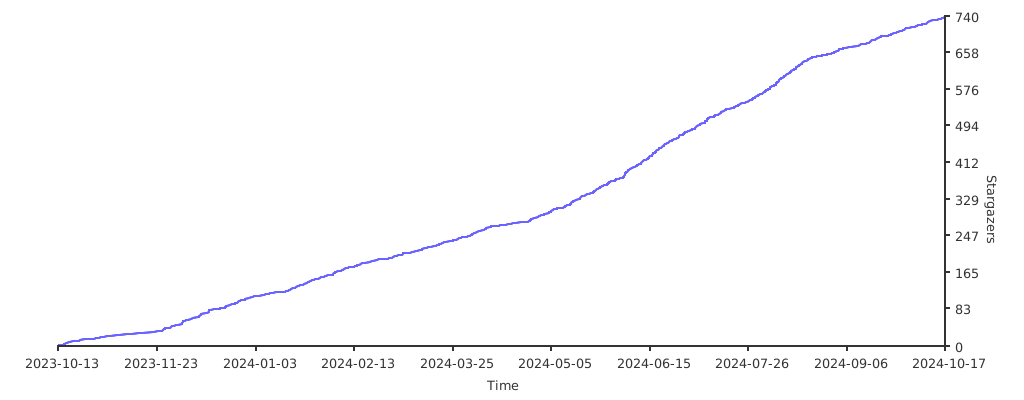](https://starchart.cc/JaKooLit/Debian-Hyprland)
|
||||
<a href='https://ko-fi.com/jakoolit' target='_blank'><img height='35' style='border:0px;height:46px;' src='https://az743702.vo.msecnd.net/cdn/kofi3.png?v=0' border='0' alt='Buy Me a Coffee at ko-fi.com' />
|
||||
|
||||
@ -1,3 +0,0 @@
|
||||
#if [ -z "${DISPLAY}" ] && [ "${XDG_VTNR}" -eq 1 ]; then
|
||||
# Hyprland
|
||||
#fi
|
||||
@ -3,7 +3,7 @@
|
||||
|
||||
export ZSH="$HOME/.oh-my-zsh"
|
||||
|
||||
ZSH_THEME="agnosterzak"
|
||||
ZSH_THEME="mikeh"
|
||||
|
||||
plugins=(
|
||||
git
|
||||
@ -14,18 +14,4 @@ plugins=(
|
||||
source $ZSH/oh-my-zsh.sh
|
||||
|
||||
|
||||
# Display Pokemon-colorscripts
|
||||
# Project page: https://gitlab.com/phoneybadger/pokemon-colorscripts#on-other-distros-and-macos
|
||||
#pokemon-colorscripts --no-title -s -r #without fastfetch
|
||||
#pokemon-colorscripts --no-title -s -r | fastfetch -c $HOME/.config/fastfetch/config-pokemon.jsonc --logo-type file-raw --logo-height 10 --logo-width 5 --logo -
|
||||
|
||||
# fastfetch. Will be disabled if above colorscript was chosen to install
|
||||
fastfetch -c $HOME/.config/fastfetch/config-compact.jsonc
|
||||
|
||||
# Set-up icons for files/directories in terminal using lsd
|
||||
alias ls='lsd'
|
||||
alias l='ls -l'
|
||||
alias la='ls -a'
|
||||
alias lla='ls -la'
|
||||
alias lt='ls --tree'
|
||||
|
||||
|
||||
@ -1,26 +0,0 @@
|
||||
diff --git a/hyprctl/main.cpp b/hyprctl/main.cpp
|
||||
index daf8d4a8..62ab8578 100644
|
||||
--- a/hyprctl/main.cpp
|
||||
+++ b/hyprctl/main.cpp
|
||||
@@ -268,7 +268,7 @@ int requestIPC(std::string_view filename, std::string_view arg) {
|
||||
sockaddr_un serverAddress = {0};
|
||||
serverAddress.sun_family = AF_UNIX;
|
||||
|
||||
- std::string socketPath = getRuntimeDir() + "/" + instanceSignature + "/" + filename;
|
||||
+ std::string socketPath = getRuntimeDir() + "/" + std::string(instanceSignature) + "/" + std::string(filename);
|
||||
|
||||
strncpy(serverAddress.sun_path, socketPath.c_str(), sizeof(serverAddress.sun_path) - 1);
|
||||
|
||||
diff --git a/src/helpers/Monitor.cpp b/src/helpers/Monitor.cpp
|
||||
index 4e5c4080..1944f22e 100644
|
||||
--- a/src/helpers/Monitor.cpp
|
||||
+++ b/src/helpers/Monitor.cpp
|
||||
@@ -549,7 +549,7 @@ bool CMonitor::applyMonitorRule(SMonitorRule* pMonitorRule, bool force) {
|
||||
std::ranges::sort(sortedModes, sortFunc);
|
||||
if (sortedModes.size() > 3)
|
||||
sortedModes.erase(sortedModes.begin() + 3, sortedModes.end());
|
||||
- requestedModes.insert_range(requestedModes.end(), sortedModes | std::views::reverse);
|
||||
+ requestedModes.insert(requestedModes.end(), sortedModes.rbegin(), sortedModes.rend());
|
||||
};
|
||||
|
||||
// last fallback is always preferred mode
|
||||
@ -1,124 +0,0 @@
|
||||
; Thunar GtkAccelMap rc-file -*- scheme -*-
|
||||
; this file is an automated accelerator map dump
|
||||
;
|
||||
; (gtk_accel_path "<Actions>/ThunarStandardView/sort-by-type" "")
|
||||
; (gtk_accel_path "<Actions>/ThunarStatusBar/toggle-last-modified" "")
|
||||
; (gtk_accel_path "<Actions>/ThunarActionManager/cut" "<Primary>x")
|
||||
; (gtk_accel_path "<Actions>/ThunarStandardView/sort-by-size" "")
|
||||
; (gtk_accel_path "<Actions>/ThunarWindow/file-menu" "")
|
||||
; (gtk_accel_path "<Actions>/ThunarWindow/close-tab" "<Primary>w")
|
||||
; (gtk_accel_path "<Actions>/ThunarStatusBar/toggle-size" "")
|
||||
; (gtk_accel_path "<Actions>/ThunarWindow/new-window" "<Primary>n")
|
||||
; (gtk_accel_path "<Actions>/ThunarWindow/clear-directory-specific-settings" "")
|
||||
; (gtk_accel_path "<Actions>/ThunarWindow/close-window" "<Primary>q")
|
||||
; (gtk_accel_path "<Actions>/ThunarWindow/open-parent" "<Alt>Up")
|
||||
; (gtk_accel_path "<Actions>/ThunarWindow/view-side-pane-menu" "")
|
||||
; (gtk_accel_path "<Actions>/ThunarStatusBar/toggle-size-in-bytes" "")
|
||||
; (gtk_accel_path "<Actions>/ThunarWindow/switch-previous-tab" "<Primary>Page_Up")
|
||||
; (gtk_accel_path "<Actions>/ThunarBookmarks/3925ac2f7e4055558c447a20c2e047ad" "")
|
||||
; (gtk_accel_path "<Actions>/ThunarActionManager/open" "<Primary>o")
|
||||
; (gtk_accel_path "<Actions>/ThunarStandardView/sort-ascending" "")
|
||||
; (gtk_accel_path "<Actions>/ThunarWindow/toggle-split-view" "F3")
|
||||
; (gtk_accel_path "<Actions>/ThunarActionManager/copy-2" "<Primary>Insert")
|
||||
; (gtk_accel_path "<Actions>/ThunarActionManager/trash-delete" "Delete")
|
||||
; (gtk_accel_path "<Actions>/ThunarWindow/open-recent" "")
|
||||
; (gtk_accel_path "<Actions>/ThunarWindow/view-configure-toolbar" "")
|
||||
; (gtk_accel_path "<Actions>/ThunarStandardView/forward" "<Alt>Right")
|
||||
; (gtk_accel_path "<Actions>/ThunarActionManager/restore" "")
|
||||
; (gtk_accel_path "<Actions>/ThunarBookmarks/9f0d843e4074095bf657b996746ec75c" "")
|
||||
; (gtk_accel_path "<Actions>/ThunarWindow/open-location-alt" "<Alt>d")
|
||||
; (gtk_accel_path "<Actions>/ThunarBookmarks/a16339451d60726d0755a887bd755af2" "")
|
||||
; (gtk_accel_path "<Actions>/ThunarWindow/zoom-out-alt" "<Primary>KP_Subtract")
|
||||
; (gtk_accel_path "<Actions>/ThunarStandardView/select-by-pattern" "<Primary>s")
|
||||
; (gtk_accel_path "<Actions>/ThunarWindow/open-file-menu" "F10")
|
||||
; (gtk_accel_path "<Actions>/ThunarWindow/contents" "F1")
|
||||
; (gtk_accel_path "<Actions>/ThunarWindow/show-highlight" "")
|
||||
; (gtk_accel_path "<Actions>/ThunarBookmarks/44e0e66b3d753576f90ed75c87917822" "")
|
||||
; (gtk_accel_path "<Actions>/ThunarStandardView/sort-descending" "")
|
||||
; (gtk_accel_path "<Actions>/ThunarStandardView/sort-by-name" "")
|
||||
; (gtk_accel_path "<Actions>/ThunarStandardView/select-all-files" "<Primary>a")
|
||||
; (gtk_accel_path "<Actions>/ThunarActionManager/execute" "")
|
||||
; (gtk_accel_path "<Actions>/ThunarStandardView/properties" "<Alt>Return")
|
||||
; (gtk_accel_path "<Actions>/ThunarActionManager/cut-2" "")
|
||||
; (gtk_accel_path "<Actions>/ThunarStandardView/sort-by-dtime" "")
|
||||
; (gtk_accel_path "<Actions>/ThunarWindow/switch-next-tab" "<Primary>Page_Down")
|
||||
; (gtk_accel_path "<Actions>/ThunarActionManager/paste-2" "<Shift>Insert")
|
||||
; (gtk_accel_path "<Actions>/ThunarWindow/open-templates" "")
|
||||
; (gtk_accel_path "<Actions>/ThunarStatusBar/toggle-filetype" "")
|
||||
; (gtk_accel_path "<Actions>/ThunarWindow/close-all-windows" "<Primary><Shift>w")
|
||||
; (gtk_accel_path "<Actions>/ThunarStandardView/create-document" "")
|
||||
; (gtk_accel_path "<Actions>/ThunarWindow/detach-tab" "")
|
||||
; (gtk_accel_path "<Actions>/ThunarBookmarks/978d3e7a7225e42c977fe94183792d87" "")
|
||||
; (gtk_accel_path "<Actions>/ThunarWindow/cancel-search" "Escape")
|
||||
; (gtk_accel_path "<Actions>/ThunarWindow/zoom-in-alt2" "<Primary>equal")
|
||||
; (gtk_accel_path "<Actions>/ThunarShortcutsPane/sendto-shortcuts" "<Primary>d")
|
||||
; (gtk_accel_path "<Actions>/ThunarActionManager/undo" "<Primary>z")
|
||||
; (gtk_accel_path "<Actions>/ThunarStandardView/toggle-sort-order" "")
|
||||
; (gtk_accel_path "<Actions>/ThunarWindow/reload-alt" "F5")
|
||||
; (gtk_accel_path "<Actions>/ThunarWindow/view-location-selector-entry" "")
|
||||
; (gtk_accel_path "<Actions>/ThunarActionManager/paste" "<Primary>v")
|
||||
; (gtk_accel_path "<Actions>/ThunarWindow/zoom-in-alt1" "<Primary>KP_Add")
|
||||
; (gtk_accel_path "<Actions>/ThunarWindow/view-menubar" "<Primary>m")
|
||||
; (gtk_accel_path "<Actions>/ThunarStandardView/back" "<Alt>Left")
|
||||
; (gtk_accel_path "<Actions>/ThunarWindow/open-desktop" "")
|
||||
; (gtk_accel_path "<Actions>/ThunarWindow/view-as-detailed-list" "<Primary>2")
|
||||
; (gtk_accel_path "<Actions>/ThunarActionManager/restore-show" "")
|
||||
; (gtk_accel_path "<Actions>/ThunarWindow/zoom-out" "<Primary>minus")
|
||||
; (gtk_accel_path "<Actions>/ThunarStatusBar/toggle-display-name" "")
|
||||
; (gtk_accel_path "<Actions>/ThunarWindow/sendto-menu" "")
|
||||
; (gtk_accel_path "<Actions>/ThunarWindow/go-menu" "")
|
||||
; (gtk_accel_path "<Actions>/ThunarWindow/remove-from-recent" "")
|
||||
; (gtk_accel_path "<Actions>/ThunarActionManager/open-with-other" "")
|
||||
; (gtk_accel_path "<Actions>/ThunarStandardView/invert-selection" "")
|
||||
; (gtk_accel_path "<Actions>/ThunarWindow/view-side-pane-shortcuts" "<Primary>b")
|
||||
; (gtk_accel_path "<Actions>/ThunarWindow/view-location-selector-menu" "")
|
||||
; (gtk_accel_path "<Actions>/ThunarWindow/edit-menu" "")
|
||||
; (gtk_accel_path "<Actions>/ThunarWindow/reload" "<Primary>r")
|
||||
; (gtk_accel_path "<Actions>/ThunarActionManager/move-to-trash" "")
|
||||
; (gtk_accel_path "<Actions>/ThunarActionManager/copy" "<Primary>c")
|
||||
; (gtk_accel_path "<Actions>/ThunarActionManager/delete-3" "<Shift>KP_Delete")
|
||||
; (gtk_accel_path "<Actions>/ThunarWindow/toggle-side-pane" "F9")
|
||||
; (gtk_accel_path "<Actions>/ThunarStandardView/sort-by-mtime" "")
|
||||
; (gtk_accel_path "<Actions>/ThunarBookmarks/a50db0a56a1e6c31df6bf18c55eb78cd" "")
|
||||
; (gtk_accel_path "<Actions>/ThunarStandardView/arrange-items-menu" "")
|
||||
; (gtk_accel_path "<Actions>/ThunarStandardView/unselect-all-files" "Escape")
|
||||
; (gtk_accel_path "<Actions>/ThunarWindow/open-computer" "")
|
||||
; (gtk_accel_path "<Actions>/ThunarWindow/bookmarks-menu" "")
|
||||
; (gtk_accel_path "<Actions>/ThunarWindow/toggle-image-preview" "")
|
||||
; (gtk_accel_path "<Actions>/ThunarWindow/view-as-icons" "<Primary>1")
|
||||
; (gtk_accel_path "<Actions>/ThunarActionManager/delete-2" "<Shift>Delete")
|
||||
; (gtk_accel_path "<Actions>/ThunarWindow/zoom-in" "<Primary>plus")
|
||||
; (gtk_accel_path "<Actions>/ThunarStandardView/rename" "F2")
|
||||
; (gtk_accel_path "<Actions>/ThunarWindow/open-location" "<Primary>l")
|
||||
; (gtk_accel_path "<Actions>/ThunarWindow/view-as-compact-list" "<Primary>3")
|
||||
; (gtk_accel_path "<Actions>/ThunarWindow/view-menu" "")
|
||||
; (gtk_accel_path "<Actions>/ThunarWindow/search" "<Primary>f")
|
||||
; (gtk_accel_path "<Actions>/ThunarWindow/new-tab" "<Primary>t")
|
||||
; (gtk_accel_path "<Actions>/ThunarWindow/zoom-reset" "<Primary>0")
|
||||
; (gtk_accel_path "<Actions>/ThunarWindow/contents/help-menu" "")
|
||||
; (gtk_accel_path "<Actions>/ThunarActionManager/open-in-new-tab" "<Primary><Shift>p")
|
||||
; (gtk_accel_path "<Actions>/ThunarWindow/view-location-selector-buttons" "")
|
||||
; (gtk_accel_path "<Actions>/ThunarActionManager/redo" "<Primary><Shift>z")
|
||||
; (gtk_accel_path "<Actions>/ThunarWindow/open-trash" "")
|
||||
; (gtk_accel_path "<Actions>/ThunarActionManager/open-in-new-window" "<Primary><Shift>o")
|
||||
; (gtk_accel_path "<Actions>/ThunarWindow/view-statusbar" "")
|
||||
; (gtk_accel_path "<Actions>/ThunarActionManager/open-location" "")
|
||||
; (gtk_accel_path "<Actions>/ThunarStandardView/duplicate" "")
|
||||
; (gtk_accel_path "<Actions>/ThunarBookmarks/c76f07a72d3c8ef5d4bf8e84c8981221" "")
|
||||
; (gtk_accel_path "<Actions>/ThunarActionManager/trash-delete-2" "KP_Delete")
|
||||
; (gtk_accel_path "<Actions>/ThunarStandardView/create-folder" "<Primary><Shift>n")
|
||||
; (gtk_accel_path "<Actions>/ThunarWindow/open-home" "<Alt>Home")
|
||||
; (gtk_accel_path "<Actions>/ThunarWindow/show-hidden" "<Primary>h")
|
||||
; (gtk_accel_path "<Actions>/ThunarStandardView/set-default-app" "")
|
||||
; (gtk_accel_path "<Actions>/ThunarWindow/empty-trash" "")
|
||||
; (gtk_accel_path "<Actions>/ThunarStandardView/back-alt" "BackSpace")
|
||||
; (gtk_accel_path "<Actions>/ThunarWindow/preferences" "")
|
||||
; (gtk_accel_path "<Actions>/ThunarBookmarks/8ea92a0b35875a5a65ffafcf02698ce8" "")
|
||||
; (gtk_accel_path "<Actions>/ThunarActionManager/delete" "")
|
||||
; (gtk_accel_path "<Actions>/ThunarWindow/view-side-pane-tree" "<Primary>e")
|
||||
; (gtk_accel_path "<Actions>/ThunarWindow/open-file-system" "")
|
||||
; (gtk_accel_path "<Actions>/ThunarWindow/open-network" "")
|
||||
; (gtk_accel_path "<Actions>/ThunarActionManager/sendto-desktop" "")
|
||||
; (gtk_accel_path "<Actions>/ThunarStandardView/make-link" "")
|
||||
; (gtk_accel_path "<Actions>/ThunarWindow/zoom-reset-alt" "<Primary>KP_0")
|
||||
; (gtk_accel_path "<Actions>/ThunarWindow/about" "")
|
||||
@ -1,59 +0,0 @@
|
||||
<?xml version="1.0" encoding="UTF-8"?>
|
||||
<actions>
|
||||
<action>
|
||||
<icon>audacious</icon>
|
||||
<name>Add to audacious playlist</name>
|
||||
<submenu></submenu>
|
||||
<unique-id>1681893052016505-1</unique-id>
|
||||
<command>audacious -e %U</command>
|
||||
<description></description>
|
||||
<range>*</range>
|
||||
<patterns>*</patterns>
|
||||
<audio-files/>
|
||||
</action>
|
||||
<action>
|
||||
<icon>utilities-terminal</icon>
|
||||
<name>Open Terminal Here</name>
|
||||
<submenu></submenu>
|
||||
<unique-id>1703572977408169-1</unique-id>
|
||||
<command>exo-open --working-directory %f --launch TerminalEmulator</command>
|
||||
<description>Launch TerminalEmulator</description>
|
||||
<range></range>
|
||||
<patterns>*</patterns>
|
||||
<startup-notify/>
|
||||
<directories/>
|
||||
</action>
|
||||
<action>
|
||||
<icon>checkbox</icon>
|
||||
<name>Check sha1sum</name>
|
||||
<submenu></submenu>
|
||||
<unique-id>1526633271260079-26</unique-id>
|
||||
<command>yad --info --title="Check sha1 for %n" --text="$(sha1sum %f)"</command>
|
||||
<description>Check sha1sum</description>
|
||||
<range></range>
|
||||
<patterns>*.iso;*.ISO</patterns>
|
||||
<other-files/>
|
||||
</action>
|
||||
<action>
|
||||
<icon>checkbox</icon>
|
||||
<name>Check sha256sum</name>
|
||||
<submenu></submenu>
|
||||
<unique-id>1577688162350307-1</unique-id>
|
||||
<command>yad --info --title="Check sha256 for %n" --text="$(sha256sum %f)"</command>
|
||||
<description>Check sha256sum</description>
|
||||
<range></range>
|
||||
<patterns>*.iso;*.ISO</patterns>
|
||||
<other-files/>
|
||||
</action>
|
||||
<action>
|
||||
<icon>checkbox</icon>
|
||||
<name>Check md5sum</name>
|
||||
<submenu></submenu>
|
||||
<unique-id>1526736788575383-2</unique-id>
|
||||
<command>yad --info --title="Check md5 for %n" --text="$(md5sum %f)"</command>
|
||||
<description>Check md5sum</description>
|
||||
<range></range>
|
||||
<patterns>*.iso;*.ISO;*.tar.gz;*.TAR.GZ;*.zip;*.ZIP</patterns>
|
||||
<other-files/>
|
||||
</action>
|
||||
</actions>
|
||||
@ -1,370 +0,0 @@
|
||||
# vim:ft=zsh ts=2 sw=2 sts=2
|
||||
#
|
||||
# agnoster's Theme - https://gist.github.com/3712874
|
||||
# A Powerline-inspired theme for ZSH
|
||||
#
|
||||
# # README
|
||||
#
|
||||
# In order for this theme to render correctly, you will need a
|
||||
# [Powerline-patched font](https://gist.github.com/1595572).
|
||||
#
|
||||
# In addition, I recommend the
|
||||
# [Solarized theme](https://github.com/altercation/solarized/) and, if you're
|
||||
# using it on Mac OS X, [iTerm 2](http://www.iterm2.com/) over Terminal.app -
|
||||
# it has significantly better color fidelity.
|
||||
#
|
||||
# # Goals
|
||||
#
|
||||
# The aim of this theme is to only show you *relevant* information. Like most
|
||||
# prompts, it will only show git information when in a git working directory.
|
||||
# However, it goes a step further: everything from the current user and
|
||||
# hostname to whether the last call exited with an error to whether background
|
||||
# jobs are running in this shell will all be displayed automatically when
|
||||
# appropriate.
|
||||
|
||||
### Segment drawing
|
||||
# A few utility functions to make it easy and re-usable to draw segmented prompts
|
||||
|
||||
CURRENT_BG='NONE'
|
||||
|
||||
# Characters
|
||||
SEGMENT_SEPARATOR="\ue0b0"
|
||||
PLUSMINUS="\u00b1"
|
||||
BRANCH="\ue0a0"
|
||||
DETACHED="\u27a6"
|
||||
CROSS="\u2718"
|
||||
LIGHTNING="\u26a1"
|
||||
GEAR="\u2699"
|
||||
|
||||
# Begin a segment
|
||||
# Takes two arguments, background and foreground. Both can be omitted,
|
||||
# rendering default background/foreground.
|
||||
prompt_segment() {
|
||||
local bg fg
|
||||
[[ -n $1 ]] && bg="%K{$1}" || bg="%k"
|
||||
[[ -n $2 ]] && fg="%F{$2}" || fg="%f"
|
||||
if [[ $CURRENT_BG != 'NONE' && $1 != $CURRENT_BG ]]; then
|
||||
print -n " %{$bg%F{$CURRENT_BG}%}$SEGMENT_SEPARATOR%{$fg%} "
|
||||
else
|
||||
print -n "%{$bg%}%{$fg%} "
|
||||
fi
|
||||
CURRENT_BG=$1
|
||||
[[ -n $3 ]] && print -n $3
|
||||
}
|
||||
|
||||
# End the prompt, closing any open segments
|
||||
prompt_end() {
|
||||
if [[ -n $CURRENT_BG ]]; then
|
||||
print -n " %{%k%F{$CURRENT_BG}%}$SEGMENT_SEPARATOR"
|
||||
else
|
||||
print -n "%{%k%}"
|
||||
fi
|
||||
print -n "%{%f%}"
|
||||
CURRENT_BG=''
|
||||
}
|
||||
|
||||
### Prompt components
|
||||
# Each component will draw itself, and hide itself if no information needs to be shown
|
||||
|
||||
# Context: user@hostname (who am I and where am I)
|
||||
prompt_context() {
|
||||
if [[ -n "$SSH_CLIENT" ]]; then
|
||||
prompt_segment magenta white "%{$fg_bold[white]%(!.%{%F{white}%}.)%}$USER@%m%{$fg_no_bold[white]%}"
|
||||
else
|
||||
prompt_segment yellow magenta "%{$fg_bold[magenta]%(!.%{%F{magenta}%}.)%}@$USER%{$fg_no_bold[magenta]%}"
|
||||
fi
|
||||
}
|
||||
|
||||
# Battery Level
|
||||
prompt_battery() {
|
||||
HEART='♥ '
|
||||
|
||||
if [[ $(uname) == "Darwin" ]] ; then
|
||||
|
||||
function battery_is_charging() {
|
||||
[ $(ioreg -rc AppleSmartBattery | grep -c '^.*"ExternalConnected"\ =\ No') -eq 1 ]
|
||||
}
|
||||
|
||||
function battery_pct() {
|
||||
local smart_battery_status="$(ioreg -rc "AppleSmartBattery")"
|
||||
typeset -F maxcapacity=$(echo $smart_battery_status | grep '^.*"MaxCapacity"\ =\ ' | sed -e 's/^.*"MaxCapacity"\ =\ //')
|
||||
typeset -F currentcapacity=$(echo $smart_battery_status | grep '^.*"CurrentCapacity"\ =\ ' | sed -e 's/^.*CurrentCapacity"\ =\ //')
|
||||
integer i=$(((currentcapacity/maxcapacity) * 100))
|
||||
echo $i
|
||||
}
|
||||
|
||||
function battery_pct_remaining() {
|
||||
if battery_is_charging ; then
|
||||
battery_pct
|
||||
else
|
||||
echo "External Power"
|
||||
fi
|
||||
}
|
||||
|
||||
function battery_time_remaining() {
|
||||
local smart_battery_status="$(ioreg -rc "AppleSmartBattery")"
|
||||
if [[ $(echo $smart_battery_status | grep -c '^.*"ExternalConnected"\ =\ No') -eq 1 ]] ; then
|
||||
timeremaining=$(echo $smart_battery_status | grep '^.*"AvgTimeToEmpty"\ =\ ' | sed -e 's/^.*"AvgTimeToEmpty"\ =\ //')
|
||||
if [ $timeremaining -gt 720 ] ; then
|
||||
echo "::"
|
||||
else
|
||||
echo "~$((timeremaining / 60)):$((timeremaining % 60))"
|
||||
fi
|
||||
fi
|
||||
}
|
||||
|
||||
b=$(battery_pct_remaining)
|
||||
if [[ $(ioreg -rc AppleSmartBattery | grep -c '^.*"ExternalConnected"\ =\ No') -eq 1 ]] ; then
|
||||
if [ $b -gt 50 ] ; then
|
||||
prompt_segment green white
|
||||
elif [ $b -gt 20 ] ; then
|
||||
prompt_segment yellow white
|
||||
else
|
||||
prompt_segment red white
|
||||
fi
|
||||
echo -n "%{$fg_bold[white]%}$HEART$(battery_pct_remaining)%%%{$fg_no_bold[white]%}"
|
||||
fi
|
||||
fi
|
||||
|
||||
if [[ $(uname) == "Linux" && -d /sys/module/battery ]] ; then
|
||||
|
||||
function battery_is_charging() {
|
||||
! [[ $(acpi 2&>/dev/null | grep -c '^Battery.*Discharging') -gt 0 ]]
|
||||
}
|
||||
|
||||
function battery_pct() {
|
||||
if (( $+commands[acpi] )) ; then
|
||||
echo "$(acpi | cut -f2 -d ',' | tr -cd '[:digit:]')"
|
||||
fi
|
||||
}
|
||||
|
||||
function battery_pct_remaining() {
|
||||
if [ ! $(battery_is_charging) ] ; then
|
||||
battery_pct
|
||||
else
|
||||
echo "External Power"
|
||||
fi
|
||||
}
|
||||
|
||||
function battery_time_remaining() {
|
||||
if [[ $(acpi 2&>/dev/null | grep -c '^Battery.*Discharging') -gt 0 ]] ; then
|
||||
echo $(acpi | cut -f3 -d ',')
|
||||
fi
|
||||
}
|
||||
|
||||
b=$(battery_pct_remaining)
|
||||
if [[ $(acpi 2&>/dev/null | grep -c '^Battery.*Discharging') -gt 0 ]] ; then
|
||||
if [ $b -gt 40 ] ; then
|
||||
prompt_segment green white
|
||||
elif [ $b -gt 20 ] ; then
|
||||
prompt_segment yellow white
|
||||
else
|
||||
prompt_segment red white
|
||||
fi
|
||||
echo -n "%{$fg_bold[white]%}$HEART$(battery_pct_remaining)%%%{$fg_no_bold[white]%}"
|
||||
fi
|
||||
|
||||
fi
|
||||
}
|
||||
|
||||
# Git: branch/detached head, dirty status
|
||||
prompt_git() {
|
||||
#«»±˖˗‑‐‒ ━ ✚‐↔←↑↓→↭⇎⇔⋆━◂▸◄►◆☀★☗☊✔✖❮❯⚑⚙
|
||||
local PL_BRANCH_CHAR
|
||||
() {
|
||||
local LC_ALL="" LC_CTYPE="en_US.UTF-8"
|
||||
PL_BRANCH_CHAR="$BRANCH"
|
||||
}
|
||||
local ref dirty mode repo_path clean has_upstream
|
||||
local modified untracked added deleted tagged stashed
|
||||
local ready_commit git_status bgclr fgclr
|
||||
local commits_diff commits_ahead commits_behind has_diverged to_push to_pull
|
||||
|
||||
repo_path=$(git rev-parse --git-dir 2>/dev/null)
|
||||
|
||||
if $(git rev-parse --is-inside-work-tree >/dev/null 2>&1); then
|
||||
dirty=$(parse_git_dirty)
|
||||
git_status=$(git status --porcelain 2> /dev/null)
|
||||
ref=$(git symbolic-ref HEAD 2> /dev/null) || ref="➦ $(git rev-parse --short HEAD 2> /dev/null)"
|
||||
if [[ -n $dirty ]]; then
|
||||
clean=''
|
||||
bgclr='yellow'
|
||||
fgclr='magenta'
|
||||
else
|
||||
clean=' ✔'
|
||||
bgclr='green'
|
||||
fgclr='white'
|
||||
fi
|
||||
|
||||
local upstream=$(git rev-parse --symbolic-full-name --abbrev-ref @{upstream} 2> /dev/null)
|
||||
if [[ -n "${upstream}" && "${upstream}" != "@{upstream}" ]]; then has_upstream=true; fi
|
||||
|
||||
local current_commit_hash=$(git rev-parse HEAD 2> /dev/null)
|
||||
|
||||
local number_of_untracked_files=$(\grep -c "^??" <<< "${git_status}")
|
||||
# if [[ $number_of_untracked_files -gt 0 ]]; then untracked=" $number_of_untracked_files◆"; fi
|
||||
if [[ $number_of_untracked_files -gt 0 ]]; then untracked=" $number_of_untracked_files☀"; fi
|
||||
|
||||
local number_added=$(\grep -c "^A" <<< "${git_status}")
|
||||
if [[ $number_added -gt 0 ]]; then added=" $number_added✚"; fi
|
||||
|
||||
local number_modified=$(\grep -c "^.M" <<< "${git_status}")
|
||||
if [[ $number_modified -gt 0 ]]; then
|
||||
modified=" $number_modified●"
|
||||
bgclr='red'
|
||||
fgclr='white'
|
||||
fi
|
||||
|
||||
local number_added_modified=$(\grep -c "^M" <<< "${git_status}")
|
||||
local number_added_renamed=$(\grep -c "^R" <<< "${git_status}")
|
||||
if [[ $number_modified -gt 0 && $number_added_modified -gt 0 ]]; then
|
||||
modified="$modified$((number_added_modified+number_added_renamed))±"
|
||||
elif [[ $number_added_modified -gt 0 ]]; then
|
||||
modified=" ●$((number_added_modified+number_added_renamed))±"
|
||||
fi
|
||||
|
||||
local number_deleted=$(\grep -c "^.D" <<< "${git_status}")
|
||||
if [[ $number_deleted -gt 0 ]]; then
|
||||
deleted=" $number_deleted‒"
|
||||
bgclr='red'
|
||||
fgclr='white'
|
||||
fi
|
||||
|
||||
local number_added_deleted=$(\grep -c "^D" <<< "${git_status}")
|
||||
if [[ $number_deleted -gt 0 && $number_added_deleted -gt 0 ]]; then
|
||||
deleted="$deleted$number_added_deleted±"
|
||||
elif [[ $number_added_deleted -gt 0 ]]; then
|
||||
deleted=" ‒$number_added_deleted±"
|
||||
fi
|
||||
|
||||
local tag_at_current_commit=$(git describe --exact-match --tags $current_commit_hash 2> /dev/null)
|
||||
if [[ -n $tag_at_current_commit ]]; then tagged=" ☗$tag_at_current_commit "; fi
|
||||
|
||||
local number_of_stashes="$(git stash list -n1 2> /dev/null | wc -l)"
|
||||
if [[ $number_of_stashes -gt 0 ]]; then
|
||||
stashed=" ${number_of_stashes##*( )}⚙"
|
||||
bgclr='magenta'
|
||||
fgclr='white'
|
||||
fi
|
||||
|
||||
if [[ $number_added -gt 0 || $number_added_modified -gt 0 || $number_added_deleted -gt 0 ]]; then ready_commit=' ⚑'; fi
|
||||
|
||||
local upstream_prompt=''
|
||||
if [[ $has_upstream == true ]]; then
|
||||
commits_diff="$(git log --pretty=oneline --topo-order --left-right ${current_commit_hash}...${upstream} 2> /dev/null)"
|
||||
commits_ahead=$(\grep -c "^<" <<< "$commits_diff")
|
||||
commits_behind=$(\grep -c "^>" <<< "$commits_diff")
|
||||
upstream_prompt="$(git rev-parse --symbolic-full-name --abbrev-ref @{upstream} 2> /dev/null)"
|
||||
upstream_prompt=$(sed -e 's/\/.*$/ ☊ /g' <<< "$upstream_prompt")
|
||||
fi
|
||||
|
||||
has_diverged=false
|
||||
if [[ $commits_ahead -gt 0 && $commits_behind -gt 0 ]]; then has_diverged=true; fi
|
||||
if [[ $has_diverged == false && $commits_ahead -gt 0 ]]; then
|
||||
if [[ $bgclr == 'red' || $bgclr == 'magenta' ]] then
|
||||
to_push=" $fg_bold[white]↑$commits_ahead$fg_bold[$fgclr]"
|
||||
else
|
||||
to_push=" $fg_bold[black]↑$commits_ahead$fg_bold[$fgclr]"
|
||||
fi
|
||||
fi
|
||||
if [[ $has_diverged == false && $commits_behind -gt 0 ]]; then to_pull=" $fg_bold[magenta]↓$commits_behind$fg_bold[$fgclr]"; fi
|
||||
|
||||
if [[ -e "${repo_path}/BISECT_LOG" ]]; then
|
||||
mode=" <B>"
|
||||
elif [[ -e "${repo_path}/MERGE_HEAD" ]]; then
|
||||
mode=" >M<"
|
||||
elif [[ -e "${repo_path}/rebase" || -e "${repo_path}/rebase-apply" || -e "${repo_path}/rebase-merge" || -e "${repo_path}/../.dotest" ]]; then
|
||||
mode=" >R>"
|
||||
fi
|
||||
|
||||
prompt_segment $bgclr $fgclr
|
||||
|
||||
print -n "%{$fg_bold[$fgclr]%}${ref/refs\/heads\//$PL_BRANCH_CHAR $upstream_prompt}${mode}$to_push$to_pull$clean$tagged$stashed$untracked$modified$deleted$added$ready_commit%{$fg_no_bold[$fgclr]%}"
|
||||
fi
|
||||
}
|
||||
|
||||
prompt_hg() {
|
||||
local rev status
|
||||
if $(hg id >/dev/null 2>&1); then
|
||||
if $(hg prompt >/dev/null 2>&1); then
|
||||
if [[ $(hg prompt "{status|unknown}") = "?" ]]; then
|
||||
# if files are not added
|
||||
prompt_segment red white
|
||||
st='±'
|
||||
elif [[ -n $(hg prompt "{status|modified}") ]]; then
|
||||
# if any modification
|
||||
prompt_segment yellow black
|
||||
st='±'
|
||||
else
|
||||
# if working copy is clean
|
||||
prompt_segment green black
|
||||
fi
|
||||
print -n $(hg prompt "☿ {rev}@{branch}") $st
|
||||
else
|
||||
st=""
|
||||
rev=$(hg id -n 2>/dev/null | sed 's/[^-0-9]//g')
|
||||
branch=$(hg id -b 2>/dev/null)
|
||||
if `hg st | grep -q "^\?"`; then
|
||||
prompt_segment red black
|
||||
st='±'
|
||||
elif `hg st | grep -q "^[MA]"`; then
|
||||
prompt_segment yellow black
|
||||
st='±'
|
||||
else
|
||||
prompt_segment green black
|
||||
fi
|
||||
print -n "☿ $rev@$branch" $st
|
||||
fi
|
||||
fi
|
||||
}
|
||||
|
||||
# Dir: current working directory
|
||||
prompt_dir() {
|
||||
prompt_segment cyan white "%{$fg_bold[white]%}%~%{$fg_no_bold[white]%}"
|
||||
}
|
||||
|
||||
# Virtualenv: current working virtualenv
|
||||
prompt_virtualenv() {
|
||||
local virtualenv_path="$VIRTUAL_ENV"
|
||||
if [[ -n $virtualenv_path && -n $VIRTUAL_ENV_DISABLE_PROMPT ]]; then
|
||||
prompt_segment blue black "(`basename $virtualenv_path`)"
|
||||
fi
|
||||
}
|
||||
|
||||
prompt_time() {
|
||||
prompt_segment blue white "%{$fg_bold[white]%}%D{%a %e %b - %H:%M}%{$fg_no_bold[white]%}"
|
||||
}
|
||||
|
||||
# Status:
|
||||
# - was there an error
|
||||
# - am I root
|
||||
# - are there background jobs?
|
||||
prompt_status() {
|
||||
local symbols
|
||||
symbols=()
|
||||
[[ $RETVAL -ne 0 ]] && symbols+="%{%F{red}%}$CROSS"
|
||||
[[ $UID -eq 0 ]] && symbols+="%{%F{yellow}%}$LIGHTNING"
|
||||
[[ $(jobs -l | wc -l) -gt 0 ]] && symbols+="%{%F{cyan}%}$GEAR"
|
||||
|
||||
[[ -n "$symbols" ]] && prompt_segment black default "$symbols"
|
||||
}
|
||||
|
||||
## Main prompt
|
||||
build_prompt() {
|
||||
RETVAL=$?
|
||||
print -n "\n"
|
||||
prompt_status
|
||||
#prompt_battery
|
||||
prompt_time
|
||||
prompt_virtualenv
|
||||
prompt_dir
|
||||
prompt_git
|
||||
prompt_hg
|
||||
prompt_end
|
||||
CURRENT_BG='NONE'
|
||||
print -n "\n"
|
||||
prompt_context
|
||||
prompt_end
|
||||
}
|
||||
|
||||
PROMPT='%{%f%b%k%}$(build_prompt) '
|
||||
@ -1,392 +0,0 @@
|
||||
|
||||
###
|
||||
### You can re-define the following variables in your .zshrc file
|
||||
### in order to customize the appearance of the prompt
|
||||
###
|
||||
|
||||
# The indentation of the rprompt
|
||||
ZLE_RPROMPT_INDENT=${ZLE_RPROMPT_INDENT:-0}
|
||||
|
||||
# Whether to use oh-my-zsh's git-prompt plugin
|
||||
# or the builtin logic written in this file
|
||||
ZSH_ANTARES_USE_OHMYZSH_GIT_PROMPT=""
|
||||
|
||||
# Whether to gather additional details about the git status
|
||||
# This option only applies when using the builtin logic
|
||||
# Usefull when dealing with huge repositories to speed things up
|
||||
ZSH_ANTARES_USE_LIGHT_GIT_MODE=""
|
||||
|
||||
# The colors to use for the various elements of the prompt
|
||||
ZSH_ANTARES_FG_EXECTIME="#dd00ff"
|
||||
ZSH_ANTARES_FG_ERRVAL="#c31a1a"
|
||||
ZSH_ANTARES_FG_DECO="#ffffff"
|
||||
ZSH_ANTARES_FG_PWD_OK="#ffffff"
|
||||
ZSH_ANTARES_BG_PWD_OK="#0055ff"
|
||||
ZSH_ANTARES_FG_PWD_ERR="#ffffff"
|
||||
ZSH_ANTARES_BG_PWD_ERR="#c31a1a"
|
||||
ZSH_ANTARES_FG_GIT_INIT="#000000"
|
||||
ZSH_ANTARES_BG_GIT_INIT="#b5f3a1"
|
||||
ZSH_ANTARES_FG_GIT_BARE="#000000"
|
||||
ZSH_ANTARES_BG_GIT_BARE="#b07a4e"
|
||||
ZSH_ANTARES_FG_GIT_BRANCH="#000000"
|
||||
ZSH_ANTARES_BG_GIT_BRANCH="#47cc2b"
|
||||
ZSH_ANTARES_FG_GIT_DETACH="#000000"
|
||||
ZSH_ANTARES_BG_GIT_DETACH="#eeaa22"
|
||||
ZSH_ANTARES_FG_GIT_CONFLICT="#000000"
|
||||
ZSH_ANTARES_BG_GIT_CONFLICT="#c31a1a"
|
||||
ZSH_ANTARES_FG_GIT_AHEAD="#cfcfcf"
|
||||
ZSH_ANTARES_FG_GIT_BEHIND="#9f9f9f"
|
||||
ZSH_ANTARES_FG_GIT_STAGED="#6cc6ee"
|
||||
ZSH_ANTARES_FG_GIT_ADDED="#04c304"
|
||||
ZSH_ANTARES_FG_GIT_DELETED="#e7165a"
|
||||
ZSH_ANTARES_FG_GIT_CHANGED="#ee9931"
|
||||
ZSH_ANTARES_FG_GIT_CONFLICTS="#ff0000"
|
||||
ZSH_ANTARES_FG_GIT_UNTRACKED="#bbffff"
|
||||
ZSH_ANTARES_FG_GIT_STASHED="#eaa0ff"
|
||||
ZSH_ANTARES_FG_GIT_TAG="#ffffff"
|
||||
ZSH_ANTARES_FG_JOBS="#9f9f9f"
|
||||
ZSH_ANTARES_FG_PRIVILEDGES="#ffdd44"
|
||||
|
||||
# The characters (or strings, by will) to use for some of the elements
|
||||
ZSH_ANTARES_STR_GIT_BARE="⛁"
|
||||
ZSH_ANTARES_STR_GIT_AHEAD="↑"
|
||||
ZSH_ANTARES_STR_GIT_BEHIND="↓"
|
||||
ZSH_ANTARES_STR_GIT_STAGED="●"
|
||||
ZSH_ANTARES_STR_GIT_ADDED="✚"
|
||||
ZSH_ANTARES_STR_GIT_DELETED="━"
|
||||
ZSH_ANTARES_STR_GIT_CHANGED="✱"
|
||||
ZSH_ANTARES_STR_GIT_CONFLICTS="✖"
|
||||
ZSH_ANTARES_STR_GIT_UNTRACKED="❍"
|
||||
ZSH_ANTARES_STR_GIT_STASHED="⚑"
|
||||
ZSH_ANTARES_STR_GIT_TAG="🏲"
|
||||
ZSH_ANTARES_STR_JOBS="⚙"
|
||||
ZSH_ANTARES_STR_ROOT="#"
|
||||
ZSH_ANTARES_STR_USER="$"
|
||||
|
||||
# The path expansion to use to display the pwd
|
||||
ZSH_ANTARES_PATHVAR='%~'
|
||||
|
||||
# The minimum amount of time (in seconds) a command shall take to complete
|
||||
# in order to display the execution time in the prompt
|
||||
ZSH_ANTARES_MIN_EXEC_TIME=0
|
||||
|
||||
# The control character used to insert a new line
|
||||
# You shouldn't edit this variable, but if you really want to...
|
||||
ZSH_ANTARES_LINEFEED=$'\n'
|
||||
|
||||
###
|
||||
### End of the re-definable section
|
||||
###
|
||||
|
||||
|
||||
antares_update_git_status()
|
||||
{
|
||||
ZSH_ANTARES_GIT_STATUS=""
|
||||
ZSH_ANTARES_GIT_IN_WORKING_TREE=0
|
||||
ZSH_ANTARES_GIT_IS_INIT_REPO=0
|
||||
ZSH_ANTARES_GIT_IS_BARE_REPO=0
|
||||
ZSH_ANTARES_GIT_IS_DETACHED_HEAD=0
|
||||
ZSH_ANTARES_GIT_HAS_CONFLICTS=0
|
||||
ZSH_ANTARES_GIT_HAS_TAGS=0
|
||||
ZSH_ANTARES_GIT_TAG=""
|
||||
|
||||
if ( $(git rev-parse --is-inside-work-tree 1>/dev/null 2>/dev/null) )
|
||||
then
|
||||
ZSH_ANTARES_GIT_IN_WORKING_TREE=1
|
||||
private branch_name="$(git branch --show-current)"
|
||||
if [ -n "$branch_name" ]
|
||||
then
|
||||
if [ -z "$ZSH_ANTARES_USE_OHMYZSH_GIT_PROMPT" ]
|
||||
then
|
||||
GIT_BRANCH="$branch_name"
|
||||
fi
|
||||
if ( ! $(git rev-parse --verify HEAD 1>/dev/null 2>/dev/null) )
|
||||
then
|
||||
ZSH_ANTARES_GIT_IS_INIT_REPO=1
|
||||
fi
|
||||
if [ $(git rev-parse --is-bare-repository) = "true" ]
|
||||
then
|
||||
ZSH_ANTARES_GIT_IS_BARE_REPO=1
|
||||
GIT_BRANCH="$ZSH_ANTARES_STR_GIT_BARE"
|
||||
fi
|
||||
else
|
||||
ZSH_ANTARES_GIT_IS_DETACHED_HEAD=1
|
||||
if [ -z "$ZSH_ANTARES_USE_OHMYZSH_GIT_PROMPT" ]
|
||||
then
|
||||
GIT_BRANCH="$(git rev-parse --short HEAD)"
|
||||
if [ -z "$ZSH_ANTARES_USE_LIGHT_GIT_MODE" ]
|
||||
then
|
||||
private git_tag="$(git tag --points-at=HEAD)"
|
||||
if [ -n "$git_tag" ]
|
||||
then
|
||||
ZSH_ANTARES_GIT_HAS_TAGS=1
|
||||
private n_tags="$(echo "$git_tag" | wc -l)"
|
||||
if (( n_tags == 1 ))
|
||||
then
|
||||
ZSH_ANTARES_GIT_TAG=" $ZSH_ANTARES_STR_GIT_TAG $git_tag"
|
||||
elif (( n_tags > 1 ))
|
||||
then
|
||||
ZSH_ANTARES_GIT_TAG=" $ZSH_ANTARES_STR_GIT_TAG $n_tags"
|
||||
else
|
||||
fi
|
||||
fi
|
||||
fi
|
||||
fi
|
||||
fi
|
||||
else
|
||||
antares_reset_git_info
|
||||
return
|
||||
fi
|
||||
|
||||
if (( ZSH_ANTARES_GIT_IS_BARE_REPO ))
|
||||
then
|
||||
antares_reset_git_counts
|
||||
GIT_AHEAD=$(git rev-list --left-only HEAD..FETCH_HEAD --count)
|
||||
GIT_BEHIND=$(git rev-list --right-only HEAD..FETCH_HEAD --count)
|
||||
return
|
||||
fi
|
||||
|
||||
if [ -n "$ZSH_ANTARES_USE_OHMYZSH_GIT_PROMPT" ]
|
||||
then
|
||||
GIT_ADDED=0
|
||||
elif [ -n "$ZSH_ANTARES_USE_LIGHT_GIT_MODE" ]
|
||||
then
|
||||
antares_reset_git_counts
|
||||
return
|
||||
else
|
||||
private git_status="$(git status -sb)"
|
||||
if [ -n "$git_status" ]
|
||||
then
|
||||
GIT_STAGED=$(echo $git_status | grep '^[AMD]. ' | wc -l)
|
||||
GIT_ADDED=$(echo $git_status | grep '^A ' | wc -l)
|
||||
GIT_DELETED=$(echo $git_status | grep -E '^(D |.D) ' | wc -l)
|
||||
GIT_CHANGED=$(echo $git_status | grep -E '^(M |.M) ' | wc -l)
|
||||
GIT_CONFLICTS=$(echo $git_status | grep '^U. ' | wc -l)
|
||||
GIT_UNTRACKED=$(echo $git_status | grep '^?? ' | wc -l)
|
||||
GIT_STASHED=$(git stash list | wc -l)
|
||||
if (( ZSH_ANTARES_GIT_IS_DETACHED_HEAD ))
|
||||
then
|
||||
GIT_AHEAD=0
|
||||
GIT_BEHIND=0
|
||||
elif (( ! ZSH_ANTARES_GIT_IS_INIT_REPO ))
|
||||
then
|
||||
private left_right=$(echo $git_status | grep '^## ' | cut -d" " -f2)
|
||||
GIT_AHEAD=$(git rev-list --left-only $left_right --count)
|
||||
GIT_BEHIND=$(git rev-list --right-only $left_right --count)
|
||||
fi
|
||||
fi
|
||||
fi
|
||||
|
||||
ZSH_ANTARES_GIT_HAS_CONFLICTS=$(( GIT_CONFLICTS > 0 ))
|
||||
}
|
||||
|
||||
antares_reset_git_info()
|
||||
{
|
||||
if [ -z "$ZSH_ANTARES_USE_OHMYZSH_GIT_PROMPT" ]
|
||||
then
|
||||
GIT_BRANCH=""
|
||||
fi
|
||||
antares_reset_git_counts
|
||||
}
|
||||
antares_reset_git_counts()
|
||||
{
|
||||
if [ -n "$ZSH_ANTARES_USE_OHMYZSH_GIT_PROMPT" ]
|
||||
then
|
||||
GIT_ADDED=0
|
||||
else
|
||||
GIT_AHEAD=0
|
||||
GIT_BEHIND=0
|
||||
GIT_STAGED=0
|
||||
GIT_ADDED=0
|
||||
GIT_DELETED=0
|
||||
GIT_CHANGED=0
|
||||
GIT_CONFLICTS=0
|
||||
GIT_UNTRACKED=0
|
||||
GIT_STASHED=0
|
||||
fi
|
||||
}
|
||||
|
||||
antares_update_prompt()
|
||||
{
|
||||
ZSH_ANTARES_RETURN=""
|
||||
if [ -n "$ZSH_ANTARES_EXEC_FLAG" ]
|
||||
then
|
||||
if (( ZSH_ANTARES_MIN_EXEC_TIME >= 0 ))
|
||||
then
|
||||
private exec_time=$(( SECONDS - ZSH_ANTARES_EXEC_START ))
|
||||
if (( exec_time >= ZSH_ANTARES_MIN_EXEC_TIME ))
|
||||
then
|
||||
ZSH_ANTARES_RETURN+="%F{$ZSH_ANTARES_FG_EXECTIME}%B⤷%b $exec_time%f"
|
||||
fi
|
||||
fi
|
||||
if [[ "$ZSH_ANTARES_ERR_CODE" != "0" ]]
|
||||
then
|
||||
if [ -z "$ZSH_ANTARES_RETURN" ]
|
||||
then
|
||||
ZSH_ANTARES_RETURN+="%F{$ZSH_ANTARES_FG_ERRVAL}%B⤷%b%f"
|
||||
fi
|
||||
ZSH_ANTARES_RETURN+=" %F{$ZSH_ANTARES_FG_ERRVAL}✘%B${ZSH_ANTARES_ERR_CODE}%b%f"
|
||||
fi
|
||||
[ -n "$ZSH_ANTARES_RETURN" ] && ZSH_ANTARES_RETURN+="$ZSH_ANTARES_LINEFEED"
|
||||
fi
|
||||
|
||||
ZSH_ANTARES_FILLER=""
|
||||
private fillchar=" "
|
||||
|
||||
private width=$(( COLUMNS - ${ZLE_RPROMPT_INDENT:-1} ))
|
||||
|
||||
private decosize=7
|
||||
private pwdsize=${#${(%):-$ZSH_ANTARES_PATHVAR}}
|
||||
private pwdcut=""
|
||||
private gitsize=${#${(%):-$GIT_BRANCH$ZSH_ANTARES_GIT_TAG}}
|
||||
private gitcut=""
|
||||
|
||||
if (( pwdsize + gitsize + (decosize * 2) > width )); then
|
||||
private half_width=$(( width / 2 ))
|
||||
private pwd_over_half=$(( (pwdsize + decosize) > half_width ))
|
||||
private git_over_half=$(( (gitsize + decosize) > half_width ))
|
||||
if (( pwd_over_half > 0 )) && (( git_over_half > 0 ))
|
||||
then
|
||||
(( pwdcut = half_width - decosize ))
|
||||
(( gitcut = half_width - decosize ))
|
||||
elif (( pwd_over_half > 0 ))
|
||||
then
|
||||
(( pwdcut = width - gitsize - (decosize * 2) ))
|
||||
ZSH_ANTARES_FILLER="\${(l:$(( width - pwdcut - gitsize - (decosize * 2) ))::$fillchar:)}"
|
||||
elif (( git_over_half > 0 ))
|
||||
then
|
||||
(( gitcut = width - pwdsize - (decosize * 2) ))
|
||||
ZSH_ANTARES_FILLER="\${(l:$(( width - pwdsize - gitcut - (decosize * 2) ))::$fillchar:)}"
|
||||
else
|
||||
ZSH_ANTARES_FILLER="\${(l:$(( width - pwdsize - gitsize - (decosize * 2) ))::$fillchar:)}"
|
||||
fi
|
||||
else
|
||||
ZSH_ANTARES_FILLER="\${(l:$(( width - pwdsize - gitsize - (decosize * 2) ))::$fillchar:)}"
|
||||
fi
|
||||
|
||||
if [ -n "$ZSH_ANTARES_EXEC_FLAG" ]
|
||||
then
|
||||
private pwd_fg_color="%(?.${ZSH_ANTARES_FG_PWD_OK}.${ZSH_ANTARES_FG_PWD_ERR})"
|
||||
private pwd_bg_color="%(?.${ZSH_ANTARES_BG_PWD_OK}.${ZSH_ANTARES_BG_PWD_ERR})"
|
||||
else
|
||||
private pwd_fg_color="$ZSH_ANTARES_FG_PWD_OK"
|
||||
private pwd_bg_color="$ZSH_ANTARES_BG_PWD_OK"
|
||||
fi
|
||||
ZSH_ANTARES_PWD="%K{$pwd_bg_color}%F{$pwd_fg_color} %${pwdcut}<...<${ZSH_ANTARES_PATHVAR}%<< %f%k%F{$pwd_bg_color}▓▒░%f"
|
||||
|
||||
ZSH_ANTARES_GIT_BRANCH=""
|
||||
if (( ZSH_ANTARES_GIT_IN_WORKING_TREE ))
|
||||
then
|
||||
if (( ZSH_ANTARES_GIT_HAS_CONFLICTS ))
|
||||
then
|
||||
ZSH_ANTARES_GIT_BRANCH+="%F{$ZSH_ANTARES_BG_GIT_CONFLICT}░▒▓%f%K{$ZSH_ANTARES_BG_GIT_CONFLICT}%F{$ZSH_ANTARES_FG_GIT_CONFLICT}"
|
||||
elif (( ZSH_ANTARES_GIT_IS_DETACHED_HEAD ))
|
||||
then
|
||||
ZSH_ANTARES_GIT_BRANCH+="%F{$ZSH_ANTARES_BG_GIT_DETACH}░▒▓%f%K{$ZSH_ANTARES_BG_GIT_DETACH}%F{$ZSH_ANTARES_FG_GIT_DETACH}"
|
||||
if (( ZSH_ANTARES_GIT_HAS_TAGS ))
|
||||
then
|
||||
GIT_BRANCH+="%F{$ZSH_ANTARES_FG_GIT_TAG}${ZSH_ANTARES_GIT_TAG}%f"
|
||||
fi
|
||||
elif (( ZSH_ANTARES_GIT_IS_BARE_REPO ))
|
||||
then
|
||||
ZSH_ANTARES_GIT_BRANCH+="%F{$ZSH_ANTARES_BG_GIT_BARE}░▒▓%f%K{$ZSH_ANTARES_BG_GIT_BARE}%F{$ZSH_ANTARES_FG_GIT_BARE}"
|
||||
elif (( ZSH_ANTARES_GIT_IS_INIT_REPO ))
|
||||
then
|
||||
ZSH_ANTARES_GIT_BRANCH+="%F{$ZSH_ANTARES_BG_GIT_INIT}░▒▓%f%K{$ZSH_ANTARES_BG_GIT_INIT}%F{$ZSH_ANTARES_FG_GIT_INIT}"
|
||||
else
|
||||
ZSH_ANTARES_GIT_BRANCH+="%F{$ZSH_ANTARES_BG_GIT_BRANCH}░▒▓%f%K{$ZSH_ANTARES_BG_GIT_BRANCH}%F{$ZSH_ANTARES_FG_GIT_BRANCH}"
|
||||
fi
|
||||
ZSH_ANTARES_GIT_BRANCH+=" %${gitcut}>...>$GIT_BRANCH%>> %f%k"
|
||||
if [ -n "$ZSH_ANTARES_USE_LIGHT_GIT_MODE" ]
|
||||
then
|
||||
ZSH_ANTARES_GIT_BRANCH+="%F{$ZSH_ANTARES_FG_DECO}├╼%f"
|
||||
else
|
||||
ZSH_ANTARES_GIT_BRANCH+="%F{$ZSH_ANTARES_FG_DECO}├╮%f"
|
||||
fi
|
||||
fi
|
||||
|
||||
ZSH_ANTARES_JOBS="%(1j.%F{$ZSH_ANTARES_FG_JOBS}${ZSH_ANTARES_STR_JOBS}%j%f .)"
|
||||
|
||||
ZSH_ANTARES_PRIVILEDGES="%F{$ZSH_ANTARES_FG_PRIVILEDGES}%B%(!.${ZSH_ANTARES_STR_ROOT}.${ZSH_ANTARES_STR_USER})%b%f"
|
||||
}
|
||||
|
||||
antares_update_rprompt()
|
||||
{
|
||||
ZSH_ANTARES_GIT_STATUS=""
|
||||
|
||||
[ -n "$ZSH_ANTARES_USE_LIGHT_GIT_MODE" ] && return
|
||||
|
||||
(( ZSH_ANTARES_GIT_IN_WORKING_TREE )) || return
|
||||
|
||||
if (( GIT_CONFLICTS > 0 ))
|
||||
then
|
||||
ZSH_ANTARES_GIT_STATUS+=" %F{$ZSH_ANTARES_FG_GIT_CONFLICTS}${ZSH_ANTARES_STR_GIT_CONFLICTS}${GIT_CONFLICTS}%f"
|
||||
fi
|
||||
if (( GIT_STAGED > 0 ))
|
||||
then
|
||||
ZSH_ANTARES_GIT_STATUS+=" %F{$ZSH_ANTARES_FG_GIT_STAGED}${ZSH_ANTARES_STR_GIT_STAGED}${GIT_STAGED}%f"
|
||||
fi
|
||||
if (( GIT_DELETED > 0 ))
|
||||
then
|
||||
ZSH_ANTARES_GIT_STATUS+=" %F{$ZSH_ANTARES_FG_GIT_DELETED}${ZSH_ANTARES_STR_GIT_DELETED}${GIT_DELETED}%f"
|
||||
fi
|
||||
if (( GIT_CHANGED > 0 ))
|
||||
then
|
||||
ZSH_ANTARES_GIT_STATUS+=" %F{$ZSH_ANTARES_FG_GIT_CHANGED}${ZSH_ANTARES_STR_GIT_CHANGED}${GIT_CHANGED}%f"
|
||||
fi
|
||||
if (( GIT_ADDED > 0 ))
|
||||
then
|
||||
ZSH_ANTARES_GIT_STATUS+=" %F{$ZSH_ANTARES_FG_GIT_ADDED}${ZSH_ANTARES_STR_GIT_ADDED}${GIT_ADDED}%f"
|
||||
fi
|
||||
if (( GIT_UNTRACKED > 0 ))
|
||||
then
|
||||
ZSH_ANTARES_GIT_STATUS+=" %F{$ZSH_ANTARES_FG_GIT_UNTRACKED}${ZSH_ANTARES_STR_GIT_UNTRACKED}${GIT_UNTRACKED}%f"
|
||||
fi
|
||||
if (( GIT_STASHED > 0 ))
|
||||
then
|
||||
ZSH_ANTARES_GIT_STATUS+=" %F{$ZSH_ANTARES_FG_GIT_STASHED}${ZSH_ANTARES_STR_GIT_STASHED}${GIT_STASHED}%f"
|
||||
fi
|
||||
if (( ! ZSH_ANTARES_GIT_IS_DETACHED_HEAD ))
|
||||
then
|
||||
private ahead_behind=""
|
||||
if (( GIT_AHEAD > 0 ))
|
||||
then
|
||||
ahead_behind+="%F{$ZSH_ANTARES_FG_GIT_AHEAD}${ZSH_ANTARES_STR_GIT_AHEAD}${GIT_AHEAD}%f"
|
||||
fi
|
||||
if (( GIT_BEHIND > 0 ))
|
||||
then
|
||||
ahead_behind+="%F{$ZSH_ANTARES_FG_GIT_BEHIND}${ZSH_ANTARES_STR_GIT_BEHIND}${GIT_BEHIND}%f"
|
||||
fi
|
||||
if [ -n "$ahead_behind" ]
|
||||
then
|
||||
ZSH_ANTARES_GIT_STATUS+=" $ahead_behind"
|
||||
fi
|
||||
fi
|
||||
ZSH_ANTARES_GIT_STATUS+=" %F{$ZSH_ANTARES_FG_DECO}╾─╯%f"
|
||||
}
|
||||
|
||||
antares_precmd()
|
||||
{
|
||||
ZSH_ANTARES_ERR_CODE="$?"
|
||||
antares_update_git_status
|
||||
antares_update_prompt
|
||||
antares_update_rprompt
|
||||
ZSH_ANTARES_EXEC_FLAG=""
|
||||
}
|
||||
|
||||
antares_preexec()
|
||||
{
|
||||
ZSH_ANTARES_EXEC_FLAG="+"
|
||||
ZSH_ANTARES_EXEC_START=$SECONDS
|
||||
}
|
||||
|
||||
autoload -U add-zsh-hook
|
||||
add-zsh-hook precmd antares_precmd
|
||||
add-zsh-hook preexec antares_preexec
|
||||
|
||||
PROMPT='${ZSH_ANTARES_RETURN}\
|
||||
%F{$ZSH_ANTARES_FG_DECO}╭┤%f${ZSH_ANTARES_PWD}${(e)ZSH_ANTARES_FILLER}${ZSH_ANTARES_GIT_BRANCH}
|
||||
%F{$ZSH_ANTARES_FG_DECO}╰─╼%f ${ZSH_ANTARES_JOBS}${ZSH_ANTARES_PRIVILEDGES} '
|
||||
|
||||
RPROMPT='${ZSH_ANTARES_GIT_STATUS}'
|
||||
|
||||
@ -1,696 +0,0 @@
|
||||
# README
|
||||
#
|
||||
# In order for this theme to render correctly, you will need a
|
||||
# [Powerline-patched font](https://github.com/Lokaltog/powerline-fonts).
|
||||
#
|
||||
# In addition, I recommend the
|
||||
# [Tomorrow Night theme](https://github.com/chriskempson/tomorrow-theme) and, if
|
||||
# you're using it on Mac OS X, [iTerm 2](http://www.iterm2.com/) over
|
||||
# Terminal.app - it has significantly better color fidelity.
|
||||
|
||||
# ------------------------------------------------------------------------------
|
||||
# CONFIGURATION
|
||||
# The default configuration, that can be overwrite in your .zshrc file
|
||||
# ------------------------------------------------------------------------------
|
||||
|
||||
VIRTUAL_ENV_DISABLE_PROMPT=true
|
||||
|
||||
# Define order and content of prompt
|
||||
if [ ! -n "${BULLETTRAIN_PROMPT_ORDER+1}" ]; then
|
||||
BULLETTRAIN_PROMPT_ORDER=(
|
||||
time
|
||||
status
|
||||
custom
|
||||
context
|
||||
dir
|
||||
screen
|
||||
perl
|
||||
ruby
|
||||
virtualenv
|
||||
nvm
|
||||
aws
|
||||
go
|
||||
rust
|
||||
elixir
|
||||
git
|
||||
hg
|
||||
cmd_exec_time
|
||||
)
|
||||
fi
|
||||
|
||||
# PROMPT
|
||||
if [ ! -n "${BULLETTRAIN_PROMPT_CHAR+1}" ]; then
|
||||
BULLETTRAIN_PROMPT_CHAR="\$"
|
||||
fi
|
||||
if [ ! -n "${BULLETTRAIN_PROMPT_ROOT+1}" ]; then
|
||||
BULLETTRAIN_PROMPT_ROOT=true
|
||||
fi
|
||||
if [ ! -n "${BULLETTRAIN_PROMPT_SEPARATE_LINE+1}" ]; then
|
||||
BULLETTRAIN_PROMPT_SEPARATE_LINE=true
|
||||
fi
|
||||
if [ ! -n "${BULLETTRAIN_PROMPT_ADD_NEWLINE+1}" ]; then
|
||||
BULLETTRAIN_PROMPT_ADD_NEWLINE=true
|
||||
fi
|
||||
|
||||
# STATUS
|
||||
if [ ! -n "${BULLETTRAIN_STATUS_EXIT_SHOW+1}" ]; then
|
||||
BULLETTRAIN_STATUS_EXIT_SHOW=false
|
||||
fi
|
||||
if [ ! -n "${BULLETTRAIN_STATUS_BG+1}" ]; then
|
||||
BULLETTRAIN_STATUS_BG=green
|
||||
fi
|
||||
if [ ! -n "${BULLETTRAIN_STATUS_ERROR_BG+1}" ]; then
|
||||
BULLETTRAIN_STATUS_ERROR_BG=red
|
||||
fi
|
||||
if [ ! -n "${BULLETTRAIN_STATUS_FG+1}" ]; then
|
||||
BULLETTRAIN_STATUS_FG=white
|
||||
fi
|
||||
|
||||
# TIME
|
||||
if [ ! -n "${BULLETTRAIN_TIME_BG+1}" ]; then
|
||||
BULLETTRAIN_TIME_BG=white
|
||||
fi
|
||||
if [ ! -n "${BULLETTRAIN_TIME_FG+1}" ]; then
|
||||
BULLETTRAIN_TIME_FG=black
|
||||
fi
|
||||
|
||||
# CUSTOM
|
||||
if [ ! -n "${BULLETTRAIN_CUSTOM_MSG+1}" ]; then
|
||||
BULLETTRAIN_CUSTOM_MSG=false
|
||||
fi
|
||||
if [ ! -n "${BULLETTRAIN_CUSTOM_BG+1}" ]; then
|
||||
BULLETTRAIN_CUSTOM_BG=black
|
||||
fi
|
||||
if [ ! -n "${BULLETTRAIN_CUSTOM_FG+1}" ]; then
|
||||
BULLETTRAIN_CUSTOM_FG=default
|
||||
fi
|
||||
|
||||
# VIRTUALENV
|
||||
if [ ! -n "${BULLETTRAIN_VIRTUALENV_BG+1}" ]; then
|
||||
BULLETTRAIN_VIRTUALENV_BG=yellow
|
||||
fi
|
||||
if [ ! -n "${BULLETTRAIN_VIRTUALENV_FG+1}" ]; then
|
||||
BULLETTRAIN_VIRTUALENV_FG=white
|
||||
fi
|
||||
if [ ! -n "${BULLETTRAIN_VIRTUALENV_PREFIX+1}" ]; then
|
||||
BULLETTRAIN_VIRTUALENV_PREFIX=🐍
|
||||
fi
|
||||
|
||||
# NVM
|
||||
if [ ! -n "${BULLETTRAIN_NVM_BG+1}" ]; then
|
||||
BULLETTRAIN_NVM_BG=green
|
||||
fi
|
||||
if [ ! -n "${BULLETTRAIN_NVM_FG+1}" ]; then
|
||||
BULLETTRAIN_NVM_FG=white
|
||||
fi
|
||||
if [ ! -n "${BULLETTRAIN_NVM_PREFIX+1}" ]; then
|
||||
BULLETTRAIN_NVM_PREFIX="⬡ "
|
||||
fi
|
||||
|
||||
# AWS
|
||||
if [ ! -n "${BULLETTRAIN_AWS_BG+1}" ]; then
|
||||
BULLETTRAIN_AWS_BG=yellow
|
||||
fi
|
||||
if [ ! -n "${BULLETTRAIN_AWS_FG+1}" ]; then
|
||||
BULLETTRAIN_AWS_FG=black
|
||||
fi
|
||||
if [ ! -n "${BULLETTRAIN_AWS_PREFIX+1}" ]; then
|
||||
BULLETTRAIN_AWS_PREFIX="☁️"
|
||||
fi
|
||||
|
||||
# RUBY
|
||||
if [ ! -n "${BULLETTRAIN_RUBY_BG+1}" ]; then
|
||||
BULLETTRAIN_RUBY_BG=red
|
||||
fi
|
||||
if [ ! -n "${BULLETTRAIN_RUBY_FG+1}" ]; then
|
||||
BULLETTRAIN_RUBY_FG=white
|
||||
fi
|
||||
if [ ! -n "${BULLETTRAIN_RUBY_PREFIX+1}" ]; then
|
||||
BULLETTRAIN_RUBY_PREFIX=♦️
|
||||
fi
|
||||
|
||||
# Go
|
||||
if [ ! -n "${BULLETTRAIN_GO_BG+1}" ]; then
|
||||
BULLETTRAIN_GO_BG=cyan
|
||||
fi
|
||||
if [ ! -n "${BULLETTRAIN_GO_FG+1}" ]; then
|
||||
BULLETTRAIN_GO_FG=white
|
||||
fi
|
||||
if [ ! -n "${BULLETTRAIN_GO_PREFIX+1}" ]; then
|
||||
BULLETTRAIN_GO_PREFIX="go"
|
||||
fi
|
||||
|
||||
# Rust
|
||||
if [ ! -n "${BULLETTRAIN_RUST_BG+1}" ]; then
|
||||
BULLETTRAIN_RUST_BG=black
|
||||
fi
|
||||
if [ ! -n "${BULLETTRAIN_RUST_FG+1}" ]; then
|
||||
BULLETTRAIN_RUST_FG=white
|
||||
fi
|
||||
if [ ! -n "${BULLETTRAIN_RUST_PREFIX+1}" ]; then
|
||||
BULLETTRAIN_RUST_PREFIX="🦀"
|
||||
fi
|
||||
|
||||
# Kubernetes Context
|
||||
if [ ! -n "${BULLETTRAIN_KCTX_BG+1}" ]; then
|
||||
BULLETTRAIN_KCTX_BG=yellow
|
||||
fi
|
||||
if [ ! -n "${BULLETTRAIN_KCTX_FG+1}" ]; then
|
||||
BULLETTRAIN_KCTX_FG=white
|
||||
fi
|
||||
if [ ! -n "${BULLETTRAIN_KCTX_PREFIX+1}" ]; then
|
||||
BULLETTRAIN_KCTX_PREFIX="⎈"
|
||||
fi
|
||||
if [ ! -n "${BULLETTRAIN_KCTX_KCONFIG+1}" ]; then
|
||||
BULLETTRAIN_KCTX_KCONFIG="${HOME}/.kube/config"
|
||||
fi
|
||||
if [ ! -n "${BULLETTRAIN_KCTX_KUBECTL+1}" ]; then
|
||||
BULLETTRAIN_KCTX_KUBECTL="true"
|
||||
fi
|
||||
if [ ! -n "${BULLETTRAIN_KCTX_NAMESPACE+1}" ]; then
|
||||
BULLETTRAIN_KCTX_NAMESPACE="true"
|
||||
fi
|
||||
|
||||
# ELIXIR
|
||||
if [ ! -n "${BULLETTRAIN_ELIXIR_BG+1}" ]; then
|
||||
BULLETTRAIN_ELIXIR_BG=magenta
|
||||
fi
|
||||
if [ ! -n "${BULLETTRAIN_ELIXIR_FG+1}" ]; then
|
||||
BULLETTRAIN_ELIXIR_FG=white
|
||||
fi
|
||||
if [ ! -n "${BULLETTRAIN_ELIXIR_PREFIX+1}" ]; then
|
||||
BULLETTRAIN_ELIXIR_PREFIX="💧"
|
||||
fi
|
||||
|
||||
# DIR
|
||||
if [ ! -n "${BULLETTRAIN_DIR_BG+1}" ]; then
|
||||
BULLETTRAIN_DIR_BG=blue
|
||||
fi
|
||||
if [ ! -n "${BULLETTRAIN_DIR_FG+1}" ]; then
|
||||
BULLETTRAIN_DIR_FG=white
|
||||
fi
|
||||
if [ ! -n "${BULLETTRAIN_DIR_CONTEXT_SHOW+1}" ]; then
|
||||
BULLETTRAIN_DIR_CONTEXT_SHOW=false
|
||||
fi
|
||||
if [ ! -n "${BULLETTRAIN_DIR_EXTENDED+1}" ]; then
|
||||
BULLETTRAIN_DIR_EXTENDED=1
|
||||
fi
|
||||
|
||||
# GIT
|
||||
if [ ! -n "${BULLETTRAIN_GIT_COLORIZE_DIRTY+1}" ]; then
|
||||
BULLETTRAIN_GIT_COLORIZE_DIRTY=false
|
||||
fi
|
||||
if [ ! -n "${BULLETTRAIN_GIT_COLORIZE_DIRTY_FG_COLOR+1}" ]; then
|
||||
BULLETTRAIN_GIT_COLORIZE_DIRTY_FG_COLOR=black
|
||||
fi
|
||||
if [ ! -n "${BULLETTRAIN_GIT_COLORIZE_DIRTY_BG_COLOR+1}" ]; then
|
||||
BULLETTRAIN_GIT_COLORIZE_DIRTY_BG_COLOR=yellow
|
||||
fi
|
||||
if [ ! -n "${BULLETTRAIN_GIT_BG+1}" ]; then
|
||||
BULLETTRAIN_GIT_BG=white
|
||||
fi
|
||||
if [ ! -n "${BULLETTRAIN_GIT_FG+1}" ]; then
|
||||
BULLETTRAIN_GIT_FG=black
|
||||
fi
|
||||
if [ ! -n "${BULLETTRAIN_GIT_EXTENDED+1}" ]; then
|
||||
BULLETTRAIN_GIT_EXTENDED=true
|
||||
fi
|
||||
if [ ! -n "${BULLETTRAIN_GIT_PROMPT_CMD+1}" ]; then
|
||||
BULLETTRAIN_GIT_PROMPT_CMD="\$(git_prompt_info)"
|
||||
fi
|
||||
|
||||
# PERL
|
||||
if [ ! -n "${BULLETTRAIN_PERL_BG+1}" ]; then
|
||||
BULLETTRAIN_PERL_BG=yellow
|
||||
fi
|
||||
if [ ! -n "${BULLETTRAIN_PERL_FG+1}" ]; then
|
||||
BULLETTRAIN_PERL_FG=black
|
||||
fi
|
||||
if [ ! -n "${BULLETTRAIN_PERL_PREFIX+1}" ]; then
|
||||
BULLETTRAIN_PERL_PREFIX=🐪
|
||||
fi
|
||||
|
||||
# CONTEXT
|
||||
if [ ! -n "${BULLETTRAIN_CONTEXT_BG+1}" ]; then
|
||||
BULLETTRAIN_CONTEXT_BG=black
|
||||
fi
|
||||
if [ ! -n "${BULLETTRAIN_CONTEXT_FG+1}" ]; then
|
||||
BULLETTRAIN_CONTEXT_FG=default
|
||||
fi
|
||||
if [ ! -n "${BULLETTRAIN_CONTEXT_HOSTNAME+1}" ]; then
|
||||
BULLETTRAIN_CONTEXT_HOSTNAME=%m
|
||||
fi
|
||||
|
||||
# GIT PROMPT
|
||||
if [ ! -n "${BULLETTRAIN_GIT_PREFIX+1}" ]; then
|
||||
ZSH_THEME_GIT_PROMPT_PREFIX="\ue0a0 "
|
||||
else
|
||||
ZSH_THEME_GIT_PROMPT_PREFIX=$BULLETTRAIN_GIT_PREFIX
|
||||
fi
|
||||
if [ ! -n "${BULLETTRAIN_GIT_SUFFIX+1}" ]; then
|
||||
ZSH_THEME_GIT_PROMPT_SUFFIX=""
|
||||
else
|
||||
ZSH_THEME_GIT_PROMPT_SUFFIX=$BULLETTRAIN_GIT_SUFFIX
|
||||
fi
|
||||
if [ ! -n "${BULLETTRAIN_GIT_DIRTY+1}" ]; then
|
||||
ZSH_THEME_GIT_PROMPT_DIRTY=" %F{red}✘%F{black}"
|
||||
else
|
||||
ZSH_THEME_GIT_PROMPT_DIRTY=$BULLETTRAIN_GIT_DIRTY
|
||||
fi
|
||||
if [ ! -n "${BULLETTRAIN_GIT_CLEAN+1}" ]; then
|
||||
ZSH_THEME_GIT_PROMPT_CLEAN=" %F{green}✔%F{black}"
|
||||
else
|
||||
ZSH_THEME_GIT_PROMPT_CLEAN=$BULLETTRAIN_GIT_CLEAN
|
||||
fi
|
||||
if [ ! -n "${BULLETTRAIN_GIT_ADDED+1}" ]; then
|
||||
ZSH_THEME_GIT_PROMPT_ADDED=" %F{green}✚%F{black}"
|
||||
else
|
||||
ZSH_THEME_GIT_PROMPT_ADDED=$BULLETTRAIN_GIT_ADDED
|
||||
fi
|
||||
if [ ! -n "${BULLETTRAIN_GIT_MODIFIED+1}" ]; then
|
||||
ZSH_THEME_GIT_PROMPT_MODIFIED=" %F{blue}✹%F{black}"
|
||||
else
|
||||
ZSH_THEME_GIT_PROMPT_MODIFIED=$BULLETTRAIN_GIT_MODIFIED
|
||||
fi
|
||||
if [ ! -n "${BULLETTRAIN_GIT_DELETED+1}" ]; then
|
||||
ZSH_THEME_GIT_PROMPT_DELETED=" %F{red}✖%F{black}"
|
||||
else
|
||||
ZSH_THEME_GIT_PROMPT_DELETED=$BULLETTRAIN_GIT_DELETED
|
||||
fi
|
||||
if [ ! -n "${BULLETTRAIN_GIT_UNTRACKED+1}" ]; then
|
||||
ZSH_THEME_GIT_PROMPT_UNTRACKED=" %F{yellow}✭%F{black}"
|
||||
else
|
||||
ZSH_THEME_GIT_PROMPT_UNTRACKED=$BULLETTRAIN_GIT_UNTRACKED
|
||||
fi
|
||||
if [ ! -n "${BULLETTRAIN_GIT_RENAMED+1}" ]; then
|
||||
ZSH_THEME_GIT_PROMPT_RENAMED=" ➜"
|
||||
else
|
||||
ZSH_THEME_GIT_PROMPT_RENAMED=$BULLETTRAIN_GIT_RENAMED
|
||||
fi
|
||||
if [ ! -n "${BULLETTRAIN_GIT_UNMERGED+1}" ]; then
|
||||
ZSH_THEME_GIT_PROMPT_UNMERGED=" ═"
|
||||
else
|
||||
ZSH_THEME_GIT_PROMPT_UNMERGED=$BULLETTRAIN_GIT_UNMERGED
|
||||
fi
|
||||
if [ ! -n "${BULLETTRAIN_GIT_AHEAD+1}" ]; then
|
||||
ZSH_THEME_GIT_PROMPT_AHEAD=" ⬆"
|
||||
else
|
||||
ZSH_THEME_GIT_PROMPT_AHEAD=$BULLETTRAIN_GIT_AHEAD
|
||||
fi
|
||||
if [ ! -n "${BULLETTRAIN_GIT_BEHIND+1}" ]; then
|
||||
ZSH_THEME_GIT_PROMPT_BEHIND=" ⬇"
|
||||
else
|
||||
ZSH_THEME_GIT_PROMPT_BEHIND=$BULLETTRAIN_GIT_BEHIND
|
||||
fi
|
||||
if [ ! -n "${BULLETTRAIN_GIT_DIVERGED+1}" ]; then
|
||||
ZSH_THEME_GIT_PROMPT_DIVERGED=" ⬍"
|
||||
else
|
||||
ZSH_THEME_GIT_PROMPT_DIVERGED=$BULLETTRAIN_GIT_PROMPT_DIVERGED
|
||||
fi
|
||||
|
||||
# SCREEN
|
||||
if [ ! -n "${BULLETTRAIN_SCREEN_BG+1}" ]; then
|
||||
BULLETTRAIN_SCREEN_BG=white
|
||||
fi
|
||||
if [ ! -n "${BULLETTRAIN_SCREEN_FG+1}" ]; then
|
||||
BULLETTRAIN_SCREEN_FG=black
|
||||
fi
|
||||
if [ ! -n "${BULLETTRAIN_SCREEN_PREFIX+1}" ]; then
|
||||
BULLETTRAIN_SCREEN_PREFIX="⬗"
|
||||
fi
|
||||
|
||||
# COMMAND EXECUTION TIME
|
||||
if [ ! -n "${BULLETTRAIN_EXEC_TIME_ELAPSED+1}" ]; then
|
||||
BULLETTRAIN_EXEC_TIME_ELAPSED=5
|
||||
fi
|
||||
if [ ! -n "${BULLETTRAIN_EXEC_TIME_BG+1}" ]; then
|
||||
BULLETTRAIN_EXEC_TIME_BG=yellow
|
||||
fi
|
||||
if [ ! -n "${BULLETTRAIN_EXEC_TIME_FG+1}" ]; then
|
||||
BULLETTRAIN_EXEC_TIME_FG=black
|
||||
fi
|
||||
|
||||
|
||||
# ------------------------------------------------------------------------------
|
||||
# SEGMENT DRAWING
|
||||
# A few functions to make it easy and re-usable to draw segmented prompts
|
||||
# ------------------------------------------------------------------------------
|
||||
|
||||
CURRENT_BG='NONE'
|
||||
SEGMENT_SEPARATOR=''
|
||||
|
||||
# Begin a segment
|
||||
# Takes three arguments, background, foreground and text. All of them can be omitted,
|
||||
# rendering default background/foreground and no text.
|
||||
prompt_segment() {
|
||||
local bg fg
|
||||
[[ -n $1 ]] && bg="%K{$1}" || bg="%k"
|
||||
[[ -n $2 ]] && fg="%F{$2}" || fg="%f"
|
||||
if [[ $CURRENT_BG != 'NONE' && $1 != $CURRENT_BG ]]; then
|
||||
echo -n " %{$bg%F{$CURRENT_BG}%}$SEGMENT_SEPARATOR%{$fg%} "
|
||||
else
|
||||
echo -n "%{$bg%}%{$fg%} "
|
||||
fi
|
||||
CURRENT_BG=$1
|
||||
[[ -n $3 ]] && echo -n $3
|
||||
}
|
||||
|
||||
# End the prompt, closing any open segments
|
||||
prompt_end() {
|
||||
if [[ -n $CURRENT_BG ]]; then
|
||||
echo -n " %{%k%F{$CURRENT_BG}%}$SEGMENT_SEPARATOR"
|
||||
else
|
||||
echo -n "%{%k%}"
|
||||
fi
|
||||
echo -n "%{%f%}"
|
||||
CURRENT_BG=''
|
||||
}
|
||||
|
||||
# ------------------------------------------------------------------------------
|
||||
# PROMPT COMPONENTS
|
||||
# Each component will draw itself, and hide itself if no information needs
|
||||
# to be shown
|
||||
# ------------------------------------------------------------------------------
|
||||
|
||||
# Context: user@hostname (who am I and where am I)
|
||||
context() {
|
||||
local user="$(whoami)"
|
||||
[[ "$user" != "$BULLETTRAIN_CONTEXT_DEFAULT_USER" || -n "$BULLETTRAIN_IS_SSH_CLIENT" ]] && echo -n "${user}@$BULLETTRAIN_CONTEXT_HOSTNAME"
|
||||
}
|
||||
|
||||
prompt_context() {
|
||||
local _context="$(context)"
|
||||
[[ -n "$_context" ]] && prompt_segment $BULLETTRAIN_CONTEXT_BG $BULLETTRAIN_CONTEXT_FG "$_context"
|
||||
}
|
||||
|
||||
# Based on http://stackoverflow.com/a/32164707/3859566
|
||||
function displaytime {
|
||||
local T=$1
|
||||
local D=$((T/60/60/24))
|
||||
local H=$((T/60/60%24))
|
||||
local M=$((T/60%60))
|
||||
local S=$((T%60))
|
||||
[[ $D > 0 ]] && printf '%dd' $D
|
||||
[[ $H > 0 ]] && printf '%dh' $H
|
||||
[[ $M > 0 ]] && printf '%dm' $M
|
||||
printf '%ds' $S
|
||||
}
|
||||
|
||||
# Prompt previous command execution time
|
||||
preexec() {
|
||||
cmd_timestamp=`date +%s`
|
||||
}
|
||||
|
||||
precmd() {
|
||||
local stop=`date +%s`
|
||||
local start=${cmd_timestamp:-$stop}
|
||||
let BULLETTRAIN_last_exec_duration=$stop-$start
|
||||
cmd_timestamp=''
|
||||
}
|
||||
|
||||
prompt_cmd_exec_time() {
|
||||
[ $BULLETTRAIN_last_exec_duration -gt $BULLETTRAIN_EXEC_TIME_ELAPSED ] && prompt_segment $BULLETTRAIN_EXEC_TIME_BG $BULLETTRAIN_EXEC_TIME_FG "$(displaytime $BULLETTRAIN_last_exec_duration)"
|
||||
}
|
||||
|
||||
# Custom
|
||||
prompt_custom() {
|
||||
if [[ $BULLETTRAIN_CUSTOM_MSG == false ]]; then
|
||||
return
|
||||
fi
|
||||
|
||||
local custom_msg
|
||||
eval custom_msg=$BULLETTRAIN_CUSTOM_MSG
|
||||
[[ -n "${custom_msg}" ]] && prompt_segment $BULLETTRAIN_CUSTOM_BG $BULLETTRAIN_CUSTOM_FG "${custom_msg}"
|
||||
}
|
||||
|
||||
# Git
|
||||
prompt_git() {
|
||||
if [[ "$(command git config --get oh-my-zsh.hide-status 2>/dev/null)" == "1" ]]; then
|
||||
return
|
||||
fi
|
||||
|
||||
local ref dirty mode repo_path git_prompt
|
||||
repo_path=$(git rev-parse --git-dir 2>/dev/null)
|
||||
|
||||
if $(git rev-parse --is-inside-work-tree >/dev/null 2>&1); then
|
||||
if [[ $BULLETTRAIN_GIT_COLORIZE_DIRTY == true && -n $(git status --porcelain --ignore-submodules) ]]; then
|
||||
BULLETTRAIN_GIT_BG=$BULLETTRAIN_GIT_COLORIZE_DIRTY_BG_COLOR
|
||||
BULLETTRAIN_GIT_FG=$BULLETTRAIN_GIT_COLORIZE_DIRTY_FG_COLOR
|
||||
fi
|
||||
prompt_segment $BULLETTRAIN_GIT_BG $BULLETTRAIN_GIT_FG
|
||||
|
||||
eval git_prompt=${BULLETTRAIN_GIT_PROMPT_CMD}
|
||||
if [[ $BULLETTRAIN_GIT_EXTENDED == true ]]; then
|
||||
echo -n ${git_prompt}$(git_prompt_status)
|
||||
else
|
||||
echo -n ${git_prompt}
|
||||
fi
|
||||
fi
|
||||
}
|
||||
|
||||
prompt_hg() {
|
||||
local rev status
|
||||
if $(hg id >/dev/null 2>&1); then
|
||||
if $(hg prompt >/dev/null 2>&1); then
|
||||
if [[ $(hg prompt "{status|unknown}") = "?" ]]; then
|
||||
# if files are not added
|
||||
prompt_segment red white
|
||||
st='±'
|
||||
elif [[ -n $(hg prompt "{status|modified}") ]]; then
|
||||
# if any modification
|
||||
prompt_segment yellow black
|
||||
st='±'
|
||||
else
|
||||
# if working copy is clean
|
||||
prompt_segment green black
|
||||
fi
|
||||
echo -n $(hg prompt "☿ {rev}@{branch}") $st
|
||||
else
|
||||
st=""
|
||||
rev=$(hg id -n 2>/dev/null | sed 's/[^-0-9]//g')
|
||||
branch=$(hg id -b 2>/dev/null)
|
||||
if $(hg st | grep -Eq "^\?"); then
|
||||
prompt_segment red black
|
||||
st='±'
|
||||
elif $(hg st | grep -Eq "^(M|A)"); then
|
||||
prompt_segment yellow black
|
||||
st='±'
|
||||
else
|
||||
prompt_segment green black
|
||||
fi
|
||||
echo -n "☿ $rev@$branch" $st
|
||||
fi
|
||||
fi
|
||||
}
|
||||
|
||||
# Dir: current working directory
|
||||
prompt_dir() {
|
||||
local dir=''
|
||||
local _context="$(context)"
|
||||
[[ $BULLETTRAIN_DIR_CONTEXT_SHOW == true && -n "$_context" ]] && dir="${dir}${_context}:"
|
||||
|
||||
if [[ $BULLETTRAIN_DIR_EXTENDED == 0 ]]; then
|
||||
#short directories
|
||||
dir="${dir}%1~"
|
||||
elif [[ $BULLETTRAIN_DIR_EXTENDED == 2 ]]; then
|
||||
#long directories
|
||||
dir="${dir}%0~"
|
||||
else
|
||||
#medium directories (default case)
|
||||
dir="${dir}%4(c:...:)%3c"
|
||||
fi
|
||||
|
||||
prompt_segment $BULLETTRAIN_DIR_BG $BULLETTRAIN_DIR_FG $dir
|
||||
}
|
||||
|
||||
# RUBY
|
||||
# RVM: only shows RUBY info if on a gemset that is not the default one
|
||||
# RBENV: shows current ruby version active in the shell; also with non-global gemsets if any is active
|
||||
# CHRUBY: shows current ruby version active in the shell
|
||||
prompt_ruby() {
|
||||
if command -v rvm-prompt > /dev/null 2>&1; then
|
||||
prompt_segment $BULLETTRAIN_RUBY_BG $BULLETTRAIN_RUBY_FG $BULLETTRAIN_RUBY_PREFIX" $(rvm-prompt i v g)"
|
||||
elif command -v chruby > /dev/null 2>&1; then
|
||||
prompt_segment $BULLETTRAIN_RUBY_BG $BULLETTRAIN_RUBY_FG $BULLETTRAIN_RUBY_PREFIX" $(chruby | sed -n -e 's/ \* //p')"
|
||||
elif command -v rbenv > /dev/null 2>&1; then
|
||||
current_gemset() {
|
||||
echo "$(rbenv gemset active 2&>/dev/null | sed -e 's/ global$//')"
|
||||
}
|
||||
|
||||
if [[ -n $(current_gemset) ]]; then
|
||||
prompt_segment $BULLETTRAIN_RUBY_BG $BULLETTRAIN_RUBY_FG $BULLETTRAIN_RUBY_PREFIX" $(rbenv version | sed -e 's/ (set.*$//')"@"$(current_gemset)"
|
||||
else
|
||||
prompt_segment $BULLETTRAIN_RUBY_BG $BULLETTRAIN_RUBY_FG $BULLETTRAIN_RUBY_PREFIX" $(rbenv version | sed -e 's/ (set.*$//')"
|
||||
fi
|
||||
fi
|
||||
}
|
||||
|
||||
# ELIXIR
|
||||
prompt_elixir() {
|
||||
if command -v elixir > /dev/null 2>&1; then
|
||||
prompt_segment $BULLETTRAIN_ELIXIR_BG $BULLETTRAIN_ELIXIR_FG $BULLETTRAIN_ELIXIR_PREFIX" $(elixir -v | tail -n 1 | awk '{print $2}')"
|
||||
fi
|
||||
}
|
||||
|
||||
# PERL
|
||||
# PLENV: shows current PERL version active in the shell
|
||||
prompt_perl() {
|
||||
if command -v plenv > /dev/null 2>&1; then
|
||||
prompt_segment $BULLETTRAIN_PERL_BG $BULLETTRAIN_PERL_FG $BULLETTRAIN_PERL_PREFIX" $(plenv version | sed -e 's/ (set.*$//')"
|
||||
fi
|
||||
}
|
||||
|
||||
# Go
|
||||
prompt_go() {
|
||||
setopt extended_glob
|
||||
if [[ (-f *.go(#qN) || -d Godeps || -f glide.yaml) ]]; then
|
||||
if command -v go > /dev/null 2>&1; then
|
||||
prompt_segment $BULLETTRAIN_GO_BG $BULLETTRAIN_GO_FG $BULLETTRAIN_GO_PREFIX" $(go version | grep --colour=never -oE '[[:digit:]].[[:digit:]]+')"
|
||||
fi
|
||||
fi
|
||||
}
|
||||
|
||||
# Rust
|
||||
prompt_rust() {
|
||||
if [[ (-f Cargo.toml) ]]; then
|
||||
if command -v rustc > /dev/null 2>&1; then
|
||||
prompt_segment $BULLETTRAIN_RUST_BG $BULLETTRAIN_RUST_FG $BULLETTRAIN_RUST_PREFIX" $(rustc -V version | cut -d' ' -f2)"
|
||||
fi
|
||||
fi
|
||||
}
|
||||
|
||||
# Kubernetes Context
|
||||
prompt_kctx() {
|
||||
if [[ "$BULLETTRAIN_KCTX_KUBECTL" == "true" ]] && command -v kubectl > /dev/null 2>&1; then
|
||||
local jsonpath='{.current-context}'
|
||||
if [[ "$BULLETTRAIN_KCTX_NAMESPACE" == "true" ]]; then
|
||||
jsonpath="${jsonpath}{':'}{..namespace}"
|
||||
fi
|
||||
prompt_segment $BULLETTRAIN_KCTX_BG $BULLETTRAIN_KCTX_FG $BULLETTRAIN_KCTX_PREFIX" $(kubectl config view --minify --output "jsonpath=${jsonpath}" 2>/dev/null)"
|
||||
elif [[ -f $BULLETTRAIN_KCTX_KCONFIG ]]; then
|
||||
prompt_segment $BULLETTRAIN_KCTX_BG $BULLETTRAIN_KCTX_FG $BULLETTRAIN_KCTX_PREFIX" $(cat $BULLETTRAIN_KCTX_KCONFIG | grep current-context | awk '{print $2}')"
|
||||
fi
|
||||
}
|
||||
|
||||
# Virtualenv: current working virtualenv
|
||||
prompt_virtualenv() {
|
||||
local virtualenv_path="$VIRTUAL_ENV"
|
||||
if [[ -n $virtualenv_path && -n $VIRTUAL_ENV_DISABLE_PROMPT ]]; then
|
||||
prompt_segment $BULLETTRAIN_VIRTUALENV_BG $BULLETTRAIN_VIRTUALENV_FG $BULLETTRAIN_VIRTUALENV_PREFIX" $(basename $virtualenv_path)"
|
||||
elif which pyenv &> /dev/null; then
|
||||
if [[ "$(pyenv version | sed -e 's/ (set.*$//' | tr '\n' ' ' | sed 's/.$//')" != "system" ]]; then
|
||||
prompt_segment $BULLETTRAIN_VIRTUALENV_BG $BULLETTRAIN_VIRTUALENV_FG $BULLETTRAIN_VIRTUALENV_PREFIX" $(pyenv version | sed -e 's/ (set.*$//' | tr '\n' ' ' | sed 's/.$//')"
|
||||
fi
|
||||
fi
|
||||
}
|
||||
|
||||
# NVM: Node version manager
|
||||
prompt_nvm() {
|
||||
local nvm_prompt
|
||||
if type nvm >/dev/null 2>&1; then
|
||||
nvm_prompt=$(nvm current 2>/dev/null)
|
||||
[[ "${nvm_prompt}x" == "x" || "${nvm_prompt}" == "system" ]] && return
|
||||
elif type node >/dev/null 2>&1; then
|
||||
nvm_prompt="$(node --version)"
|
||||
else
|
||||
return
|
||||
fi
|
||||
nvm_prompt=${nvm_prompt}
|
||||
prompt_segment $BULLETTRAIN_NVM_BG $BULLETTRAIN_NVM_FG $BULLETTRAIN_NVM_PREFIX$nvm_prompt
|
||||
}
|
||||
|
||||
#AWS Profile
|
||||
prompt_aws() {
|
||||
local spaces=" "
|
||||
|
||||
if [[ -n "$AWS_PROFILE" ]]; then
|
||||
prompt_segment $BULLETTRAIN_AWS_BG $BULLETTRAIN_AWS_FG $BULLETTRAIN_AWS_PREFIX$spaces$AWS_PROFILE
|
||||
fi
|
||||
}
|
||||
|
||||
# SCREEN Session
|
||||
prompt_screen() {
|
||||
local session_name="$STY"
|
||||
if [[ "$session_name" != "" ]]; then
|
||||
prompt_segment $BULLETTRAIN_SCREEN_BG $BULLETTRAIN_SCREEN_FG $BULLETTRAIN_SCREEN_PREFIX" $session_name"
|
||||
fi
|
||||
}
|
||||
|
||||
prompt_time() {
|
||||
if [[ $BULLETTRAIN_TIME_12HR == true ]]; then
|
||||
prompt_segment $BULLETTRAIN_TIME_BG $BULLETTRAIN_TIME_FG %D{%r}
|
||||
else
|
||||
prompt_segment $BULLETTRAIN_TIME_BG $BULLETTRAIN_TIME_FG %D{%T}
|
||||
fi
|
||||
}
|
||||
|
||||
# Status:
|
||||
# - was there an error
|
||||
# - am I root
|
||||
# - are there background jobs?
|
||||
prompt_status() {
|
||||
local symbols
|
||||
symbols=()
|
||||
[[ $RETVAL -ne 0 && $BULLETTRAIN_STATUS_EXIT_SHOW != true ]] && symbols+="✘"
|
||||
[[ $RETVAL -ne 0 && $BULLETTRAIN_STATUS_EXIT_SHOW == true ]] && symbols+="✘ $RETVAL"
|
||||
[[ $UID -eq 0 ]] && symbols+="%{%F{yellow}%}⚡%f"
|
||||
[[ $(jobs -l | wc -l) -gt 0 ]] && symbols+="⚙"
|
||||
|
||||
if [[ -n "$symbols" && $RETVAL -ne 0 ]]; then
|
||||
prompt_segment $BULLETTRAIN_STATUS_ERROR_BG $BULLETTRAIN_STATUS_FG "$symbols"
|
||||
elif [[ -n "$symbols" ]]; then
|
||||
prompt_segment $BULLETTRAIN_STATUS_BG $BULLETTRAIN_STATUS_FG "$symbols"
|
||||
fi
|
||||
|
||||
}
|
||||
|
||||
# Prompt Character
|
||||
prompt_chars() {
|
||||
local bt_prompt_chars="${BULLETTRAIN_PROMPT_CHAR}"
|
||||
|
||||
if [[ $BULLETTRAIN_PROMPT_ROOT == true ]]; then
|
||||
bt_prompt_chars="%(!.%F{red}# .%F{green}${bt_prompt_chars}%f)"
|
||||
fi
|
||||
|
||||
if [[ $BULLETTRAIN_PROMPT_SEPARATE_LINE == false ]]; then
|
||||
bt_prompt_chars="${bt_prompt_chars}"
|
||||
fi
|
||||
|
||||
echo -n "$bt_prompt_chars"
|
||||
|
||||
if [[ -n $BULLETTRAIN_PROMPT_CHAR ]]; then
|
||||
echo -n " "
|
||||
fi
|
||||
}
|
||||
|
||||
# Prompt Line Separator
|
||||
prompt_line_sep() {
|
||||
if [[ $BULLETTRAIN_PROMPT_SEPARATE_LINE == true ]]; then
|
||||
# newline wont print without a non newline character, so add a zero-width space
|
||||
echo -e '\n%{\u200B%}'
|
||||
fi
|
||||
}
|
||||
|
||||
# ------------------------------------------------------------------------------
|
||||
# MAIN
|
||||
# Entry point
|
||||
# ------------------------------------------------------------------------------
|
||||
|
||||
build_prompt() {
|
||||
RETVAL=$?
|
||||
for segment in $BULLETTRAIN_PROMPT_ORDER
|
||||
do
|
||||
prompt_$segment
|
||||
done
|
||||
prompt_end
|
||||
}
|
||||
|
||||
NEWLINE='
|
||||
'
|
||||
PROMPT=''
|
||||
[[ $BULLETTRAIN_PROMPT_ADD_NEWLINE == true ]] && PROMPT="$PROMPT$NEWLINE"
|
||||
PROMPT="$PROMPT"'%{%f%b%k%}$(build_prompt)'
|
||||
[[ $BULLETTRAIN_PROMPT_SEPARATE_LINE == true ]] && PROMPT="$PROMPT$NEWLINE"
|
||||
PROMPT="$PROMPT"'%{${fg_bold[default]}%}'
|
||||
[[ $BULLETTRAIN_PROMPT_SEPARATE_LINE == false ]] && PROMPT="$PROMPT "
|
||||
PROMPT="$PROMPT"'$(prompt_chars)%{$reset_color%}'
|
||||
@ -1,38 +0,0 @@
|
||||
# Refer https://misc.flogisoft.com/bash/tip_colors_and_formatting for the ANSI/VT100 control sequences
|
||||
|
||||
local user_color=026
|
||||
local dir_color=130
|
||||
local git_branch_color=010
|
||||
local input_color=220
|
||||
|
||||
# Uncomment the following line to hide the virtual environment name.
|
||||
# export VIRTUAL_ENV_DISABLE_PROMPT=1
|
||||
|
||||
# User details in green, bold
|
||||
local user='%B$FG[${user_color}]%}%n@%m%{$reset_color%}'
|
||||
# Directory details in cyan, bold
|
||||
local dir='%B$FG[${dir_color}]%~%{$reset_color%}'
|
||||
# git branch details in green
|
||||
local git_branch='$FG[${git_branch_color}]$(git_prompt_info)%{$reset_color%}'
|
||||
|
||||
# Error message on command returning non-zero exit code
|
||||
error_msg="\e[0;31mCommand failed"
|
||||
|
||||
PROMPT="${user}:${dir}:${git_branch}
|
||||
$ $FG[${input_color}]"
|
||||
|
||||
# Resetting color to default white.
|
||||
preexec()
|
||||
{
|
||||
echo -ne "\e[0m"
|
||||
}
|
||||
|
||||
# Printing error message if command failed.
|
||||
precmd()
|
||||
{
|
||||
# Command failed
|
||||
if [ $? -ne 0 ];
|
||||
then
|
||||
echo "${error_msg}"
|
||||
fi
|
||||
}
|
||||
@ -1,418 +0,0 @@
|
||||
##########################################
|
||||
### Comfyline - theme for zsh ###
|
||||
# Original Author: not pua ( imnotpua ) #
|
||||
# email: atp@tutamail.com #
|
||||
##########################################
|
||||
|
||||
|
||||
# make prompt work without oh-my-zsh
|
||||
setopt PROMPT_SUBST
|
||||
export LANG=en_US.UTF-8
|
||||
export LC_ALL=en_US.UTF-8
|
||||
|
||||
# default segment seperators
|
||||
if [[ $COMFYLINE_SEGSEP == "" ]]; then
|
||||
COMFYLINE_SEGSEP='\ue0b4'
|
||||
fi
|
||||
|
||||
if [[ $COMFYLINE_SEGSEP_REVERSE == "" ]]; then
|
||||
COMFYLINE_SEGSEP_REVERSE='\ue0b6'
|
||||
fi
|
||||
|
||||
# date and time formats
|
||||
if [[ $COMFYLINE_DATE_FORMAT == "" ]]; then
|
||||
COMFYLINE_DATE_FORMAT="%A, %e %B %Y"
|
||||
fi
|
||||
|
||||
if [[ $COMFYLINE_TIME_FORMAT == "" ]]; then
|
||||
COMFYLINE_TIME_FORMAT="%l:%M %p"
|
||||
fi
|
||||
|
||||
# default light theme
|
||||
if [[ $RETVAL_RANK == "" ]]; then
|
||||
RETVAL_RANK=1
|
||||
fi
|
||||
if [[ $HOST_RANK == "" ]]; then
|
||||
HOST_RANK=2
|
||||
fi
|
||||
if [[ $USER_RANK == "" ]] then
|
||||
USER_RANK=3
|
||||
fi
|
||||
if [[ $DIR_RANK == "" ]]; then
|
||||
DIR_RANK=4
|
||||
fi
|
||||
if [[ $GIT_RANK == "" ]] then
|
||||
GIT_RANK=5
|
||||
fi
|
||||
if [[ $VENV_RANK = "" ]]; then
|
||||
VENV_RANK=6
|
||||
fi
|
||||
if [[ $BAT_RANK == "" ]] then
|
||||
BAT_RANK=-3
|
||||
fi
|
||||
if [[ $DATE_RANK == "" ]]; then
|
||||
DATE_RANK=-2
|
||||
fi
|
||||
if [[ $TIME_RANK == "" ]]; then
|
||||
TIME_RANK=-1
|
||||
fi
|
||||
|
||||
# default colors
|
||||
if [[ $RETVAL_b == "" ]]; then
|
||||
RETVAL_b="#8a8bd8"
|
||||
fi
|
||||
if [[ $RETVAL_f == "" ]]; then
|
||||
RETVAL_f="#61355c"
|
||||
fi
|
||||
if [[ $HOST_b == "" ]]; then
|
||||
HOST_b="#b3b5fb"
|
||||
fi
|
||||
if [[ $HOST_f == "" ]]; then
|
||||
HOST_f="#4a4b87"
|
||||
fi
|
||||
if [[ $USER_b == "" ]]; then
|
||||
USER_b="#f8bbe5"
|
||||
fi
|
||||
if [[ $USER_f == "" ]]; then
|
||||
USER_f="#874c80"
|
||||
fi
|
||||
if [[ $GIT_b == "" ]]; then
|
||||
GIT_b="#f6b3b3"
|
||||
fi
|
||||
if [[ $GIT_f == "" ]]; then
|
||||
GIT_f="#d95353"
|
||||
fi
|
||||
if [[ $GIT_CLEAN_b == "" ]]; then
|
||||
GIT_CLEAN_b="#b3f58c"
|
||||
fi
|
||||
if [[ $GIT_CLEAN_f == "" ]]; then
|
||||
GIT_CLEAN_f="#568459"
|
||||
fi
|
||||
if [[ $DIR_b == "" ]]; then
|
||||
DIR_b="#e1bff2"
|
||||
fi
|
||||
if [[ $DIR_f == "" ]]; then
|
||||
DIR_f="#844189"
|
||||
fi
|
||||
if [[ $VENV_b == "" ]]; then
|
||||
VENV_b="#a8ddf9"
|
||||
fi
|
||||
if [[ $VENV_f == "" ]]; then
|
||||
VENV_f="#0066a4"
|
||||
fi
|
||||
if [[ $BAT_b == "" ]]; then
|
||||
BAT_b="#b3b5fb"
|
||||
fi
|
||||
if [[ $BAT_f == "" ]]; then
|
||||
BAT_f="#4a4b87"
|
||||
fi
|
||||
if [[ $DATE_b == "" ]]; then
|
||||
DATE_b="#f8bbe5"
|
||||
fi
|
||||
if [[ $DATE_f == "" ]]; then
|
||||
DATE_f="#874c80"
|
||||
fi
|
||||
if [[ $TIME_b == "" ]]; then
|
||||
TIME_b="#e1bff2"
|
||||
fi
|
||||
if [[ $TIME_f == "" ]]; then
|
||||
TIME_f="#844189"
|
||||
fi
|
||||
|
||||
# basic functions
|
||||
|
||||
#function takes 4 arguments, background, foreground, text and rank (for edge cases)
|
||||
function create_segment(){
|
||||
if [[ $4 -lt $RIGHTMOST_RANK ]]; then
|
||||
local segment="%F{$1}$COMFYLINE_SEGSEP_REVERSE"
|
||||
echo -n "$segment%K{$1}%F{$2} $3 "
|
||||
elif [[ $4 -gt $LEFTMOST_RANK ]]; then
|
||||
local segment="%K{$1}$COMFYLINE_SEGSEP "
|
||||
echo -n "$segment%F{$2}$3%F{$1} "
|
||||
elif [[ $4 -eq $RIGHTMOST_RANK ]]; then
|
||||
if [[ $COMFYLINE_NO_START -eq 1 ]]; then
|
||||
local segment="%F{$1}$COMFYLINE_SEGSEP_REVERSE"
|
||||
echo -n "$segment%K{$1}%F{$2} $3"
|
||||
else
|
||||
local segment="%F{$1}$COMFYLINE_SEGSEP_REVERSE"
|
||||
echo -n "$segment%K{$1}%F{$2} $3 %k%F{$1}$COMFYLINE_SEGSEP"
|
||||
fi
|
||||
elif [[ $4 -eq $LEFTMOST_RANK ]]; then
|
||||
if [[ $COMFYLINE_NO_START -eq 1 ]]; then
|
||||
local segment="%K{$1} "
|
||||
echo -n "$segment%F{$2}$3%F{$1} "
|
||||
else
|
||||
local segment="%F{$1}$COMFYLINE_SEGSEP_REVERSE%K{$1} "
|
||||
echo -n "$segment%F{$2}$3%F{$1} "
|
||||
fi
|
||||
fi
|
||||
|
||||
}
|
||||
### explanation: creates segment seperator with new bg but fg as old bg.
|
||||
### then prints contents in new fg and prepares for next fg as current bg
|
||||
|
||||
# segment functions
|
||||
function retval(){
|
||||
if [[ $COMFYLINE_RETVAL_NUMBER -eq 2 ]]; then
|
||||
symbol="%(?..✘ %?)"
|
||||
elif [[ $COMFYLINE_RETVAL_NUMBER -eq 1 ]]; then
|
||||
symbol="%?"
|
||||
else
|
||||
symbol="%(?..✘)"
|
||||
fi
|
||||
create_segment $RETVAL_b $RETVAL_f $symbol $RETVAL_RANK
|
||||
}
|
||||
|
||||
function hostname(){
|
||||
if [[ $COMFYLINE_FULL_HOSTNAME -eq 1 ]]; then
|
||||
create_segment $HOST_b $HOST_f "%M" $HOST_RANK
|
||||
else
|
||||
create_segment $HOST_b $HOST_f "%m" $HOST_RANK
|
||||
fi
|
||||
}
|
||||
|
||||
function username(){
|
||||
create_segment $USER_b $USER_f "%n" $USER_RANK
|
||||
}
|
||||
|
||||
function dir(){
|
||||
if [[ $COMFYLINE_FULL_DIR -eq 1 ]]; then
|
||||
symbol="%d"
|
||||
else
|
||||
symbol="%~"
|
||||
fi
|
||||
create_segment $DIR_b $DIR_f $symbol $DIR_RANK
|
||||
}
|
||||
|
||||
# variables to set git_prompt info and status
|
||||
ZSH_THEME_GIT_PROMPT_PREFIX=" \ue0a0 "
|
||||
ZSH_THEME_GIT_PROMPT_SUFFIX=""
|
||||
ZSH_THEME_GIT_PROMPT_DIRTY=""
|
||||
ZSH_THEME_GIT_PROMPT_CLEAN=""
|
||||
ZSH_THEME_GIT_PROMPT_ADDED=" ✚"
|
||||
ZSH_THEME_GIT_PROMPT_MODIFIED=" ±"
|
||||
ZSH_THEME_GIT_PROMPT_DELETED=" \u2796"
|
||||
ZSH_THEME_GIT_PROMPT_UNTRACKED=" !"
|
||||
ZSH_THEME_GIT_PROMPT_RENAMED=" \u21b7"
|
||||
ZSH_THEME_GIT_PROMPT_UNMERGED=" \u21e1"
|
||||
ZSH_THEME_GIT_PROMPT_AHEAD=" \u21c5"
|
||||
ZSH_THEME_GIT_PROMPT_BEHIND=" \u21b1"
|
||||
ZSH_THEME_GIT_PROMPT_DIVERGED=" \u21b0"
|
||||
|
||||
function gitrepo(){
|
||||
if [ "$(git rev-parse --is-inside-work-tree 2>/dev/null)" = "true" ]; then
|
||||
if [[ $(git status --porcelain) == "" ]]; then
|
||||
if [[ $(command -v git_prompt_info 2> /dev/null) ]]; then
|
||||
create_segment $GIT_CLEAN_b $GIT_CLEAN_f "$(git_prompt_info)$(git_prompt_status)" $GIT_RANK
|
||||
else
|
||||
create_segment $GIT_CLEAN_b $GIT_CLEAN_f "$ZSH_THEME_GIT_PROMPT_PREFIX$(git rev-parse --abbrev-ref HEAD)" $GIT_RANK
|
||||
fi
|
||||
else
|
||||
if [[ $(command -v git_prompt_info 2> /dev/null) ]]; then
|
||||
create_segment $GIT_b $GIT_f "$(git_prompt_info)$(git_prompt_status)" $GIT_RANK
|
||||
else
|
||||
create_segment $GIT_b $GIT_f "$ZSH_THEME_GIT_PROMPT_PREFIX$(git rev-parse --abbrev-ref HEAD)" $GIT_RANK
|
||||
fi
|
||||
fi
|
||||
fi
|
||||
}
|
||||
|
||||
function venv(){
|
||||
if [ -n "$VIRTUAL_ENV" ]; then
|
||||
create_segment $VENV_b $VENV_f ${VIRTUAL_ENV:t:gs/%/%%} $VENV_RANK
|
||||
fi
|
||||
}
|
||||
|
||||
# battery function
|
||||
|
||||
# variables
|
||||
|
||||
if [[ $COMFYLINE_BATTERY_LOW == "" ]]; then
|
||||
COMFYLINE_BATTERY_LOW=15
|
||||
fi
|
||||
if [[ $COMFYLINE_BATTERY_HIGH == "" ]]; then
|
||||
COMFYLINE_BATTERY_HIGH=90
|
||||
fi
|
||||
if [[ $COMFYLINE_CHARGING_ICON == "" ]]; then
|
||||
COMFYLINE_CHARGING_ICON="⚡️"
|
||||
fi
|
||||
if [[ $COMFYLINE_HIGHCHARGE_ICON == "" ]]; then
|
||||
COMFYLINE_HIGHCHARGE_ICON=""
|
||||
fi
|
||||
if [[ $COMFYLINE_MIDCHARGE_ICON == "" ]]; then
|
||||
COMFYLINE_MIDCHARGE_ICON=""
|
||||
fi
|
||||
if [[ $COMFYLINE_LOWCHARGE_ICON == "" ]]; then
|
||||
COMFYLINE_LOWCHARGE_ICON=""
|
||||
fi
|
||||
|
||||
function calcbat(){
|
||||
BAT=""
|
||||
if [[ $(uname) == "Linux" ]]; then
|
||||
number=$(ls /sys/class/power_supply/ | grep 'BAT' | wc -l )
|
||||
if [[ $number -eq 0 ]]; then
|
||||
return 0
|
||||
fi
|
||||
for ((i=0;i<$number;i++));do
|
||||
capacity=$(cat /sys/class/power_supply/BAT${i}/capacity)
|
||||
stats=$(cat /sys/class/power_supply/BAT${i}/status)
|
||||
if [[ $stats == "Charging" ]]; then
|
||||
stats="$COMFYLINE_CHARGING_ICON"
|
||||
elif [[ $stats == "Discharging" ]]; then
|
||||
if [ $capacity -gt $COMFYLINE_BATTERY_HIGH ]; then
|
||||
stats="$COMFYLINE_HIGHCHARGE_ICON"
|
||||
elif [ $capacity -lt $COMFYLINE_BATTERY_LOW ]; then
|
||||
stats="$COMFYLINE_LOWCHARGE_ICON"
|
||||
else
|
||||
stats="$COMFYLINE_MIDCHARGE_ICON"
|
||||
fi
|
||||
elif [[ $stats == "Not charging" ]]; then
|
||||
stats="$COMFYLINE_HIGHCHARGE_ICON"
|
||||
fi
|
||||
BAT="$BAT$capacity%% $stats "
|
||||
done
|
||||
|
||||
elif [[ $(uname) == "Darwin" ]]; then
|
||||
battery_details = $(pmset -g batt)
|
||||
charged=$(echo "$battery_details" | grep -w 'charged')
|
||||
charging=$(echo "$battery_details" | grep -w 'AC Power')
|
||||
discharging=$(echo "$battery_details" | grep -w 'Battery Power')
|
||||
capacity=$(echo "$battery_details" | grep -o "([0-9]*)"%)
|
||||
|
||||
if [ -n "$charging" ]; then
|
||||
stats="$COMFYLINE_CHARGING_ICON"
|
||||
elif [[ -n "$discharging" ]]; then
|
||||
if [ $capacity -gt $COMFYLINE_BATTERY_HIGH ]; then
|
||||
stats="$COMFYLINE_HIGHCHARGE_ICON"
|
||||
elif [ $capacity -lt $COMFYLINE_BATTERY_LOW ]; then
|
||||
stats="$COMFYLINE_LOWCHARGE_ICON"
|
||||
else
|
||||
stats="$COMFYLINE_MIDCHARGE_ICON"
|
||||
fi
|
||||
fi
|
||||
BAT="$capacity%% $stats"
|
||||
|
||||
elif [[ $(uname) == "FreeBSD" || $(uname) == "OpenBSD" ]]; then
|
||||
capacity=$(apm -l)
|
||||
stats=$(apm -b)
|
||||
if [ $stats -eq 3 ]; then
|
||||
stats="$COMFYLINE_CHARGING_ICON"
|
||||
else
|
||||
if [[ $capacity -gt $COMFYLINE_BATTERY_HIGH ]]; then
|
||||
stats="$COMFYLINE_HIGHCHARGE_ICON"
|
||||
elif [[ $capacity -lt $COMFYLINE_BATTERY_LOW ]]; then
|
||||
stats="$COMFYLINE_LOWCHARGE_ICON"
|
||||
else
|
||||
stats="$COMFYLINE_MIDCHARGE_ICON"
|
||||
fi
|
||||
fi
|
||||
BAT="$capacity%% $stats"
|
||||
fi
|
||||
}
|
||||
|
||||
# function to call battery calculation
|
||||
function currbat(){
|
||||
if [[ $COMFYLINE_BATTERY_PLUGIN -eq 1 ]]; then
|
||||
create_segment $BAT_b $BAT_f "$(battery_pct_prompt)" $BAT_RANK
|
||||
else
|
||||
calcbat
|
||||
create_segment $BAT_b $BAT_f "$BAT" $BAT_RANK
|
||||
fi
|
||||
}
|
||||
|
||||
function currdate(){
|
||||
info="%D{$COMFYLINE_DATE_FORMAT}"
|
||||
create_segment $DATE_b $DATE_f $info $DATE_RANK
|
||||
}
|
||||
|
||||
function currtime(){
|
||||
info="%D{$COMFYLINE_TIME_FORMAT}"
|
||||
create_segment $TIME_b $TIME_f $info $TIME_RANK
|
||||
}
|
||||
|
||||
function endleft(){
|
||||
echo -n "%k$COMFYLINE_SEGSEP%f"
|
||||
}
|
||||
|
||||
# parse variables
|
||||
|
||||
segments=("retval" "hostname" "username" "dir" "gitrepo" "venv" "currbat" "currtime" "currdate")
|
||||
segment_ranks=($RETVAL_RANK $HOST_RANK $USER_RANK $DIR_RANK $GIT_RANK $VENV_RANK $BAT_RANK $TIME_RANK $DATE_RANK)
|
||||
|
||||
# split into left and right
|
||||
|
||||
left_prompt=()
|
||||
right_prompt=()
|
||||
left_ranks=()
|
||||
right_ranks=()
|
||||
for ((i=1;i<=${#segments[@]};i++)); do
|
||||
if [[ segment_ranks[$i] -gt 0 ]]; then
|
||||
left_prompt+=(${segments[$i]})
|
||||
left_ranks+=(${segment_ranks[$i]})
|
||||
elif [[ segment_ranks[$i] -lt 0 ]]; then
|
||||
right_prompt+=(${segments[$i]})
|
||||
right_ranks+=(${segment_ranks[$i]#-})
|
||||
fi
|
||||
done
|
||||
|
||||
# sort the prompts according to ranks and find the leftmost and rightmost
|
||||
# I use the traditional iterative method to find max/min and using count-sort for sorting
|
||||
|
||||
LEFTMOST_RANK=100
|
||||
declare -A sorted_left
|
||||
for ((i=1;i<=${#left_prompt[@]};i++)); do
|
||||
if [[ $left_ranks[$i] -lt $LEFTMOST_RANK ]]; then LEFTMOST_RANK=$left_ranks[$i] fi
|
||||
sorted_left[$left_ranks[$i]]="$left_prompt[$i]"
|
||||
done
|
||||
|
||||
RIGHTMOST_RANK=100
|
||||
declare -A sorted_right
|
||||
for ((i=1;i<=${#right_prompt[@]};i++)); do
|
||||
if [[ $right_ranks[$i] -lt $RIGHTMOST_RANK ]]; then RIGHTMOST_RANK=$right_ranks[$i] fi
|
||||
sorted_right[$right_ranks[$i]]="$right_prompt[$i]"
|
||||
done
|
||||
((RIGHTMOST_RANK*=-1))
|
||||
|
||||
|
||||
# finally make_prompt which makes prompts
|
||||
make_left_prompt(){
|
||||
for ((j = 1; j <= ${#left_prompt[@]}; j++)); do
|
||||
type $sorted_left[$j] &>/dev/null && $sorted_left[$j]
|
||||
done
|
||||
}
|
||||
|
||||
make_right_prompt(){
|
||||
for ((j = ${#right_prompt[@]}; j>0; j--)); do
|
||||
type $sorted_right[$j] &>/dev/null && $sorted_right[$j]
|
||||
done
|
||||
}
|
||||
|
||||
export PROMPT='%{%f%b%k%}$(make_left_prompt)$(endleft) '
|
||||
export RPROMPT=' %{%f%b%k%}$(make_right_prompt)' # spaces left so that hiding is triggered
|
||||
|
||||
if [[ $COMFYLINE_NEXT_LINE_CHAR == "" ]]; then
|
||||
COMFYLINE_NEXT_LINE_CHAR='➟'
|
||||
fi
|
||||
|
||||
if [[ $COMFYLINE_NEXT_LINE_CHAR_COLOR == "" ]]; then
|
||||
COMFYLINE_NEXT_LINE_CHAR_COLOR="grey"
|
||||
fi
|
||||
|
||||
next_line_maker(){
|
||||
echo -n "%F{$COMFYLINE_NEXT_LINE_CHAR_COLOR}$COMFYLINE_NEXT_LINE_CHAR %f"
|
||||
}
|
||||
|
||||
# setting up typing area
|
||||
if [[ COMFYLINE_START_NEXT_LINE -eq 2 ]]; then
|
||||
|
||||
PROMPT=$PROMPT'
|
||||
'$(next_line_maker)
|
||||
|
||||
|
||||
elif [[ COMFYLINE_NO_GAP_LINE -eq 1 ]]; then
|
||||
else
|
||||
|
||||
PROMPT='
|
||||
'$PROMPT
|
||||
|
||||
fi
|
||||
@ -1,7 +0,0 @@
|
||||
PROMPT=" %(?:%{$fg_bold[green]%}➜:%{$fg_bold[red]%}➜)"
|
||||
PROMPT+=' %{$fg[cyan]%}%c%{$reset_color%} $(git_prompt_info)'
|
||||
|
||||
ZSH_THEME_GIT_PROMPT_PREFIX="%{$fg_bold[blue]%}(%{$fg[red]%}"
|
||||
ZSH_THEME_GIT_PROMPT_SUFFIX="%{$reset_color%} "
|
||||
ZSH_THEME_GIT_PROMPT_DIRTY="%{$fg[blue]%}) %{$fg[yellow]%}✏️ "
|
||||
ZSH_THEME_GIT_PROMPT_CLEAN="%{$fg[blue]%}) ✅"
|
||||
@ -1,60 +0,0 @@
|
||||
|
||||
local username="%n"
|
||||
local path_prefix="%{$fg[yellow]%}["
|
||||
local path_string="%{$fg[blue]%}%~"
|
||||
local path_postfix="%{$fg[yellow]%}]"
|
||||
local prompt_string="❯❯ "
|
||||
local local_time="%T"
|
||||
local newline=$'\n'
|
||||
local line_mode=$'\n'
|
||||
|
||||
# customize user settings
|
||||
# prompt symbol
|
||||
if [ ! -z "$FISHBONEPP_PROMPT" ]; then
|
||||
prompt_string="$FISHBONEPP_PROMPT"
|
||||
fi
|
||||
# username
|
||||
if [ ! -z "$FISHBONEPP_USER" ]; then
|
||||
username="$FISHBONEPP_USER"
|
||||
fi
|
||||
# time mode
|
||||
if [ "$FISHBONEPP_TIME" = "12HR" ]; then
|
||||
local_time="%t"
|
||||
elif [ "$FISHBONEPP_TIME" = "FULL" ]; then
|
||||
local_time="%*"
|
||||
else
|
||||
local_time="%T"
|
||||
fi
|
||||
# new line on start
|
||||
if [ "$FISHBONEPP_NEWLINE" = false ]; then
|
||||
newline=''
|
||||
fi
|
||||
# line mode
|
||||
if [ "$FISHBONEPP_LINE_MODE" = "singleline" ]; then
|
||||
line_mode=''
|
||||
fi
|
||||
|
||||
local host_name="%{$fg[blue]%}${username}"
|
||||
local time_string="%{$fg[blue]%}${local_time}"
|
||||
# Make prompt_string red if the previous command failed.
|
||||
local return_status="%(?:%{$fg[cyan]%}$prompt_string:%{$fg[red]%}$prompt_string%}"
|
||||
|
||||
|
||||
# set the git_prompt_info text
|
||||
ZSH_THEME_GIT_PROMPT_PREFIX=" %{$fg[blue](%{$reset_color%}%{$fg[yellow]%}"
|
||||
ZSH_THEME_GIT_PROMPT_SUFFIX="%{$reset_color%{$fg[blue])%}"
|
||||
ZSH_THEME_GIT_PROMPT_DIRTY="⚡"
|
||||
ZSH_THEME_GIT_PROMPT_CLEAN=""
|
||||
|
||||
PROMPT='${newline}\
|
||||
${host_name}${hosr}%{$reset_color%}@${time_string} ${line_mode}\
|
||||
${path_prefix}${path_string}${path_postfix}$(git_prompt_info)$(git_prompt_status) \
|
||||
${return_status} %{$reset_color%}'
|
||||
|
||||
|
||||
ZSH_THEME_GIT_PROMPT_ADDED="➕"
|
||||
ZSH_THEME_GIT_PROMPT_MODIFIED="✒️ "
|
||||
ZSH_THEME_GIT_PROMPT_DELETED="➖"
|
||||
ZSH_THEME_GIT_PROMPT_RENAMED="⁉️ "
|
||||
ZSH_THEME_GIT_PROMPT_UNMERGED="🥺"
|
||||
ZSH_THEME_GIT_PROMPT_UNTRACKED="🚝"
|
||||
@ -1,75 +0,0 @@
|
||||
{
|
||||
"$schema": "https://github.com/fastfetch-cli/fastfetch/raw/dev/doc/json_schema.json",
|
||||
"logo": {
|
||||
"source": "~/.config/fastfetch/debian.png",
|
||||
"type": "kitty-direct",
|
||||
"height": 10,
|
||||
"width": 20,
|
||||
"padding": {
|
||||
"top": 1
|
||||
}
|
||||
},
|
||||
"display": {
|
||||
"separator": " -> "
|
||||
},
|
||||
"modules": [
|
||||
"break",
|
||||
{
|
||||
"type": "title",
|
||||
"keyWidth": 10,
|
||||
"format": " {6}{7}{8}"
|
||||
},
|
||||
{
|
||||
"type": "custom",
|
||||
"format": " ─────────────────────────── "
|
||||
},
|
||||
{
|
||||
"type": "kernel",
|
||||
"key": " ",
|
||||
"keyColor": "yellow"
|
||||
},
|
||||
{
|
||||
"type": "wm",
|
||||
"key": " ",
|
||||
"keyColor": "blue"
|
||||
},
|
||||
{
|
||||
"type": "shell",
|
||||
"key": " ",
|
||||
"keyColor": "yellow"
|
||||
},
|
||||
{
|
||||
"type": "terminal",
|
||||
"key": " ",
|
||||
"keyColor": "blue"
|
||||
},
|
||||
/*
|
||||
{
|
||||
"type": "packages",
|
||||
"key": " ",
|
||||
"keyColor": "yellow"
|
||||
},
|
||||
*/
|
||||
{
|
||||
"type": "memory",
|
||||
"key": " ",
|
||||
"keyColor": "magenta",
|
||||
// format: used / total
|
||||
"format": "{1} / {2}"
|
||||
},
|
||||
{
|
||||
"type": "uptime",
|
||||
"key": " ",
|
||||
"keyColor": "green"
|
||||
},
|
||||
{
|
||||
"type": "custom",
|
||||
"format": " ─────────────────────────── "
|
||||
},
|
||||
{
|
||||
"type": "custom",
|
||||
"format": " \u001b[31m \u001b[32m \u001b[33m \u001b[34m \u001b[35m \u001b[36m \u001b[37m \u001b[90m "
|
||||
},
|
||||
"break",
|
||||
]
|
||||
}
|
||||
@ -1,73 +0,0 @@
|
||||
{
|
||||
"$schema": "https://github.com/fastfetch-cli/fastfetch/raw/dev/doc/json_schema.json",
|
||||
"logo": {
|
||||
"height": 5,
|
||||
"width": 10,
|
||||
"padding": {
|
||||
"top": 1
|
||||
}
|
||||
},
|
||||
"display": {
|
||||
"separator": " -> "
|
||||
},
|
||||
"modules": [
|
||||
"break",
|
||||
{
|
||||
"type": "title",
|
||||
"keyWidth": 10,
|
||||
"format": " {6}{7}{8}"
|
||||
},
|
||||
{
|
||||
"type": "custom",
|
||||
"format": " ─────────────────────────── "
|
||||
},
|
||||
{
|
||||
"type": "kernel",
|
||||
"key": " ",
|
||||
"keyColor": "yellow"
|
||||
},
|
||||
{
|
||||
"type": "wm",
|
||||
"key": " ",
|
||||
"keyColor": "blue"
|
||||
},
|
||||
{
|
||||
"type": "shell",
|
||||
"key": " ",
|
||||
"keyColor": "yellow"
|
||||
},
|
||||
{
|
||||
"type": "terminal",
|
||||
"key": " ",
|
||||
"keyColor": "blue"
|
||||
},
|
||||
/*
|
||||
{
|
||||
"type": "packages",
|
||||
"key": " ",
|
||||
"keyColor": "yellow"
|
||||
},
|
||||
*/
|
||||
{
|
||||
"type": "memory",
|
||||
"key": " ",
|
||||
"keyColor": "magenta",
|
||||
// format: used / total
|
||||
"format": "{1} / {2}"
|
||||
},
|
||||
{
|
||||
"type": "uptime",
|
||||
"key": " ",
|
||||
"keyColor": "green"
|
||||
},
|
||||
{
|
||||
"type": "custom",
|
||||
"format": " ─────────────────────────── "
|
||||
},
|
||||
{
|
||||
"type": "custom",
|
||||
"format": " \u001b[31m \u001b[32m \u001b[33m \u001b[34m \u001b[35m \u001b[36m \u001b[37m \u001b[90m "
|
||||
},
|
||||
"break",
|
||||
]
|
||||
}
|
||||
@ -1,112 +0,0 @@
|
||||
{
|
||||
"$schema": "https://github.com/fastfetch-cli/fastfetch/raw/dev/doc/json_schema.json",
|
||||
"logo": {
|
||||
//"source": "~/.config/fastfetch/nixos.png",
|
||||
//"type": "kitty-direct",
|
||||
"height": 15,
|
||||
"width": 30,
|
||||
"padding": {
|
||||
"top": 1
|
||||
}
|
||||
},
|
||||
"display": {
|
||||
"separator": " ➜ "
|
||||
},
|
||||
|
||||
"modules": [
|
||||
"break",
|
||||
{
|
||||
"type": "os",
|
||||
"key": " DISTRO",
|
||||
"keyColor": "31",
|
||||
},
|
||||
{
|
||||
"type": "kernel",
|
||||
"key": " ├ ",
|
||||
"keyColor": "31",
|
||||
},
|
||||
{
|
||||
"type": "packages",
|
||||
"key": " ├ ",
|
||||
"keyColor": "31",
|
||||
},
|
||||
{
|
||||
"type": "shell",
|
||||
"key": " └ ",
|
||||
"keyColor": "31",
|
||||
},
|
||||
"break",
|
||||
{
|
||||
"type": "wm",
|
||||
"key": " DE/WM",
|
||||
"keyColor": "32",
|
||||
},
|
||||
{
|
||||
"type": "wmtheme",
|
||||
"key": " ├ ",
|
||||
"keyColor": "32",
|
||||
},
|
||||
{
|
||||
"type": "icons",
|
||||
"key": " ├ ",
|
||||
"keyColor": "32",
|
||||
},
|
||||
{
|
||||
"type": "cursor",
|
||||
"key": " ├ ",
|
||||
"keyColor": "32",
|
||||
},
|
||||
{
|
||||
"type": "terminal",
|
||||
"key": " ├ ",
|
||||
"keyColor": "32",
|
||||
},
|
||||
{
|
||||
"type": "terminalfont",
|
||||
"key": " └ ",
|
||||
"keyColor": "32",
|
||||
},
|
||||
"break",
|
||||
{
|
||||
"type": "host",
|
||||
"format": "{2}",
|
||||
"key": " SYSTEM",
|
||||
"keyColor": "33",
|
||||
},
|
||||
{
|
||||
"type": "cpu",
|
||||
"format": "{1} ({3}) @ {7} GHz",
|
||||
"key": " ├ ",
|
||||
"keyColor": "33",
|
||||
},
|
||||
{
|
||||
"type": "gpu",
|
||||
"format": "{2}",
|
||||
"key": " ├ ",
|
||||
"keyColor": "33",
|
||||
},
|
||||
{
|
||||
"type": "memory",
|
||||
"key": " ├ ",
|
||||
"keyColor": "33",
|
||||
},
|
||||
{
|
||||
"type": "swap",
|
||||
"key": " ├ ",
|
||||
"keyColor": "33",
|
||||
},
|
||||
{
|
||||
"type": "disk",
|
||||
"key": " ├ ",
|
||||
"keyColor": "33",
|
||||
},
|
||||
{
|
||||
"type": "display",
|
||||
"key": " └ ",
|
||||
"compactType": "original-with-refresh-rate",
|
||||
"keyColor": "33",
|
||||
},
|
||||
"break",
|
||||
"break",
|
||||
]
|
||||
}
|
||||
@ -1,128 +0,0 @@
|
||||
|
||||
{
|
||||
"$schema": "https://github.com/fastfetch-cli/fastfetch/raw/dev/doc/json_schema.json",
|
||||
"logo": {
|
||||
"padding": {
|
||||
"top": 1
|
||||
}
|
||||
},
|
||||
"display": {
|
||||
"separator": " "
|
||||
},
|
||||
"modules": [
|
||||
"break",
|
||||
{
|
||||
"type": "os",
|
||||
"key": " DISTRO",
|
||||
"keyColor": "yellow"
|
||||
},
|
||||
{
|
||||
"type": "kernel",
|
||||
"key": "│ ├",
|
||||
"keyColor": "yellow"
|
||||
},
|
||||
{
|
||||
"type": "packages",
|
||||
"key": "│ ├",
|
||||
"keyColor": "yellow"
|
||||
},
|
||||
{
|
||||
"type": "shell",
|
||||
"key": "│ └",
|
||||
"keyColor": "yellow"
|
||||
},
|
||||
{
|
||||
"type": "wm",
|
||||
"key": " DE/WM",
|
||||
"keyColor": "blue"
|
||||
},
|
||||
{
|
||||
"type": "wmtheme",
|
||||
"key": "│ ├",
|
||||
"keyColor": "blue"
|
||||
},
|
||||
{
|
||||
"type": "icons",
|
||||
"key": "│ ├",
|
||||
"keyColor": "blue"
|
||||
},
|
||||
{
|
||||
"type": "cursor",
|
||||
"key": "│ ├",
|
||||
"keyColor": "blue",
|
||||
},
|
||||
{
|
||||
"type": "terminalfont",
|
||||
"key": "│ ├",
|
||||
"keyColor": "blue",
|
||||
},
|
||||
{
|
||||
"type": "terminal",
|
||||
"key": "│ └",
|
||||
"keyColor": "blue"
|
||||
},
|
||||
{
|
||||
"type": "host",
|
||||
"key": " SYSTEM",
|
||||
"keyColor": "green"
|
||||
},
|
||||
{
|
||||
"type": "cpu",
|
||||
"key": "│ ├",
|
||||
"keyColor": "green"
|
||||
},
|
||||
{
|
||||
"type": "gpu",
|
||||
"key": "│ ├",
|
||||
"format": "{2}",
|
||||
"keyColor": "green"
|
||||
},
|
||||
{
|
||||
"type": "display",
|
||||
"key": "│ ├",
|
||||
"keyColor": "green",
|
||||
"compactType": "original-with-refresh-rate"
|
||||
},
|
||||
{
|
||||
"type": "memory",
|
||||
"key": "│ ├",
|
||||
"keyColor": "green"
|
||||
},
|
||||
{
|
||||
"type": "swap",
|
||||
"key": "│ ├",
|
||||
"keyColor": "green"
|
||||
},
|
||||
{
|
||||
"type": "uptime",
|
||||
"key": "│ ├",
|
||||
"keyColor": "green"
|
||||
},
|
||||
{
|
||||
"type": "display",
|
||||
"key": "│ └",
|
||||
"keyColor": "green"
|
||||
},
|
||||
{
|
||||
"type": "sound",
|
||||
"key": " AUDIO",
|
||||
"format": "{2}",
|
||||
"keyColor": "magenta"
|
||||
},
|
||||
{
|
||||
"type": "player",
|
||||
"key": "│ ├",
|
||||
"keyColor": "magenta"
|
||||
},
|
||||
{
|
||||
"type": "media",
|
||||
"key": "│ └",
|
||||
"keyColor": "magenta"
|
||||
},
|
||||
{
|
||||
"type": "custom",
|
||||
"format": "\u001b[90m \u001b[31m \u001b[32m \u001b[33m \u001b[34m \u001b[35m \u001b[36m \u001b[37m \u001b[38m \u001b[39m \u001b[39m \u001b[38m \u001b[37m \u001b[36m \u001b[35m \u001b[34m \u001b[33m \u001b[32m \u001b[31m \u001b[90m "
|
||||
},
|
||||
"break",
|
||||
]
|
||||
}
|
||||

Binary file not shown.
|
Before Width: | Height: | Size: 107 KiB |
@ -1,17 +0,0 @@
|
||||
[Settings]
|
||||
gtk-theme-name=Andromeda-dark
|
||||
gtk-icon-theme-name=Flat-Remix-Blue-Dark
|
||||
gtk-font-name=Fira Code Semi-Bold 14
|
||||
gtk-cursor-theme-name=Bibata-Modern-Ice
|
||||
gtk-cursor-theme-size=24
|
||||
gtk-toolbar-style=GTK_TOOLBAR_ICONS
|
||||
gtk-toolbar-icon-size=GTK_ICON_SIZE_LARGE_TOOLBAR
|
||||
gtk-button-images=1
|
||||
gtk-menu-images=1
|
||||
gtk-enable-event-sounds=1
|
||||
gtk-enable-input-feedback-sounds=0
|
||||
gtk-xft-antialias=1
|
||||
gtk-xft-hinting=1
|
||||
gtk-xft-hintstyle=hintslight
|
||||
gtk-xft-rgba=rgb
|
||||
gtk-application-prefer-dark-theme=1
|
||||
5
assets/hyprland.desktop
Normal file
5
assets/hyprland.desktop
Normal file
@ -0,0 +1,5 @@
|
||||
[Desktop Entry]
|
||||
Name=Hyprland
|
||||
Comment=An intelligent dynamic tiling Wayland compositor
|
||||
Exec=Hyprland
|
||||
Type=Application
|
||||
Binary file not shown.
BIN
assets/sddm.png
BIN
assets/sddm.png

Binary file not shown.
|
Before Width: | Height: | Size: 1.5 MiB |
BIN
assets/tokyo-themes/Tokyonight-Dark-B.zip
Normal file
BIN
assets/tokyo-themes/Tokyonight-Dark-B.zip
Normal file
Binary file not shown.
BIN
assets/tokyo-themes/Tokyonight-Light-B.zip
Normal file
BIN
assets/tokyo-themes/Tokyonight-Light-B.zip
Normal file
Binary file not shown.
@ -1,4 +0,0 @@
|
||||
FileManager=Thunar
|
||||
TerminalEmulator=kitty
|
||||
#WebBrowser=firefox
|
||||
#MailReader=evolution
|
||||
Binary file not shown.
@ -1,50 +0,0 @@
|
||||
#!/bin/bash
|
||||
# https://github.com/JaKooLit
|
||||
|
||||
# Set some colors for output messages
|
||||
OK="$(tput setaf 2)[OK]$(tput sgr0)"
|
||||
ERROR="$(tput setaf 1)[ERROR]$(tput sgr0)"
|
||||
NOTE="$(tput setaf 3)[NOTE]$(tput sgr0)"
|
||||
INFO="$(tput setaf 4)[INFO]$(tput sgr0)"
|
||||
WARN="$(tput setaf 1)[WARN]$(tput sgr0)"
|
||||
CAT="$(tput setaf 6)[ACTION]$(tput sgr0)"
|
||||
MAGENTA="$(tput setaf 5)"
|
||||
ORANGE="$(tput setaf 214)"
|
||||
WARNING="$(tput setaf 1)"
|
||||
YELLOW="$(tput setaf 3)"
|
||||
GREEN="$(tput setaf 2)"
|
||||
BLUE="$(tput setaf 4)"
|
||||
SKY_BLUE="$(tput setaf 6)"
|
||||
RESET="$(tput sgr0)"
|
||||
|
||||
# Variables
|
||||
Distro="Debian-Hyprland"
|
||||
Github_URL="https://github.com/JaKooLit/$Distro.git"
|
||||
Distro_DIR="$HOME/$Distro"
|
||||
|
||||
printf "\n%.0s" {1..1}
|
||||
|
||||
if ! command -v git &> /dev/null
|
||||
then
|
||||
echo "${INFO} Git not found! ${SKY_BLUE}Installing Git...${RESET}"
|
||||
if ! sudo apt install -y git; then
|
||||
echo "${ERROR} Failed to install Git. Exiting."
|
||||
exit 1
|
||||
fi
|
||||
fi
|
||||
|
||||
printf "\n%.0s" {1..1}
|
||||
|
||||
if [ -d "$Distro_DIR" ]; then
|
||||
echo "${YELLOW}$Distro_DIR exists. Updating the repository... ${RESET}"
|
||||
cd "$Distro_DIR"
|
||||
git stash && git pull
|
||||
chmod +x install.sh
|
||||
./install.sh
|
||||
else
|
||||
echo "${MAGENTA}$Distro_DIR does not exist. Cloning the repository...${RESET}"
|
||||
git clone --depth=1 "$Github_URL" "$Distro_DIR"
|
||||
cd "$Distro_DIR"
|
||||
chmod +x install.sh
|
||||
./install.sh
|
||||
fi
|
||||
151
dry-run-build.sh
151
dry-run-build.sh
@ -1,151 +0,0 @@
|
||||
#!/usr/bin/env bash
|
||||
# Dry-run orchestrator for Hyprland and companion modules
|
||||
# - Compiles components but skips installation (uses DRY_RUN=1)
|
||||
# - Summarizes PASS/FAIL per module to Install-Logs/
|
||||
#
|
||||
# Usage:
|
||||
# chmod +x ./dry-run-build.sh
|
||||
# ./dry-run-build.sh # run full stack dry-run
|
||||
# ./dry-run-build.sh --with-deps # install dependencies first, then dry-run build
|
||||
# ./dry-run-build.sh --only hyprland # run a subset (comma-separated allowed)
|
||||
# ./dry-run-build.sh --skip qtutils # skip one or more (comma-separated)
|
||||
#
|
||||
# Notes:
|
||||
# - Run from the repository root. Do not cd into install-scripts/.
|
||||
# - You can also call modules directly, e.g., DRY_RUN=1 ./install-scripts/hyprland.sh
|
||||
|
||||
set -u
|
||||
set -o pipefail
|
||||
|
||||
REPO_ROOT=$(pwd)
|
||||
LOG_DIR="$REPO_ROOT/Install-Logs"
|
||||
mkdir -p "$LOG_DIR"
|
||||
TS=$(date +%F-%H%M%S)
|
||||
SUMMARY_LOG="$LOG_DIR/build-dry-run-$TS.log"
|
||||
|
||||
# Default module order (core first, then Hyprland)
|
||||
DEFAULT_MODULES=(
|
||||
hyprutils
|
||||
hyprlang
|
||||
wayland-protocols-src
|
||||
aquamarine
|
||||
hyprgraphics
|
||||
hyprwayland-scanner
|
||||
hyprland-protocols
|
||||
hyprland-qt-support
|
||||
hyprland-qtutils
|
||||
hyprland
|
||||
)
|
||||
|
||||
WITH_DEPS=0
|
||||
ONLY_LIST=""
|
||||
SKIP_LIST=""
|
||||
|
||||
usage() {
|
||||
grep '^# ' "$0" | sed 's/^# \{0,1\}//'
|
||||
}
|
||||
|
||||
# Parse args
|
||||
while [[ $# -gt 0 ]]; do
|
||||
case "$1" in
|
||||
-h|--help)
|
||||
usage
|
||||
exit 0
|
||||
;;
|
||||
--with-deps)
|
||||
WITH_DEPS=1
|
||||
shift
|
||||
;;
|
||||
--only)
|
||||
ONLY_LIST=${2:-}
|
||||
shift 2
|
||||
;;
|
||||
--skip)
|
||||
SKIP_LIST=${2:-}
|
||||
shift 2
|
||||
;;
|
||||
*)
|
||||
echo "Unknown argument: $1" >&2
|
||||
exit 2
|
||||
;;
|
||||
esac
|
||||
done
|
||||
|
||||
# Build module list based on --only/--skip
|
||||
MODULES=()
|
||||
if [[ -n "$ONLY_LIST" ]]; then
|
||||
IFS=',' read -r -a MODULES <<< "$ONLY_LIST"
|
||||
else
|
||||
MODULES=("${DEFAULT_MODULES[@]}")
|
||||
fi
|
||||
|
||||
if [[ -n "$SKIP_LIST" ]]; then
|
||||
IFS=',' read -r -a _SKIPS <<< "$SKIP_LIST"
|
||||
FILTERED=()
|
||||
for m in "${MODULES[@]}"; do
|
||||
skip_it=0
|
||||
for s in "${_SKIPS[@]}"; do
|
||||
if [[ "$m" == "$s" ]]; then
|
||||
skip_it=1
|
||||
break
|
||||
fi
|
||||
done
|
||||
if [[ $skip_it -eq 0 ]]; then
|
||||
FILTERED+=("$m")
|
||||
fi
|
||||
done
|
||||
MODULES=("${FILTERED[@]}")
|
||||
fi
|
||||
|
||||
# Optionally install dependencies (not a dry-run)
|
||||
if [[ $WITH_DEPS -eq 1 ]]; then
|
||||
echo "[INFO] Installing dependencies via 00-dependencies.sh" | tee -a "$SUMMARY_LOG"
|
||||
if ! "$REPO_ROOT/install-scripts/00-dependencies.sh"; then
|
||||
echo "[ERROR] Dependencies installation failed. See logs under Install-Logs/." | tee -a "$SUMMARY_LOG"
|
||||
exit 1
|
||||
fi
|
||||
fi
|
||||
|
||||
# Run each module with DRY_RUN=1 and capture exit codes
|
||||
declare -A RESULTS
|
||||
|
||||
echo "[INFO] Starting dry-run build at $TS" | tee -a "$SUMMARY_LOG"
|
||||
|
||||
for mod in "${MODULES[@]}"; do
|
||||
script_path="$REPO_ROOT/install-scripts/$mod.sh"
|
||||
echo "\n=== $mod (DRY RUN) ===" | tee -a "$SUMMARY_LOG"
|
||||
if [[ ! -x "$script_path" ]]; then
|
||||
# Try to make executable if it exists
|
||||
if [[ -f "$script_path" ]]; then
|
||||
chmod +x "$script_path" || true
|
||||
fi
|
||||
fi
|
||||
if [[ ! -f "$script_path" ]]; then
|
||||
echo "[WARN] Missing script: $script_path" | tee -a "$SUMMARY_LOG"
|
||||
RESULTS[$mod]="MISSING"
|
||||
continue
|
||||
fi
|
||||
if DRY_RUN=1 "$script_path"; then
|
||||
RESULTS[$mod]="PASS"
|
||||
else
|
||||
RESULTS[$mod]="FAIL"
|
||||
fi
|
||||
done
|
||||
|
||||
# Summary
|
||||
{
|
||||
echo "\nSummary (dry-run):"
|
||||
for mod in "${MODULES[@]}"; do
|
||||
printf "%-24s %s\n" "$mod" "${RESULTS[$mod]:-SKIPPED}"
|
||||
done
|
||||
echo "\nLogs: individual module logs are under Install-Logs/. This summary: $SUMMARY_LOG"
|
||||
} | tee -a "$SUMMARY_LOG"
|
||||
|
||||
# Exit non-zero if any FAIL occurred
|
||||
failed=0
|
||||
for mod in "${MODULES[@]}"; do
|
||||
if [[ "${RESULTS[$mod]:-}" == "FAIL" ]]; then
|
||||
failed=1
|
||||
fi
|
||||
done
|
||||
exit $failed
|
||||
@ -1,15 +0,0 @@
|
||||
# Central tag overrides for the Hyprland stack
|
||||
# You can edit these values or let update-hyprland.sh manage them.
|
||||
# Each module script reads its TAG from these environment variables if set.
|
||||
|
||||
HYPRLAND_TAG=v0.52.2
|
||||
AQUAMARINE_TAG=v0.10.0
|
||||
HYPRUTILS_TAG=v0.10.4
|
||||
HYPRLANG_TAG=v0.6.7
|
||||
HYPRGRAPHICS_TAG=v0.4.0
|
||||
HYPRTOOLKIT_TAG=v0.4.1
|
||||
HYPRWAYLAND_SCANNER_TAG=v0.4.5
|
||||
HYPRLAND_PROTOCOLS_TAG=v0.7.0
|
||||
HYPRLAND_QT_SUPPORT_TAG=v0.1.0
|
||||
HYPRLAND_GUIUTILS_TAG=v0.2.0
|
||||
WAYLAND_PROTOCOLS_TAG=1.46
|
||||
126
install-scripts/00-dependencies.sh
Executable file → Normal file
126
install-scripts/00-dependencies.sh
Executable file → Normal file
@ -1,7 +1,8 @@
|
||||
#!/bin/bash
|
||||
# 💫 https://github.com/JaKooLit 💫 #
|
||||
# main dependencies #
|
||||
# 22 Aug 2024 - NOTE will trim this more down
|
||||
|
||||
# https://github.com/JaKooLit
|
||||
|
||||
# WARNING! If you remove packages here, Hyprland may not work properly.
|
||||
|
||||
# packages neeeded
|
||||
dependencies=(
|
||||
@ -9,8 +10,6 @@ dependencies=(
|
||||
cmake
|
||||
cmake-extras
|
||||
curl
|
||||
findutils
|
||||
gawk
|
||||
gettext
|
||||
gir1.2-graphene-1.0
|
||||
git
|
||||
@ -26,7 +25,6 @@ dependencies=(
|
||||
libdeflate-dev
|
||||
libdisplay-info-dev
|
||||
libdrm-dev
|
||||
libegl-dev
|
||||
libegl1-mesa-dev
|
||||
libgbm-dev
|
||||
libgdk-pixbuf-2.0-dev
|
||||
@ -36,10 +34,9 @@ dependencies=(
|
||||
libgraphene-1.0-0
|
||||
libgraphene-1.0-dev
|
||||
libgtk-3-dev
|
||||
libgulkan-0.15-0t64
|
||||
libgulkan-0.15-0
|
||||
libgulkan-dev
|
||||
libinih-dev
|
||||
libiniparser-dev
|
||||
libinput-dev
|
||||
libjbig-dev
|
||||
libjpeg-dev
|
||||
@ -51,15 +48,11 @@ dependencies=(
|
||||
libpam0g-dev
|
||||
libpango1.0-dev
|
||||
libpipewire-0.3-dev
|
||||
libqt6svg6
|
||||
libsdbus-c++-dev
|
||||
libseat-dev
|
||||
libstartup-notification0-dev
|
||||
libswresample-dev
|
||||
libsystemd-dev
|
||||
libtiff-dev
|
||||
libtiffxx6
|
||||
libtomlplusplus-dev
|
||||
libudev-dev
|
||||
libvkfft-dev
|
||||
libvulkan-dev
|
||||
@ -67,15 +60,12 @@ dependencies=(
|
||||
libwayland-dev
|
||||
libwebp-dev
|
||||
libxcb-composite0-dev
|
||||
libxcb-cursor-dev
|
||||
libxcb-dri3-dev
|
||||
libxcb-ewmh-dev
|
||||
libxcb-icccm4-dev
|
||||
libxcb-present-dev
|
||||
libxcb-render-util0-dev
|
||||
libxcb-res0-dev
|
||||
libxcb-util-dev
|
||||
libxcb-xinerama0-dev
|
||||
libxcb-xinput-dev
|
||||
libxcb-xkb-dev
|
||||
libxkbcommon-dev
|
||||
@ -90,81 +80,79 @@ dependencies=(
|
||||
python3-mako
|
||||
python3-markdown
|
||||
python3-markupsafe
|
||||
python3-pyquery
|
||||
python3-yaml
|
||||
qt6-base-dev
|
||||
scdoc
|
||||
seatd
|
||||
spirv-tools
|
||||
unzip
|
||||
vulkan-utility-libraries-dev
|
||||
vulkan-validationlayers
|
||||
vulkan-validationlayers-dev
|
||||
wayland-protocols
|
||||
xdg-desktop-portal
|
||||
xwayland
|
||||
)
|
||||
|
||||
# hyprland dependencies
|
||||
hyprland_dep=(
|
||||
bc
|
||||
binutils
|
||||
libc6
|
||||
libcairo2-dev
|
||||
libdisplay-info3
|
||||
libdrm2
|
||||
libjpeg-dev
|
||||
libjxl-dev
|
||||
libmagic-dev
|
||||
libpixman-1-dev
|
||||
libpugixml-dev
|
||||
libre2-dev
|
||||
librsvg2-dev
|
||||
libspng-dev
|
||||
libtomlplusplus-dev
|
||||
libwebp-dev
|
||||
libzip-dev
|
||||
libpam0g-dev
|
||||
libxcursor-dev
|
||||
qt6-declarative-dev
|
||||
qt6-base-private-dev
|
||||
qt6-wayland-dev
|
||||
qt6-wayland-private-dev
|
||||
)
|
||||
|
||||
build_dep=(
|
||||
wlroots
|
||||
)
|
||||
|
||||
## WARNING: DO NOT EDIT BEYOND THIS LINE IF YOU DON'T KNOW WHAT YOU ARE DOING! ##
|
||||
SCRIPT_DIR="$(cd "$(dirname "${BASH_SOURCE[0]}")" && pwd)"
|
||||
############## WARNING DO NOT EDIT BEYOND THIS LINE if you dont know what you are doing! ######################################
|
||||
# Determine the directory where the script is located
|
||||
SCRIPT_DIR="$( cd "$( dirname "${BASH_SOURCE[0]}" )" && pwd )"
|
||||
|
||||
# Change the working directory to the parent directory of the script
|
||||
PARENT_DIR="$SCRIPT_DIR/.."
|
||||
cd "$PARENT_DIR" || {
|
||||
echo "${ERROR} Failed to change directory to $PARENT_DIR"
|
||||
exit 1
|
||||
}
|
||||
cd "$PARENT_DIR" || exit 1
|
||||
|
||||
# Source the global functions script
|
||||
if ! source "$(dirname "$(readlink -f "$0")")/Global_functions.sh"; then
|
||||
echo "Failed to source Global_functions.sh"
|
||||
exit 1
|
||||
fi
|
||||
# Set some colors for output messages
|
||||
OK="$(tput setaf 2)[OK]$(tput sgr0)"
|
||||
ERROR="$(tput setaf 1)[ERROR]$(tput sgr0)"
|
||||
NOTE="$(tput setaf 3)[NOTE]$(tput sgr0)"
|
||||
WARN="$(tput setaf 166)[WARN]$(tput sgr0)"
|
||||
CAT="$(tput setaf 6)[ACTION]$(tput sgr0)"
|
||||
ORANGE=$(tput setaf 166)
|
||||
YELLOW=$(tput setaf 3)
|
||||
RESET=$(tput sgr0)
|
||||
|
||||
# Set the name of the log file to include the current date and time
|
||||
LOG="Install-Logs/install-$(date +%d-%H%M%S)_dependencies.log"
|
||||
LOG="install-$(date +%d-%H%M%S)_dependencies.log"
|
||||
|
||||
set -e
|
||||
|
||||
# Function for installing packages
|
||||
install_package() {
|
||||
# Checking if package is already installed
|
||||
if sudo dpkg -l | grep -q -w "$1" ; then
|
||||
echo -e "${OK} $1 is already installed. Skipping..."
|
||||
else
|
||||
# Package not installed
|
||||
echo -e "${NOTE} Installing $1 ..."
|
||||
sudo apt-get install -y "$1" 2>&1 | tee -a "$LOG"
|
||||
# Making sure the package is installed
|
||||
if sudo dpkg -l | grep -q -w "$1" ; then
|
||||
echo -e "\e[1A\e[K${OK} $1 was installed."
|
||||
else
|
||||
# Something is missing, exiting to review the log
|
||||
echo -e "\e[1A\e[K${ERROR} $1 failed to install :( , please check the install.log. You may need to install manually! Sorry, I have tried :("
|
||||
exit 1
|
||||
fi
|
||||
fi
|
||||
}
|
||||
|
||||
|
||||
# Installation of main dependencies
|
||||
printf "\n%s - Installing ${SKY_BLUE}main dependencies....${RESET} \n" "${NOTE}"
|
||||
printf "\n%s - Installing main dependencies.... \n" "${NOTE}"
|
||||
|
||||
for PKG1 in "${dependencies[@]}" "${hyprland_dep[@]}"; do
|
||||
install_package "$PKG1" "$LOG"
|
||||
for PKG1 in "${dependencies[@]}"; do
|
||||
install_package "$PKG1" 2>&1 | tee -a "$LOG"
|
||||
if [ $? -ne 0 ]; then
|
||||
echo -e "\e[1A\e[K${ERROR} - $PKG1 install had failed, please check the install.log"
|
||||
exit 1
|
||||
fi
|
||||
done
|
||||
|
||||
printf "\n%.0s" {1..1}
|
||||
# Install dependencies for wlroots
|
||||
sudo apt build-dep wlroots
|
||||
export PATH=$PATH:/usr/local/go/bin
|
||||
|
||||
for PKG1 in "${build_dep[@]}"; do
|
||||
build_dep "$PKG1" "$LOG"
|
||||
done
|
||||
# Install Rust
|
||||
curl --proto '=https' --tlsv1.2 -sSf https://sh.rustup.rs | sh -s -- -y
|
||||
source $HOME/.cargo/env
|
||||
|
||||
printf "\n%.0s" {1..2}
|
||||
clear
|
||||
|
||||
113
install-scripts/00-hypr-pkgs.sh
Normal file
113
install-scripts/00-hypr-pkgs.sh
Normal file
@ -0,0 +1,113 @@
|
||||
#!/bin/bash
|
||||
|
||||
# https://github.com/JaKooLit
|
||||
|
||||
# edit your packages desired here.
|
||||
# WARNING! If you remove packages here, dotfiles may not work properly.
|
||||
# and also, ensure that packages are present in debian repo
|
||||
|
||||
# add packages wanted here
|
||||
Extra=(
|
||||
|
||||
)
|
||||
|
||||
# packages neeeded
|
||||
hypr_package=(
|
||||
curl
|
||||
dunst
|
||||
foot
|
||||
grim
|
||||
gvfs
|
||||
gvfs-backends
|
||||
network-manager-gnome
|
||||
pavucontrol
|
||||
playerctl
|
||||
polkit-kde-agent-1
|
||||
python3-requests
|
||||
qt5ct
|
||||
slurp
|
||||
waybar
|
||||
wget
|
||||
wl-clipboard
|
||||
wofi
|
||||
)
|
||||
|
||||
# the following packages can be deleted. however, dotfiles may not work properly
|
||||
hypr_package_2=(
|
||||
brightnessctl
|
||||
btop
|
||||
cava
|
||||
gnome-system-monitor
|
||||
mousepad
|
||||
mpv
|
||||
nvtop
|
||||
pamixer
|
||||
swaybg
|
||||
swayidle
|
||||
viewnior
|
||||
vim
|
||||
wlsunset
|
||||
)
|
||||
|
||||
|
||||
############## WARNING DO NOT EDIT BEYOND THIS LINE if you dont know what you are doing! ######################################
|
||||
# Determine the directory where the script is located
|
||||
SCRIPT_DIR="$( cd "$( dirname "${BASH_SOURCE[0]}" )" && pwd )"
|
||||
|
||||
# Change the working directory to the parent directory of the script
|
||||
PARENT_DIR="$SCRIPT_DIR/.."
|
||||
cd "$PARENT_DIR" || exit 1
|
||||
|
||||
# Set some colors for output messages
|
||||
OK="$(tput setaf 2)[OK]$(tput sgr0)"
|
||||
ERROR="$(tput setaf 1)[ERROR]$(tput sgr0)"
|
||||
NOTE="$(tput setaf 3)[NOTE]$(tput sgr0)"
|
||||
WARN="$(tput setaf 166)[WARN]$(tput sgr0)"
|
||||
CAT="$(tput setaf 6)[ACTION]$(tput sgr0)"
|
||||
ORANGE=$(tput setaf 166)
|
||||
YELLOW=$(tput setaf 3)
|
||||
RESET=$(tput sgr0)
|
||||
|
||||
# Set the name of the log file to include the current date and time
|
||||
LOG="install-$(date +%d-%H%M%S)_hypr-pkgs.log"
|
||||
|
||||
set -e
|
||||
|
||||
# Function for installing packages
|
||||
install_package() {
|
||||
# Checking if package is already installed
|
||||
if sudo dpkg -l | grep -q -w "$1" ; then
|
||||
echo -e "${OK} $1 is already installed. Skipping..."
|
||||
else
|
||||
# Package not installed
|
||||
echo -e "${NOTE} Installing $1 ..."
|
||||
sudo apt-get install -y "$1" 2>&1 | tee -a "$LOG"
|
||||
# Making sure the package is installed
|
||||
if sudo dpkg -l | grep -q -w "$1" ; then
|
||||
echo -e "\e[1A\e[K${OK} $1 was installed."
|
||||
else
|
||||
# Something is missing, exiting to review the log
|
||||
echo -e "\e[1A\e[K${ERROR} $1 failed to install :( , please check the install.log. You may need to install manually! Sorry, I have tried :("
|
||||
exit 1
|
||||
fi
|
||||
fi
|
||||
}
|
||||
|
||||
# Installation of main components
|
||||
printf "\n%s - Installing hyprland packages.... \n" "${NOTE}"
|
||||
|
||||
for PKG1 in "${hypr_package[@]}" "${hypr_package_2[@]}" "${Extra[@]}"; do
|
||||
install_package "$PKG1" 2>&1 | tee -a "$LOG"
|
||||
if [ $? -ne 0 ]; then
|
||||
echo -e "\e[1A\e[K${ERROR} - $PKG1 install had failed, please check the install.log"
|
||||
exit 1
|
||||
fi
|
||||
done
|
||||
|
||||
# Install cliphist using go
|
||||
export PATH=$PATH:/usr/local/go/bin
|
||||
go install go.senan.xyz/cliphist@latest 2>&1 | tee -a "$LOG"
|
||||
|
||||
# copy cliphist into /usr/local/bin for some reason it is installing in ~/go/bin
|
||||
sudo cp -r "$HOME/go/bin/cliphist" "/usr/local/bin/" 2>&1 | tee -a "$LOG"
|
||||
clear
|
||||
@ -1,147 +0,0 @@
|
||||
#!/bin/bash
|
||||
# 💫 https://github.com/JaKooLit 💫 #
|
||||
# Hyprland-Dots Packages #
|
||||
# edit your packages desired here.
|
||||
# WARNING! If you remove packages here, dotfiles may not work properly.
|
||||
# and also, ensure that packages are present in Debian Official Repo
|
||||
|
||||
# add packages wanted here
|
||||
Extra=(
|
||||
|
||||
)
|
||||
|
||||
# packages needed
|
||||
hypr_package=(
|
||||
cliphist
|
||||
grim
|
||||
gvfs
|
||||
gvfs-backends
|
||||
inxi
|
||||
imagemagick
|
||||
kitty
|
||||
nano
|
||||
pavucontrol
|
||||
playerctl
|
||||
polkit-kde-agent-1
|
||||
python3-requests
|
||||
python3-pip
|
||||
qt5ct
|
||||
qt5-style-kvantum
|
||||
qt-style-kvantum-themes
|
||||
qt6ct
|
||||
slurp
|
||||
swappy
|
||||
sway-notification-center
|
||||
unzip
|
||||
waybar
|
||||
wget
|
||||
wl-clipboard
|
||||
wlogout
|
||||
xdg-user-dirs
|
||||
xdg-utils
|
||||
yad
|
||||
)
|
||||
|
||||
# the following packages can be deleted. however, dotfiles may not work properly
|
||||
hypr_package_2=(
|
||||
brightnessctl
|
||||
btop
|
||||
cava
|
||||
fastfetch
|
||||
loupe
|
||||
gnome-system-monitor
|
||||
mousepad
|
||||
mpv
|
||||
mpv-mpris
|
||||
nwg-look
|
||||
nwg-displays
|
||||
nvtop
|
||||
pamixer
|
||||
qalculate-gtk
|
||||
)
|
||||
|
||||
# packages to force reinstall
|
||||
force=(
|
||||
imagemagick
|
||||
wayland-protocols
|
||||
)
|
||||
|
||||
# List of packages to uninstall as it conflicts with swaync or causing swaync to not function properly
|
||||
uninstall=(
|
||||
dunst
|
||||
mako
|
||||
rofi
|
||||
cargo
|
||||
)
|
||||
|
||||
## WARNING: DO NOT EDIT BEYOND THIS LINE IF YOU DON'T KNOW WHAT YOU ARE DOING! ##
|
||||
SCRIPT_DIR="$(cd "$(dirname "${BASH_SOURCE[0]}")" && pwd)"
|
||||
|
||||
# Change the working directory to the parent directory of the script
|
||||
PARENT_DIR="$SCRIPT_DIR/.."
|
||||
cd "$PARENT_DIR" || {
|
||||
echo "${ERROR} Failed to change directory to $PARENT_DIR"
|
||||
exit 1
|
||||
}
|
||||
|
||||
# Source the global functions script
|
||||
if ! source "$(dirname "$(readlink -f "$0")")/Global_functions.sh"; then
|
||||
echo "Failed to source Global_functions.sh"
|
||||
exit 1
|
||||
fi
|
||||
|
||||
# Set the name of the log file to include the current date and time
|
||||
LOG="Install-Logs/install-$(date +%d-%H%M%S)_hypr-pkgs.log"
|
||||
|
||||
# conflicting packages removal
|
||||
overall_failed=0
|
||||
printf "\n%s - ${SKY_BLUE}Removing some packages${RESET} as it conflicts with KooL's Hyprland Dots \n" "${NOTE}"
|
||||
for PKG in "${uninstall[@]}"; do
|
||||
uninstall_package "$PKG" 2>&1 | tee -a "$LOG"
|
||||
if [ $? -ne 0 ]; then
|
||||
overall_failed=1
|
||||
fi
|
||||
done
|
||||
|
||||
if [ $overall_failed -ne 0 ]; then
|
||||
echo -e "${ERROR} Some packages failed to uninstall. Please check the log."
|
||||
fi
|
||||
|
||||
printf "\n%.0s" {1..1}
|
||||
|
||||
# Installation of main components
|
||||
printf "\n%s - Installing ${SKY_BLUE}KooL's hyprland necessary packages${RESET} .... \n" "${NOTE}"
|
||||
|
||||
for PKG1 in "${hypr_package[@]}" "${hypr_package_2[@]}" "${Extra[@]}"; do
|
||||
install_package "$PKG1" "$LOG"
|
||||
done
|
||||
|
||||
printf "\n%.0s" {1..1}
|
||||
|
||||
for PKG2 in "${force[@]}"; do
|
||||
re_install_package "$PKG2" "$LOG"
|
||||
done
|
||||
|
||||
printf "\n%.0s" {1..1}
|
||||
# install YAD from assets. NOTE This is downloaded from SID repo and sometimes
|
||||
# Trixie is removing YAD for some strange reasons
|
||||
# Check if yad is installed
|
||||
if ! command -v yad &>/dev/null; then
|
||||
echo "${INFO} Installing ${YELLOW}YAD from assets${RESET} ..."
|
||||
sudo dpkg -i assets/yad_0.40.0-1+b2_amd64.deb
|
||||
sudo apt install -f -y
|
||||
echo "${INFO} ${YELLOW}YAD from assets${RESET} succesfully installed ..."
|
||||
fi
|
||||
|
||||
printf "\n%.0s" {1..2}
|
||||
|
||||
# Install up-to-date Rust
|
||||
echo "${INFO} Installing most ${YELLOW}up to date Rust compiler${RESET} ..."
|
||||
curl --proto '=https' --tlsv1.2 -sSf https://sh.rustup.rs | sh -s -- -y 2>&1 | tee -a "$LOG"
|
||||
source "$HOME/.cargo/env"
|
||||
|
||||
## making brightnessctl work
|
||||
sudo chmod +s $(which brightnessctl) 2>&1 | tee -a "$LOG" || true
|
||||
|
||||
printf "\n%.0s" {1..2}
|
||||
|
||||
@ -1,79 +0,0 @@
|
||||
#!/bin/bash
|
||||
|
||||
# This script is cleaning up previous manual installation files / directories
|
||||
|
||||
# 22 Aug 2024
|
||||
# Files to be removed from /usr/local/bin
|
||||
|
||||
TARGET_DIR="/usr/local/bin"
|
||||
|
||||
# Define packages to manually remove (was manually installed previously)
|
||||
PACKAGES=(
|
||||
cliphist
|
||||
pypr
|
||||
swappy
|
||||
waybar
|
||||
magick
|
||||
)
|
||||
|
||||
# List of packages installed from Debian-Hyprland repo
|
||||
uninstall=(
|
||||
hyprland
|
||||
xdg-desktop-portal-hyprland
|
||||
libhhyprland-dev
|
||||
libhyprutils-dev
|
||||
libhyprutils0
|
||||
hyprwayland-scanner
|
||||
hyprland-protocols
|
||||
hyprctl
|
||||
hyprpm
|
||||
Hyprland
|
||||
)
|
||||
|
||||
## WARNING: DO NOT EDIT BEYOND THIS LINE IF YOU DON'T KNOW WHAT YOU ARE DOING! ##
|
||||
SCRIPT_DIR="$( cd "$( dirname "${BASH_SOURCE[0]}" )" && pwd )"
|
||||
|
||||
# Change the working directory to the parent directory of the script
|
||||
PARENT_DIR="$SCRIPT_DIR/.."
|
||||
cd "$PARENT_DIR" || { echo "${ERROR} Failed to change directory to $PARENT_DIR"; exit 1; }
|
||||
|
||||
# Source the global functions script
|
||||
if ! source "$(dirname "$(readlink -f "$0")")/Global_functions.sh"; then
|
||||
echo "Failed to source Global_functions.sh"
|
||||
exit 1
|
||||
fi
|
||||
|
||||
# Set the name of the log file to include the current date and time
|
||||
LOG="Install-Logs/install-$(date +%d-%H%M%S)_pre-clean-up.log"
|
||||
|
||||
# Loop through the list of packages
|
||||
for PKG_NAME in "${PACKAGES[@]}"; do
|
||||
# Construct the full path to the file
|
||||
FILE_PATH="$TARGET_DIR/$PKG_NAME"
|
||||
|
||||
# Check if the file exists
|
||||
if [[ -f "$FILE_PATH" ]]; then
|
||||
# Delete the file
|
||||
sudo rm "$FILE_PATH"
|
||||
echo "Deleted: $FILE_PATH" 2>&1 | tee -a "$LOG"
|
||||
else
|
||||
echo "File not found: $FILE_PATH" 2>&1 | tee -a "$LOG"
|
||||
fi
|
||||
done
|
||||
|
||||
|
||||
# packages removal installed from Debian-Hyprland repo
|
||||
overall_failed=0
|
||||
printf "\n%s - ${SKY_BLUE}Removing some packages${RESET} installed from Debian Hyprland official repo \n" "${NOTE}"
|
||||
for PKG in "${uninstall[@]}"; do
|
||||
uninstall_package "$PKG" 2>&1 | tee -a "$LOG"
|
||||
if [ $? -ne 0 ]; then
|
||||
overall_failed=1
|
||||
fi
|
||||
done
|
||||
|
||||
if [ $overall_failed -ne 0 ]; then
|
||||
echo -e "${ERROR} Some packages failed to uninstall. Please check the log."
|
||||
fi
|
||||
|
||||
printf "\n%.0s" {1..1}
|
||||
@ -1,108 +0,0 @@
|
||||
#!/bin/bash
|
||||
# 💫 https://github.com/JaKooLit 💫 #
|
||||
# Final checking if packages are installed
|
||||
# NOTE: These package checks are only the essentials
|
||||
|
||||
packages=(
|
||||
imagemagick
|
||||
sway-notification-center
|
||||
waybar
|
||||
wl-clipboard
|
||||
cliphist
|
||||
wlogout
|
||||
kitty
|
||||
)
|
||||
|
||||
# Local packages that should be in /usr/local/bin/
|
||||
local_pkgs_installed=(
|
||||
hyprland
|
||||
rofi
|
||||
hypridle
|
||||
hyprlock
|
||||
wallust
|
||||
)
|
||||
|
||||
local_pkgs_installed_2=(
|
||||
swww
|
||||
)
|
||||
|
||||
## WARNING: DO NOT EDIT BEYOND THIS LINE IF YOU DON'T KNOW WHAT YOU ARE DOING! ##
|
||||
SCRIPT_DIR="$( cd "$( dirname "${BASH_SOURCE[0]}" )" && pwd )"
|
||||
|
||||
# Change the working directory to the parent directory of the script
|
||||
PARENT_DIR="$SCRIPT_DIR/.."
|
||||
cd "$PARENT_DIR" || { echo "${ERROR} Failed to change directory to $PARENT_DIR"; exit 1; }
|
||||
|
||||
# Source the global functions script
|
||||
if ! source "$(dirname "$(readlink -f "$0")")/Global_functions.sh"; then
|
||||
echo "Failed to source Global_functions.sh"
|
||||
exit 1
|
||||
fi
|
||||
|
||||
# Set the name of the log file to include the current date and time
|
||||
LOG="Install-Logs/00_CHECK-$(date +%d-%H%M%S)_installed.log"
|
||||
|
||||
printf "\n%s - Final Check if Essential packages were installed \n" "${NOTE}"
|
||||
# Initialize an empty array to hold missing packages
|
||||
missing=()
|
||||
local_missing=()
|
||||
local_missing_2=()
|
||||
|
||||
# Function to check if a package is installed using dpkg
|
||||
is_installed_dpkg() {
|
||||
dpkg -l | grep -q "^ii $1 "
|
||||
}
|
||||
|
||||
# Loop through each package
|
||||
for pkg in "${packages[@]}"; do
|
||||
# Check if the package is installed via dpkg
|
||||
if ! is_installed_dpkg "$pkg"; then
|
||||
missing+=("$pkg")
|
||||
fi
|
||||
done
|
||||
|
||||
# Check for local packages
|
||||
for pkg1 in "${local_pkgs_installed[@]}"; do
|
||||
if ! [ -f "/usr/local/bin/$pkg1" ]; then
|
||||
local_missing+=("$pkg1")
|
||||
fi
|
||||
done
|
||||
|
||||
# Check for local packages in /usr/bin
|
||||
for pkg2 in "${local_pkgs_installed_2[@]}"; do
|
||||
if ! [ -f "/usr/bin/$pkg2" ]; then
|
||||
local_missing_2+=("$pkg2")
|
||||
fi
|
||||
done
|
||||
|
||||
# Log missing packages
|
||||
if [ ${#missing[@]} -eq 0 ] && [ ${#local_missing[@]} -eq 0 ] && [ ${#local_missing_2[@]} -eq 0 ]; then
|
||||
echo "${OK} GREAT! All ${YELLOW}essential packages${RESET} have been successfully installed." | tee -a "$LOG"
|
||||
else
|
||||
if [ ${#missing[@]} -ne 0 ]; then
|
||||
echo "${WARN} The following packages are not installed and will be logged:"
|
||||
for pkg in "${missing[@]}"; do
|
||||
echo "$pkg"
|
||||
echo "$pkg" >> "$LOG" # Log the missing package to the file
|
||||
done
|
||||
fi
|
||||
|
||||
if [ ${#local_missing[@]} -ne 0 ]; then
|
||||
echo "${WARN} The following local packages are missing from /usr/local/bin/ and will be logged:"
|
||||
for pkg1 in "${local_missing[@]}"; do
|
||||
echo "$pkg1 is not installed. can't find it in /usr/local/bin/"
|
||||
echo "$pkg1" >> "$LOG" # Log the missing local package to the file
|
||||
done
|
||||
fi
|
||||
|
||||
if [ ${#local_missing_2[@]} -ne 0 ]; then
|
||||
echo "${WARN} The following local packages are missing from /usr/bin/ and will be logged:"
|
||||
for pkg2 in "${local_missing_2[@]}"; do
|
||||
echo "$pkg2 is not installed. can't find it in /usr/bin/"
|
||||
echo "$pkg2" >> "$LOG" # Log the missing local package to the file
|
||||
done
|
||||
fi
|
||||
|
||||
# Add a timestamp when the missing packages were logged
|
||||
echo "${NOTE} Missing packages logged at $(date)" >> "$LOG"
|
||||
fi
|
||||
@ -1,126 +0,0 @@
|
||||
#!/bin/bash
|
||||
# 💫 https://github.com/JaKooLit 💫 #
|
||||
# Global Functions for Scripts #
|
||||
|
||||
set -e
|
||||
|
||||
# Set some colors for output messages
|
||||
OK="$(tput setaf 2)[OK]$(tput sgr0)"
|
||||
ERROR="$(tput setaf 1)[ERROR]$(tput sgr0)"
|
||||
NOTE="$(tput setaf 3)[NOTE]$(tput sgr0)"
|
||||
INFO="$(tput setaf 4)[INFO]$(tput sgr0)"
|
||||
WARN="$(tput setaf 1)[WARN]$(tput sgr0)"
|
||||
CAT="$(tput setaf 6)[ACTION]$(tput sgr0)"
|
||||
MAGENTA="$(tput setaf 5)"
|
||||
ORANGE="$(tput setaf 214)"
|
||||
WARNING="$(tput setaf 1)"
|
||||
YELLOW="$(tput setaf 3)"
|
||||
GREEN="$(tput setaf 2)"
|
||||
BLUE="$(tput setaf 4)"
|
||||
SKY_BLUE="$(tput setaf 6)"
|
||||
RESET="$(tput sgr0)"
|
||||
|
||||
# Create Directory for Install Logs
|
||||
if [ ! -d Install-Logs ]; then
|
||||
mkdir Install-Logs
|
||||
fi
|
||||
|
||||
# Show progress function
|
||||
show_progress() {
|
||||
local pid=$1
|
||||
local package_name=$2
|
||||
local spin_chars=("●○○○○○○○○○" "○●○○○○○○○○" "○○●○○○○○○○" "○○○●○○○○○○" "○○○○●○○○○" \
|
||||
"○○○○○●○○○○" "○○○○○○●○○○" "○○○○○○○●○○" "○○○○○○○○●○" "○○○○○○○○○●")
|
||||
local i=0
|
||||
|
||||
tput civis
|
||||
printf "\r${INFO} Installing ${YELLOW}%s${RESET} ..." "$package_name"
|
||||
|
||||
while ps -p $pid &> /dev/null; do
|
||||
printf "\r${INFO} Installing ${YELLOW}%s${RESET} %s" "$package_name" "${spin_chars[i]}"
|
||||
i=$(( (i + 1) % 10 ))
|
||||
sleep 0.3
|
||||
done
|
||||
|
||||
printf "\r${INFO} Installing ${YELLOW}%s${RESET} ... Done!%-20s \n\n" "$package_name" ""
|
||||
tput cnorm
|
||||
}
|
||||
|
||||
|
||||
# Function for installing packages with a progress bar
|
||||
install_package() {
|
||||
if dpkg -l | grep -q -w "$1" ; then
|
||||
echo -e "${INFO} ${MAGENTA}$1${RESET} is already installed. Skipping..."
|
||||
else
|
||||
(
|
||||
stdbuf -oL sudo apt install -y "$1" 2>&1
|
||||
) >> "$LOG" 2>&1 &
|
||||
PID=$!
|
||||
show_progress $PID "$1"
|
||||
|
||||
# Double check if the package successfully installed
|
||||
if dpkg -l | grep -q -w "$1"; then
|
||||
echo -e "\e[1A\e[K${OK} Package ${YELLOW}$1${RESET} has been successfully installed!"
|
||||
else
|
||||
echo -e "\e[1A\e[K${ERROR} ${YELLOW}$1${RESET} failed to install. Please check the install.log. You may need to install it manually. Sorry, I have tried :("
|
||||
fi
|
||||
fi
|
||||
}
|
||||
|
||||
# Function for build depencies with a progress bar
|
||||
build_dep() {
|
||||
echo -e "${INFO} building dependencies for ${MAGENTA}$1${RESET} "
|
||||
(
|
||||
stdbuf -oL sudo apt build-dep -y "$1" 2>&1
|
||||
) >> "$LOG" 2>&1 &
|
||||
PID=$!
|
||||
show_progress $PID "$1"
|
||||
}
|
||||
|
||||
# Function for cargo install with a progress bar
|
||||
cargo_install() {
|
||||
echo -e "${INFO} installing ${MAGENTA}$1${RESET} using cargo..."
|
||||
(
|
||||
stdbuf -oL cargo install "$1" 2>&1
|
||||
) >> "$LOG" 2>&1 &
|
||||
PID=$!
|
||||
show_progress $PID "$1"
|
||||
}
|
||||
|
||||
# Function for re-installing packages with a progress bar
|
||||
re_install_package() {
|
||||
(
|
||||
stdbuf -oL sudo apt install --reinstall -y "$1" 2>&1
|
||||
) >> "$LOG" 2>&1 &
|
||||
|
||||
PID=$!
|
||||
show_progress $PID "$1"
|
||||
|
||||
if dpkg -l | grep -q -w "$1"; then
|
||||
echo -e "\e[1A\e[K${OK} Package ${YELLOW}$1${RESET} has been successfully re-installed!"
|
||||
else
|
||||
# Package not found, reinstallation failed
|
||||
echo -e "${ERROR} ${YELLOW}$1${RESET} failed to re-install. Please check the install.log. You may need to install it manually. Sorry, I have tried :("
|
||||
fi
|
||||
}
|
||||
|
||||
# Function for removing packages
|
||||
uninstall_package() {
|
||||
local pkg="$1"
|
||||
|
||||
# Checking if package is installed
|
||||
if sudo dpkg -l | grep -q -w "^ii $1" ; then
|
||||
echo -e "${NOTE} removing $pkg ..."
|
||||
sudo apt autoremove -y "$1" >> "$LOG" 2>&1 | grep -v "error: target not found"
|
||||
|
||||
if ! dpkg -l | grep -q -w "^ii $1" ; then
|
||||
echo -e "\e[1A\e[K${OK} ${MAGENTA}$1${RESET} removed."
|
||||
else
|
||||
echo -e "\e[1A\e[K${ERROR} $pkg Removal failed. No actions required."
|
||||
return 1
|
||||
fi
|
||||
else
|
||||
echo -e "${INFO} Package $pkg not installed, skipping."
|
||||
fi
|
||||
return 0
|
||||
}
|
||||
@ -1,34 +0,0 @@
|
||||
#!/bin/bash
|
||||
# 💫 https://github.com/JaKooLit 💫 #
|
||||
# Adding users into input group #
|
||||
|
||||
## WARNING: DO NOT EDIT BEYOND THIS LINE IF YOU DON'T KNOW WHAT YOU ARE DOING! ##
|
||||
SCRIPT_DIR="$( cd "$( dirname "${BASH_SOURCE[0]}" )" && pwd )"
|
||||
|
||||
# Change the working directory to the parent directory of the script
|
||||
PARENT_DIR="$SCRIPT_DIR/.."
|
||||
cd "$PARENT_DIR" || { echo "${ERROR} Failed to change directory to $PARENT_DIR"; exit 1; }
|
||||
|
||||
# Source the global functions script
|
||||
if ! source "$(dirname "$(readlink -f "$0")")/Global_functions.sh"; then
|
||||
echo "Failed to source Global_functions.sh"
|
||||
exit 1
|
||||
fi
|
||||
|
||||
# Set the name of the log file to include the current date and time
|
||||
LOG="Install-Logs/install-$(date +%d-%H%M%S)_input.log"
|
||||
|
||||
# Check if the 'input' group exists
|
||||
if grep -q '^input:' /etc/group; then
|
||||
echo "${OK} ${MAGENTA}input${RESET} group exists."
|
||||
else
|
||||
echo "${NOTE} ${MAGENTA}input${RESET} group doesn't exist. Creating ${MAGENTA}input${RESET} group..."
|
||||
sudo groupadd input
|
||||
echo "${MAGENTA}input${RESET} group created" >> "$LOG"
|
||||
fi
|
||||
|
||||
# Add the user to the 'input' group
|
||||
sudo usermod -aG input "$(whoami)"
|
||||
echo "${OK} ${YELLOW}user${RESET} added to the ${MAGENTA}input${RESET} group. Changes will take effect after you log out and log back in." >> "$LOG"
|
||||
|
||||
printf "\n%.0s" {1..2}
|
||||
@ -1,214 +0,0 @@
|
||||
#!/bin/bash
|
||||
# 💫 https://github.com/JaKooLit 💫 #
|
||||
# Aylur's GTK Shell #
|
||||
|
||||
ags=(
|
||||
node-typescript
|
||||
npm
|
||||
meson
|
||||
libgjs-dev
|
||||
gjs
|
||||
gobject-introspection
|
||||
libgirepository1.0-dev
|
||||
gir1.2-gtk-4.0
|
||||
gir1.2-gtklayershell-0.1
|
||||
libgtk-layer-shell-dev
|
||||
libgtk-3-dev
|
||||
libadwaita-1-dev
|
||||
libpam0g-dev
|
||||
libpulse-dev
|
||||
libdbusmenu-gtk3-dev
|
||||
libsoup-3.0-dev
|
||||
ninja-build
|
||||
build-essential
|
||||
pkg-config
|
||||
)
|
||||
|
||||
f_ags=(
|
||||
npm
|
||||
)
|
||||
|
||||
build_dep=(
|
||||
pam
|
||||
)
|
||||
|
||||
# specific tags to download
|
||||
ags_tag="v1.9.0"
|
||||
|
||||
## WARNING: DO NOT EDIT BEYOND THIS LINE IF YOU DON'T KNOW WHAT YOU ARE DOING! ##
|
||||
SCRIPT_DIR="$( cd "$( dirname "${BASH_SOURCE[0]}" )" && pwd )"
|
||||
|
||||
# Change the working directory to the parent directory of the script
|
||||
PARENT_DIR="$SCRIPT_DIR/.."
|
||||
cd "$PARENT_DIR" || { echo "${ERROR} Failed to change directory to $PARENT_DIR"; exit 1; }
|
||||
|
||||
# Source the global functions script
|
||||
if ! source "$(dirname "$(readlink -f "$0")")/Global_functions.sh"; then
|
||||
echo "Failed to source Global_functions.sh"
|
||||
exit 1
|
||||
fi
|
||||
|
||||
# Set the name of the log file to include the current date and time
|
||||
LOG="Install-Logs/install-$(date +%d-%H%M%S)_ags.log"
|
||||
MLOG="install-$(date +%d-%H%M%S)_ags2.log"
|
||||
|
||||
# Check if AGS is installed
|
||||
if command -v ags &>/dev/null; then
|
||||
AGS_VERSION=$(ags -v | awk '{print $NF}')
|
||||
if [[ "$AGS_VERSION" == "1.9.0" ]]; then
|
||||
printf "${INFO} ${MAGENTA}Aylur's GTK Shell v1.9.0${RESET} is already installed.\n"
|
||||
read -r -p "Reinstall v1.9.0 anyway? [y/N]: " REPLY
|
||||
case "$REPLY" in
|
||||
[yY]|[yY][eE][sS])
|
||||
printf "${NOTE} Reinstalling Aylur's GTK Shell v1.9.0...\n"
|
||||
;;
|
||||
*)
|
||||
printf "Skipping reinstallation.\n"
|
||||
printf "\n%.0s" {1..2}
|
||||
exit 0
|
||||
;;
|
||||
esac
|
||||
fi
|
||||
fi
|
||||
|
||||
# Installation of main components
|
||||
printf "\n%s - Installing ${SKY_BLUE}Aylur's GTK shell $ags_tag${RESET} Dependencies \n" "${INFO}"
|
||||
|
||||
# Installing ags Dependencies
|
||||
for PKG1 in "${ags[@]}"; do
|
||||
install_package "$PKG1" "$LOG"
|
||||
done
|
||||
|
||||
for force_ags in "${f_ags[@]}"; do
|
||||
re_install_package "$force_ags" 2>&1 | tee -a "$LOG"
|
||||
done
|
||||
|
||||
printf "\n%.0s" {1..1}
|
||||
|
||||
for PKG1 in "${build_dep[@]}"; do
|
||||
build_dep "$PKG1" "$LOG"
|
||||
done
|
||||
|
||||
#install typescript by npm
|
||||
sudo npm install --global typescript 2>&1 | tee -a "$LOG"
|
||||
|
||||
# ags v1
|
||||
printf "${NOTE} Install and Compiling ${SKY_BLUE}Aylur's GTK shell $ags_tag${RESET}..\n"
|
||||
|
||||
# Remove previous sources (both legacy "ags" and tagged "ags_v1.9.0")
|
||||
for SRC_DIR in "ags" "ags_v1.9.0"; do
|
||||
if [ -d "$SRC_DIR" ]; then
|
||||
printf "${NOTE} Removing existing %s directory...\\n" "$SRC_DIR"
|
||||
rm -rf "$SRC_DIR"
|
||||
fi
|
||||
done
|
||||
|
||||
printf "\n%.0s" {1..1}
|
||||
printf "${INFO} Kindly Standby...cloning and compiling ${SKY_BLUE}Aylur's GTK shell $ags_tag${RESET}...\n"
|
||||
printf "\n%.0s" {1..1}
|
||||
# Clone repository with the specified tag and capture git output into MLOG
|
||||
if git clone --depth=1 https://github.com/JaKooLit/ags_v1.9.0.git; then
|
||||
cd ags_v1.9.0 || exit 1
|
||||
npm install
|
||||
meson setup build
|
||||
if sudo meson install -C build 2>&1 | tee -a "$MLOG"; then
|
||||
printf "\n${OK} ${YELLOW}Aylur's GTK shell $ags_tag${RESET} installed successfully.\n" 2>&1 | tee -a "$MLOG"
|
||||
|
||||
# Patch installed AGS launchers to ensure GI typelibs in /usr/local/lib are discoverable in GJS ESM
|
||||
printf "${NOTE} Applying AGS launcher patch for GI typelibs search path...\n"
|
||||
|
||||
patch_ags_launcher() {
|
||||
local target="$1"
|
||||
if ! sudo test -f "$target"; then
|
||||
return 1
|
||||
fi
|
||||
|
||||
# 1) Remove deprecated GIR Repository path tweaks and GIRepository import (harmless if absent)
|
||||
sudo sed -i \
|
||||
-e '/Repository\.prepend_search_path/d' \
|
||||
-e '/Repository\.prepend_library_path/d' \
|
||||
-e '/gi:\/\/GIRepository/d' \
|
||||
"$target"
|
||||
|
||||
# 2) Ensure GLib import exists (insert after first import line, or at top if none)
|
||||
if ! sudo grep -q '^import GLib from "gi://GLib";' "$target"; then
|
||||
TMPF=$(sudo mktemp)
|
||||
sudo awk 'BEGIN{added=0} {
|
||||
if (!added && $0 ~ /^import /) { print; print "import GLib from \"gi://GLib\";"; added=1; next }
|
||||
print
|
||||
} END { if (!added) print "import GLib from \"gi://GLib\";" }' "$target" | sudo tee "$TMPF" >/dev/null
|
||||
sudo mv "$TMPF" "$target"
|
||||
fi
|
||||
|
||||
# 3) Inject GI_TYPELIB_PATH export right after the GLib import (once)
|
||||
if ! sudo grep -q 'GLib.setenv("GI_TYPELIB_PATH"' "$target"; then
|
||||
TMPF=$(sudo mktemp)
|
||||
sudo awk '{print} $0 ~ /^import GLib from "gi:\/\/GLib";$/ {print "const __old = GLib.getenv(\"GI_TYPELIB_PATH\");"; print "GLib.setenv(\"GI_TYPELIB_PATH\", \"/usr/local/lib/x86_64-linux-gnu:/usr/local/lib64:/usr/local/lib:/usr/local/lib64/girepository-1.0:/usr/local/lib/girepository-1.0:/usr/local/lib/x86_64-linux-gnu/girepository-1.0:/usr/lib/x86_64-linux-gnu/girepository-1.0:/usr/lib/girepository-1.0:/usr/lib/ags:/usr/local/lib/ags:/usr/lib64/ags\" + (__old ? \":\" + __old : \"\"), true);"; print "const __oldld = GLib.getenv(\"LD_LIBRARY_PATH\");"; print "GLib.setenv(\"LD_LIBRARY_PATH\", \"/usr/local/lib/x86_64-linux-gnu:/usr/local/lib64:/usr/local/lib\" + (__oldld ? \":\" + __oldld : \"\"), true);"}' "$target" | sudo tee "$TMPF" >/dev/null
|
||||
sudo mv "$TMPF" "$target"
|
||||
fi
|
||||
|
||||
# 4) Ensure LD_LIBRARY_PATH export exists even if GI_TYPELIB_PATH was already present
|
||||
if ! sudo grep -q 'GLib.setenv("LD_LIBRARY_PATH"' "$target"; then
|
||||
TMPF=$(sudo mktemp)
|
||||
sudo awk '{print} $0 ~ /^import GLib from "gi:\/\/GLib";$/ {print "const __oldld = GLib.getenv(\"LD_LIBRARY_PATH\");"; print "GLib.setenv(\"LD_LIBRARY_PATH\", \"/usr/local/lib64:/usr/local/lib\" + (__oldld ? \":\" + __oldld : \"\"), true);"}' "$target" | sudo tee "$TMPF" >/dev/null
|
||||
sudo mv "$TMPF" "$target"
|
||||
fi
|
||||
|
||||
# Restore executable bit for bin wrappers (mv from mktemp resets mode to 0600)
|
||||
case "$target" in
|
||||
*/bin/ags)
|
||||
sudo chmod 0755 "$target" || true
|
||||
;;
|
||||
esac
|
||||
|
||||
printf "${OK} Patched: %s\n" "$target"
|
||||
return 0
|
||||
}
|
||||
|
||||
# Try common locations
|
||||
for CAND in \
|
||||
"/usr/local/share/com.github.Aylur.ags/com.github.Aylur.ags" \
|
||||
"/usr/share/com.github.Aylur.ags/com.github.Aylur.ags" \
|
||||
"/usr/local/bin/ags" \
|
||||
"/usr/bin/ags"; do
|
||||
patch_ags_launcher "$CAND" || true
|
||||
done
|
||||
|
||||
# Create an env-setting wrapper for AGS to ensure GI typelibs/libs are discoverable
|
||||
printf "${NOTE} Creating env wrapper /usr/local/bin/ags...\n"
|
||||
sudo tee /usr/local/bin/ags >/dev/null <<'WRAP'
|
||||
#!/usr/bin/env bash
|
||||
set -euo pipefail
|
||||
cd "$HOME" 2>/dev/null || true
|
||||
# Locate AGS ESM entry
|
||||
MAIN_JS="/usr/local/share/com.github.Aylur.ags/com.github.Aylur.ags"
|
||||
if [ ! -f "$MAIN_JS" ]; then
|
||||
MAIN_JS="/usr/share/com.github.Aylur.ags/com.github.Aylur.ags"
|
||||
fi
|
||||
if [ ! -f "$MAIN_JS" ]; then
|
||||
echo "Unable to find AGS entry script (com.github.Aylur.ags) in /usr/local/share or /usr/share" >&2
|
||||
exit 1
|
||||
fi
|
||||
# Ensure GI typelibs and native libs are discoverable before gjs ESM loads
|
||||
export GI_TYPELIB_PATH="/usr/local/lib/x86_64-linux-gnu:/usr/local/lib64:/usr/local/lib:/usr/local/lib64/girepository-1.0:/usr/local/lib/girepository-1.0:/usr/local/lib/x86_64-linux-gnu/girepository-1.0:/usr/lib/x86_64-linux-gnu/girepository-1.0:/usr/lib/girepository-1.0:/usr/lib64/girepository-1.0:/usr/lib/ags:/usr/local/lib/ags:/usr/lib64/ags:${GI_TYPELIB_PATH-}"
|
||||
export LD_LIBRARY_PATH="/usr/local/lib/x86_64-linux-gnu:/usr/local/lib64:/usr/local/lib:${LD_LIBRARY_PATH-}"
|
||||
exec /usr/bin/gjs -m "$MAIN_JS" "$@"
|
||||
WRAP
|
||||
sudo chmod 0755 /usr/local/bin/ags
|
||||
# Ensure ESM entry is readable by gjs
|
||||
sudo chmod 0644 /usr/local/share/com.github.Aylur.ags/com.github.Aylur.ags 2>/dev/null || true
|
||||
sudo chmod 0644 /usr/share/com.github.Aylur.ags/com.github.Aylur.ags 2>/dev/null || true
|
||||
printf "${OK} AGS wrapper installed at /usr/local/bin/ags\n"
|
||||
else
|
||||
echo -e "\n${ERROR} ${YELLOW}Aylur's GTK shell $ags_tag${RESET} Installation failed\n " 2>&1 | tee -a "$MLOG"
|
||||
fi
|
||||
# Move logs to Install-Logs directory
|
||||
mv "$MLOG" ../Install-Logs/ || true
|
||||
cd ..
|
||||
else
|
||||
echo -e "\n${ERROR} Failed to download ${YELLOW}Aylur's GTK shell $ags_tag${RESET} Please check your connection\n" 2>&1 | tee -a "$LOG"
|
||||
mv "$MLOG" ../Install-Logs/ || true
|
||||
exit 1
|
||||
fi
|
||||
|
||||
printf "\n%.0s" {1..2}
|
||||
@ -1,66 +0,0 @@
|
||||
#!/bin/bash
|
||||
# 💫 https://github.com/JaKooLit 💫 #
|
||||
# Hypr Ecosystem #
|
||||
# aquamarine #
|
||||
|
||||
|
||||
#specific branch or release
|
||||
tag="v0.10.0"
|
||||
# Allow environment override
|
||||
if [ -n "${AQUAMARINE_TAG:-}" ]; then tag="$AQUAMARINE_TAG"; fi
|
||||
|
||||
# Dry-run support
|
||||
DO_INSTALL=1
|
||||
if [ "$1" = "--dry-run" ] || [ "${DRY_RUN}" = "1" ] || [ "${DRY_RUN}" = "true" ]; then
|
||||
DO_INSTALL=0
|
||||
echo "${NOTE} DRY RUN: install step will be skipped."
|
||||
fi
|
||||
|
||||
## WARNING: DO NOT EDIT BEYOND THIS LINE IF YOU DON'T KNOW WHAT YOU ARE DOING! ##
|
||||
SCRIPT_DIR="$( cd "$( dirname "${BASH_SOURCE[0]}" )" && pwd )"
|
||||
|
||||
# Change the working directory to the parent directory of the script
|
||||
PARENT_DIR="$SCRIPT_DIR/.."
|
||||
cd "$PARENT_DIR" || { echo "${ERROR} Failed to change directory to $PARENT_DIR"; exit 1; }
|
||||
|
||||
# Source the global functions script
|
||||
if ! source "$(dirname "$(readlink -f "$0")")/Global_functions.sh"; then
|
||||
echo "Failed to source Global_functions.sh"
|
||||
exit 1
|
||||
fi
|
||||
|
||||
# Set the name of the log file to include the current date and time
|
||||
LOG="Install-Logs/install-$(date +%d-%H%M%S)_aquamarine.log"
|
||||
MLOG="install-$(date +%d-%H%M%S)_aquamarine.log"
|
||||
|
||||
# Installation of dependencies
|
||||
printf "\n%s - Installing ${YELLOW}aquamarine dependencies${RESET} .... \n" "${INFO}"
|
||||
|
||||
# Check if aquamarinedirectory exists and remove it
|
||||
if [ -d "aquamarine" ]; then
|
||||
rm -rf "aquamarine"
|
||||
fi
|
||||
|
||||
# Clone and build
|
||||
printf "${INFO} Installing ${YELLOW}aquamarine $tag${RESET} ...\n"
|
||||
if git clone --recursive -b $tag https://github.com/hyprwm/aquamarine.git; then
|
||||
cd aquamarine || exit 1
|
||||
cmake --no-warn-unused-cli -DCMAKE_BUILD_TYPE:STRING=Release -DCMAKE_INSTALL_PREFIX:PATH=/usr/local -S . -B ./build
|
||||
cmake --build ./build --config Release --target all -j`nproc 2>/dev/null || getconf NPROCESSORS_CONF`
|
||||
if [ $DO_INSTALL -eq 1 ]; then
|
||||
if sudo cmake --install ./build 2>&1 | tee -a "$MLOG" ; then
|
||||
printf "${OK} ${MAGENTA}aquamarine $tag${RESET} installed successfully.\n" 2>&1 | tee -a "$MLOG"
|
||||
else
|
||||
echo -e "${ERROR} Installation failed for ${YELLOW}aquamarine $tag${RESET}" 2>&1 | tee -a "$MLOG"
|
||||
fi
|
||||
else
|
||||
echo "${NOTE} DRY RUN: Skipping installation of aquamarine $tag."
|
||||
fi
|
||||
#moving the addional logs to Install-Logs directory
|
||||
[ -f "$MLOG" ] && mv "$MLOG" ../Install-Logs/
|
||||
cd ..
|
||||
else
|
||||
echo -e "${ERROR} Download failed for ${YELLOW}aquamarine $tag${RESET}" 2>&1 | tee -a "$LOG"
|
||||
fi
|
||||
|
||||
printf "\n%.0s" {1..2}
|
||||
63
install-scripts/bluetooth.sh
Executable file → Normal file
63
install-scripts/bluetooth.sh
Executable file → Normal file
@ -1,35 +1,64 @@
|
||||
#!/bin/bash
|
||||
# 💫 https://github.com/JaKooLit 💫 #
|
||||
# Bluetooth #
|
||||
|
||||
blue=(
|
||||
bluez
|
||||
blueman
|
||||
bluez
|
||||
blueman
|
||||
)
|
||||
|
||||
## WARNING: DO NOT EDIT BEYOND THIS LINE IF YOU DON'T KNOW WHAT YOU ARE DOING! ##
|
||||
|
||||
############## WARNING DO NOT EDIT BEYOND THIS LINE if you dont know what you are doing! ######################################
|
||||
# Determine the directory where the script is located
|
||||
SCRIPT_DIR="$( cd "$( dirname "${BASH_SOURCE[0]}" )" && pwd )"
|
||||
|
||||
# Change the working directory to the parent directory of the script
|
||||
PARENT_DIR="$SCRIPT_DIR/.."
|
||||
cd "$PARENT_DIR" || { echo "${ERROR} Failed to change directory to $PARENT_DIR"; exit 1; }
|
||||
cd "$PARENT_DIR" || exit 1
|
||||
|
||||
# Source the global functions script
|
||||
if ! source "$(dirname "$(readlink -f "$0")")/Global_functions.sh"; then
|
||||
echo "Failed to source Global_functions.sh"
|
||||
exit 1
|
||||
fi
|
||||
# Set some colors for output messages
|
||||
OK="$(tput setaf 2)[OK]$(tput sgr0)"
|
||||
ERROR="$(tput setaf 1)[ERROR]$(tput sgr0)"
|
||||
NOTE="$(tput setaf 3)[NOTE]$(tput sgr0)"
|
||||
WARN="$(tput setaf 166)[WARN]$(tput sgr0)"
|
||||
CAT="$(tput setaf 6)[ACTION]$(tput sgr0)"
|
||||
ORANGE=$(tput setaf 166)
|
||||
YELLOW=$(tput setaf 3)
|
||||
RESET=$(tput sgr0)
|
||||
|
||||
# Set the name of the log file to include the current date and time
|
||||
LOG="Install-Logs/install-$(date +%d-%H%M%S)_bluetooth.log"
|
||||
LOG="install-$(date +%d-%H%M%S)_bluetooth.log"
|
||||
|
||||
# Set the script to exit on error
|
||||
set -e
|
||||
|
||||
# Function for installing packages
|
||||
install_package() {
|
||||
# Checking if package is already installed
|
||||
if sudo dpkg -l | grep -q -w "$1" ; then
|
||||
echo -e "${OK} $1 is already installed. Skipping..."
|
||||
else
|
||||
# Package not installed
|
||||
echo -e "${NOTE} Installing $1 ..."
|
||||
sudo apt-get install -y "$1" 2>&1 | tee -a "$LOG"
|
||||
# Making sure the package is installed
|
||||
if sudo dpkg -l | grep -q -w "$1" ; then
|
||||
echo -e "\e[1A\e[K${OK} $1 was installed."
|
||||
else
|
||||
# Something is missing, exiting to review the log
|
||||
echo -e "\e[1A\e[K${ERROR} $1 failed to install :( , please check the install.log. You may need to install manually! Sorry, I have tried :("
|
||||
exit 1
|
||||
fi
|
||||
fi
|
||||
}
|
||||
|
||||
# Bluetooth
|
||||
printf "${NOTE} Installing ${SKY_BLUE}Bluetooth${RESET} Packages...\n"
|
||||
|
||||
printf "${NOTE} Installing Bluetooth Packages...\n"
|
||||
for BLUE in "${blue[@]}"; do
|
||||
install_package "$BLUE" "$LOG"
|
||||
install_package "$BLUE" 2>&1 | tee -a "$LOG"
|
||||
[ $? -ne 0 ] && { echo -e "\e[1A\e[K${ERROR} - $BLUE install had failed, please check the install.log"; exit 1; }
|
||||
done
|
||||
|
||||
printf " Activating ${YELLOW}Bluetooth${RESET} Services...\n"
|
||||
sudo systemctl enable --now bluetooth.service 2>&1 | tee -a "$LOG"
|
||||
printf " Activating Bluetooth Services...\n"
|
||||
sudo systemctl enable --now bluetooth.service 2>&1 | tee -a "$LOG"
|
||||
|
||||
printf "\n%.0s" {1..2}
|
||||
clear
|
||||
|
||||
@ -1,43 +0,0 @@
|
||||
#!/bin/bash
|
||||
# 💫 https://github.com/JaKooLit 💫 #
|
||||
# Hyprland-Dots to download from main #
|
||||
|
||||
#specific branch or release
|
||||
dots_tag="main"
|
||||
|
||||
## WARNING: DO NOT EDIT BEYOND THIS LINE IF YOU DON'T KNOW WHAT YOU ARE DOING! ##
|
||||
SCRIPT_DIR="$(cd "$(dirname "${BASH_SOURCE[0]}")" && pwd)"
|
||||
|
||||
# Change the working directory to the parent directory of the script
|
||||
PARENT_DIR="$SCRIPT_DIR/.."
|
||||
cd "$PARENT_DIR" || {
|
||||
echo "${ERROR} Failed to change directory to $PARENT_DIR"
|
||||
exit 1
|
||||
}
|
||||
|
||||
# Source the global functions script
|
||||
if ! source "$(dirname "$(readlink -f "$0")")/Global_functions.sh"; then
|
||||
echo "Failed to source Global_functions.sh"
|
||||
exit 1
|
||||
fi
|
||||
|
||||
# Check if Hyprland-Dots exists
|
||||
printf "${NOTE} Cloning and Installing ${SKY_BLUE}KooL's Hyprland Dots for Debian${RESET}....\n"
|
||||
|
||||
# Check if Hyprland-Dots exists
|
||||
if [ -d Hyprland-Dots-Debian ]; then
|
||||
cd Hyprland-Dots-Debian
|
||||
git stash && git pull
|
||||
chmod +x copy.sh
|
||||
./copy.sh
|
||||
else
|
||||
if git clone --depth=1 https://github.com/JaKooLit/Hyprland-Dots Hyprland-Dots-Debian; then
|
||||
cd Hyprland-Dots-Debian || exit 1
|
||||
chmod +x copy.sh
|
||||
./copy.sh
|
||||
else
|
||||
echo -e "$ERROR Can't download ${YELLOW}KooL's Hyprland-Dots-Debian${RESET}"
|
||||
fi
|
||||
fi
|
||||
|
||||
printf "\n%.0s" {1..2}
|
||||
85
install-scripts/dotfiles.sh
Executable file → Normal file
85
install-scripts/dotfiles.sh
Executable file → Normal file
@ -1,66 +1,33 @@
|
||||
#!/bin/bash
|
||||
# 💫 https://github.com/JaKooLit 💫 #
|
||||
# Hyprland-Dots to download a specific release #
|
||||
|
||||
# Define the specific release version to download
|
||||
specific_version="v2.3.16"
|
||||
#specific_version="v2.3.3-Deb-Untu-Hyprland-0.41.2"
|
||||
# Set some colors for output messages
|
||||
OK="$(tput setaf 2)[OK]$(tput sgr0)"
|
||||
ERROR="$(tput setaf 1)[ERROR]$(tput sgr0)"
|
||||
NOTE="$(tput setaf 3)[NOTE]$(tput sgr0)"
|
||||
WARN="$(tput setaf 166)[WARN]$(tput sgr0)"
|
||||
CAT="$(tput setaf 6)[ACTION]$(tput sgr0)"
|
||||
ORANGE=$(tput setaf 166)
|
||||
YELLOW=$(tput setaf 3)
|
||||
RESET=$(tput sgr0)
|
||||
|
||||
## WARNING: DO NOT EDIT BEYOND THIS LINE IF YOU DON'T KNOW WHAT YOU ARE DOING! ##
|
||||
# Set the name of the log file to include the current date and time
|
||||
LOG="install-$(date +'%d-%H%M%S')_dots.log"
|
||||
|
||||
source "$(dirname "$(readlink -f "$0")")/Global_functions.sh"
|
||||
printf "${NOTE} Downloading Hyprland dots...\n"
|
||||
|
||||
printf "${NOTE} Downloading / Checking for existing Hyprland-Dots-${specific_version}.tar.gz...\n"
|
||||
|
||||
# Check if the specific release tarball exists
|
||||
if [ -f "Hyprland-Dots-${specific_version}.tar.gz" ]; then
|
||||
printf "${NOTE} Hyprland-Dots-${specific_version}.tar.gz found.\n"
|
||||
echo -e "${OK} Hyprland-Dots-${specific_version}.tar.gz is already downloaded."
|
||||
exit 0
|
||||
fi
|
||||
|
||||
printf "${NOTE} Downloading the Hyprland-Dots-${specific_version} source code release...\n"
|
||||
|
||||
# Fetch the tag name for the specific release using the GitHub API
|
||||
release_info=$(curl -s "https://api.github.com/repos/JaKooLit/Hyprland-Dots/releases/tags/${specific_version}")
|
||||
if [ -z "$release_info" ]; then
|
||||
echo -e "${ERROR} Unable to fetch information for release ${specific_version}." 2>&1 | tee -a "../Install-Logs/install-$(date +'%d-%H%M%S')_dotfiles.log"
|
||||
exit 1
|
||||
fi
|
||||
|
||||
# Get the tarball URL for the specific release
|
||||
tarball_url=$(echo "$release_info" | grep "tarball_url" | cut -d '"' -f 4)
|
||||
|
||||
# Check if the URL is obtained successfully
|
||||
if [ -z "$tarball_url" ]; then
|
||||
echo -e "${ERROR} Unable to fetch the tarball URL for release ${specific_version}." 2>&1 | tee -a "../Install-Logs/install-$(date +'%d-%H%M%S')_dotfiles.log"
|
||||
exit 1
|
||||
fi
|
||||
|
||||
# Download the specific release source code tarball to the current directory
|
||||
if curl -L "$tarball_url" -o "Hyprland-Dots-${specific_version}.tar.gz"; then
|
||||
# Extract the contents of the tarball
|
||||
tar -xzf "Hyprland-Dots-${specific_version}.tar.gz" || exit 1
|
||||
|
||||
# Delete existing Hyprland-Dots
|
||||
rm -rf JaKooLit-Hyprland-Dots
|
||||
|
||||
# Identify the extracted directory
|
||||
extracted_directory=$(tar -tf "Hyprland-Dots-${specific_version}.tar.gz" | grep -o '^[^/]\+' | uniq)
|
||||
|
||||
# Rename the extracted directory to JaKooLit-Hyprland-Dots
|
||||
mv "$extracted_directory" JaKooLit-Hyprland-Dots || exit 1
|
||||
|
||||
cd "JaKooLit-Hyprland-Dots" || exit 1
|
||||
|
||||
# Set execute permission for copy.sh and execute it
|
||||
chmod +x copy.sh
|
||||
./copy.sh
|
||||
|
||||
echo -e "${OK} Hyprland-Dots-${specific_version} release downloaded, extracted, and processed successfully. Check JaKooLit-Hyprland-Dots directory for more detailed install logs" 2>&1 | tee -a "../Install-Logs/install-$(date +'%d-%H%M%S')_dotfiles.log"
|
||||
if [ -d Hyprland-Dots ]; then
|
||||
cd Hyprland-Dots
|
||||
git stash
|
||||
git pull
|
||||
git stash apply
|
||||
chmod +x copy.sh
|
||||
./copy.sh 2>&1 | tee -a "$LOG"
|
||||
else
|
||||
echo -e "${ERROR} Failed to download Hyprland-Dots-${specific_version} release." 2>&1 | tee -a "../Install-Logs/install-$(date +'%d-%H%M%S')_dotfiles.log"
|
||||
exit 1
|
||||
if git clone https://github.com/JaKooLit/Hyprland-Dots.git; then
|
||||
cd Hyprland-Dots || exit 1
|
||||
chmod +x copy.sh
|
||||
./copy.sh 2>&1 | tee -a "$LOG"
|
||||
else
|
||||
echo -e "${ERROR} Can't download Hyprland-Dots" 2>&1 | tee -a "$LOG"
|
||||
fi
|
||||
fi
|
||||
|
||||
clear
|
||||
|
||||
98
install-scripts/fonts.sh
Executable file → Normal file
98
install-scripts/fonts.sh
Executable file → Normal file
@ -1,80 +1,90 @@
|
||||
#!/bin/bash
|
||||
# 💫 https://github.com/JaKooLit 💫 #
|
||||
# Fonts Required #
|
||||
|
||||
fonts=(
|
||||
fonts-firacode
|
||||
fonts-font-awesome
|
||||
fonts-noto
|
||||
fonts-noto-cjk
|
||||
fonts-noto-color-emoji
|
||||
fonts-firacode
|
||||
fonts-font-awesome
|
||||
fonts-noto
|
||||
fonts-noto-cjk
|
||||
fonts-noto-color-emoji
|
||||
)
|
||||
|
||||
## WARNING: DO NOT EDIT BEYOND THIS LINE IF YOU DON'T KNOW WHAT YOU ARE DOING! ##
|
||||
|
||||
############## WARNING DO NOT EDIT BEYOND THIS LINE if you dont know what you are doing! ######################################
|
||||
# Determine the directory where the script is located
|
||||
SCRIPT_DIR="$( cd "$( dirname "${BASH_SOURCE[0]}" )" && pwd )"
|
||||
|
||||
# Change the working directory to the parent directory of the script
|
||||
PARENT_DIR="$SCRIPT_DIR/.."
|
||||
cd "$PARENT_DIR" || { echo "${ERROR} Failed to change directory to $PARENT_DIR"; exit 1; }
|
||||
cd "$PARENT_DIR" || exit 1
|
||||
|
||||
# Source the global functions script
|
||||
if ! source "$(dirname "$(readlink -f "$0")")/Global_functions.sh"; then
|
||||
echo "Failed to source Global_functions.sh"
|
||||
exit 1
|
||||
fi
|
||||
|
||||
# Set some colors for output messages
|
||||
OK="$(tput setaf 2)[OK]$(tput sgr0)"
|
||||
ERROR="$(tput setaf 1)[ERROR]$(tput sgr0)"
|
||||
NOTE="$(tput setaf 3)[NOTE]$(tput sgr0)"
|
||||
WARN="$(tput setaf 166)[WARN]$(tput sgr0)"
|
||||
CAT="$(tput setaf 6)[ACTION]$(tput sgr0)"
|
||||
ORANGE=$(tput setaf 166)
|
||||
YELLOW=$(tput setaf 3)
|
||||
RESET=$(tput sgr0)
|
||||
|
||||
# Set the name of the log file to include the current date and time
|
||||
LOG="Install-Logs/install-$(date +%d-%H%M%S)_fonts.log"
|
||||
LOG="install-$(date +%d-%H%M%S)_fonts.log"
|
||||
|
||||
set -e
|
||||
|
||||
# Function for installing packages
|
||||
install_package() {
|
||||
# Checking if package is already installed
|
||||
if sudo dpkg -l | grep -q -w "$1" ; then
|
||||
echo -e "${OK} $1 is already installed. Skipping..."
|
||||
else
|
||||
# Package not installed
|
||||
echo -e "${NOTE} Installing $1 ..."
|
||||
sudo apt-get install -y "$1" 2>&1 | tee -a "$LOG"
|
||||
# Making sure the package is installed
|
||||
if sudo dpkg -l | grep -q -w "$1" ; then
|
||||
echo -e "\e[1A\e[K${OK} $1 was installed."
|
||||
else
|
||||
# Something is missing, exiting to review the log
|
||||
echo -e "\e[1A\e[K${ERROR} $1 failed to install :( , please check the install.log. You may need to install manually! Sorry, I have tried :("
|
||||
exit 1
|
||||
fi
|
||||
fi
|
||||
}
|
||||
|
||||
# Installation of main components
|
||||
printf "\n%s - Installing necessary ${SKY_BLUE}fonts${RESET}.... \n" "${NOTE}"
|
||||
printf "\n%s - Installing fonts.... \n" "${NOTE}"
|
||||
|
||||
for PKG1 in "${fonts[@]}"; do
|
||||
install_package "$PKG1" "$LOG"
|
||||
install_package "$PKG1" 2>&1 | tee -a "$LOG"
|
||||
if [ $? -ne 0 ]; then
|
||||
echo -e "\e[1A\e[K${ERROR} - $PKG1 install had failed, please check the install.log"
|
||||
exit 1
|
||||
fi
|
||||
done
|
||||
|
||||
printf "\n%.0s" {1..2}
|
||||
|
||||
# jetbrains nerd font. Necessary for waybar
|
||||
DOWNLOAD_URL="https://github.com/ryanoasis/nerd-fonts/releases/latest/download/JetBrainsMono.tar.xz"
|
||||
# Maximum number of download attempts
|
||||
MAX_ATTEMPTS=2
|
||||
MAX_ATTEMPTS=3
|
||||
for ((ATTEMPT = 1; ATTEMPT <= MAX_ATTEMPTS; ATTEMPT++)); do
|
||||
curl -OL "$DOWNLOAD_URL" 2>&1 | tee -a "$LOG" && break
|
||||
echo "Download ${YELLOW}DOWNLOAD_URL${RESET} attempt $ATTEMPT failed. Retrying in 2 seconds..." 2>&1 | tee -a "$LOG"
|
||||
echo "Download attempt $ATTEMPT failed. Retrying in 2 seconds..." 2>&1 | tee -a "$LOG"
|
||||
sleep 2
|
||||
done
|
||||
|
||||
# Check if the JetBrainsMono directory exists and delete it if it does
|
||||
# Check if the JetBrainsMono folder exists and delete it if it does
|
||||
if [ -d ~/.local/share/fonts/JetBrainsMonoNerd ]; then
|
||||
rm -rf ~/.local/share/fonts/JetBrainsMonoNerd 2>&1 | tee -a "$LOG"
|
||||
fi
|
||||
|
||||
mkdir -p ~/.local/share/fonts/JetBrainsMonoNerd 2>&1 | tee -a "$LOG"
|
||||
# Extract the new files into the JetBrainsMono directory and log the output
|
||||
mkdir -p ~/.local/share/fonts/JetBrainsMonoNerd
|
||||
|
||||
# Extract the new files into the JetBrainsMono folder and log the output
|
||||
tar -xJkf JetBrainsMono.tar.xz -C ~/.local/share/fonts/JetBrainsMonoNerd 2>&1 | tee -a "$LOG"
|
||||
|
||||
# Fantasque Mono Nerd Font
|
||||
if wget -q https://github.com/ryanoasis/nerd-fonts/releases/download/v3.3.0/FantasqueSansMono.zip; then
|
||||
mkdir -p "$HOME/.local/share/fonts/FantasqueSansMonoNerd" && unzip -o -q "FantasqueSansMono.zip" -d "$HOME/.local/share/fonts/FantasqueSansMono" && echo "FantasqueSansMono installed successfully" | tee -a "$LOG"
|
||||
else
|
||||
echo -e "\n${ERROR} Failed to download ${YELLOW}Fantasque Sans Mono Nerd Font${RESET} Please check your connection\n" | tee -a "$LOG"
|
||||
fi
|
||||
|
||||
# Victor Mono-Font
|
||||
if wget -q https://rubjo.github.io/victor-mono/VictorMonoAll.zip; then
|
||||
mkdir -p "$HOME/.local/share/fonts/VictorMono" && unzip -o -q "VictorMonoAll.zip" -d "$HOME/.local/share/fonts/VictorMono" && echo "Victor Font installed successfully" | tee -a "$LOG"
|
||||
else
|
||||
echo -e "\n${ERROR} Failed to download ${YELLOW}Victor Mono Font${RESET} Please check your connection\n" | tee -a "$LOG"
|
||||
fi
|
||||
|
||||
# Update font cache and log the output
|
||||
fc-cache -v 2>&1 | tee -a "$LOG"
|
||||
|
||||
# clean up
|
||||
if [ -d "JetBrainsMono.tar.xz" ]; then
|
||||
rm -r JetBrainsMono.tar.xz 2>&1 | tee -a "$LOG"
|
||||
fi
|
||||
|
||||
printf "\n%.0s" {1..2}
|
||||
clear
|
||||
|
||||
83
install-scripts/gtk_themes.sh
Executable file → Normal file
83
install-scripts/gtk_themes.sh
Executable file → Normal file
@ -1,49 +1,66 @@
|
||||
#!/bin/bash
|
||||
# 💫 https://github.com/JaKooLit 💫 #
|
||||
# GTK Themes & ICONS and Sourcing from a different Repo #
|
||||
|
||||
engine=(
|
||||
unzip
|
||||
gtk2-engines-murrine
|
||||
)
|
||||
|
||||
## WARNING: DO NOT EDIT BEYOND THIS LINE IF YOU DON'T KNOW WHAT YOU ARE DOING! ##
|
||||
############## WARNING DO NOT EDIT BEYOND THIS LINE if you dont know what you are doing! ######################################
|
||||
# Determine the directory where the script is located
|
||||
SCRIPT_DIR="$( cd "$( dirname "${BASH_SOURCE[0]}" )" && pwd )"
|
||||
|
||||
# Change the working directory to the parent directory of the script
|
||||
PARENT_DIR="$SCRIPT_DIR/.."
|
||||
cd "$PARENT_DIR" || { echo "${ERROR} Failed to change directory to $PARENT_DIR"; exit 1; }
|
||||
cd "$PARENT_DIR" || exit 1
|
||||
|
||||
# Source the global functions script
|
||||
if ! source "$(dirname "$(readlink -f "$0")")/Global_functions.sh"; then
|
||||
echo "Failed to source Global_functions.sh"
|
||||
exit 1
|
||||
fi
|
||||
# Set some colors for output messages
|
||||
OK="$(tput setaf 2)[OK]$(tput sgr0)"
|
||||
ERROR="$(tput setaf 1)[ERROR]$(tput sgr0)"
|
||||
NOTE="$(tput setaf 3)[NOTE]$(tput sgr0)"
|
||||
WARN="$(tput setaf 166)[WARN]$(tput sgr0)"
|
||||
CAT="$(tput setaf 6)[ACTION]$(tput sgr0)"
|
||||
ORANGE=$(tput setaf 166)
|
||||
YELLOW=$(tput setaf 3)
|
||||
RESET=$(tput sgr0)
|
||||
|
||||
# Set the name of the log file to include the current date and time
|
||||
LOG="Install-Logs/install-$(date +%d-%H%M%S)_themes.log"
|
||||
LOG="install-$(date +%d-%H%M%S)_themes.log"
|
||||
|
||||
set -e
|
||||
|
||||
# installing engine needed for gtk themes
|
||||
for PKG1 in "${engine[@]}"; do
|
||||
install_package "$PKG1" "$LOG"
|
||||
# Function for installing packages
|
||||
install_package() {
|
||||
# Checking if package is already installed
|
||||
if sudo dpkg -l | grep -q -w "$1" ; then
|
||||
echo -e "${OK} $1 is already installed. Skipping..."
|
||||
else
|
||||
# Package not installed
|
||||
echo -e "${NOTE} Installing $1 ..."
|
||||
sudo apt-get install -y "$1" 2>&1 | tee -a "$LOG"
|
||||
# Making sure the package is installed
|
||||
if sudo dpkg -l | grep -q -w "$1" ; then
|
||||
echo -e "\e[1A\e[K${OK} $1 was installed."
|
||||
else
|
||||
# Something is missing, exiting to review the log
|
||||
echo -e "\e[1A\e[K${ERROR} $1 failed to install :( , please check the install.log. You may need to install manually! Sorry, I have tried :("
|
||||
exit 1
|
||||
fi
|
||||
fi
|
||||
}
|
||||
|
||||
# installing unzip package to unzip theme packages
|
||||
for PKG1 in unzip; do
|
||||
install_package "$PKG1" 2>&1 | tee -a "$LOG"
|
||||
if [ $? -ne 0 ]; then
|
||||
echo -e "\033[1A\033[K${ERROR} - $PKG1 install had failed, please check the install.log"
|
||||
exit 1
|
||||
fi
|
||||
done
|
||||
|
||||
# Check if the directory exists and delete it if present
|
||||
if [ -d "GTK-themes-icons" ]; then
|
||||
echo "$NOTE GTK themes and Icons directory exist..deleting..." 2>&1 | tee -a "$LOG"
|
||||
rm -rf "GTK-themes-icons" 2>&1 | tee -a "$LOG"
|
||||
fi
|
||||
|
||||
echo "$NOTE Cloning ${SKY_BLUE}GTK themes and Icons${RESET} repository..." 2>&1 | tee -a "$LOG"
|
||||
if git clone --depth=1 https://github.com/JaKooLit/GTK-themes-icons.git ; then
|
||||
cd GTK-themes-icons
|
||||
chmod +x auto-extract.sh
|
||||
./auto-extract.sh
|
||||
cd ..
|
||||
echo "$OK Extracted GTK Themes & Icons to ~/.icons & ~/.themes directories" 2>&1 | tee -a "$LOG"
|
||||
printf "${NOTE} Installing Tokyo Theme GTK packages...\n"
|
||||
if wget https://github.com/ljmill/tokyo-night-icons/releases/download/v0.2.0/TokyoNight-SE.tar.bz2; then
|
||||
mkdir -p ~/.icons
|
||||
tar -xvjf TokyoNight-SE.tar.bz2 -C ~/.icons
|
||||
mkdir -p ~/.themes
|
||||
unzip -q "assets/tokyo-themes/Tokyonight-Dark-B.zip" -d ~/.themes || true
|
||||
unzip -q "assets/tokyo-themes/Tokyonight-Light-B.zip" -d ~/.themes || true
|
||||
else
|
||||
echo "$ERROR Download failed for GTK themes and Icons.." 2>&1 | tee -a "$LOG"
|
||||
echo -e "${ERROR} Download failed for Tokyo Theme GTK packages."
|
||||
fi
|
||||
|
||||
printf "\n%.0s" {1..2}
|
||||
clear
|
||||
|
||||
@ -1,68 +0,0 @@
|
||||
#!/bin/bash
|
||||
# 💫 https://github.com/JaKooLit 💫 #
|
||||
# Hypr Ecosystem #
|
||||
# hyprcursor #
|
||||
|
||||
cursor=(
|
||||
libzip-dev
|
||||
librsvg2-dev
|
||||
)
|
||||
|
||||
#specific branch or release
|
||||
tag="v0.1.13"
|
||||
|
||||
## WARNING: DO NOT EDIT BEYOND THIS LINE IF YOU DON'T KNOW WHAT YOU ARE DOING! ##
|
||||
SCRIPT_DIR="$( cd "$( dirname "${BASH_SOURCE[0]}" )" && pwd )"
|
||||
|
||||
# Change the working directory to the parent directory of the script
|
||||
PARENT_DIR="$SCRIPT_DIR/.."
|
||||
cd "$PARENT_DIR" || { echo "${ERROR} Failed to change directory to $PARENT_DIR"; exit 1; }
|
||||
|
||||
# Source the global functions script
|
||||
if ! source "$(dirname "$(readlink -f "$0")")/Global_functions.sh"; then
|
||||
echo "Failed to source Global_functions.sh"
|
||||
exit 1
|
||||
fi
|
||||
|
||||
# Set the name of the log file to include the current date and time
|
||||
LOG="Install-Logs/install-$(date +%d-%H%M%S)_hyprcursor.log"
|
||||
MLOG="install-$(date +%d-%H%M%S)_hyprcursor.log"
|
||||
|
||||
# Installation of dependencies
|
||||
printf "\n%s - Installing hyprcursor dependencies.... \n" "${NOTE}"
|
||||
|
||||
for PKG1 in "${cursor[@]}"; do
|
||||
install_package "$PKG1" 2>&1 | tee -a "$LOG"
|
||||
if [ $? -ne 0 ]; then
|
||||
echo -e "\e[1A\e[K${ERROR} - $PKG1 Package installation failed, Please check the installation logs"
|
||||
exit 1
|
||||
fi
|
||||
done
|
||||
|
||||
# Check if hyprcursor folder exists and remove it
|
||||
if [ -d "hyprcursor" ]; then
|
||||
printf "${NOTE} Removing existing hyprcursor folder...\n"
|
||||
rm -rf "hyprcursor"
|
||||
fi
|
||||
|
||||
# Clone and build
|
||||
printf "${NOTE} Installing hyprcursor...\n"
|
||||
if git clone --recursive -b $tag https://github.com/hyprwm/hyprcursor.git; then
|
||||
cd hyprcursor || exit 1
|
||||
cmake --no-warn-unused-cli -DCMAKE_BUILD_TYPE:STRING=Release -DCMAKE_INSTALL_PREFIX:PATH=/usr -S . -B ./build
|
||||
cmake --build ./build --config Release --target all -j`nproc 2>/dev/null || getconf NPROCESSORS_CONF`
|
||||
if sudo cmake --install ./build 2>&1 | tee -a "$MLOG" ; then
|
||||
printf "${OK} hyprcursor installed successfully.\n" 2>&1 | tee -a "$MLOG"
|
||||
else
|
||||
echo -e "${ERROR} Installation failed for hyprcursor." 2>&1 | tee -a "$MLOG"
|
||||
fi
|
||||
#moving the addional logs to Install-Logs directory
|
||||
mv $MLOG ../Install-Logs/ || true
|
||||
cd ..
|
||||
else
|
||||
echo -e "${ERROR} Download failed for hyprcursor." 2>&1 | tee -a "$LOG"
|
||||
fi
|
||||
|
||||
printf "\n%.0s" {1..2}
|
||||
|
||||
|
||||
@ -1,78 +0,0 @@
|
||||
#!/bin/bash
|
||||
# 💫 https://github.com/JaKooLit 💫 #
|
||||
# Hypr Ecosystem #
|
||||
# hyprgraphics #
|
||||
|
||||
hyprgraphics=(
|
||||
libmagic
|
||||
)
|
||||
|
||||
#specific branch or release
|
||||
tag="v0.4.0"
|
||||
# Allow environment override
|
||||
if [ -n "${HYPRGRAPHICS_TAG:-}" ]; then tag="$HYPRGRAPHICS_TAG"; fi
|
||||
|
||||
# Dry-run support
|
||||
DO_INSTALL=1
|
||||
if [ "$1" = "--dry-run" ] || [ "${DRY_RUN}" = "1" ] || [ "${DRY_RUN}" = "true" ]; then
|
||||
DO_INSTALL=0
|
||||
echo "${NOTE} DRY RUN: install step will be skipped."
|
||||
fi
|
||||
|
||||
## WARNING: DO NOT EDIT BEYOND THIS LINE IF YOU DON'T KNOW WHAT YOU ARE DOING! ##
|
||||
SCRIPT_DIR="$( cd "$( dirname "${BASH_SOURCE[0]}" )" && pwd )"
|
||||
|
||||
# Change the working directory to the parent directory of the script
|
||||
PARENT_DIR="$SCRIPT_DIR/.."
|
||||
cd "$PARENT_DIR" || { echo "${ERROR} Failed to change directory to $PARENT_DIR"; exit 1; }
|
||||
|
||||
# Source the global functions script
|
||||
if ! source "$(dirname "$(readlink -f "$0")")/Global_functions.sh"; then
|
||||
echo "Failed to source Global_functions.sh"
|
||||
exit 1
|
||||
fi
|
||||
|
||||
# Set the name of the log file to include the current date and time
|
||||
LOG="Install-Logs/install-$(date +%d-%H%M%S)_hyprgraphics.log"
|
||||
MLOG="install-$(date +%d-%H%M%S)_hyprgraphics2.log"
|
||||
|
||||
# Installation of dependencies
|
||||
printf "\n%s - Installing ${YELLOW}hyprgraphics dependencies${RESET} .... \n" "${INFO}"
|
||||
|
||||
for PKG1 in "${hyprgraphics[@]}"; do
|
||||
re_install_package "$PKG1" 2>&1 | tee -a "$LOG"
|
||||
if [ $? -ne 0 ]; then
|
||||
echo -e "\e[1A\e[K${ERROR} - $PKG1 Package installation failed, Please check the installation logs"
|
||||
exit 1
|
||||
fi
|
||||
done
|
||||
printf "\n%.0s" {1..1}
|
||||
|
||||
# Check if hyprgraphics directory exists and remove it
|
||||
if [ -d "hyprgraphics" ]; then
|
||||
rm -rf "hyprgraphics"
|
||||
fi
|
||||
|
||||
# Clone and build
|
||||
printf "${INFO} Installing ${YELLOW}hyprgraphics $tag${RESET} ...\n"
|
||||
if git clone --recursive -b $tag https://github.com/hyprwm/hyprgraphics.git; then
|
||||
cd hyprgraphics || exit 1
|
||||
cmake --no-warn-unused-cli -DCMAKE_BUILD_TYPE:STRING=Release -DCMAKE_INSTALL_PREFIX:PATH=/usr -S . -B ./build
|
||||
cmake --build ./build --config Release --target hyprgraphics -j`nproc 2>/dev/null || getconf _NPROCESSORS_CONF`
|
||||
if [ $DO_INSTALL -eq 1 ]; then
|
||||
if sudo cmake --install ./build 2>&1 | tee -a "$MLOG" ; then
|
||||
printf "${OK} ${MAGENTA}hyprgraphics $tag${RESET} installed successfully.\n" 2>&1 | tee -a "$MLOG"
|
||||
else
|
||||
echo -e "${ERROR} Installation failed for ${YELLOW}hyprgraphics $graphics${RESET}" 2>&1 | tee -a "$MLOG"
|
||||
fi
|
||||
else
|
||||
echo "${NOTE} DRY RUN: Skipping installation of hyprgraphics $tag."
|
||||
fi
|
||||
#moving the addional logs to Install-Logs directory
|
||||
[ -f "$MLOG" ] && mv "$MLOG" ../Install-Logs/
|
||||
cd ..
|
||||
else
|
||||
echo -e "${ERROR} Download failed for ${YELLOW}hyprgraphics $graphics${RESET}" 2>&1 | tee -a "$LOG"
|
||||
fi
|
||||
|
||||
printf "\n%.0s" {1..2}
|
||||
@ -1,63 +0,0 @@
|
||||
#!/bin/bash
|
||||
# 💫 https://github.com/JaKooLit 💫 #
|
||||
# hypidle #
|
||||
|
||||
idle=(
|
||||
libsdbus-c++-dev
|
||||
)
|
||||
|
||||
#specific branch or release
|
||||
tag="v0.1.6"
|
||||
|
||||
## WARNING: DO NOT EDIT BEYOND THIS LINE IF YOU DON'T KNOW WHAT YOU ARE DOING! ##
|
||||
SCRIPT_DIR="$( cd "$( dirname "${BASH_SOURCE[0]}" )" && pwd )"
|
||||
|
||||
# Change the working directory to the parent directory of the script
|
||||
PARENT_DIR="$SCRIPT_DIR/.."
|
||||
cd "$PARENT_DIR" || { echo "${ERROR} Failed to change directory to $PARENT_DIR"; exit 1; }
|
||||
|
||||
# Source the global functions script
|
||||
if ! source "$(dirname "$(readlink -f "$0")")/Global_functions.sh"; then
|
||||
echo "Failed to source Global_functions.sh"
|
||||
exit 1
|
||||
fi
|
||||
|
||||
# Set the name of the log file to include the current date and time
|
||||
LOG="Install-Logs/install-$(date +%d-%H%M%S)_hypridle.log"
|
||||
MLOG="install-$(date +%d-%H%M%S)_hypridle2.log"
|
||||
|
||||
# Installation of dependencies
|
||||
printf "\n%s - Installing ${YELLOW}hypridle dependencies${RESET} .... \n" "${INFO}"
|
||||
|
||||
for PKG1 in "${idle[@]}"; do
|
||||
re_install_package "$PKG1" 2>&1 | tee -a "$LOG"
|
||||
if [ $? -ne 0 ]; then
|
||||
echo -e "\e[1A\e[K${ERROR} - ${YELLOW}$PKG1${RESET} Package installation failed, Please check the installation logs"
|
||||
exit 1
|
||||
fi
|
||||
done
|
||||
|
||||
# Check if hypridle directory exists and remove it
|
||||
if [ -d "hypridle" ]; then
|
||||
rm -rf "hypridle"
|
||||
fi
|
||||
|
||||
# Clone and build
|
||||
printf "${INFO} Installing ${YELLOW}hypridle $tag${RESET} ...\n"
|
||||
if git clone --recursive -b $tag https://github.com/hyprwm/hypridle.git; then
|
||||
cd hypridle || exit 1
|
||||
cmake --no-warn-unused-cli -DCMAKE_BUILD_TYPE:STRING=Release -S . -B ./build
|
||||
cmake --build ./build --config Release --target hypridle -j`nproc 2>/dev/null || getconf NPROCESSORS_CONF`
|
||||
if sudo cmake --install ./build 2>&1 | tee -a "$MLOG" ; then
|
||||
printf "${OK} ${MAGENTA}hypridle $tag${RESET} installed successfully.\n" 2>&1 | tee -a "$MLOG"
|
||||
else
|
||||
echo -e "${ERROR} Installation failed for ${YELLOW}hypridle $tag${RESET}" 2>&1 | tee -a "$MLOG"
|
||||
fi
|
||||
#moving the addional logs to Install-Logs directory
|
||||
mv $MLOG ../Install-Logs/ || true
|
||||
cd ..
|
||||
else
|
||||
echo -e "${ERROR} Download failed for ${YELLOW}hypridle $tag${RESET}" 2>&1 | tee -a "$LOG"
|
||||
fi
|
||||
|
||||
printf "\n%.0s" {1..2}
|
||||
@ -1,88 +0,0 @@
|
||||
#!/bin/bash
|
||||
# 💫 https://github.com/JaKooLit 💫 #
|
||||
# Hypr Ecosystem #
|
||||
# hypland-guiutils #
|
||||
|
||||
guiutils=(
|
||||
libqt6core5compat6
|
||||
qt6-base-dev
|
||||
qt6-wayland-dev
|
||||
qt6-wayland
|
||||
qt6-declarative-dev
|
||||
qml6-module-qtcore
|
||||
qt6-3d-dev
|
||||
qt6-5compat-dev
|
||||
libqt6waylandclient6
|
||||
qml6-module-qtwayland-client-texturesharing
|
||||
)
|
||||
|
||||
#specific branch or release
|
||||
tag="v0.2.0"
|
||||
# Allow environment override
|
||||
if [ -n "${HYPRLAND_GUIUTILS_TAG:-}" ]; then tag="$HYPRLAND_GUIUTILS_TAG"; fi
|
||||
|
||||
# Dry-run support
|
||||
DO_INSTALL=1
|
||||
if [ "$1" = "--dry-run" ] || [ "${DRY_RUN}" = "1" ] || [ "${DRY_RUN}" = "true" ]; then
|
||||
DO_INSTALL=0
|
||||
echo "${NOTE} DRY RUN: install step will be skipped."
|
||||
fi
|
||||
|
||||
## WARNING: DO NOT EDIT BEYOND THIS LINE IF YOU DON'T KNOW WHAT YOU ARE DOING! ##
|
||||
SCRIPT_DIR="$( cd "$( dirname "${BASH_SOURCE[0]}" )" && pwd )"
|
||||
|
||||
# Change the working directory to the parent directory of the script
|
||||
PARENT_DIR="$SCRIPT_DIR/.."
|
||||
cd "$PARENT_DIR" || { echo "${ERROR} Failed to change directory to $PARENT_DIR"; exit 1; }
|
||||
|
||||
# Source the global functions script
|
||||
if ! source "$(dirname "$(readlink -f "$0")")/Global_functions.sh"; then
|
||||
echo "Failed to source Global_functions.sh"
|
||||
exit 1
|
||||
fi
|
||||
|
||||
# Set the name of the log file to include the current date and time
|
||||
LOG="Install-Logs/install-$(date +%d-%H%M%S)_hyprland-guiutils.log"
|
||||
MLOG="install-$(date +%d-%H%M%S)_hyprland-guiutils2.log"
|
||||
|
||||
# Installation of dependencies
|
||||
printf "\n%s - Installing ${YELLOW}hyprland-guiutils dependencies${RESET} .... \n" "${INFO}"
|
||||
|
||||
for PKG1 in "${guiutils[@]}"; do
|
||||
re_install_package "$PKG1" 2>&1 | tee -a "$LOG"
|
||||
if [ $? -ne 0 ]; then
|
||||
echo -e "\e[1A\e[K${ERROR} - ${YELLOW}$PKG1${RESET} Package installation failed, Please check the installation logs"
|
||||
exit 1
|
||||
fi
|
||||
done
|
||||
|
||||
printf "\n%.0s" {1..1}
|
||||
|
||||
# Check if hyprland-guiutils directory exists and remove it
|
||||
if [ -d "hyprland-guiutils" ]; then
|
||||
rm -rf "hyprland-guiutils"
|
||||
fi
|
||||
|
||||
# Clone and build
|
||||
printf "${INFO} Installing ${YELLOW}hyprland-guiutils $tag${RESET} ...\n"
|
||||
if git clone --recursive -b $tag https://github.com/hyprwm/hyprland-guiutils.git; then
|
||||
cd hyprland-guiutils || exit 1
|
||||
cmake --no-warn-unused-cli -DCMAKE_BUILD_TYPE:STRING=Release -DCMAKE_INSTALL_PREFIX:PATH=/usr -S . -B ./build
|
||||
cmake --build ./build --config Release --target all -j`nproc 2>/dev/null || getconf NPROCESSORS_CONF`
|
||||
if [ $DO_INSTALL -eq 1 ]; then
|
||||
if sudo cmake --install ./build 2>&1 | tee -a "$MLOG" ; then
|
||||
printf "${OK} ${MAGENTA}hyprland-guiutils $tag${RESET} installed successfully.\n" 2>&1 | tee -a "$MLOG"
|
||||
else
|
||||
echo -e "${ERROR} Installation failed for ${YELLOW}hyprland-guiutils $tag${RESET}" 2>&1 | tee -a "$MLOG"
|
||||
fi
|
||||
else
|
||||
echo "${NOTE} DRY RUN: Skipping installation of hyprland-guiutils $tag."
|
||||
fi
|
||||
#moving the addional logs to Install-Logs directory
|
||||
[ -f "$MLOG" ] && mv "$MLOG" ../Install-Logs/
|
||||
cd ..
|
||||
else
|
||||
echo -e "${ERROR} Download failed for ${YELLOW}hyprland-guiutils $tag${RESET}" 2>&1 | tee -a "$LOG"
|
||||
fi
|
||||
|
||||
printf "\n%.0s" {1..2}
|
||||
@ -1,65 +0,0 @@
|
||||
#!/bin/bash
|
||||
# 💫 https://github.com/JaKooLit 💫 #
|
||||
# Hypr Ecosystem #
|
||||
# hypland-protocols #
|
||||
|
||||
|
||||
#specific branch or release
|
||||
tag="v0.7.0"
|
||||
# Allow environment override
|
||||
if [ -n "${HYPRLAND_PROTOCOLS_TAG:-}" ]; then tag="$HYPRLAND_PROTOCOLS_TAG"; fi
|
||||
|
||||
# Dry-run support
|
||||
DO_INSTALL=1
|
||||
if [ "$1" = "--dry-run" ] || [ "${DRY_RUN}" = "1" ] || [ "${DRY_RUN}" = "true" ]; then
|
||||
DO_INSTALL=0
|
||||
echo "${NOTE} DRY RUN: install step will be skipped."
|
||||
fi
|
||||
|
||||
## WARNING: DO NOT EDIT BEYOND THIS LINE IF YOU DON'T KNOW WHAT YOU ARE DOING! ##
|
||||
SCRIPT_DIR="$( cd "$( dirname "${BASH_SOURCE[0]}" )" && pwd )"
|
||||
|
||||
# Change the working directory to the parent directory of the script
|
||||
PARENT_DIR="$SCRIPT_DIR/.."
|
||||
cd "$PARENT_DIR" || { echo "${ERROR} Failed to change directory to $PARENT_DIR"; exit 1; }
|
||||
|
||||
# Source the global functions script
|
||||
if ! source "$(dirname "$(readlink -f "$0")")/Global_functions.sh"; then
|
||||
echo "Failed to source Global_functions.sh"
|
||||
exit 1
|
||||
fi
|
||||
|
||||
# Set the name of the log file to include the current date and time
|
||||
LOG="Install-Logs/install-$(date +%d-%H%M%S)_protocols.log"
|
||||
MLOG="install-$(date +%d-%H%M%S)_protocols2.log"
|
||||
|
||||
# Installation of dependencies
|
||||
printf "\n%s - Installing ${YELLOW}hyprland-protocols dependencies${RESET} .... \n" "${INFO}"
|
||||
|
||||
# Check if hyprland-protocols directory exists and remove it
|
||||
if [ -d "hyprland-protocols" ]; then
|
||||
rm -rf "hyprland-protocols"
|
||||
fi
|
||||
|
||||
# Clone and build
|
||||
printf "${INFO} Installing ${YELLOW}hyprland-protocols $tag${RESET} ...\n"
|
||||
if git clone --recursive -b $tag https://github.com/hyprwm/hyprland-protocols.git; then
|
||||
cd hyprland-protocols || exit 1
|
||||
meson setup build
|
||||
if [ $DO_INSTALL -eq 1 ]; then
|
||||
if sudo meson install -C build 2>&1 | tee -a "$MLOG" ; then
|
||||
printf "${OK} ${MAGENTA}hyprland-protocols $tag${RESET} installed successfully.\n" 2>&1 | tee -a "$MLOG"
|
||||
else
|
||||
echo -e "${ERROR} Installation failed for ${YELLOW}hyprland-protocols $tag${RESET}" 2>&1 | tee -a "$MLOG"
|
||||
fi
|
||||
else
|
||||
echo "${NOTE} DRY RUN: Skipping installation of hyprland-protocols $tag."
|
||||
fi
|
||||
#moving the addional logs to Install-Logs directory
|
||||
[ -f "$MLOG" ] && mv "$MLOG" ../Install-Logs/
|
||||
cd ..
|
||||
else
|
||||
echo -e "${ERROR} Download failed for ${YELLOW}hyprland-protocols tag${RESET}" 2>&1 | tee -a "$LOG"
|
||||
fi
|
||||
|
||||
printf "\n%.0s" {1..2}
|
||||
@ -1,86 +0,0 @@
|
||||
#!/bin/bash
|
||||
# 💫 https://github.com/JaKooLit 💫 #
|
||||
# Hypr Ecosystem #
|
||||
# hypland-qt-support #
|
||||
|
||||
qt_support=(
|
||||
qt6-base-dev
|
||||
qt6-wayland
|
||||
qt6-declarative-dev
|
||||
qml6-module-qtcore
|
||||
qml6-module-qtquick-layouts
|
||||
qt6-tools-dev
|
||||
qt6-tools-dev-tools
|
||||
qt6-charts-dev
|
||||
)
|
||||
|
||||
#specific branch or release
|
||||
tag="v0.1.0"
|
||||
# Allow environment override
|
||||
if [ -n "${HYPRLAND_QT_SUPPORT_TAG:-}" ]; then tag="$HYPRLAND_QT_SUPPORT_TAG"; fi
|
||||
|
||||
# Dry-run support
|
||||
DO_INSTALL=1
|
||||
if [ "$1" = "--dry-run" ] || [ "${DRY_RUN}" = "1" ] || [ "${DRY_RUN}" = "true" ]; then
|
||||
DO_INSTALL=0
|
||||
echo "${NOTE} DRY RUN: install step will be skipped."
|
||||
fi
|
||||
|
||||
## WARNING: DO NOT EDIT BEYOND THIS LINE IF YOU DON'T KNOW WHAT YOU ARE DOING! ##
|
||||
SCRIPT_DIR="$( cd "$( dirname "${BASH_SOURCE[0]}" )" && pwd )"
|
||||
|
||||
# Change the working directory to the parent directory of the script
|
||||
PARENT_DIR="$SCRIPT_DIR/.."
|
||||
cd "$PARENT_DIR" || { echo "${ERROR} Failed to change directory to $PARENT_DIR"; exit 1; }
|
||||
|
||||
# Source the global functions script
|
||||
if ! source "$(dirname "$(readlink -f "$0")")/Global_functions.sh"; then
|
||||
echo "Failed to source Global_functions.sh"
|
||||
exit 1
|
||||
fi
|
||||
|
||||
# Set the name of the log file to include the current date and time
|
||||
LOG="Install-Logs/install-$(date +%d-%H%M%S)_hyprland-qt-support.log"
|
||||
MLOG="install-$(date +%d-%H%M%S)_hyprland-qt-support2.log"
|
||||
|
||||
# Installation of dependencies
|
||||
printf "\n%s - Installing ${YELLOW}hyprland-qt-support dependencies${RESET} .... \n" "${INFO}"
|
||||
|
||||
for PKG1 in "${qt_support[@]}"; do
|
||||
re_install_package "$PKG1" 2>&1 | tee -a "$LOG"
|
||||
if [ $? -ne 0 ]; then
|
||||
echo -e "\e[1A\e[K${ERROR} - ${YELLOW}$PKG1${RESET} Package installation failed, Please check the installation logs"
|
||||
exit 1
|
||||
fi
|
||||
done
|
||||
|
||||
printf "\n%.0s" {1..1}
|
||||
|
||||
# Check if hyprland-qt-support directory exists and remove it
|
||||
if [ -d "hyprland-qt-support" ]; then
|
||||
rm -rf "hyprland-qt-support"
|
||||
fi
|
||||
|
||||
# Clone and build
|
||||
printf "${INFO} Installing ${YELLOW}hyprland-qt-support $tag${RESET} ...\n"
|
||||
if git clone --recursive -b $tag https://github.com/hyprwm/hyprland-qt-support.git; then
|
||||
cd hyprland-qt-support || exit 1
|
||||
cmake --no-warn-unused-cli -DCMAKE_BUILD_TYPE:STRING=Release -DCMAKE_INSTALL_PREFIX:PATH=/usr -S . -B ./build
|
||||
cmake --build ./build --config Release --target all -j`nproc 2>/dev/null || getconf NPROCESSORS_CONF`
|
||||
if [ $DO_INSTALL -eq 1 ]; then
|
||||
if sudo cmake --install ./build 2>&1 | tee -a "$MLOG" ; then
|
||||
printf "${OK} ${MAGENTA}hyprland-qt-support $tag${RESET} installed successfully.\n" 2>&1 | tee -a "$MLOG"
|
||||
else
|
||||
echo -e "${ERROR} Installation failed for ${YELLOW}hyprland-qt-support $tag${RESET}" 2>&1 | tee -a "$MLOG"
|
||||
fi
|
||||
else
|
||||
echo "${NOTE} DRY RUN: Skipping installation of hyprland-qt-support $tag."
|
||||
fi
|
||||
#moving the addional logs to Install-Logs directory
|
||||
[ -f "$MLOG" ] && mv "$MLOG" ../Install-Logs/
|
||||
cd ..
|
||||
else
|
||||
echo -e "${ERROR} Download failed for ${YELLOW}hyprland-qt-support $tag${RESET}" 2>&1 | tee -a "$LOG"
|
||||
fi
|
||||
|
||||
printf "\n%.0s" {1..2}
|
||||
141
install-scripts/hyprland.sh
Executable file → Normal file
141
install-scripts/hyprland.sh
Executable file → Normal file
@ -1,133 +1,32 @@
|
||||
#!/bin/bash
|
||||
# 💫 https://github.com/JaKooLit 💫 #
|
||||
# Main Hyprland Package#
|
||||
|
||||
#specific branch or release
|
||||
tag="v0.52.2"
|
||||
# Allow environment override
|
||||
if [ -n "${HYPRLAND_TAG:-}" ]; then tag="$HYPRLAND_TAG"; fi
|
||||
|
||||
# Dry-run support
|
||||
DO_INSTALL=1
|
||||
if [ "$1" = "--dry-run" ] || [ "${DRY_RUN}" = "1" ] || [ "${DRY_RUN}" = "true" ]; then
|
||||
DO_INSTALL=0
|
||||
echo "${NOTE} DRY RUN: install step will be skipped."
|
||||
fi
|
||||
|
||||
hyprland=(
|
||||
clang
|
||||
llvm
|
||||
libxcb-errors-dev
|
||||
libre2-dev
|
||||
libglaze-dev
|
||||
libudis86-dev
|
||||
libinotify-ocaml-dev
|
||||
)
|
||||
|
||||
## WARNING: DO NOT EDIT BEYOND THIS LINE IF YOU DON'T KNOW WHAT YOU ARE DOING! ##
|
||||
# Determine the directory where the script is located
|
||||
SCRIPT_DIR="$( cd "$( dirname "${BASH_SOURCE[0]}" )" && pwd )"
|
||||
|
||||
# Change the working directory to the parent directory of the script
|
||||
PARENT_DIR="$SCRIPT_DIR/.."
|
||||
cd "$PARENT_DIR" || exit 1
|
||||
|
||||
source "$(dirname "$(readlink -f "$0")")/Global_functions.sh"
|
||||
# Set some colors for output messages
|
||||
OK="$(tput setaf 2)[OK]$(tput sgr0)"
|
||||
ERROR="$(tput setaf 1)[ERROR]$(tput sgr0)"
|
||||
NOTE="$(tput setaf 3)[NOTE]$(tput sgr0)"
|
||||
WARN="$(tput setaf 166)[WARN]$(tput sgr0)"
|
||||
CAT="$(tput setaf 6)[ACTION]$(tput sgr0)"
|
||||
ORANGE=$(tput setaf 166)
|
||||
YELLOW=$(tput setaf 3)
|
||||
RESET=$(tput sgr0)
|
||||
|
||||
# Set the name of the log file to include the current date and time
|
||||
LOG="Install-Logs/install-$(date +%d-%H%M%S)_hyprland.log"
|
||||
MLOG="install-$(date +%d-%H%M%S)_hyprland2.log"
|
||||
|
||||
# Installation of dependencies
|
||||
printf "\n%s - Installing hyprland additional dependencies.... \n" "${NOTE}"
|
||||
|
||||
for PKG1 in "${hyprland[@]}"; do
|
||||
install_package "$PKG1" 2>&1 | tee -a "$LOG"
|
||||
if [ $? -ne 0 ]; then
|
||||
echo -e "\e[1A\e[K${ERROR} - $PKG1 Package installation failed, Please check the installation logs"
|
||||
exit 1
|
||||
fi
|
||||
done
|
||||
|
||||
printf "\n%.0s" {1..1}
|
||||
|
||||
# Installation of dependencies (glaze)
|
||||
printf "\n%s - Installing Hyprland additional dependencies (glaze).... \n" "${NOTE}"
|
||||
|
||||
# Check if /usr/include/glaze exists
|
||||
if [ ! -d /usr/include/glaze ]; then
|
||||
echo "${INFO} ${YELLOW}Glaze${RESET} is not installed. Installing ${YELLOW}glaze from assets${RESET} ..."
|
||||
sudo dpkg -i assets/libglaze-dev_4.4.3-1_all.deb 2>&1 | tee -a "$LOG"
|
||||
sudo apt-get install -f -y 2>&1 | tee -a "$LOG"
|
||||
echo "${INFO} ${YELLOW}libglaze-dev from assets${RESET} installed."
|
||||
fi
|
||||
|
||||
|
||||
printf "\n%.0s" {1..1}
|
||||
LOG="install-$(date +%d-%H%M%S)_hyprland.log"
|
||||
|
||||
# Clone, build, and install Hyprland using Cmake
|
||||
printf "${NOTE} Cloning and Installing ${YELLOW}Hyprland $tag${RESET} ...\n"
|
||||
|
||||
# Check if Hyprland folder exists and remove it
|
||||
if [ -d "Hyprland" ]; then
|
||||
printf "${NOTE} Removing existing Hyprland folder...\n"
|
||||
rm -rf "Hyprland" 2>&1 | tee -a "$LOG"
|
||||
fi
|
||||
|
||||
if git clone --recursive -b $tag "https://github.com/hyprwm/Hyprland"; then
|
||||
cd "Hyprland" || exit 1
|
||||
# Apply patch only if it applies cleanly; otherwise skip
|
||||
if [ -f ../assets/0001-fix-hyprland-compile-issue.patch ]; then
|
||||
if patch -p1 --dry-run < ../assets/0001-fix-hyprland-compile-issue.patch >/dev/null 2>&1; then
|
||||
patch -p1 < ../assets/0001-fix-hyprland-compile-issue.patch
|
||||
else
|
||||
echo "${NOTE} Hyprland compile patch does not apply on $tag; skipping."
|
||||
fi
|
||||
fi
|
||||
# By default, build Hyprland with bundled hyprutils/hyprlang to avoid version mismatches
|
||||
# You can force system libs by exporting USE_SYSTEM_HYPRLIBS=1 before running this script.
|
||||
USE_SYSTEM=${USE_SYSTEM_HYPRLIBS:-1}
|
||||
if [ "$USE_SYSTEM" = "1" ]; then
|
||||
export PKG_CONFIG_PATH="/usr/local/lib/pkgconfig:/usr/local/share/pkgconfig:${PKG_CONFIG_PATH:-}"
|
||||
export CMAKE_PREFIX_PATH="/usr/local:${CMAKE_PREFIX_PATH:-}"
|
||||
SYSTEM_FLAGS=("-DUSE_SYSTEM_HYPRUTILS=ON" "-DUSE_SYSTEM_HYPRLANG=ON")
|
||||
printf "${NOTE} Cloning Hyprland...\n"
|
||||
if git clone --recursive https://github.com/hyprwm/Hyprland 2>&1 | tee -a "$LOG"; then
|
||||
cd Hyprland || exit 1
|
||||
make all 2>&1 | tee -a "$LOG"
|
||||
if sudo make install 2>&1 | tee -a "$LOG"; then
|
||||
printf "${OK} Hyprland installed successfully.\n"
|
||||
else
|
||||
# Ensure we do not accidentally pick up mismatched system headers
|
||||
unset PKG_CONFIG_PATH || true
|
||||
SYSTEM_FLAGS=("-DUSE_SYSTEM_HYPRUTILS=OFF" "-DUSE_SYSTEM_HYPRLANG=OFF")
|
||||
echo -e "${ERROR} Installation failed for Hyprland."
|
||||
fi
|
||||
|
||||
# Make sure submodules are present when building bundled deps
|
||||
git submodule update --init --recursive || true
|
||||
|
||||
# Force Clang toolchain to support required language features and flags
|
||||
export CC="${CC:-clang}"
|
||||
export CXX="${CXX:-clang++}"
|
||||
CONFIG_FLAGS=(
|
||||
-DCMAKE_BUILD_TYPE=Release
|
||||
-DCMAKE_C_COMPILER="${CC}"
|
||||
-DCMAKE_CXX_COMPILER="${CXX}"
|
||||
-DCMAKE_CXX_STANDARD=26
|
||||
-DCMAKE_CXX_STANDARD_REQUIRED=ON
|
||||
-DCMAKE_CXX_EXTENSIONS=ON
|
||||
"${SYSTEM_FLAGS[@]}"
|
||||
)
|
||||
cmake -S . -B build "${CONFIG_FLAGS[@]}"
|
||||
cmake --build build -j "$(nproc 2>/dev/null || getconf _NPROCESSORS_CONF)"
|
||||
|
||||
if [ $DO_INSTALL -eq 1 ]; then
|
||||
if sudo cmake --install build 2>&1 | tee -a "$MLOG"; then
|
||||
printf "${OK} ${MAGENTA}Hyprland tag${RESET} installed successfully.\n" 2>&1 | tee -a "$MLOG"
|
||||
else
|
||||
echo -e "${ERROR} Installation failed for ${YELLOW}Hyprland $tag${RESET}" 2>&1 | tee -a "$MLOG"
|
||||
fi
|
||||
else
|
||||
echo "${NOTE} DRY RUN: Skipping installation of Hyprland $tag."
|
||||
fi
|
||||
[ -f "$MLOG" ] && mv "$MLOG" ../Install-Logs/
|
||||
# Return to the previous directory
|
||||
cd ..
|
||||
else
|
||||
echo -e "${ERROR} Download failed for ${YELLOW}Hyprland $tag${RESET}" 2>&1 | tee -a "$LOG"
|
||||
echo -e "${ERROR} Download failed for Hyprland."
|
||||
fi
|
||||
|
||||
printf "\n%.0s" {1..2}
|
||||
clear
|
||||
|
||||
@ -1,66 +0,0 @@
|
||||
#!/bin/bash
|
||||
# 💫 https://github.com/JaKooLit 💫 #
|
||||
# Hypr Ecosystem #
|
||||
# hyplang #
|
||||
|
||||
|
||||
#specific branch or release
|
||||
tag="v0.6.7"
|
||||
# Allow environment override
|
||||
if [ -n "${HYPRLANG_TAG:-}" ]; then tag="$HYPRLANG_TAG"; fi
|
||||
|
||||
# Dry-run support
|
||||
DO_INSTALL=1
|
||||
if [ "$1" = "--dry-run" ] || [ "${DRY_RUN}" = "1" ] || [ "${DRY_RUN}" = "true" ]; then
|
||||
DO_INSTALL=0
|
||||
echo "${NOTE} DRY RUN: install step will be skipped."
|
||||
fi
|
||||
|
||||
## WARNING: DO NOT EDIT BEYOND THIS LINE IF YOU DON'T KNOW WHAT YOU ARE DOING! ##
|
||||
SCRIPT_DIR="$( cd "$( dirname "${BASH_SOURCE[0]}" )" && pwd )"
|
||||
|
||||
# Change the working directory to the parent directory of the script
|
||||
PARENT_DIR="$SCRIPT_DIR/.."
|
||||
cd "$PARENT_DIR" || { echo "${ERROR} Failed to change directory to $PARENT_DIR"; exit 1; }
|
||||
|
||||
# Source the global functions script
|
||||
if ! source "$(dirname "$(readlink -f "$0")")/Global_functions.sh"; then
|
||||
echo "Failed to source Global_functions.sh"
|
||||
exit 1
|
||||
fi
|
||||
|
||||
# Set the name of the log file to include the current date and time
|
||||
LOG="Install-Logs/install-$(date +%d-%H%M%S)_hyprlang.log"
|
||||
MLOG="install-$(date +%d-%H%M%S)_hyprlang2.log"
|
||||
|
||||
# Installation of dependencies
|
||||
printf "\n%s - Installing ${YELLOW}hyprlang dependencies${RESET} .... \n" "${INFO}"
|
||||
|
||||
# Check if hyprlang directory exists and remove it
|
||||
if [ -d "hyprlang" ]; then
|
||||
rm -rf "hyprlang"
|
||||
fi
|
||||
|
||||
# Clone and build
|
||||
printf "${INFO} Installing ${YELLOW}hyprlang $tag${RESET} ...\n"
|
||||
if git clone --recursive -b $tag https://github.com/hyprwm/hyprlang.git; then
|
||||
cd hyprlang || exit 1
|
||||
cmake --no-warn-unused-cli -DCMAKE_BUILD_TYPE:STRING=Release -DCMAKE_INSTALL_PREFIX:PATH=/usr/local -S . -B ./build
|
||||
cmake --build ./build --config Release --target hyprlang -j`nproc 2>/dev/null || getconf _NPROCESSORS_CONF`
|
||||
if [ $DO_INSTALL -eq 1 ]; then
|
||||
if sudo cmake --install ./build 2>&1 | tee -a "$MLOG" ; then
|
||||
printf "${OK} ${MAGENTA}hyprlang tag${RESET} installed successfully.\n" 2>&1 | tee -a "$MLOG"
|
||||
else
|
||||
echo -e "${ERROR} Installation failed for ${YELLOW}hyprlang $tag${RESET}" 2>&1 | tee -a "$MLOG"
|
||||
fi
|
||||
else
|
||||
echo "${NOTE} DRY RUN: Skipping installation of hyprlang $tag."
|
||||
fi
|
||||
#moving the addional logs to Install-Logs directory
|
||||
[ -f "$MLOG" ] && mv "$MLOG" ../Install-Logs/
|
||||
cd ..
|
||||
else
|
||||
echo -e "${ERROR} Download failed for ${YELLOW}hyprlang $tag${RESET}" 2>&1 | tee -a "$LOG"
|
||||
fi
|
||||
|
||||
printf "\n%.0s" {1..2}
|
||||
@ -1,72 +0,0 @@
|
||||
#!/bin/bash
|
||||
# 💫 https://github.com/JaKooLit 💫 #
|
||||
# hyprlock #
|
||||
|
||||
lock=(
|
||||
libpam0g-dev
|
||||
libgbm-dev
|
||||
libdrm-dev
|
||||
libmagic-dev
|
||||
libaudit-dev
|
||||
libsdbus-c++-dev
|
||||
)
|
||||
|
||||
build_dep=(
|
||||
pam
|
||||
)
|
||||
|
||||
#specific branch or release
|
||||
tag="v0.9.1"
|
||||
|
||||
## WARNING: DO NOT EDIT BEYOND THIS LINE IF YOU DON'T KNOW WHAT YOU ARE DOING! ##
|
||||
SCRIPT_DIR="$( cd "$( dirname "${BASH_SOURCE[0]}" )" && pwd )"
|
||||
|
||||
# Change the working directory to the parent directory of the script
|
||||
PARENT_DIR="$SCRIPT_DIR/.."
|
||||
cd "$PARENT_DIR" || { echo "${ERROR} Failed to change directory to $PARENT_DIR"; exit 1; }
|
||||
|
||||
# Source the global functions script
|
||||
if ! source "$(dirname "$(readlink -f "$0")")/Global_functions.sh"; then
|
||||
echo "Failed to source Global_functions.sh"
|
||||
exit 1
|
||||
fi
|
||||
|
||||
# Set the name of the log file to include the current date and time
|
||||
LOG="Install-Logs/install-$(date +%d-%H%M%S)_hyprlock.log"
|
||||
MLOG="install-$(date +%d-%H%M%S)_hyprlock2.log"
|
||||
|
||||
# Installation of dependencies
|
||||
printf "\n%s - Installing ${YELLOW}hyprlock dependencies${RESET} .... \n" "${INFO}"
|
||||
|
||||
for PKG1 in "${lock[@]}"; do
|
||||
re_install_package "$PKG1" "$LOG"
|
||||
done
|
||||
|
||||
for PKG1 in "${build_dep[@]}"; do
|
||||
build_dep "$PKG1" "$LOG"
|
||||
done
|
||||
|
||||
# Check if hyprlock directory exists and remove it
|
||||
if [ -d "hyprlock" ]; then
|
||||
rm -rf "hyprlock"
|
||||
fi
|
||||
|
||||
# Clone and build hyprlock
|
||||
printf "${INFO} Installing ${YELLOW}hyprlock $tag${RESET} ...\n"
|
||||
if git clone --recursive -b $tag https://github.com/hyprwm/hyprlock.git; then
|
||||
cd hyprlock || exit 1
|
||||
cmake --no-warn-unused-cli -DCMAKE_BUILD_TYPE:STRING=Release -S . -B ./build
|
||||
cmake --build ./build --config Release --target hyprlock -j`nproc 2>/dev/null || getconf _NPROCESSORS_CONF`
|
||||
if sudo cmake --install build 2>&1 | tee -a "$MLOG" ; then
|
||||
printf "${OK} ${YELLOW}hyprlock $tag${RESET} installed successfully.\n" 2>&1 | tee -a "$MLOG"
|
||||
else
|
||||
echo -e "${ERROR} Installation failed for ${YELLOW}hyprlock $tag${RESET}" 2>&1 | tee -a "$MLOG"
|
||||
fi
|
||||
#moving the addional logs to Install-Logs directory
|
||||
mv $MLOG ../Install-Logs/ || true
|
||||
cd ..
|
||||
else
|
||||
echo -e "${ERROR} Download failed for ${YELLOW}hyprlock $tag${RESET}" 2>&1 | tee -a "$LOG"
|
||||
fi
|
||||
|
||||
printf "\n%.0s" {1..2}
|
||||
@ -1,72 +0,0 @@
|
||||
#!/bin/bash
|
||||
# 💫 https://github.com/JaKooLit 💫 #
|
||||
# Hypr Ecosystem #
|
||||
# hyprpolkitagent #
|
||||
|
||||
polkitagent=(
|
||||
libpolkit-agent-1-dev
|
||||
libpolkit-qt6-1-dev
|
||||
qml6-module-qtquick-layouts
|
||||
qt6-tools-dev
|
||||
qt6-tools-dev-tools
|
||||
qt6-charts-dev
|
||||
)
|
||||
|
||||
#specific branch or release
|
||||
tag="v0.1.3"
|
||||
|
||||
## WARNING: DO NOT EDIT BEYOND THIS LINE IF YOU DON'T KNOW WHAT YOU ARE DOING! ##
|
||||
SCRIPT_DIR="$( cd "$( dirname "${BASH_SOURCE[0]}" )" && pwd )"
|
||||
|
||||
# Change the working directory to the parent directory of the script
|
||||
PARENT_DIR="$SCRIPT_DIR/.."
|
||||
cd "$PARENT_DIR" || { echo "${ERROR} Failed to change directory to $PARENT_DIR"; exit 1; }
|
||||
|
||||
# Source the global functions script
|
||||
if ! source "$(dirname "$(readlink -f "$0")")/Global_functions.sh"; then
|
||||
echo "Failed to source Global_functions.sh"
|
||||
exit 1
|
||||
fi
|
||||
|
||||
# Set the name of the log file to include the current date and time
|
||||
LOG="Install-Logs/install-$(date +%d-%H%M%S)_hyprpolkitagent.log"
|
||||
MLOG="install-$(date +%d-%H%M%S)_hyprpolkitagent.log"
|
||||
|
||||
# Installation of dependencies
|
||||
printf "\n%s - Installing hyprpolkitagent dependencies.... \n" "${NOTE}"
|
||||
|
||||
for PKG1 in "${polkitagent[@]}"; do
|
||||
re_install_package "$PKG1" 2>&1 | tee -a "$LOG"
|
||||
if [ $? -ne 0 ]; then
|
||||
echo -e "\e[1A\e[K${ERROR} - $PKG1 Package installation failed, Please check the installation logs"
|
||||
exit 1
|
||||
fi
|
||||
done
|
||||
|
||||
# Check if hyprpolkitagent folder exists and remove it
|
||||
if [ -d "hyprpolkitagent" ]; then
|
||||
printf "${NOTE} Removing existing hyprpolkitagent folder...\n"
|
||||
rm -rf "hyprpolkitagent"
|
||||
fi
|
||||
|
||||
# Clone and build
|
||||
printf "${NOTE} Installing hyprpolkitagent...\n"
|
||||
if git clone --recursive -b $tag https://github.com/hyprwm/hyprpolkitagent.git; then
|
||||
cd hyprpolkitagent || exit 1
|
||||
cmake --no-warn-unused-cli -DCMAKE_BUILD_TYPE:STRING=Release -DCMAKE_INSTALL_PREFIX:PATH=/usr -S . -B ./build
|
||||
cmake --build ./build --config Release --target all -j`nproc 2>/dev/null || getconf NPROCESSORS_CONF`
|
||||
if sudo cmake --install ./build 2>&1 | tee -a "$MLOG" ; then
|
||||
printf "${OK} hyprpolkitagent installed successfully.\n" 2>&1 | tee -a "$MLOG"
|
||||
else
|
||||
echo -e "${ERROR} Installation failed for hyprpolkitagent." 2>&1 | tee -a "$MLOG"
|
||||
fi
|
||||
#moving the addional logs to Install-Logs directory
|
||||
mv $MLOG ../Install-Logs/ || true
|
||||
cd ..
|
||||
else
|
||||
echo -e "${ERROR} Download failed for hyprpolkitagent." 2>&1 | tee -a "$LOG"
|
||||
fi
|
||||
|
||||
printf "\n%.0s" {1..2}
|
||||
|
||||
|
||||
@ -1,65 +0,0 @@
|
||||
#!/bin/bash
|
||||
# 💫 https://github.com/JaKooLit 💫 #
|
||||
# Hypr Ecosystem #
|
||||
# hyprtoolkit #
|
||||
|
||||
#specific branch or release
|
||||
tag="v0.4.1"
|
||||
# Allow environment override
|
||||
if [ -n "${HYPRTOOLKIT_TAG:-}" ]; then tag="$HYPRTOOLKIT_TAG"; fi
|
||||
|
||||
# Dry-run support
|
||||
DO_INSTALL=1
|
||||
if [ "$1" = "--dry-run" ] || [ "${DRY_RUN}" = "1" ] || [ "${DRY_RUN}" = "true" ]; then
|
||||
DO_INSTALL=0
|
||||
echo "${NOTE} DRY RUN: install step will be skipped."
|
||||
fi
|
||||
|
||||
## WARNING: DO NOT EDIT BEYOND THIS LINE IF YOU DON'T KNOW WHAT YOU ARE DOING! ##
|
||||
SCRIPT_DIR="$( cd "$( dirname "${BASH_SOURCE[0]}" )" && pwd )"
|
||||
|
||||
# Change the working directory to the parent directory of the script
|
||||
PARENT_DIR="$SCRIPT_DIR/.."
|
||||
cd "$PARENT_DIR" || { echo "${ERROR} Failed to change directory to $PARENT_DIR"; exit 1; }
|
||||
|
||||
# Source the global functions script
|
||||
if ! source "$(dirname "$(readlink -f "$0")")/Global_functions.sh"; then
|
||||
echo "Failed to source Global_functions.sh"
|
||||
exit 1
|
||||
fi
|
||||
|
||||
# Set the name of the log file to include the current date and time
|
||||
LOG="Install-Logs/install-$(date +%d-%H%M%S)_hyprtoolkit.log"
|
||||
MLOG="install-$(date +%d-%H%M%S)_hyprtoolkit2.log"
|
||||
|
||||
# Clone, build, and install using Cmake
|
||||
printf "${NOTE} Cloning hyprtoolkit...\n"
|
||||
|
||||
# Check if hyprtoolkit folder exists and remove it
|
||||
if [ -d "hyprtoolkit" ]; then
|
||||
printf "${NOTE} Removing existing hyprtoolkit folder...\n"
|
||||
rm -rf "hyprtoolkit" 2>&1 | tee -a "$LOG"
|
||||
fi
|
||||
|
||||
if git clone -b $tag "https://github.com/hyprwm/hyprtoolkit.git"; then
|
||||
cd "hyprtoolkit" || exit 1
|
||||
cmake --no-warn-unused-cli -DCMAKE_BUILD_TYPE:STRING=Release -DCMAKE_INSTALL_PREFIX:PATH=/usr/local -S . -B ./build
|
||||
cmake --build ./build --config Release --target all -j`nproc 2>/dev/null || getconf _NPROCESSORS_CONF`
|
||||
if [ $DO_INSTALL -eq 1 ]; then
|
||||
if sudo cmake --install build 2>&1 | tee -a "$MLOG"; then
|
||||
printf "${OK} hyprtoolkit installed successfully.\n" 2>&1 | tee -a "$MLOG"
|
||||
else
|
||||
echo -e "${ERROR} Installation failed for hyprtoolkit." 2>&1 | tee -a "$MLOG"
|
||||
fi
|
||||
else
|
||||
echo "${NOTE} DRY RUN: Skipping installation of hyprtoolkit $tag."
|
||||
fi
|
||||
[ -f "$MLOG" ] && mv "$MLOG" ../Install-Logs/
|
||||
cd ..
|
||||
else
|
||||
echo -e "${ERROR} Download failed for hyprtoolkit" 2>&1 | tee -a "$LOG"
|
||||
fi
|
||||
|
||||
printf "\n%.0s" {1..2}
|
||||
|
||||
|
||||
@ -1,65 +0,0 @@
|
||||
#!/bin/bash
|
||||
# 💫 https://github.com/JaKooLit 💫 #
|
||||
# Hypr Ecosystem #
|
||||
# hyprutils #
|
||||
|
||||
#specific branch or release
|
||||
tag="v0.10.4"
|
||||
# Allow environment override
|
||||
if [ -n "${HYPRUTILS_TAG:-}" ]; then tag="$HYPRUTILS_TAG"; fi
|
||||
|
||||
# Dry-run support
|
||||
DO_INSTALL=1
|
||||
if [ "$1" = "--dry-run" ] || [ "${DRY_RUN}" = "1" ] || [ "${DRY_RUN}" = "true" ]; then
|
||||
DO_INSTALL=0
|
||||
echo "${NOTE} DRY RUN: install step will be skipped."
|
||||
fi
|
||||
|
||||
## WARNING: DO NOT EDIT BEYOND THIS LINE IF YOU DON'T KNOW WHAT YOU ARE DOING! ##
|
||||
SCRIPT_DIR="$( cd "$( dirname "${BASH_SOURCE[0]}" )" && pwd )"
|
||||
|
||||
# Change the working directory to the parent directory of the script
|
||||
PARENT_DIR="$SCRIPT_DIR/.."
|
||||
cd "$PARENT_DIR" || { echo "${ERROR} Failed to change directory to $PARENT_DIR"; exit 1; }
|
||||
|
||||
# Source the global functions script
|
||||
if ! source "$(dirname "$(readlink -f "$0")")/Global_functions.sh"; then
|
||||
echo "Failed to source Global_functions.sh"
|
||||
exit 1
|
||||
fi
|
||||
|
||||
# Set the name of the log file to include the current date and time
|
||||
LOG="Install-Logs/install-$(date +%d-%H%M%S)_hyprutils.log"
|
||||
MLOG="install-$(date +%d-%H%M%S)_hyprutils2.log"
|
||||
|
||||
# Clone, build, and install using Cmake
|
||||
printf "${NOTE} Cloning hyprutils...\n"
|
||||
|
||||
# Check if hyprutils folder exists and remove it
|
||||
if [ -d "hyprutils" ]; then
|
||||
printf "${NOTE} Removing existing hyprutils folder...\n"
|
||||
rm -rf "hyprutils" 2>&1 | tee -a "$LOG"
|
||||
fi
|
||||
|
||||
if git clone -b $tag "https://github.com/hyprwm/hyprutils.git"; then
|
||||
cd "hyprutils" || exit 1
|
||||
cmake --no-warn-unused-cli -DCMAKE_BUILD_TYPE:STRING=Release -DCMAKE_INSTALL_PREFIX:PATH=/usr/local -S . -B ./build
|
||||
cmake --build ./build --config Release --target all -j`nproc 2>/dev/null || getconf _NPROCESSORS_CONF`
|
||||
if [ $DO_INSTALL -eq 1 ]; then
|
||||
if sudo cmake --install build 2>&1 | tee -a "$MLOG"; then
|
||||
printf "${OK} hyprutils installed successfully.\n" 2>&1 | tee -a "$MLOG"
|
||||
else
|
||||
echo -e "${ERROR} Installation failed for hyprutils." 2>&1 | tee -a "$MLOG"
|
||||
fi
|
||||
else
|
||||
echo "${NOTE} DRY RUN: Skipping installation of hyprutils $tag."
|
||||
fi
|
||||
[ -f "$MLOG" ] && mv "$MLOG" ../Install-Logs/
|
||||
cd ..
|
||||
else
|
||||
echo -e "${ERROR} Download failed for hyprutils" 2>&1 | tee -a "$LOG"
|
||||
fi
|
||||
|
||||
printf "\n%.0s" {1..2}
|
||||
|
||||
|
||||
@ -1,82 +0,0 @@
|
||||
#!/bin/bash
|
||||
# 💫 https://github.com/JaKooLit 💫 #
|
||||
# Hypr Ecosystem #
|
||||
# hyprwayland-scanner #
|
||||
|
||||
scan_depend=(
|
||||
libpugixml-dev
|
||||
)
|
||||
|
||||
#specific branch or release
|
||||
tag="v0.4.5"
|
||||
# Allow environment override
|
||||
if [ -n "${HYPRWAYLAND_SCANNER_TAG:-}" ]; then tag="$HYPRWAYLAND_SCANNER_TAG"; fi
|
||||
|
||||
# Dry-run support
|
||||
DO_INSTALL=1
|
||||
if [ "$1" = "--dry-run" ] || [ "${DRY_RUN}" = "1" ] || [ "${DRY_RUN}" = "true" ]; then
|
||||
DO_INSTALL=0
|
||||
echo "${NOTE} DRY RUN: install step will be skipped."
|
||||
fi
|
||||
|
||||
## WARNING: DO NOT EDIT BEYOND THIS LINE IF YOU DON'T KNOW WHAT YOU ARE DOING! ##
|
||||
SCRIPT_DIR="$( cd "$( dirname "${BASH_SOURCE[0]}" )" && pwd )"
|
||||
|
||||
# Change the working directory to the parent directory of the script
|
||||
PARENT_DIR="$SCRIPT_DIR/.."
|
||||
cd "$PARENT_DIR" || { echo "${ERROR} Failed to change directory to $PARENT_DIR"; exit 1; }
|
||||
|
||||
# Source the global functions script
|
||||
if ! source "$(dirname "$(readlink -f "$0")")/Global_functions.sh"; then
|
||||
echo "Failed to source Global_functions.sh"
|
||||
exit 1
|
||||
fi
|
||||
|
||||
# Set the name of the log file to include the current date and time
|
||||
LOG="Install-Logs/install-$(date +%d-%H%M%S)_hyprwayland-scanner.log"
|
||||
MLOG="install-$(date +%d-%H%M%S)_hyprwayland-scanner2.log"
|
||||
|
||||
##
|
||||
# Installation of dependencies
|
||||
printf "\n%s - Installing hyprwayland-scanner dependencies.... \n" "${NOTE}"
|
||||
|
||||
for PKG1 in "${scan_depend[@]}"; do
|
||||
install_package "$PKG1" 2>&1 | tee -a "$LOG"
|
||||
if [ $? -ne 0 ]; then
|
||||
echo -e "\e[1A\e[K${ERROR} - $PKG1 Package installation failed, Please check the installation logs"
|
||||
exit 1
|
||||
fi
|
||||
done
|
||||
|
||||
printf "${NOTE} Installing hyprwayland-scanner...\n"
|
||||
|
||||
# Check if hyprwayland-scanner folder exists and remove it
|
||||
if [ -d "hyprwayland-scanner" ]; then
|
||||
printf "${NOTE} Removing existing hyprwayland-scanner folder...\n"
|
||||
rm -rf "hyprwayland-scanner"
|
||||
fi
|
||||
|
||||
# Clone and build hyprlang
|
||||
printf "${NOTE} Installing hyprwayland-scanner...\n"
|
||||
if git clone --recursive -b $tag https://github.com/hyprwm/hyprwayland-scanner.git; then
|
||||
cd hyprwayland-scanner || exit 1
|
||||
cmake -DCMAKE_INSTALL_PREFIX=/usr -B build
|
||||
cmake --build build -j `nproc`
|
||||
if [ $DO_INSTALL -eq 1 ]; then
|
||||
if sudo cmake --install build 2>&1 | tee -a "$MLOG" ; then
|
||||
printf "${OK} hyprwayland-scanner installed successfully.\n" 2>&1 | tee -a "$MLOG"
|
||||
else
|
||||
echo -e "${ERROR} Installation failed for hyprwayland-scanner." 2>&1 | tee -a "$MLOG"
|
||||
fi
|
||||
else
|
||||
echo "${NOTE} DRY RUN: Skipping installation of hyprwayland-scanner $tag."
|
||||
fi
|
||||
#moving the addional logs to Install-Logs directory
|
||||
[ -f "$MLOG" ] && mv "$MLOG" ../Install-Logs/
|
||||
cd ..
|
||||
else
|
||||
echo -e "${ERROR} Download failed for hyprwayland-scanner. Please check log." 2>&1 | tee -a "$LOG"
|
||||
fi
|
||||
|
||||
printf "\n%.0s" {1..2}
|
||||
|
||||
86
install-scripts/nvidia.sh
Executable file → Normal file
86
install-scripts/nvidia.sh
Executable file → Normal file
@ -1,41 +1,44 @@
|
||||
#!/bin/bash
|
||||
# 💫 https://github.com/JaKooLit 💫 #
|
||||
# Nvidia - Check Readme for more details for the drivers #
|
||||
# UBUNTU USERS, FOLLOW README!
|
||||
|
||||
nvidia_pkg=(
|
||||
nvidia-driver
|
||||
firmware-misc-nonfree
|
||||
nvidia-kernel-dkms
|
||||
linux-headers-$(uname -r)
|
||||
libnvidia-egl-wayland1
|
||||
libva-wayland2
|
||||
libnvidia-egl-wayland1
|
||||
nvidia-vaapi-driver
|
||||
)
|
||||
|
||||
## WARNING: DO NOT EDIT BEYOND THIS LINE IF YOU DON'T KNOW WHAT YOU ARE DOING! ##
|
||||
# for ubuntu-nvidia owners! just delete #
|
||||
# sudo ubuntu-drivers install
|
||||
|
||||
############## WARNING DO NOT EDIT BEYOND THIS LINE if you dont know what you are doing! ######################################
|
||||
# Determine the directory where the script is located
|
||||
SCRIPT_DIR="$( cd "$( dirname "${BASH_SOURCE[0]}" )" && pwd )"
|
||||
|
||||
# Change the working directory to the parent directory of the script
|
||||
PARENT_DIR="$SCRIPT_DIR/.."
|
||||
cd "$PARENT_DIR" || { echo "${ERROR} Failed to change directory to $PARENT_DIR"; exit 1; }
|
||||
cd "$PARENT_DIR" || exit 1
|
||||
|
||||
# Source the global functions script
|
||||
if ! source "$(dirname "$(readlink -f "$0")")/Global_functions.sh"; then
|
||||
echo "Failed to source Global_functions.sh"
|
||||
exit 1
|
||||
fi
|
||||
# Set some colors for output messages
|
||||
OK="$(tput setaf 2)[OK]$(tput sgr0)"
|
||||
ERROR="$(tput setaf 1)[ERROR]$(tput sgr0)"
|
||||
NOTE="$(tput setaf 3)[NOTE]$(tput sgr0)"
|
||||
WARN="$(tput setaf 166)[WARN]$(tput sgr0)"
|
||||
CAT="$(tput setaf 6)[ACTION]$(tput sgr0)"
|
||||
ORANGE=$(tput setaf 166)
|
||||
YELLOW=$(tput setaf 3)
|
||||
RESET=$(tput sgr0)
|
||||
|
||||
# Set the name of the log file to include the current date and time
|
||||
LOG="Install-Logs/install-$(date +%d-%H%M%S)_nvidia.log"
|
||||
MLOG="install-$(date +%d-%H%M%S)_nvidia2.log"
|
||||
LOG="install-$(date +%d-%H%M%S)_nvidia.log"
|
||||
|
||||
set -e
|
||||
|
||||
## adding the deb source for nvidia driver
|
||||
# Create a backup of the sources.list file
|
||||
sudo cp /etc/apt/sources.list /etc/apt/sources.list.backup 2>&1 | tee -a "$LOG"
|
||||
|
||||
## UBUNTU - NVIDIA (comment this two by adding # you dont need this!)
|
||||
# Add the comment and repository entry to sources.list
|
||||
echo "## for nvidia" | sudo tee -a /etc/apt/sources.list 2>&1 | tee -a "$LOG"
|
||||
echo "deb http://deb.debian.org/debian/ trixie main contrib non-free non-free-firmware" | sudo tee -a /etc/apt/sources.list 2>&1 | tee -a "$LOG"
|
||||
@ -43,6 +46,26 @@ echo "deb http://deb.debian.org/debian/ trixie main contrib non-free non-free-fi
|
||||
# Update the package list
|
||||
sudo apt update
|
||||
|
||||
# Function for installing packages
|
||||
install_package() {
|
||||
# Checking if package is already installed
|
||||
if sudo dpkg -l | grep -q -w "$1" ; then
|
||||
echo -e "${OK} $1 is already installed. Skipping..."
|
||||
else
|
||||
# Package not installed
|
||||
echo -e "${NOTE} Installing $1 ..."
|
||||
sudo apt-get install -y "$1" 2>&1 | tee -a "$LOG"
|
||||
# Making sure the package is installed
|
||||
if sudo dpkg -l | grep -q -w "$1" ; then
|
||||
echo -e "\e[1A\e[K${OK} $1 was installed."
|
||||
else
|
||||
# Something is missing, exiting to review the log
|
||||
echo -e "\e[1A\e[K${ERROR} $1 failed to install :( , please check the install.log. You may need to install manually! Sorry, I have tried :("
|
||||
exit 1
|
||||
fi
|
||||
fi
|
||||
}
|
||||
|
||||
# Function to add a value to a configuration file if not present
|
||||
add_to_file() {
|
||||
local config_file="$1"
|
||||
@ -56,14 +79,32 @@ add_to_file() {
|
||||
fi
|
||||
}
|
||||
|
||||
# Clone, build, and install nvidia-Hyprland using Cmake
|
||||
printf "${NOTE} Installing nvidia-Hyprland...\n"
|
||||
if git clone --recursive https://github.com/hyprwm/Hyprland 2>&1 | tee -a "$LOG"; then
|
||||
cd Hyprland || exit 1
|
||||
# additional for hyprland-nvidia
|
||||
sed 's/glFlush();/glFinish();/g' -i subprojects/wlroots/render/gles2/renderer.c
|
||||
make all
|
||||
if sudo make install 2>&1 | tee -a "$LOG"; then
|
||||
printf "${OK} Nvidia-Hyprland installed successfully.\n"
|
||||
# Return to the previous directory
|
||||
cd ..
|
||||
else
|
||||
echo -e "${ERROR} Installation failed for Nvidia-Hyprland." 2>&1 | tee -a "$LOG"
|
||||
fi
|
||||
else
|
||||
echo -e "${ERROR} Download failed for Nvidia-Hyprland." 2>&1 | tee -a "$LOG"
|
||||
fi
|
||||
|
||||
# Install additional Nvidia packages
|
||||
printf "${YELLOW} Installing ${SKY_BLUE}Nvidia packages${RESET} ...\n"
|
||||
printf "${YELLOW} Installing Nvidia packages...\n"
|
||||
for NVIDIA in "${nvidia_pkg[@]}"; do
|
||||
install_package "$NVIDIA" "$LOG"
|
||||
install_package "$NVIDIA" 2>&1 | tee -a "$LOG"
|
||||
done
|
||||
|
||||
# adding additional nvidia-stuff
|
||||
printf "${YELLOW} adding ${SKY_BLUE}nvidia-stuff${RESET} to /etc/default/grub..."
|
||||
|
||||
printf "${YELLOW} nvidia-stuff to /etc/default/grub..."
|
||||
|
||||
# Additional options to add to GRUB_CMDLINE_LINUX
|
||||
additional_options="rd.driver.blacklist=nouveau modprobe.blacklist=nouveau nvidia-drm.modeset=1 rcutree.rcu_idle_gp_delay=1"
|
||||
@ -82,10 +123,7 @@ printf "${YELLOW} adding ${SKY_BLUE}nvidia-stuff${RESET} to /etc/default/grub...
|
||||
|
||||
# Define the configuration file and the line to add
|
||||
config_file="/etc/modprobe.d/nvidia.conf"
|
||||
line_to_add="""
|
||||
options nvidia-drm modeset=1 fbdev=1
|
||||
options nvidia NVreg_PreserveVideoMemoryAllocations=1
|
||||
"""
|
||||
line_to_add="options nvidia-drm modeset=1"
|
||||
|
||||
# Check if the config file exists
|
||||
if [ ! -e "$config_file" ]; then
|
||||
@ -106,4 +144,4 @@ printf "${YELLOW} adding ${SKY_BLUE}nvidia-stuff${RESET} to /etc/default/grub...
|
||||
echo "Modules file ($modules_file) not found." 2>&1 | tee -a "$LOG"
|
||||
fi
|
||||
|
||||
printf "\n%.0s" {1..2}
|
||||
clear
|
||||
|
||||
67
install-scripts/nwg-look.sh
Normal file
67
install-scripts/nwg-look.sh
Normal file
@ -0,0 +1,67 @@
|
||||
#!/bin/bash
|
||||
|
||||
nwg_look=(
|
||||
golang
|
||||
libgtk-3-dev
|
||||
libcairo2-dev
|
||||
libglib2.0-bin
|
||||
)
|
||||
|
||||
############## WARNING: DO NOT EDIT BEYOND THIS LINE IF YOU DON'T KNOW WHAT YOU'RE DOING! ##############
|
||||
|
||||
# Determine the directory where the script is located
|
||||
SCRIPT_DIR="$(cd "$(dirname "${BASH_SOURCE[0]}")" && pwd)"
|
||||
|
||||
# Change the working directory to the parent directory of the script
|
||||
PARENT_DIR="$SCRIPT_DIR/.."
|
||||
cd "$PARENT_DIR" || exit 1
|
||||
|
||||
# Set some colors for output messages
|
||||
OK="$(tput setaf 2)[OK]$(tput sgr0)"
|
||||
ERROR="$(tput setaf 1)[ERROR]$(tput sgr0)"
|
||||
NOTE="$(tput setaf 3)[NOTE]$(tput sgr0)"
|
||||
WARN="$(tput setaf 166)[WARN]$(tput sgr0)"
|
||||
CAT="$(tput setaf 6)[ACTION]$(tput sgr0)"
|
||||
ORANGE=$(tput setaf 166)
|
||||
YELLOW=$(tput setaf 3)
|
||||
RESET=$(tput sgr0)
|
||||
|
||||
# Set the name of the log file to include the current date and time
|
||||
LOG="install-$(date +'%d-%H%M%S')_nwg-look.log"
|
||||
|
||||
# Function for installing packages
|
||||
install_package() {
|
||||
# Checking if package is already installed
|
||||
if sudo dpkg -l | grep -q -w "$1" ; then
|
||||
echo -e "${OK} $1 is already installed. Skipping..."
|
||||
else
|
||||
# Package not installed
|
||||
echo -e "${NOTE} Installing $1 ..."
|
||||
sudo apt-get install -y "$1" 2>&1 | tee -a "$LOG"
|
||||
# Making sure the package is installed
|
||||
if sudo dpkg -l | grep -q -w "$1" ; then
|
||||
echo -e "\e[1A\e[K${OK} $1 was installed."
|
||||
else
|
||||
# Something is missing, exiting to review the log
|
||||
echo -e "\e[1A\e[K${ERROR} $1 failed to install :( , please check the install.log. You may need to install manually! Sorry, I have tried :("
|
||||
exit 1
|
||||
fi
|
||||
fi
|
||||
}
|
||||
|
||||
for package in "${nwg_look[@]}"; do
|
||||
install_package "$package" || exit 1
|
||||
done
|
||||
|
||||
printf "${NOTE} Installing nwg-look\n"
|
||||
if git clone https://github.com/nwg-piotr/nwg-look.git; then
|
||||
cd nwg-look || exit 1
|
||||
make build
|
||||
sudo make install
|
||||
cd ..
|
||||
else
|
||||
echo -e "${ERROR} Download failed for nwg-look."
|
||||
exit 1
|
||||
fi
|
||||
|
||||
clear
|
||||
@ -1,105 +0,0 @@
|
||||
#!/bin/bash
|
||||
# 💫 https://github.com/JaKooLit 💫 #
|
||||
# Rofi-Wayland) #
|
||||
|
||||
rofi=(
|
||||
bison
|
||||
flex
|
||||
pandoc
|
||||
doxygen
|
||||
cppcheck
|
||||
imagemagick
|
||||
libmpdclient-dev
|
||||
libnl-3-dev
|
||||
libasound2-dev
|
||||
libstartup-notification0-dev
|
||||
libwayland-client++1
|
||||
libwayland-dev
|
||||
libcairo-5c-dev
|
||||
libcairo2-dev
|
||||
libpango1.0-dev
|
||||
libgdk-pixbuf-2.0-dev
|
||||
libxcb-keysyms1-dev
|
||||
libwayland-client0
|
||||
libxcb-ewmh-dev
|
||||
libxcb-cursor-dev
|
||||
libxcb-icccm4-dev
|
||||
libxcb-randr0-dev
|
||||
libxcb-render-util0-dev
|
||||
libxcb-util-dev
|
||||
libxcb-xkb-dev
|
||||
libxcb-xinerama0-dev
|
||||
libxkbcommon-dev
|
||||
libxkbcommon-x11-dev
|
||||
ohcount
|
||||
wget
|
||||
)
|
||||
|
||||
# variables
|
||||
rofi_tag="1.7.9+wayland1"
|
||||
release_url="https://github.com/lbonn/rofi/releases/download/1.7.9%2Bwayland1/rofi-1.7.9+wayland1.tar.gz"
|
||||
|
||||
|
||||
## WARNING: DO NOT EDIT BEYOND THIS LINE IF YOU DON'T KNOW WHAT YOU ARE DOING! ##
|
||||
SCRIPT_DIR="$( cd "$( dirname "${BASH_SOURCE[0]}" )" && pwd )"
|
||||
|
||||
# Change the working directory to the parent directory of the script
|
||||
PARENT_DIR="$SCRIPT_DIR/.."
|
||||
cd "$PARENT_DIR" || { echo "${ERROR} Failed to change directory to $PARENT_DIR"; exit 1; }
|
||||
|
||||
# Source the global functions script
|
||||
if ! source "$(dirname "$(readlink -f "$0")")/Global_functions.sh"; then
|
||||
echo "Failed to source Global_functions.sh"
|
||||
exit 1
|
||||
fi
|
||||
|
||||
# Set the name of the log file to include the current date and time
|
||||
LOG="Install-Logs/install-$(date +%d-%H%M%S)_rofi_wayland.log"
|
||||
MLOG="install-$(date +%d-%H%M%S)_rofi_wayland2.log"
|
||||
|
||||
# Installation of main components
|
||||
printf "\n%s - Re-installing ${SKY_BLUE}rofi-wayland dependencies${RESET}.... \n" "${INFO}"
|
||||
|
||||
for FORCE in "${rofi[@]}"; do
|
||||
re_install_package "$FORCE" "$LOG"
|
||||
done
|
||||
|
||||
printf "\n%.0s" {1..2}
|
||||
# Clone and build rofi - wayland
|
||||
printf "${NOTE} Building and Installing ${SKY_BLUE}rofi-wayland${RESET} $rofi_tag ...\n"
|
||||
|
||||
# Check if rofi directory exists
|
||||
if [ -d "rofi-$rofi_tag" ]; then
|
||||
rm -rf "rofi-$rofi_tag"
|
||||
fi
|
||||
|
||||
# cloning rofi-wayland
|
||||
printf "${NOTE} Downloading ${YELLOW}rofi-wayland $rofi_tag${RESET} from releases...\n"
|
||||
wget $release_url
|
||||
|
||||
if [ -f "rofi-$rofi_tag.tar.gz" ]; then
|
||||
printf "${OK} ${YELLOW}rofi-wayland $rofi_tag${RESET} downloaded successfully.\n" 2>&1 | tee -a "$LOG"
|
||||
tar xf rofi-$rofi_tag.tar.gz
|
||||
fi
|
||||
|
||||
cd rofi-$rofi_tag || exit 1
|
||||
|
||||
# Proceed with the installation steps
|
||||
if meson setup build && ninja -C build ; then
|
||||
if sudo ninja -C build install 2>&1 | tee -a "$MLOG"; then
|
||||
printf "${OK} rofi-wayland installed successfully.\n" 2>&1 | tee -a "$MLOG"
|
||||
else
|
||||
echo -e "${ERROR} Installation failed for ${YELLOW}rofi-wayland $rofi_tag${RESET}" 2>&1 | tee -a "$MLOG"
|
||||
fi
|
||||
else
|
||||
echo -e "${ERROR} Meson setup or ninja build failed for ${YELLOW}rofi-wayland $rofi_tag${RESET}" 2>&1 | tee -a "$MLOG"
|
||||
fi
|
||||
|
||||
# Move logs to Install-Logs directory
|
||||
mv "$MLOG" ../Install-Logs/ || true
|
||||
cd .. || exit 1
|
||||
|
||||
# clean up
|
||||
rm -rf rofi-$rofi_tag.tar.gz
|
||||
|
||||
printf "\n%.0s" {1..2}
|
||||
46
install-scripts/rog.sh
Executable file → Normal file
46
install-scripts/rog.sh
Executable file → Normal file
@ -1,38 +1,26 @@
|
||||
#!/bin/bash
|
||||
# 💫 https://github.com/JaKooLit 💫 #
|
||||
# ASUS ROG ) #
|
||||
|
||||
asus=(
|
||||
power-profiles-daemon
|
||||
)
|
||||
############## WARNING: DO NOT EDIT BEYOND THIS LINE IF YOU DON'T KNOW WHAT YOU'RE DOING! ##############
|
||||
|
||||
## WARNING: DO NOT EDIT BEYOND THIS LINE IF YOU DON'T KNOW WHAT YOU ARE DOING! ##
|
||||
SCRIPT_DIR="$( cd "$( dirname "${BASH_SOURCE[0]}" )" && pwd )"
|
||||
# Determine the directory where the script is located
|
||||
SCRIPT_DIR="$(cd "$(dirname "${BASH_SOURCE[0]}")" && pwd)"
|
||||
|
||||
# Change the working directory to the parent directory of the script
|
||||
PARENT_DIR="$SCRIPT_DIR/.."
|
||||
cd "$PARENT_DIR" || { echo "${ERROR} Failed to change directory to $PARENT_DIR"; exit 1; }
|
||||
cd "$PARENT_DIR" || exit 1
|
||||
|
||||
# Source the global functions script
|
||||
if ! source "$(dirname "$(readlink -f "$0")")/Global_functions.sh"; then
|
||||
echo "Failed to source Global_functions.sh"
|
||||
exit 1
|
||||
fi
|
||||
# Set some colors for output messages
|
||||
OK="$(tput setaf 2)[OK]$(tput sgr0)"
|
||||
ERROR="$(tput setaf 1)[ERROR]$(tput sgr0)"
|
||||
NOTE="$(tput setaf 3)[NOTE]$(tput sgr0)"
|
||||
WARN="$(tput setaf 166)[WARN]$(tput sgr0)"
|
||||
CAT="$(tput setaf 6)[ACTION]$(tput sgr0)"
|
||||
ORANGE=$(tput setaf 166)
|
||||
YELLOW=$(tput setaf 3)
|
||||
RESET=$(tput sgr0)
|
||||
|
||||
# Set the name of the log file to include the current date and time
|
||||
LOG="install-$(date +%d-%H%M%S)_rog.log"
|
||||
|
||||
# Installing enhancemet
|
||||
for PKG1 in "${asus[@]}"; do
|
||||
install_package "$PKG1" 2>&1 | tee -a "$LOG"
|
||||
if [ $? -ne 0 ]; then
|
||||
echo -e "\033[1A\033[K${ERROR} - $PKG1 Package installation failed, Please check the installation logs"
|
||||
exit 1
|
||||
fi
|
||||
done
|
||||
|
||||
printf " enabling power-profiles-daemon...\n"
|
||||
sudo systemctl enable power-profiles-daemon 2>&1 | tee -a "$LOG"
|
||||
LOG="install-$(date +'%d-%H%M%S')_rog.log"
|
||||
|
||||
# Function to handle the installation and log messages
|
||||
install_and_log() {
|
||||
@ -57,8 +45,7 @@ install_and_log() {
|
||||
echo -e "${ERROR} Installation failed for $project_name."
|
||||
fi
|
||||
|
||||
#moving logs into main install-logs
|
||||
mv $LOG ../Install-Logs/ || true
|
||||
# Return to the previous directory
|
||||
cd - || exit 1
|
||||
else
|
||||
echo -e "${ERROR} Cloning $project_name from $git_url failed."
|
||||
@ -71,4 +58,5 @@ install_and_log "asusctl" "https://gitlab.com/asus-linux/asusctl.git"
|
||||
# Download and build supergfxctl
|
||||
install_and_log "supergfxctl" "https://gitlab.com/asus-linux/supergfxctl.git"
|
||||
|
||||
printf "\n%.0s" {1..2}
|
||||
|
||||
clear
|
||||
|
||||
124
install-scripts/sddm.sh
Executable file → Normal file
124
install-scripts/sddm.sh
Executable file → Normal file
@ -1,84 +1,108 @@
|
||||
#!/bin/bash
|
||||
# 💫 https://github.com/JaKooLit 💫 #
|
||||
# SDDM with optional SDDM theme #
|
||||
# https://github.com/JaKooLit
|
||||
|
||||
# WARNING! If you remove packages here, dotfiles may not work properly.
|
||||
# and also, ensure that packages are present in debian repo
|
||||
|
||||
# installing with NO-recommends
|
||||
sddm1=(
|
||||
sddm
|
||||
)
|
||||
|
||||
sddm2=(
|
||||
libqt6svg6
|
||||
qt6-declarative-dev
|
||||
qt6-svg-dev
|
||||
qt6-virtualkeyboard-plugin
|
||||
libqt6multimedia6
|
||||
qml6-module-qtquick-controls
|
||||
qml6-module-qtquick-effects
|
||||
qml-module-qtgraphicaleffects
|
||||
qml-module-qtquick-controls
|
||||
qml-module-qtquick-controls2
|
||||
qml-module-qtquick-extras
|
||||
qml-module-qtquick-layouts
|
||||
)
|
||||
|
||||
# login managers to attempt to disable
|
||||
login=(
|
||||
lightdm
|
||||
gdm3
|
||||
gdm
|
||||
lxdm
|
||||
lxdm-gtk3
|
||||
)
|
||||
|
||||
## WARNING: DO NOT EDIT BEYOND THIS LINE IF YOU DON'T KNOW WHAT YOU ARE DOING! ##
|
||||
# Determine the directory where the script is located
|
||||
SCRIPT_DIR="$( cd "$( dirname "${BASH_SOURCE[0]}" )" && pwd )"
|
||||
|
||||
# Change the working directory to the parent directory of the script
|
||||
PARENT_DIR="$SCRIPT_DIR/.."
|
||||
cd "$PARENT_DIR" || { echo "${ERROR} Failed to change directory to $PARENT_DIR"; exit 1; }
|
||||
cd "$PARENT_DIR" || exit 1
|
||||
|
||||
# Source the global functions script
|
||||
if ! source "$(dirname "$(readlink -f "$0")")/Global_functions.sh"; then
|
||||
echo "Failed to source Global_functions.sh"
|
||||
exit 1
|
||||
fi
|
||||
# Set some colors for output messages
|
||||
OK="$(tput setaf 2)[OK]$(tput sgr0)"
|
||||
ERROR="$(tput setaf 1)[ERROR]$(tput sgr0)"
|
||||
NOTE="$(tput setaf 3)[NOTE]$(tput sgr0)"
|
||||
WARN="$(tput setaf 166)[WARN]$(tput sgr0)"
|
||||
CAT="$(tput setaf 6)[ACTION]$(tput sgr0)"
|
||||
ORANGE=$(tput setaf 166)
|
||||
YELLOW=$(tput setaf 3)
|
||||
RESET=$(tput sgr0)
|
||||
|
||||
# Set the name of the log file to include the current date and time
|
||||
LOG="Install-Logs/install-$(date +%d-%H%M%S)_sddm.log"
|
||||
LOG="install-$(date +%d-%H%M%S)_sddm.log"
|
||||
|
||||
set -e
|
||||
|
||||
# Install SDDM (no-recommends)
|
||||
printf "\n%s - Installing ${SKY_BLUE}SDDM and dependencies${RESET} .... \n" "${NOTE}"
|
||||
# Function for installing packages
|
||||
install_package() {
|
||||
# Checking if package is already installed
|
||||
if sudo dpkg -l | grep -q -w "$1" ; then
|
||||
echo -e "${OK} $1 is already installed. Skipping..."
|
||||
else
|
||||
# Package not installed
|
||||
echo -e "${NOTE} Installing $1 ..."
|
||||
sudo apt-get install -y "$1" 2>&1 | tee -a "$LOG"
|
||||
# Making sure the package is installed
|
||||
if sudo dpkg -l | grep -q -w "$1" ; then
|
||||
echo -e "\e[1A\e[K${OK} $1 was installed."
|
||||
else
|
||||
# Something is missing, exiting to review the log
|
||||
echo -e "\e[1A\e[K${ERROR} $1 failed to install :( , please check the install.log. You may need to install manually! Sorry, I have tried :("
|
||||
exit 1
|
||||
fi
|
||||
fi
|
||||
}
|
||||
|
||||
# Install SDDM and Tokyo-Night theme
|
||||
printf "\n%s - Installing sddm.... \n" "${NOTE}"
|
||||
for PKG1 in "${sddm1[@]}" ; do
|
||||
sudo apt install --no-install-recommends -y "$PKG1" | tee -a "$LOG"
|
||||
sudo apt-get install --no-install-recommends -y "$PKG1" 2>&1 | tee -a "$LOG"
|
||||
if [ $? -ne 0 ]; then
|
||||
echo -e "\e[1A\e[K${ERROR} - $PKG1 install had failed, please check the install.log"
|
||||
exit 1
|
||||
fi
|
||||
done
|
||||
|
||||
# Installation of additional sddm stuff
|
||||
printf "\n%s - Installing sddm additional stuff.... \n" "${NOTE}"
|
||||
for PKG2 in "${sddm2[@]}"; do
|
||||
install_package "$PKG2" "$LOG"
|
||||
install_package "$PKG2" 2>&1 | tee -a "$LOG"
|
||||
if [ $? -ne 0 ]; then
|
||||
echo -e "\e[1A\e[K${ERROR} - $PKG2 install had failed, please check the install.log"
|
||||
exit 1
|
||||
fi
|
||||
done
|
||||
|
||||
# Check if other login managers are installed and disable their service before enabling SDDM
|
||||
for login_manager in "${login[@]}"; do
|
||||
if dpkg -l | grep -q "^ii $login_manager"; then
|
||||
# Check if other login managers are installed and disabling their service before enabling sddm
|
||||
for login_manager in lightdm gdm lxdm lxdm-gtk3; do
|
||||
if sudo apt-get list installed "$login_manager" &>> /dev/null; then
|
||||
echo "Disabling $login_manager..."
|
||||
sudo systemctl disable "$login_manager.service" >> "$LOG" 2>&1 || echo "Failed to disable $login_manager" >> "$LOG"
|
||||
echo "$login_manager disabled."
|
||||
sudo systemctl disable "$login_manager" 2>&1 | tee -a "$LOG"
|
||||
fi
|
||||
done
|
||||
|
||||
# Double check with systemctl
|
||||
for manager in "${login[@]}"; do
|
||||
if systemctl is-active --quiet "$manager.service" > /dev/null 2>&1; then
|
||||
echo "$manager.service is active, disabling it..." >> "$LOG" 2>&1
|
||||
sudo systemctl disable "$manager.service" --now >> "$LOG" 2>&1 || echo "Failed to disable $manager.service" >> "$LOG"
|
||||
else
|
||||
echo "$manager.service is not active" >> "$LOG" 2>&1
|
||||
fi
|
||||
done
|
||||
printf " Activating sddm service........\n"
|
||||
sudo systemctl enable sddm
|
||||
|
||||
printf "\n%.0s" {1..1}
|
||||
printf "${INFO} Activating sddm service........\n"
|
||||
sudo systemctl set-default graphical.target 2>&1 | tee -a "$LOG"
|
||||
sudo systemctl enable sddm.service 2>&1 | tee -a "$LOG"
|
||||
# Set up SDDM
|
||||
echo -e "${NOTE} Setting up the login screen."
|
||||
sddm_conf_dir=/etc/sddm.conf.d
|
||||
[ ! -d "$sddm_conf_dir" ] && { printf "$CAT - $sddm_conf_dir not found, creating...\n"; sudo mkdir -p "$sddm_conf_dir" 2>&1 | tee -a "$LOG"; }
|
||||
|
||||
wayland_sessions_dir=/usr/share/wayland-sessions
|
||||
[ ! -d "$wayland_sessions_dir" ] && { printf "$CAT - $wayland_sessions_dir not found, creating...\n"; sudo mkdir -p "$wayland_sessions_dir" 2>&1 | tee -a "$LOG"; }
|
||||
sudo cp assets/hyprland.desktop "$wayland_sessions_dir/" 2>&1 | tee -a "$LOG"
|
||||
|
||||
printf "\n%.0s" {1..2}
|
||||
# Tokyo-night SDDM-themes
|
||||
printf "\n%s - Installing Tokyo-Night SDDM Theme\n" "${NOTE}"
|
||||
git clone https://github.com/rototrash/tokyo-night-sddm.git 2>&1 | tee -a "$LOG"
|
||||
sudo mkdir -p /usr/share/sddm/themes
|
||||
sudo mv tokyo-night-sddm /usr/share/sddm/themes/
|
||||
echo -e "[Theme]\nCurrent=tokyo-night-sddm" | sudo tee -a "$sddm_conf_dir/10-theme.conf" 2>&1 | tee -a "$LOG"
|
||||
|
||||
clear
|
||||
@ -1,132 +0,0 @@
|
||||
#!/bin/bash
|
||||
# 💫 https://github.com/JaKooLit 💫 #
|
||||
# SDDM themes #
|
||||
|
||||
source_theme="https://github.com/JaKooLit/simple-sddm-2.git"
|
||||
theme_name="simple_sddm_2"
|
||||
|
||||
## WARNING: DO NOT EDIT BEYOND THIS LINE IF YOU DON'T KNOW WHAT YOU ARE DOING! ##
|
||||
SCRIPT_DIR="$( cd "$( dirname "${BASH_SOURCE[0]}" )" && pwd )"
|
||||
|
||||
# Change the working directory to the parent directory of the script
|
||||
PARENT_DIR="$SCRIPT_DIR/.."
|
||||
cd "$PARENT_DIR" || { echo "${ERROR} Failed to change directory to $PARENT_DIR"; exit 1; }
|
||||
|
||||
# Source the global functions script
|
||||
if ! source "$(dirname "$(readlink -f "$0")")/Global_functions.sh"; then
|
||||
echo "Failed to source Global_functions.sh"
|
||||
exit 1
|
||||
fi
|
||||
|
||||
|
||||
# Set the name of the log file to include the current date and time
|
||||
LOG="Install-Logs/install-$(date +%d-%H%M%S)_sddm_theme.log"
|
||||
|
||||
# SDDM-themes
|
||||
printf "${INFO} Installing ${SKY_BLUE}Additional SDDM Theme${RESET}\n"
|
||||
|
||||
# Check if /usr/share/sddm/themes/$theme_name exists and remove if it does
|
||||
if [ -d "/usr/share/sddm/themes/$theme_name" ]; then
|
||||
sudo rm -rf "/usr/share/sddm/themes/$theme_name"
|
||||
echo -e "\e[1A\e[K${OK} - Removed existing $theme_name directory." 2>&1 | tee -a "$LOG"
|
||||
fi
|
||||
|
||||
# Check if $theme_name directory exists in the current directory and remove if it does
|
||||
if [ -d "$theme_name" ]; then
|
||||
rm -rf "$theme_name"
|
||||
echo -e "\e[1A\e[K${OK} - Removed existing $theme_name directory from the current location." 2>&1 | tee -a "$LOG"
|
||||
fi
|
||||
|
||||
# Clone the repository
|
||||
if git clone --depth=1 "$source_theme" "$theme_name"; then
|
||||
if [ ! -d "$theme_name" ]; then
|
||||
echo "${ERROR} Failed to clone the repository." | tee -a "$LOG"
|
||||
fi
|
||||
|
||||
# Create themes directory if it doesn't exist
|
||||
if [ ! -d "/usr/share/sddm/themes" ]; then
|
||||
sudo mkdir -p /usr/share/sddm/themes
|
||||
echo "${OK} - Directory '/usr/share/sddm/themes' created." | tee -a "$LOG"
|
||||
fi
|
||||
|
||||
# Move cloned theme to the themes directory
|
||||
sudo mv "$theme_name" "/usr/share/sddm/themes/$theme_name" 2>&1 | tee -a "$LOG"
|
||||
|
||||
# setting up SDDM theme
|
||||
sddm_conf="/etc/sddm.conf"
|
||||
BACKUP_SUFFIX=".bak"
|
||||
|
||||
echo -e "${NOTE} Setting up the login screen." | tee -a "$LOG"
|
||||
|
||||
# Backup the sddm.conf file if it exists
|
||||
if [ -f "$sddm_conf" ]; then
|
||||
echo "Backing up $sddm_conf" | tee -a "$LOG"
|
||||
sudo cp "$sddm_conf" "$sddm_conf$BACKUP_SUFFIX" 2>&1 | tee -a "$LOG"
|
||||
else
|
||||
echo "$sddm_conf does not exist, creating a new one." | tee -a "$LOG"
|
||||
sudo touch "$sddm_conf" 2>&1 | tee -a "$LOG"
|
||||
fi
|
||||
|
||||
# Check if the [Theme] section exists
|
||||
if grep -q '^\[Theme\]' "$sddm_conf"; then
|
||||
# Update the Current= line under [Theme]
|
||||
sudo sed -i "/^\[Theme\]/,/^\[/{s/^\s*Current=.*/Current=$theme_name/}" "$sddm_conf" 2>&1 | tee -a "$LOG"
|
||||
|
||||
# If no Current= line was found and replaced, append it after the [Theme] section
|
||||
if ! grep -q '^\s*Current=' "$sddm_conf"; then
|
||||
sudo sed -i "/^\[Theme\]/a Current=$theme_name" "$sddm_conf" 2>&1 | tee -a "$LOG"
|
||||
echo "Appended Current=$theme_name under [Theme] in $sddm_conf" | tee -a "$LOG"
|
||||
else
|
||||
echo "Updated Current=$theme_name in $sddm_conf" | tee -a "$LOG"
|
||||
fi
|
||||
else
|
||||
# Append the [Theme] section at the end if it doesn't exist
|
||||
echo -e "\n[Theme]\nCurrent=$theme_name" | sudo tee -a "$sddm_conf" > /dev/null
|
||||
echo "Added [Theme] section with Current=$theme_name in $sddm_conf" | tee -a "$LOG"
|
||||
fi
|
||||
|
||||
# Add [General] section with InputMethod=qtvirtualkeyboard if it doesn't exist
|
||||
if ! grep -q '^\[General\]' "$sddm_conf"; then
|
||||
echo -e "\n[General]\nInputMethod=qtvirtualkeyboard" | sudo tee -a "$sddm_conf" > /dev/null
|
||||
echo "Added [General] section with InputMethod=qtvirtualkeyboard in $sddm_conf" | tee -a "$LOG"
|
||||
else
|
||||
# Update InputMethod line if section exists
|
||||
if grep -q '^\s*InputMethod=' "$sddm_conf"; then
|
||||
sudo sed -i '/^\[General\]/,/^\[/{s/^\s*InputMethod=.*/InputMethod=qtvirtualkeyboard/}' "$sddm_conf" 2>&1 | tee -a "$LOG"
|
||||
echo "Updated InputMethod to qtvirtualkeyboard in $sddm_conf" | tee -a "$LOG"
|
||||
else
|
||||
sudo sed -i '/^\[General\]/a InputMethod=qtvirtualkeyboard' "$sddm_conf" 2>&1 | tee -a "$LOG"
|
||||
echo "Appended InputMethod=qtvirtualkeyboard under [General] in $sddm_conf" | tee -a "$LOG"
|
||||
fi
|
||||
fi
|
||||
|
||||
# Replace current background from assets
|
||||
sudo cp -r assets/sddm.png "/usr/share/sddm/themes/$theme_name/Backgrounds/default" 2>&1 | tee -a "$LOG"
|
||||
sudo sed -i 's|^wallpaper=".*"|wallpaper="Backgrounds/default"|' "/usr/share/sddm/themes/$theme_name/theme.conf" 2>&1 | tee -a "$LOG"
|
||||
|
||||
printf "\n%.0s" {1..1}
|
||||
printf "${NOTE} copying ${YELLOW}JetBrains Mono Nerd Font${RESET} to ${YELLOW}/usr/local/share/fonts${RESET} .......\n"
|
||||
printf "${NOTE} necessary for the new SDDM theme to work properly........\n"
|
||||
|
||||
sudo mkdir -p /usr/local/share/fonts/JetBrainsMonoNerd && \
|
||||
sudo cp -r "$HOME/.local/share/fonts/JetBrainsMonoNerd" /usr/local/share/fonts/JetBrainsMonoNerd
|
||||
|
||||
if [ $? -eq 0 ]; then
|
||||
echo "Fonts copied successfully."
|
||||
else
|
||||
echo "Failed to copy fonts."
|
||||
fi
|
||||
|
||||
# Update font cache and log the output
|
||||
fc-cache -v -f 2>&1 | tee -a "$LOG"
|
||||
|
||||
printf "\n%.0s" {1..1}
|
||||
|
||||
echo "${OK} - ${MAGENTA}Additional ${YELLOW}$theme_name SDDM Theme${RESET} successfully installed." | tee -a "$LOG"
|
||||
|
||||
else
|
||||
|
||||
echo "${ERROR} - Failed to clone the sddm theme repository. Please check your internet connection." | tee -a "$LOG" >&2
|
||||
fi
|
||||
|
||||
printf "\n%.0s" {1..2}
|
||||
38
install-scripts/swappy.sh
Normal file
38
install-scripts/swappy.sh
Normal file
@ -0,0 +1,38 @@
|
||||
#!/bin/bash
|
||||
|
||||
############## WARNING: DO NOT EDIT BEYOND THIS LINE IF YOU DON'T KNOW WHAT YOU'RE DOING! ##############
|
||||
|
||||
# Determine the directory where the script is located
|
||||
SCRIPT_DIR="$(cd "$(dirname "${BASH_SOURCE[0]}")" && pwd)"
|
||||
|
||||
# Change the working directory to the parent directory of the script
|
||||
PARENT_DIR="$SCRIPT_DIR/.."
|
||||
cd "$PARENT_DIR" || exit 1
|
||||
|
||||
# Set some colors for output messages
|
||||
OK="$(tput setaf 2)[OK]$(tput sgr0)"
|
||||
ERROR="$(tput setaf 1)[ERROR]$(tput sgr0)"
|
||||
NOTE="$(tput setaf 3)[NOTE]$(tput sgr0)"
|
||||
WARN="$(tput setaf 166)[WARN]$(tput sgr0)"
|
||||
CAT="$(tput setaf 6)[ACTION]$(tput sgr0)"
|
||||
ORANGE=$(tput setaf 166)
|
||||
YELLOW=$(tput setaf 3)
|
||||
RESET=$(tput sgr0)
|
||||
|
||||
# Set the name of the log file to include the current date and time
|
||||
LOG="install-$(date +'%d-%H%M%S')_swappy.log"
|
||||
|
||||
printf "${NOTE} Installing swappy..\n"
|
||||
|
||||
if git clone https://github.com/jtheoof/swappy.git; then
|
||||
cd swappy || exit 1
|
||||
meson build
|
||||
ninja -C build
|
||||
sudo ninja -C build install 2>&1 | tee -a "$LOG"
|
||||
# Return to the previous directory
|
||||
cd - || exit 1
|
||||
else
|
||||
echo -e "${ERROR} Download failed for swappy" 2>&1 | tee -a "$LOG"
|
||||
fi
|
||||
|
||||
clear
|
||||
38
install-scripts/swaylock-effects.sh
Normal file
38
install-scripts/swaylock-effects.sh
Normal file
@ -0,0 +1,38 @@
|
||||
#!/bin/bash
|
||||
|
||||
############## WARNING: DO NOT EDIT BEYOND THIS LINE IF YOU DON'T KNOW WHAT YOU'RE DOING! ##############
|
||||
|
||||
# Determine the directory where the script is located
|
||||
SCRIPT_DIR="$(cd "$(dirname "${BASH_SOURCE[0]}")" && pwd)"
|
||||
|
||||
# Change the working directory to the parent directory of the script
|
||||
PARENT_DIR="$SCRIPT_DIR/.."
|
||||
cd "$PARENT_DIR" || exit 1
|
||||
|
||||
# Set some colors for output messages
|
||||
OK="$(tput setaf 2)[OK]$(tput sgr0)"
|
||||
ERROR="$(tput setaf 1)[ERROR]$(tput sgr0)"
|
||||
NOTE="$(tput setaf 3)[NOTE]$(tput sgr0)"
|
||||
WARN="$(tput setaf 166)[WARN]$(tput sgr0)"
|
||||
CAT="$(tput setaf 6)[ACTION]$(tput sgr0)"
|
||||
ORANGE=$(tput setaf 166)
|
||||
YELLOW=$(tput setaf 3)
|
||||
RESET=$(tput sgr0)
|
||||
|
||||
# Set the name of the log file to include the current date and time
|
||||
LOG="install-$(date +'%d-%H%M%S')_swaylock-effects.log"
|
||||
|
||||
printf "${NOTE} Installing swaylock-effects\n"
|
||||
|
||||
if git clone https://github.com/mortie/swaylock-effects.git; then
|
||||
cd swaylock-effects || exit 1
|
||||
meson build
|
||||
ninja -C build
|
||||
sudo ninja -C build install 2>&1 | tee -a "$LOG"
|
||||
# Return to the previous directory
|
||||
cd - || exit 1
|
||||
else
|
||||
echo -e "${ERROR} Download failed for swaylock-effects" 2>&1 | tee -a "$LOG"
|
||||
fi
|
||||
|
||||
clear
|
||||
114
install-scripts/swww.sh
Executable file → Normal file
114
install-scripts/swww.sh
Executable file → Normal file
@ -1,100 +1,50 @@
|
||||
#!/bin/bash
|
||||
# 💫 https://github.com/JaKooLit 💫 #
|
||||
# SWWW - Wallpaper Utility #
|
||||
|
||||
# specific branch or release
|
||||
swww_tag="v0.11.2"
|
||||
############## WARNING: DO NOT EDIT BEYOND THIS LINE IF YOU DON'T KNOW WHAT YOU'RE DOING! ##############
|
||||
|
||||
# Check if 'swww' is installed
|
||||
if command -v swww &>/dev/null; then
|
||||
SWWW_VERSION=$(swww -V | awk '{print $NF}')
|
||||
if [[ "$SWWW_VERSION" == "$swww_tag" ]]; then
|
||||
echo -e "${OK} ${MAGENTA}swww ${swww_tag}${RESET} is already installed. Skipping installation."
|
||||
exit 0
|
||||
fi
|
||||
else
|
||||
echo -e "${NOTE} ${MAGENTA}swww${RESET} is not installed. Proceeding with installation."
|
||||
fi
|
||||
|
||||
swww=(
|
||||
liblz4-dev
|
||||
)
|
||||
|
||||
## WARNING: DO NOT EDIT BEYOND THIS LINE IF YOU DON'T KNOW WHAT YOU ARE DOING! ##
|
||||
# Determine the directory where the script is located
|
||||
SCRIPT_DIR="$(cd "$(dirname "${BASH_SOURCE[0]}")" && pwd)"
|
||||
|
||||
# Change the working directory to the parent directory of the script
|
||||
PARENT_DIR="$SCRIPT_DIR/.."
|
||||
cd "$PARENT_DIR" || {
|
||||
echo "${ERROR} Failed to change directory to $PARENT_DIR"
|
||||
exit 1
|
||||
}
|
||||
cd "$PARENT_DIR" || exit 1
|
||||
|
||||
# Source the global functions script
|
||||
if ! source "$(dirname "$(readlink -f "$0")")/Global_functions.sh"; then
|
||||
echo "Failed to source Global_functions.sh"
|
||||
exit 1
|
||||
fi
|
||||
# Set some colors for output messages
|
||||
OK="$(tput setaf 2)[OK]$(tput sgr0)"
|
||||
ERROR="$(tput setaf 1)[ERROR]$(tput sgr0)"
|
||||
NOTE="$(tput setaf 3)[NOTE]$(tput sgr0)"
|
||||
WARN="$(tput setaf 166)[WARN]$(tput sgr0)"
|
||||
CAT="$(tput setaf 6)[ACTION]$(tput sgr0)"
|
||||
ORANGE=$(tput setaf 166)
|
||||
YELLOW=$(tput setaf 3)
|
||||
RESET=$(tput sgr0)
|
||||
|
||||
# Set the name of the log file to include the current date and time
|
||||
LOG="Install-Logs/install-$(date +%d-%H%M%S)_swww.log"
|
||||
MLOG="install-$(date +%d-%H%M%S)_swww2.log"
|
||||
LOG="install-$(date +'%d-%H%M%S')_swww.log"
|
||||
|
||||
# Installation of swww compilation needed
|
||||
printf "\n%s - Installing ${SKY_BLUE}swww $swww_tag and dependencies${RESET} .... \n" "${NOTE}"
|
||||
printf "${NOTE} Installing swww\n"
|
||||
|
||||
for PKG1 in "${swww[@]}"; do
|
||||
install_package "$PKG1" "$LOG"
|
||||
done
|
||||
if git clone https://github.com/Horus645/swww.git 2>&1 | tee -a "$LOG"; then
|
||||
cd swww || exit 1
|
||||
source "$HOME/.cargo/env"
|
||||
cargo build --release 2>&1 | tee -a "$LOG"
|
||||
# Copy binaries to /usr/bin/
|
||||
sudo cp target/release/swww /usr/bin/ 2>&1 | tee -a "$LOG"
|
||||
sudo cp target/release/swww-daemon /usr/bin/ 2>&1 | tee -a "$LOG"
|
||||
|
||||
printf "\n%.0s" {1..2}
|
||||
# Copy bash completions
|
||||
sudo mkdir -p /usr/share/bash-completion/completions 2>&1 | tee -a "$LOG"
|
||||
sudo cp completions/swww.bash /usr/share/bash-completion/completions/swww 2>&1 | tee -a "$LOG"
|
||||
|
||||
# Check if swww directory exists
|
||||
if [ -d "swww" ]; then
|
||||
cd swww || exit 1
|
||||
git pull origin main 2>&1 | tee -a "$MLOG"
|
||||
# Copy zsh completions
|
||||
sudo mkdir -p /usr/share/zsh/site-functions 2>&1 | tee -a "$LOG"
|
||||
sudo cp completions/_swww /usr/share/zsh/site-functions/_swww 2>&1 | tee -a "$LOG"
|
||||
|
||||
# Return to the previous directory
|
||||
cd - || exit 1
|
||||
else
|
||||
if git clone --recursive -b $swww_tag https://github.com/LGFae/swww.git; then
|
||||
cd swww || exit 1
|
||||
else
|
||||
echo -e "${ERROR} Download failed for ${YELLOW}swww $swww_tag${RESET}" 2>&1 | tee -a "$LOG"
|
||||
exit 1
|
||||
fi
|
||||
echo -e "${ERROR} Download failed for swww" 2>&1 | tee -a "$LOG"
|
||||
fi
|
||||
|
||||
# Proceed with the rest of the installation steps
|
||||
source "$HOME/.cargo/env" || true
|
||||
|
||||
cargo build --release 2>&1 | tee -a "$MLOG"
|
||||
|
||||
# Checking if swww is previously installed and delete before copying
|
||||
file1="/usr/bin/swww"
|
||||
file2="/usr/bin/swww-daemon"
|
||||
|
||||
# Check if file1 exists and delete if so
|
||||
if [ -f "$file1" ]; then
|
||||
sudo rm -r "$file1"
|
||||
fi
|
||||
|
||||
# Check if file2 exists and delete if so
|
||||
if [ -f "$file2" ]; then
|
||||
sudo rm -r "$file2"
|
||||
fi
|
||||
|
||||
# Copy binaries to /usr/bin/
|
||||
sudo cp -r target/release/swww /usr/bin/ 2>&1 | tee -a "$MLOG"
|
||||
sudo cp -r target/release/swww-daemon /usr/bin/ 2>&1 | tee -a "$MLOG"
|
||||
|
||||
# Copy bash completions
|
||||
sudo mkdir -p /usr/share/bash-completion/completions 2>&1 | tee -a "$MLOG"
|
||||
sudo cp -r completions/swww.bash /usr/share/bash-completion/completions/swww 2>&1 | tee -a "$MLOG"
|
||||
|
||||
# Copy zsh completions
|
||||
sudo mkdir -p /usr/share/zsh/site-functions 2>&1 | tee -a "$MLOG"
|
||||
sudo cp -r completions/_swww /usr/share/zsh/site-functions/_swww 2>&1 | tee -a "$MLOG"
|
||||
|
||||
# Moving logs into main Install-Logs
|
||||
mv "$MLOG" ../Install-Logs/ || true
|
||||
cd - || exit 1
|
||||
|
||||
printf "\n%.0s" {1..2}
|
||||
clear
|
||||
|
||||
87
install-scripts/thunar.sh
Executable file → Normal file
87
install-scripts/thunar.sh
Executable file → Normal file
@ -1,49 +1,72 @@
|
||||
#!/bin/bash
|
||||
# 💫 https://github.com/JaKooLit 💫 #
|
||||
# Thunar #
|
||||
|
||||
thunar=(
|
||||
ffmpegthumbnailer
|
||||
thunar
|
||||
thunar-volman
|
||||
tumbler
|
||||
thunar-archive-plugin
|
||||
xarchiver
|
||||
thunar
|
||||
thunar-volman
|
||||
tumbler
|
||||
thunar-archive-plugin
|
||||
xarchiver
|
||||
)
|
||||
|
||||
## WARNING: DO NOT EDIT BEYOND THIS LINE IF YOU DON'T KNOW WHAT YOU ARE DOING! ##
|
||||
############## WARNING DO NOT EDIT BEYOND THIS LINE if you dont know what you are doing! ######################################
|
||||
# Determine the directory where the script is located
|
||||
SCRIPT_DIR="$( cd "$( dirname "${BASH_SOURCE[0]}" )" && pwd )"
|
||||
|
||||
# Change the working directory to the parent directory of the script
|
||||
PARENT_DIR="$SCRIPT_DIR/.."
|
||||
cd "$PARENT_DIR" || { echo "${ERROR} Failed to change directory to $PARENT_DIR"; exit 1; }
|
||||
cd "$PARENT_DIR" || exit 1
|
||||
|
||||
# Source the global functions script
|
||||
if ! source "$(dirname "$(readlink -f "$0")")/Global_functions.sh"; then
|
||||
echo "Failed to source Global_functions.sh"
|
||||
exit 1
|
||||
fi
|
||||
# Set some colors for output messages
|
||||
OK="$(tput setaf 2)[OK]$(tput sgr0)"
|
||||
ERROR="$(tput setaf 1)[ERROR]$(tput sgr0)"
|
||||
NOTE="$(tput setaf 3)[NOTE]$(tput sgr0)"
|
||||
WARN="$(tput setaf 166)[WARN]$(tput sgr0)"
|
||||
CAT="$(tput setaf 6)[ACTION]$(tput sgr0)"
|
||||
ORANGE=$(tput setaf 166)
|
||||
YELLOW=$(tput setaf 3)
|
||||
RESET=$(tput sgr0)
|
||||
|
||||
# Set the name of the log file to include the current date and time
|
||||
LOG="Install-Logs/install-$(date +%d-%H%M%S)_thunar.log"
|
||||
LOG="install-$(date +%d-%H%M%S)_thunar.log"
|
||||
|
||||
# Thunar
|
||||
printf "${NOTE} Installing ${SKY_BLUE}Thunar${RESET} Packages...\n\n"
|
||||
set -e
|
||||
|
||||
# Function for installing packages
|
||||
install_package() {
|
||||
# Checking if package is already installed
|
||||
if sudo dpkg -l | grep -q -w "$1" ; then
|
||||
echo -e "${OK} $1 is already installed. Skipping..."
|
||||
else
|
||||
# Package not installed
|
||||
echo -e "${NOTE} Installing $1 ..."
|
||||
sudo apt-get install -y "$1" 2>&1 | tee -a "$LOG"
|
||||
# Making sure the package is installed
|
||||
if sudo dpkg -l | grep -q -w "$1" ; then
|
||||
echo -e "\e[1A\e[K${OK} $1 was installed."
|
||||
else
|
||||
# Something is missing, exiting to review the log
|
||||
echo -e "\e[1A\e[K${ERROR} $1 failed to install :( , please check the install.log. You may need to install manually! Sorry, I have tried :("
|
||||
exit 1
|
||||
fi
|
||||
fi
|
||||
}
|
||||
|
||||
printf "${NOTE} Installing Thunar Packages...\n"
|
||||
for THUNAR in "${thunar[@]}"; do
|
||||
install_package "$THUNAR" "$LOG"
|
||||
install_package "$THUNAR" 2>&1 | tee -a "$LOG"
|
||||
[ $? -ne 0 ] && { echo -e "\e[1A\e[K${ERROR} - $THUNAR install had failed, please check the install.log"; exit 1; }
|
||||
done
|
||||
|
||||
printf "\n%.0s" {1..1}
|
||||
# Check for existing config folders and backup
|
||||
for DIR1 in Thunar xfce4; do
|
||||
DIRPATH=~/.config/$DIR1
|
||||
if [ -d "$DIRPATH" ]; then
|
||||
echo -e "${NOTE} Config for $DIR1 found, backing up."
|
||||
mv $DIRPATH $DIRPATH-back-up 2>&1 | tee -a "$LOG"
|
||||
echo -e "${NOTE} Backed up $DIR1 to $DIRPATH-back-up."
|
||||
fi
|
||||
done
|
||||
cp -r config/xfce4 ~/.config/ && { echo "Copy xfce4 completed!"; } || { echo "Error: Failed to copy xfce4 config files."; exit 1; } 2>&1 | tee -a "$LOG"
|
||||
cp -r config/Thunar ~/.config/ && { echo "Copy Thunar completed!"; } || { echo "Error: Failed to copy Thunar config files."; exit 1; } 2>&1 | tee -a "$LOG"
|
||||
|
||||
# Check for existing configs and copy if does not exist
|
||||
for DIR1 in gtk-3.0 Thunar xfce4; do
|
||||
DIRPATH=~/.config/$DIR1
|
||||
if [ -d "$DIRPATH" ]; then
|
||||
echo -e "${NOTE} Config for ${MAGENTA}$DIR1${RESET} found, no need to copy." 2>&1 | tee -a "$LOG"
|
||||
else
|
||||
echo -e "${NOTE} Config for ${YELLOW}$DIR1${RESET} not found, copying from assets." 2>&1 | tee -a "$LOG"
|
||||
cp -r assets/$DIR1 ~/.config/ && echo "${OK} Copy $DIR1 completed!" || echo "${ERROR} Failed to copy $DIR1 config files." 2>&1 | tee -a "$LOG"
|
||||
fi
|
||||
done
|
||||
|
||||
printf "\n%.0s" {1..2}
|
||||
clear
|
||||
|
||||
@ -1,28 +0,0 @@
|
||||
#!/bin/bash
|
||||
# 💫 https://github.com/JaKooLit 💫 #
|
||||
# Thunar-default #
|
||||
|
||||
|
||||
## WARNING: DO NOT EDIT BEYOND THIS LINE IF YOU DON'T KNOW WHAT YOU ARE DOING! ##
|
||||
SCRIPT_DIR="$( cd "$( dirname "${BASH_SOURCE[0]}" )" && pwd )"
|
||||
|
||||
# Change the working directory to the parent directory of the script
|
||||
PARENT_DIR="$SCRIPT_DIR/.."
|
||||
cd "$PARENT_DIR" || { echo "${ERROR} Failed to change directory to $PARENT_DIR"; exit 1; }
|
||||
|
||||
# Source the global functions script
|
||||
if ! source "$(dirname "$(readlink -f "$0")")/Global_functions.sh"; then
|
||||
echo "Failed to source Global_functions.sh"
|
||||
exit 1
|
||||
fi
|
||||
|
||||
# Set the name of the log file to include the current date and time
|
||||
LOG="Install-Logs/install-$(date +%d-%H%M%S)_thunar-default.log"
|
||||
|
||||
printf "${INFO} Setting ${SKY_BLUE}Thunar${RESET} as default file manager...\n"
|
||||
|
||||
xdg-mime default thunar.desktop inode/directory
|
||||
xdg-mime default thunar.desktop application/x-wayland-gnome-saved-search
|
||||
echo "${OK} ${MAGENTA}Thunar${RESET} is now set as the default file manager." | tee -a "$LOG"
|
||||
|
||||
printf "\n%.0s" {1..2}
|
||||
@ -1,63 +0,0 @@
|
||||
#!/bin/bash
|
||||
# 💫 https://github.com/JaKooLit 💫 #
|
||||
# wallust - pywal colors replacement #
|
||||
|
||||
wallust=(
|
||||
wallust
|
||||
)
|
||||
## WARNING: DO NOT EDIT BEYOND THIS LINE IF YOU DON'T KNOW WHAT YOU ARE DOING! ##
|
||||
SCRIPT_DIR="$( cd "$( dirname "${BASH_SOURCE[0]}" )" && pwd )"
|
||||
|
||||
# Change the working directory to the parent directory of the script
|
||||
PARENT_DIR="$SCRIPT_DIR/.."
|
||||
cd "$PARENT_DIR" || { echo "${ERROR} Failed to change directory to $PARENT_DIR"; exit 1; }
|
||||
|
||||
# Source the global functions script
|
||||
if ! source "$(dirname "$(readlink -f "$0")")/Global_functions.sh"; then
|
||||
echo "Failed to source Global_functions.sh"
|
||||
exit 1
|
||||
fi
|
||||
|
||||
# Set the name of the log file to include the current date and time
|
||||
LOG="Install-Logs/install-$(date +%d-%H%M%S)_wallust.log"
|
||||
|
||||
# Create log directory if it doesn't exist
|
||||
mkdir -p "$(dirname "$LOG")"
|
||||
|
||||
# Install up-to-date Rust
|
||||
echo "${INFO} Installing most ${YELLOW}up to date Rust compiler${RESET} ..."
|
||||
curl --proto '=https' --tlsv1.2 -sSf https://sh.rustup.rs | sh -s -- -y 2>&1 | tee -a "$LOG"
|
||||
source "$HOME/.cargo/env"
|
||||
|
||||
printf "\n%.0s" {1..2}
|
||||
|
||||
# Remove any existing Wallust binary
|
||||
if [[ -f "/usr/local/bin/wallust" ]]; then
|
||||
echo "Removing existing Wallust binary..." 2>&1 | tee -a "$LOG"
|
||||
sudo rm "/usr/local/bin/wallust"
|
||||
fi
|
||||
|
||||
printf "\n%.0s" {1..2}
|
||||
|
||||
# Install Wallust using Cargo
|
||||
for WALL in "${wallust[@]}"; do
|
||||
cargo_install "$WALL" "$LOG"
|
||||
if [ $? -eq 0 ]; then
|
||||
echo "${OK} ${MAGENTA}Wallust${RESET} installed successfully." | tee -a "$LOG"
|
||||
else
|
||||
echo "${ERROR} Installation of ${MAGENTA}$WALL${RESET} failed. Check the log file $LOG for details." | tee -a "$LOG"
|
||||
exit 1
|
||||
fi
|
||||
done
|
||||
printf "\n%.0s" {1..1}
|
||||
# Move the newly compiled binary to /usr/local/bin
|
||||
echo "Moving Wallust binary to /usr/local/bin..." | tee -a "$LOG"
|
||||
if sudo mv "$HOME/.cargo/bin/wallust" /usr/local/bin 2>&1 | tee -a "$LOG"; then
|
||||
echo "${OK} Wallust binary moved successfully to /usr/local/bin." | tee -a "$LOG"
|
||||
else
|
||||
echo "${ERROR} Failed to move Wallust binary. Check the log file $LOG for details." | tee -a "$LOG"
|
||||
exit 1
|
||||
fi
|
||||
|
||||
|
||||
printf "\n%.0s" {1..2}
|
||||
@ -1,83 +0,0 @@
|
||||
#!/bin/bash
|
||||
# 💫 https://github.com/JaKooLit 💫 #
|
||||
# Build and install wayland-protocols from source
|
||||
# Provides a newer wayland-protocols.pc for pkg-config when distro version is too old
|
||||
|
||||
#specific tag or release (e.g., 1.45, 1.46)
|
||||
tag="1.45"
|
||||
# Allow environment override
|
||||
if [ -n "${WAYLAND_PROTOCOLS_TAG:-}" ]; then tag="$WAYLAND_PROTOCOLS_TAG"; fi
|
||||
|
||||
# Dry-run support
|
||||
DO_INSTALL=1
|
||||
if [ "$1" = "--dry-run" ] || [ "${DRY_RUN}" = "1" ] || [ "${DRY_RUN}" = "true" ]; then
|
||||
DO_INSTALL=0
|
||||
echo "${NOTE} DRY RUN: install step will be skipped."
|
||||
fi
|
||||
|
||||
## WARNING: DO NOT EDIT BEYOND THIS LINE IF YOU DON'T KNOW WHAT YOU ARE DOING! ##
|
||||
SCRIPT_DIR="$( cd "$( dirname "${BASH_SOURCE[0]}" )" && pwd )"
|
||||
|
||||
# Change the working directory to the parent directory of the script
|
||||
PARENT_DIR="$SCRIPT_DIR/.."
|
||||
cd "$PARENT_DIR" || { echo "${ERROR} Failed to change directory to $PARENT_DIR"; exit 1; }
|
||||
|
||||
# Source the global functions script
|
||||
if ! source "$(dirname "$(readlink -f "$0")")/Global_functions.sh"; then
|
||||
echo "Failed to source Global_functions.sh"
|
||||
exit 1
|
||||
fi
|
||||
|
||||
# Set the name of the log file to include the current date and time
|
||||
LOG="Install-Logs/install-$(date +%d-%H%M%S)_wayland-protocols.log"
|
||||
MLOG="install-$(date +%d-%H%M%S)_wayland-protocols2.log"
|
||||
|
||||
printf "\n%s - Installing ${YELLOW}wayland-protocols (from source)${RESET} .... \n" "${INFO}"
|
||||
|
||||
# Clean previous clone
|
||||
if [ -d "wayland-protocols" ]; then
|
||||
rm -rf "wayland-protocols"
|
||||
fi
|
||||
|
||||
# Clone and build (meson)
|
||||
# Upstream: https://gitlab.freedesktop.org/wayland/wayland-protocols.git
|
||||
printf "${INFO} Installing ${YELLOW}wayland-protocols $tag${RESET} ...\n"
|
||||
repo_url="https://gitlab.freedesktop.org/wayland/wayland-protocols.git"
|
||||
if git clone --depth=1 --filter=blob:none "$repo_url" wayland-protocols; then
|
||||
cd wayland-protocols || exit 1
|
||||
# Fetch tags and attempt to checkout the requested tag, trying both raw and v-prefixed
|
||||
git fetch --tags --depth=1 >/dev/null 2>&1 || true
|
||||
checked_out=0
|
||||
for candidate in "$tag" "v$tag"; do
|
||||
if git rev-parse -q --verify "refs/tags/$candidate" >/dev/null; then
|
||||
git checkout -q "refs/tags/$candidate"
|
||||
checked_out=1
|
||||
break
|
||||
fi
|
||||
done
|
||||
if [ "$checked_out" -ne 1 ]; then
|
||||
echo "${ERROR} Tag $tag not found in $repo_url" | tee -a "$LOG"
|
||||
echo "${NOTE} Available tags (truncated):" | tee -a "$LOG"
|
||||
git tag --list | tail -n 20 | tee -a "$LOG" || true
|
||||
exit 1
|
||||
fi
|
||||
# Install to /usr/local so pkg-config can prefer it over distro /usr
|
||||
meson setup build --prefix=/usr/local
|
||||
meson compile -C build -j"$(nproc 2>/dev/null || getconf _NPROCESSORS_CONF)"
|
||||
if [ $DO_INSTALL -eq 1 ]; then
|
||||
if sudo meson install -C build 2>&1 | tee -a "$MLOG" ; then
|
||||
printf "${OK} ${MAGENTA}wayland-protocols $tag${RESET} installed successfully.\n" 2>&1 | tee -a "$MLOG"
|
||||
else
|
||||
echo -e "${ERROR} Installation failed for ${YELLOW}wayland-protocols $tag${RESET}" 2>&1 | tee -a "$MLOG"
|
||||
fi
|
||||
else
|
||||
echo "${NOTE} DRY RUN: Skipping installation of wayland-protocols $tag."
|
||||
fi
|
||||
# Move additional logs to Install-Logs directory if they exist
|
||||
[ -f "$MLOG" ] && mv "$MLOG" ../Install-Logs/ || true
|
||||
cd ..
|
||||
else
|
||||
echo -e "${ERROR} Download failed for ${YELLOW}wayland-protocols $tag${RESET}" 2>&1 | tee -a "$LOG"
|
||||
fi
|
||||
|
||||
printf "\n%.0s" {1..2}
|
||||
102
install-scripts/xdph.sh
Executable file → Normal file
102
install-scripts/xdph.sh
Executable file → Normal file
@ -1,71 +1,61 @@
|
||||
#!/bin/bash
|
||||
# 💫 https://github.com/JaKooLit 💫 #
|
||||
# XDG-Desktop-Portals for hyprland #
|
||||
|
||||
xdg=(
|
||||
libdrm-dev
|
||||
libpipewire-0.3-dev
|
||||
libspa-0.2-dev
|
||||
libsdbus-c++-dev
|
||||
libwayland-client0
|
||||
wayland-protocols
|
||||
xdg-desktop-portal-gtk
|
||||
)
|
||||
|
||||
#specific branch or release
|
||||
tag="v1.3.10"
|
||||
|
||||
## WARNING: DO NOT EDIT BEYOND THIS LINE IF YOU DON'T KNOW WHAT YOU ARE DOING! ##
|
||||
############## WARNING DO NOT EDIT BEYOND THIS LINE if you dont know what you are doing! ######################################
|
||||
# Determine the directory where the script is located
|
||||
SCRIPT_DIR="$( cd "$( dirname "${BASH_SOURCE[0]}" )" && pwd )"
|
||||
|
||||
# Change the working directory to the parent directory of the script
|
||||
PARENT_DIR="$SCRIPT_DIR/.."
|
||||
cd "$PARENT_DIR" || { echo "${ERROR} Failed to change directory to $PARENT_DIR"; exit 1; }
|
||||
cd "$PARENT_DIR" || exit 1
|
||||
|
||||
# Source the global functions script
|
||||
if ! source "$(dirname "$(readlink -f "$0")")/Global_functions.sh"; then
|
||||
echo "Failed to source Global_functions.sh"
|
||||
exit 1
|
||||
fi
|
||||
# Set some colors for output messages
|
||||
OK="$(tput setaf 2)[OK]$(tput sgr0)"
|
||||
ERROR="$(tput setaf 1)[ERROR]$(tput sgr0)"
|
||||
NOTE="$(tput setaf 3)[NOTE]$(tput sgr0)"
|
||||
WARN="$(tput setaf 166)[WARN]$(tput sgr0)"
|
||||
CAT="$(tput setaf 6)[ACTION]$(tput sgr0)"
|
||||
ORANGE=$(tput setaf 166)
|
||||
YELLOW=$(tput setaf 3)
|
||||
RESET=$(tput sgr0)
|
||||
|
||||
LOG="Install-Logs/install-$(date +%d-%H%M%S)_xdph.log"
|
||||
# Set the name of the log file to include the current date and time
|
||||
LOG="install-$(date +%d-%H%M%S)_xdph.log"
|
||||
|
||||
# Check if the file exists and remove it
|
||||
[[ -f "/usr/lib/xdg-desktop-portal-hyprland" ]] && sudo rm "/usr/lib/xdg-desktop-portal-hyprland"
|
||||
|
||||
# XDG-DESKTOP-PORTAL-HYPRLAND
|
||||
printf "${NOTE} Installing ${SKY_BLUE}xdg-desktop-portal-hyprland dependencies${RESET}\n\n"
|
||||
|
||||
for PKG1 in "${xdg[@]}"; do
|
||||
re_install_package "$PKG1" 2>&1 | tee -a "$LOG"
|
||||
if [ $? -ne 0 ]; then
|
||||
echo -e "\e[1A\e[K${ERROR} - $PKG1 Package installation failed, Please check the installation logs"
|
||||
exit 1
|
||||
fi
|
||||
done
|
||||
|
||||
# Clone, build, and install XDPH
|
||||
printf "${NOTE} Cloning and Installing ${YELLOW}XDG Desktop Portal Hyprland $tag${RESET} ...\n"
|
||||
|
||||
# Check if xdg-desktop-portal-hyprland folder exists and remove it
|
||||
if [ -d "xdg-desktop-portal-hyprland" ]; then
|
||||
printf "${NOTE} Removing existing xdg-desktop-portal-hyprland folder...\n"
|
||||
rm -rf "xdg-desktop-portal-hyprland" 2>&1 | tee -a "$LOG"
|
||||
fi
|
||||
|
||||
if git clone --recursive -b $tag "https://github.com/hyprwm/xdg-desktop-portal-hyprland.git"; then
|
||||
cd "xdg-desktop-portal-hyprland" || exit 1
|
||||
cmake -DCMAKE_INSTALL_LIBEXECDIR=/usr/lib -DCMAKE_INSTALL_PREFIX=/usr -B build
|
||||
cmake --build build
|
||||
if sudo cmake --install build 2>&1 | tee -a "$MLOG"; then
|
||||
printf "${OK} ${MAGENTA}xdph $tag${RESET} installed successfully.\n" 2>&1 | tee -a "$MLOG"
|
||||
# Clone and build xdg-desktop-portal-hyprland
|
||||
printf "${NOTE} Installing xdg-desktop-portal-hyprland...\n"
|
||||
if git clone --recursive https://github.com/hyprwm/xdg-desktop-portal-hyprland 2>&1 | tee -a "$LOG"; then
|
||||
cd xdg-desktop-portal-hyprland || exit 1
|
||||
make all
|
||||
if sudo make install 2>&1 | tee -a "$LOG"; then
|
||||
printf "${OK} xdg-desktop-portal-hyprland installed successfully.\n"
|
||||
# Return to the previous directory
|
||||
cd ..
|
||||
else
|
||||
echo -e "${ERROR} Installation failed for ${YELLOW}xdph $tag${RESET}" 2>&1 | tee -a "$MLOG"
|
||||
echo -e "${ERROR} Installation failed for xdg-desktop-portal-hyprland."
|
||||
fi
|
||||
mv $MLOG ../Install-Logs/ || true
|
||||
cd ..
|
||||
else
|
||||
echo -e "${ERROR} Download failed for ${YELLOW}xdph $tag${RESET}" 2>&1 | tee -a "$LOG"
|
||||
echo -e "${ERROR} Download failed for xdg-desktop-portal-hyprland."
|
||||
fi
|
||||
|
||||
printf "\n%.0s" {1..2}
|
||||
printf "\n"
|
||||
printf "\n"
|
||||
printf "\n"
|
||||
# Clean out other portals
|
||||
printf "${NOTE} Clearing any other xdg-desktop-portal implementations...\n"
|
||||
# Check if packages are installed and uninstall if present
|
||||
if sudo apt-get list installed xdg-desktop-portal-gnome &>> /dev/null; then
|
||||
echo "Removing xdg-desktop-portal-gnome..."
|
||||
sudo apt-get remove -y xdg-desktop-portal-gnome 2>&1 | tee -a "$LOG"
|
||||
fi
|
||||
if sudo apt-get list installed xdg-desktop-portal-wlr &>> /dev/null; then
|
||||
echo "Removing xdg-desktop-portal-wlr..."
|
||||
sudo apt-get remove -y xdg-desktop-portal-wlr 2>&1 | tee -a "$LOG"
|
||||
fi
|
||||
if sudo apt-get list installed xdg-desktop-portal-lxqt &>> /dev/null; then
|
||||
echo "Removing xdg-desktop-portal-lxqt..."
|
||||
sudo apt-get remove -y xdg-desktop-portal-lxqt 2>&1 | tee -a "$LOG"
|
||||
fi
|
||||
|
||||
|
||||
clear
|
||||
@ -1,69 +0,0 @@
|
||||
#!/bin/bash
|
||||
# 💫 https://github.com/JaKooLit 💫 #
|
||||
# Hypr Ecosystem #
|
||||
# xkbcommon #
|
||||
|
||||
xkbcommon=(
|
||||
bison
|
||||
libzip-dev
|
||||
librsvg2-dev
|
||||
)
|
||||
|
||||
#specific branch or release
|
||||
tag="xkbcommon-1.13.1"
|
||||
|
||||
## WARNING: DO NOT EDIT BEYOND THIS LINE IF YOU DON'T KNOW WHAT YOU ARE DOING! ##
|
||||
SCRIPT_DIR="$( cd "$( dirname "${BASH_SOURCE[0]}" )" && pwd )"
|
||||
|
||||
# Change the working directory to the parent directory of the script
|
||||
PARENT_DIR="$SCRIPT_DIR/.."
|
||||
cd "$PARENT_DIR" || { echo "${ERROR} Failed to change directory to $PARENT_DIR"; exit 1; }
|
||||
|
||||
# Source the global functions script
|
||||
if ! source "$(dirname "$(readlink -f "$0")")/Global_functions.sh"; then
|
||||
echo "Failed to source Global_functions.sh"
|
||||
exit 1
|
||||
fi
|
||||
|
||||
# Set the name of the log file to include the current date and time
|
||||
LOG="Install-Logs/install-$(date +%d-%H%M%S)_xkbcommon.log"
|
||||
MLOG="install-$(date +%d-%H%M%S)_xkbcommon.log"
|
||||
|
||||
# Installation of dependencies
|
||||
printf "\n%s - Installing xkbcommon dependencies.... \n" "${NOTE}"
|
||||
|
||||
for PKG1 in "${xkbcommon[@]}"; do
|
||||
install_package "$PKG1" 2>&1 | tee -a "$LOG"
|
||||
if [ $? -ne 0 ]; then
|
||||
echo -e "\e[1A\e[K${ERROR} - $PKG1 Package installation failed, Please check the installation logs"
|
||||
exit 1
|
||||
fi
|
||||
done
|
||||
|
||||
# Check if xkbcommon folder exists and remove it
|
||||
if [ -d "libxkbcommon" ]; then
|
||||
printf "${NOTE} Removing existing libxkbcommon folder...\n"
|
||||
rm -rf "libxkbcommon"
|
||||
fi
|
||||
|
||||
# Clone and build
|
||||
printf "${NOTE} Installing xkbcommon...\n"
|
||||
if git clone --recursive -b $tag https://github.com/xkbcommon/libxkbcommon.git; then
|
||||
cd libxkbcommon || exit 1
|
||||
meson setup build --libdir=/usr/local/lib
|
||||
meson compile -C build
|
||||
if sudo meson install -C build 2>&1 | tee -a "$MLOG" ; then
|
||||
printf "${OK} xkbcommon installed successfully.\n" 2>&1 | tee -a "$MLOG"
|
||||
else
|
||||
echo -e "${ERROR} Installation failed for xkbcommon." 2>&1 | tee -a "$MLOG"
|
||||
fi
|
||||
#moving the addional logs to Install-Logs directory
|
||||
mv $MLOG ../Install-Logs/ || true
|
||||
cd ..
|
||||
else
|
||||
echo -e "${ERROR} Download failed for xkbcommon." 2>&1 | tee -a "$LOG"
|
||||
fi
|
||||
|
||||
printf "\n%.0s" {1..2}
|
||||
|
||||
|
||||
136
install-scripts/zsh.sh
Executable file → Normal file
136
install-scripts/zsh.sh
Executable file → Normal file
@ -1,102 +1,74 @@
|
||||
#!/bin/bash
|
||||
# 💫 https://github.com/JaKooLit 💫 #
|
||||
# Zsh and Oh my Zsh + Optional Pokemon ColorScripts#
|
||||
|
||||
zsh=(
|
||||
lsd
|
||||
zsh
|
||||
mercurial
|
||||
zplug
|
||||
)
|
||||
|
||||
## WARNING: DO NOT EDIT BEYOND THIS LINE IF YOU DON'T KNOW WHAT YOU ARE DOING! ##
|
||||
############## WARNING DO NOT EDIT BEYOND THIS LINE if you dont know what you are doing! ######################################
|
||||
# Determine the directory where the script is located
|
||||
SCRIPT_DIR="$( cd "$( dirname "${BASH_SOURCE[0]}" )" && pwd )"
|
||||
|
||||
# Change the working directory to the parent directory of the script
|
||||
PARENT_DIR="$SCRIPT_DIR/.."
|
||||
cd "$PARENT_DIR" || { echo "${ERROR} Failed to change directory to $PARENT_DIR"; exit 1; }
|
||||
cd "$PARENT_DIR" || exit 1
|
||||
|
||||
# Source the global functions script
|
||||
if ! source "$(dirname "$(readlink -f "$0")")/Global_functions.sh"; then
|
||||
echo "Failed to source Global_functions.sh"
|
||||
exit 1
|
||||
fi
|
||||
# Set some colors for output messages
|
||||
OK="$(tput setaf 2)[OK]$(tput sgr0)"
|
||||
ERROR="$(tput setaf 1)[ERROR]$(tput sgr0)"
|
||||
NOTE="$(tput setaf 3)[NOTE]$(tput sgr0)"
|
||||
WARN="$(tput setaf 166)[WARN]$(tput sgr0)"
|
||||
CAT="$(tput setaf 6)[ACTION]$(tput sgr0)"
|
||||
ORANGE=$(tput setaf 166)
|
||||
YELLOW=$(tput setaf 3)
|
||||
RESET=$(tput sgr0)
|
||||
|
||||
# Set the name of the log file to include the current date and time
|
||||
LOG="Install-Logs/install-$(date +%d-%H%M%S)_zsh.log"
|
||||
LOG="install-$(date +%d-%H%M%S)_zsh.log"
|
||||
|
||||
# Check if the log file already exists, if yes, append a counter to make it unique
|
||||
COUNTER=1
|
||||
while [ -f "$LOG" ]; do
|
||||
LOG="Install-Logs/install-$(date +%d-%H%M%S)_${COUNTER}_zsh.log"
|
||||
((COUNTER++))
|
||||
done
|
||||
set -e
|
||||
|
||||
# Installing zsh packages
|
||||
printf "${NOTE} Installing core zsh packages...${RESET}\n"
|
||||
for ZSHP in "${zsh[@]}"; do
|
||||
install_package "$ZSHP"
|
||||
done
|
||||
|
||||
printf "\n%.0s" {1..1}
|
||||
|
||||
# Install Oh My Zsh, plugins, and set zsh as default shell
|
||||
if command -v zsh >/dev/null; then
|
||||
printf "${NOTE} Installing ${SKY_BLUE}Oh My Zsh and plugins${RESET} ...\n"
|
||||
if [ ! -d "$HOME/.oh-my-zsh" ]; then
|
||||
sh -c "$(curl -fsSL https://install.ohmyz.sh)" "" --unattended
|
||||
# Function for installing packages
|
||||
install_package() {
|
||||
# Checking if package is already installed
|
||||
if sudo dpkg -l | grep -q -w "$1" ; then
|
||||
echo -e "${OK} $1 is already installed. Skipping..."
|
||||
else
|
||||
echo "${INFO} Directory .oh-my-zsh already exists. Skipping re-installation." 2>&1 | tee -a "$LOG"
|
||||
# Package not installed
|
||||
echo -e "${NOTE} Installing $1 ..."
|
||||
sudo apt-get install -y "$1" 2>&1 | tee -a "$LOG"
|
||||
# Making sure the package is installed
|
||||
if sudo dpkg -l | grep -q -w "$1" ; then
|
||||
echo -e "\e[1A\e[K${OK} $1 was installed."
|
||||
else
|
||||
# Something is missing, exiting to review the log
|
||||
echo -e "\e[1A\e[K${ERROR} $1 failed to install :( , please check the install.log. You may need to install manually! Sorry, I have tried :("
|
||||
exit 1
|
||||
fi
|
||||
fi
|
||||
}
|
||||
|
||||
# Check if the directories exist before cloning the repositories
|
||||
if [ ! -d "$HOME/.oh-my-zsh/custom/plugins/zsh-autosuggestions" ]; then
|
||||
git clone https://github.com/zsh-users/zsh-autosuggestions ${ZSH_CUSTOM:-$HOME/.oh-my-zsh/custom}/plugins/zsh-autosuggestions
|
||||
else
|
||||
echo "${INFO} Directory zsh-autosuggestions already exists. Cloning Skipped." 2>&1 | tee -a "$LOG"
|
||||
fi
|
||||
# zsh and oh-my-zsh
|
||||
printf "${WARN} #### IF YOU HAVE ALREADY ZSH AND OH MY ZSH, YOU SHOULD CHOOSE NO HERE #########\n"
|
||||
printf "${WARN} ### ------------------------------------------------------------------------------------------------------------------------###\n"
|
||||
printf "${NOTE} ## CHECK OUT README FOR ADDITIONAL STEPS REQUIRED ONCE ZSH AND OH-MY-ZSH INSTALLED ##\n"
|
||||
printf "\n"
|
||||
printf "\n"
|
||||
read -n1 -rep "${CAT} OPTIONAL - Would you like to install zsh and oh-my-zsh and use as default shell? (y/n)" zsh
|
||||
echo
|
||||
|
||||
if [ ! -d "$HOME/.oh-my-zsh/custom/plugins/zsh-syntax-highlighting" ]; then
|
||||
git clone https://github.com/zsh-users/zsh-syntax-highlighting.git ${ZSH_CUSTOM:-$HOME/.oh-my-zsh/custom}/plugins/zsh-syntax-highlighting
|
||||
else
|
||||
echo "${INFO} Directory zsh-syntax-highlighting already exists. Cloning Skipped." 2>&1 | tee -a "$LOG"
|
||||
fi
|
||||
if [[ $zsh =~ ^[Yy]$ ]]; then
|
||||
for ZSH in zsh ; do
|
||||
install_package "$ZSH" 2>&1 | tee -a "$LOG"
|
||||
if [ $? -ne 0 ]; then
|
||||
echo -e "\e[1A\e[K${ERROR} - $ZSH install had failed, please check the install.log"
|
||||
fi
|
||||
done
|
||||
|
||||
# Check if ~/.zshrc and .zprofile exists, create a backup, and copy the new configuration
|
||||
if [ -f "$HOME/.zshrc" ]; then
|
||||
cp -b "$HOME/.zshrc" "$HOME/.zshrc-backup" || true
|
||||
fi
|
||||
|
||||
if [ -f "$HOME/.zprofile" ]; then
|
||||
cp -b "$HOME/.zprofile" "$HOME/.zprofile-backup" || true
|
||||
fi
|
||||
|
||||
# Copying the preconfigured zsh themes and profile
|
||||
# Oh-my-zsh plus zsh-autosuggestions and zsh-syntax-highlighting
|
||||
printf "${NOTE} Installing oh-my-zsh and plugins.\n"
|
||||
sh -c "$(wget -O- https://raw.githubusercontent.com/ohmyzsh/ohmyzsh/master/tools/install.sh)" "" --unattended && \
|
||||
git clone https://github.com/zsh-users/zsh-autosuggestions ${ZSH_CUSTOM:-~/.oh-my-zsh/custom}/plugins/zsh-autosuggestions && \
|
||||
git clone https://github.com/zsh-users/zsh-syntax-highlighting.git ${ZSH_CUSTOM:-~/.oh-my-zsh/custom}/plugins/zsh-syntax-highlighting && \
|
||||
cp -r 'assets/.zshrc' ~/
|
||||
cp -r 'assets/.zprofile' ~/
|
||||
|
||||
# Check if the current shell is zsh
|
||||
current_shell=$(basename "$SHELL")
|
||||
if [ "$current_shell" != "zsh" ]; then
|
||||
printf "${NOTE} Changing default shell to ${MAGENTA}zsh${RESET}..."
|
||||
printf "\n%.0s" {1..2}
|
||||
|
||||
# Loop to ensure the chsh command succeeds
|
||||
while ! chsh -s "$(command -v zsh)"; do
|
||||
echo "${ERROR} Authentication failed. Please enter the correct password." 2>&1 | tee -a "$LOG"
|
||||
sleep 1
|
||||
done
|
||||
|
||||
printf "${INFO} Shell changed successfully to ${MAGENTA}zsh${RESET}" 2>&1 | tee -a "$LOG"
|
||||
else
|
||||
echo "${NOTE} Your shell is already set to ${MAGENTA}zsh${RESET}."
|
||||
fi
|
||||
|
||||
else
|
||||
printf "${NOTE} ZSH wont be installed.\n"
|
||||
fi
|
||||
|
||||
# copy additional oh-my-zsh themes from assets
|
||||
if [ -d "$HOME/.oh-my-zsh/themes" ]; then
|
||||
cp -r assets/add_zsh_theme/* ~/.oh-my-zsh/themes >> "$LOG" 2>&1
|
||||
fi
|
||||
|
||||
printf "\n%.0s" {1..2}
|
||||
clear
|
||||
|
||||
@ -1,38 +0,0 @@
|
||||
#!/bin/bash
|
||||
# 💫 https://github.com/JaKooLit 💫 #
|
||||
# pokemon-color-scripts#
|
||||
|
||||
## WARNING: DO NOT EDIT BEYOND THIS LINE IF YOU DON'T KNOW WHAT YOU ARE DOING! ##
|
||||
SCRIPT_DIR="$( cd "$( dirname "${BASH_SOURCE[0]}" )" && pwd )"
|
||||
|
||||
# Change the working directory to the parent directory of the script
|
||||
PARENT_DIR="$SCRIPT_DIR/.."
|
||||
cd "$PARENT_DIR" || { echo "${ERROR} Failed to change directory to $PARENT_DIR"; exit 1; }
|
||||
|
||||
# Source the global functions script
|
||||
if ! source "$(dirname "$(readlink -f "$0")")/Global_functions.sh"; then
|
||||
echo "Failed to source Global_functions.sh"
|
||||
exit 1
|
||||
fi
|
||||
|
||||
# Set the name of the log file to include the current date and time
|
||||
LOG="Install-Logs/install-$(date +%d-%H%M%S)_zsh_pokemon.log"
|
||||
|
||||
printf "${INFO} Installing ${SKY_BLUE}Pokemon color scripts${RESET} ..."
|
||||
|
||||
if [ -d "pokemon-colorscripts" ]; then
|
||||
cd pokemon-colorscripts && git pull && sudo ./install.sh && cd ..
|
||||
else
|
||||
git clone --depth=1 https://gitlab.com/phoneybadger/pokemon-colorscripts.git &&
|
||||
cd pokemon-colorscripts && sudo ./install.sh && cd ..
|
||||
fi
|
||||
|
||||
# Check if ~/.zshrc exists
|
||||
if [ -f "$HOME/.zshrc" ]; then
|
||||
sed -i 's|^#pokemon-colorscripts --no-title -s -r \| fastfetch -c \$HOME/.config/fastfetch/config-pokemon.jsonc --logo-type file-raw --logo-height 10 --logo-width 5 --logo -|pokemon-colorscripts --no-title -s -r \| fastfetch -c \$HOME/.config/fastfetch/config-pokemon.jsonc --logo-type file-raw --logo-height 10 --logo-width 5 --logo -|' "$HOME/.zshrc" >> "$LOG" 2>&1
|
||||
sed -i "s|^fastfetch -c \$HOME/.config/fastfetch/config-compact.jsonc|#fastfetch -c \$HOME/.config/fastfetch/config-compact.jsonc|" "$HOME/.zshrc" >> "$LOG" 2>&1
|
||||
else
|
||||
echo "$HOME/.zshrc not found. Cant enable ${YELLOW}Pokemon color scripts${RESET}" >> "$LOG" 2>&1
|
||||
fi
|
||||
|
||||
printf "\n%.0s" {1..2}
|
||||
699
install.sh
Executable file → Normal file
699
install.sh
Executable file → Normal file
@ -1,152 +1,102 @@
|
||||
#!/bin/bash
|
||||
|
||||
# https://github.com/JaKooLit
|
||||
|
||||
# Check if running as root. If root, script will exit
|
||||
if [[ $EUID -eq 0 ]]; then
|
||||
echo "This script should not be executed as root! Exiting......."
|
||||
exit 1
|
||||
fi
|
||||
|
||||
clear
|
||||
|
||||
# Welcome message
|
||||
echo "$(tput setaf 6)Welcome to JaKooLit's Debian / Ubuntu Hyprland Install Script!$(tput sgr0)"
|
||||
echo
|
||||
echo "$(tput setaf 166)ATTENTION: Run a full system update and Reboot first!! (Highly Recommended) $(tput sgr0)"
|
||||
echo
|
||||
echo "$(tput setaf 3)NOTE: You will be required to answer some questions during the installation! $(tput sgr0)"
|
||||
echo
|
||||
|
||||
read -p "$(tput setaf 6)Would you like to proceed? (y/n): $(tput sgr0)" proceed
|
||||
|
||||
if [ "$proceed" != "y" ]; then
|
||||
echo "Installation aborted."
|
||||
exit 1
|
||||
fi
|
||||
|
||||
read -p "$(tput setaf 6)Have you edited your /etc/apt/sources.list? (y/n): $(tput sgr0)" proceed2
|
||||
|
||||
if [ "$proceed2" != "y" ]; then
|
||||
echo "Installation aborted Kindly edit your sources.list first. Refer to readme."
|
||||
exit 1
|
||||
fi
|
||||
|
||||
# Set some colors for output messages
|
||||
OK="$(tput setaf 2)[OK]$(tput sgr0)"
|
||||
ERROR="$(tput setaf 1)[ERROR]$(tput sgr0)"
|
||||
NOTE="$(tput setaf 3)[NOTE]$(tput sgr0)"
|
||||
INFO="$(tput setaf 4)[INFO]$(tput sgr0)"
|
||||
WARN="$(tput setaf 1)[WARN]$(tput sgr0)"
|
||||
WARN="$(tput setaf 166)[WARN]$(tput sgr0)"
|
||||
CAT="$(tput setaf 6)[ACTION]$(tput sgr0)"
|
||||
MAGENTA="$(tput setaf 5)"
|
||||
ORANGE="$(tput setaf 214)"
|
||||
WARNING="$(tput setaf 1)"
|
||||
YELLOW="$(tput setaf 3)"
|
||||
GREEN="$(tput setaf 2)"
|
||||
BLUE="$(tput setaf 4)"
|
||||
SKY_BLUE="$(tput setaf 6)"
|
||||
RESET="$(tput sgr0)"
|
||||
ORANGE=$(tput setaf 166)
|
||||
YELLOW=$(tput setaf 3)
|
||||
RESET=$(tput sgr0)
|
||||
|
||||
# Function to print colorful text
|
||||
print_color() {
|
||||
printf "%b%s%b\n" "$1" "$2" "$RESET"
|
||||
# Function to colorize prompts
|
||||
colorize_prompt() {
|
||||
local color="$1"
|
||||
local message="$2"
|
||||
echo -n "${color}${message}$(tput sgr0)"
|
||||
}
|
||||
|
||||
# Warning: End of Life Support
|
||||
printf "\n%.0s" {1..2}
|
||||
print_color $YELLOW "
|
||||
█▀▀▀▀▀▀▀▀▀▀▀▀▀▀▀▀▀▀▀▀▀▀▀▀▀▀▀▀▀▀▀▀▀▀▀▀▀▀▀▀▀▀▀▀▀▀▀▀▀▀▀▀▀█
|
||||
KooL's Debian - Hyprland October 2025 Update
|
||||
|
||||
Most Hyprland packages are built from Source
|
||||
|
||||
NOTICE
|
||||
█▄▄▄▄▄▄▄▄▄▄▄▄▄▄▄▄▄▄▄▄▄▄▄▄▄▄▄▄▄▄▄▄▄▄▄▄▄▄▄▄▄▄▄▄▄▄▄▄▄▄▄▄▄█
|
||||
|
||||
All Hyprland and associated packages set to install using this script are downloaded and built from source (github)
|
||||
|
||||
However, do note that it is downloaded from each individual releases. You can set versions by editing the scripts
|
||||
located install-scripts directory.
|
||||
|
||||
These packages are NOT updated automatically.
|
||||
|
||||
See the HOWTO documentation on how to get next release of Hyprland installed
|
||||
|
||||
BE WARNED!!!!! Installation will take longer!!
|
||||
|
||||
|
||||
█▀▀▀▀▀▀▀▀▀▀▀▀▀▀▀▀▀▀▀▀▀▀▀▀▀▀▀▀▀▀▀▀▀▀▀▀▀▀▀▀▀▀▀▀▀▀▀▀▀▀▀▀▀█
|
||||
|
||||
NOTE:
|
||||
Hyprland and Dependencies versions
|
||||
|
||||
█▄▄▄▄▄▄▄▄▄▄▄▄▄▄▄▄▄▄▄▄▄▄▄▄▄▄▄▄▄▄▄▄▄▄▄▄▄▄▄▄▄▄▄▄▄▄▄▄▄▄▄▄▄█
|
||||
|
||||
|
||||
Thank you!
|
||||
"
|
||||
printf "\n%.0s" {1..2}
|
||||
|
||||
# Prompt user to continue or exit
|
||||
read -rp "Do you want to continue with the installation? [y/N]: " confirm
|
||||
case "$confirm" in
|
||||
[yY][eE][sS] | [yY])
|
||||
echo -e "${OK} Continuing with installation..."
|
||||
;;
|
||||
*)
|
||||
echo -e "${NOTE} You chose not to continue. Exiting..."
|
||||
exit 1
|
||||
;;
|
||||
esac
|
||||
|
||||
# Create Directory for Install Logs
|
||||
if [ ! -d Install-Logs ]; then
|
||||
mkdir Install-Logs
|
||||
fi
|
||||
|
||||
# Set the name of the log file to include the current date and time
|
||||
LOG="Install-Logs/01-Hyprland-Install-Scripts-$(date +%d-%H%M%S).log"
|
||||
LOG="install-$(date +%d-%H%M%S).log"
|
||||
|
||||
# Check if running as root. If root, script will exit
|
||||
if [[ $EUID -eq 0 ]]; then
|
||||
echo "${ERROR} This script should ${WARNING}NOT${RESET} be executed as root!! Exiting......." | tee -a "$LOG"
|
||||
printf "\n%.0s" {1..2}
|
||||
exit 1
|
||||
fi
|
||||
# Initialize variables to store user responses
|
||||
bluetooth=""
|
||||
dots=""
|
||||
gtk_themes=""
|
||||
nvidia=""
|
||||
nwg=""
|
||||
rog=""
|
||||
sddm=""
|
||||
swaylock=""
|
||||
swww=""
|
||||
thunar=""
|
||||
xdph=""
|
||||
zsh=""
|
||||
|
||||
# Function to check if the system is Ubuntu
|
||||
is_ubuntu() {
|
||||
# Check for 'Ubuntu' in /etc/os-release
|
||||
if grep -q 'Ubuntu' /etc/os-release; then
|
||||
return 0
|
||||
fi
|
||||
return 1
|
||||
}
|
||||
|
||||
# Check if the system is Ubuntu
|
||||
if is_ubuntu; then
|
||||
echo "${WARN}This script is ${WARNING}NOT intended for Ubuntu / Ubuntu Based${RESET}. Refer to ${YELLOW}README for the correct link for Ubuntu-Hyprland project${RESET}" | tee -a "$LOG"
|
||||
exit 1
|
||||
fi
|
||||
|
||||
# install whiptails if detected not installed. Necessary for this version
|
||||
if ! command -v whiptail >/dev/null; then
|
||||
echo "${NOTE} - whiptail is not installed. Installing..." | tee -a "$LOG"
|
||||
sudo apt install -y whiptail
|
||||
printf "\n%.0s" {1..1}
|
||||
fi
|
||||
|
||||
printf "\n%.0s" {1..2}
|
||||
echo -e "\e[35m
|
||||
╦╔═┌─┐┌─┐╦ ╦ ╦┬ ┬┌─┐┬─┐┬ ┌─┐┌┐┌┌┬┐
|
||||
╠╩╗│ ││ │║ ╠═╣└┬┘├─┘├┬┘│ ├─┤│││ ││ July 2025
|
||||
╩ ╩└─┘└─┘╩═╝ ╩ ╩ ┴ ┴ ┴└─┴─┘┴ ┴┘└┘─┴┘ Debian Trixie / SiD
|
||||
\e[0m"
|
||||
printf "\n%.0s" {1..1}
|
||||
|
||||
# Welcome message using whiptail (for displaying information)
|
||||
whiptail --title "KooL Debian-Hyprland Trixie+ (2025) Install Script" \
|
||||
--msgbox "Welcome to KooL Debian-Hyprland Trixie+ (2025) Install Script!!!\n\n\
|
||||
ATTENTION: Run a full system update and Reboot first !!! (Highly Recommended)\n\n\
|
||||
NOTE: If you are installing on a VM, ensure to enable 3D acceleration otherwise Hyprland may NOT start!" \
|
||||
15 80
|
||||
|
||||
# Ask if the user wants to proceed
|
||||
if ! whiptail --title "Proceed with Installation?" \
|
||||
--yesno "VERY IMPORTANT!!!\n\nYou must be able to install from source by uncommenting deb-src on /etc/apt/sources.list else script may fail to install Hyprland.\n\n\nShall we proceed?" 15 60; then
|
||||
echo -e "\n"
|
||||
echo "❌ ${INFO} You 🫵 chose ${YELLOW}NOT${RESET} to proceed. ${YELLOW}Exiting...${RESET}" | tee -a "$LOG"
|
||||
echo -e "\n"
|
||||
exit 1
|
||||
fi
|
||||
|
||||
echo "👌 ${OK} 🇵🇭 ${MAGENTA}KooL..${RESET} ${SKY_BLUE}lets continue with the installation...${RESET}" | tee -a "$LOG"
|
||||
|
||||
sleep 1
|
||||
printf "\n%.0s" {1..1}
|
||||
|
||||
# install pciutils if detected not installed. Necessary for detecting GPU
|
||||
if ! dpkg -l | grep -w pciutils >/dev/null; then
|
||||
echo "pciutils is not installed. Installing..." | tee -a "$LOG"
|
||||
sudo apt install -y pciutils
|
||||
printf "\n%.0s" {1..1}
|
||||
fi
|
||||
|
||||
# Path to the install-scripts directory
|
||||
# Define the directory where your scripts are located
|
||||
script_directory=install-scripts
|
||||
|
||||
# Function to ask a yes/no question and set the response in a variable
|
||||
ask_yes_no() {
|
||||
while true; do
|
||||
read -p "$(colorize_prompt "$CAT" "$1 (y/n): ")" choice
|
||||
case "$choice" in
|
||||
[Yy]* ) eval "$2='Y'"; return 0;;
|
||||
[Nn]* ) eval "$2='N'"; return 1;;
|
||||
* ) echo "Please answer with y or n.";;
|
||||
esac
|
||||
done
|
||||
}
|
||||
|
||||
# Function to ask a custom question with specific options and set the response in a variable
|
||||
ask_custom_option() {
|
||||
local prompt="$1"
|
||||
local valid_options="$2"
|
||||
local response_var="$3"
|
||||
|
||||
while true; do
|
||||
read -p "$(colorize_prompt "$CAT" "$prompt ($valid_options): ")" choice
|
||||
if [[ " $valid_options " == *" $choice "* ]]; then
|
||||
eval "$response_var='$choice'"
|
||||
return 0
|
||||
else
|
||||
echo "Please choose one of the provided options: $valid_options"
|
||||
fi
|
||||
done
|
||||
}
|
||||
# Function to execute a script if it exists and make it executable
|
||||
execute_script() {
|
||||
local script="$1"
|
||||
@ -154,419 +104,128 @@ execute_script() {
|
||||
if [ -f "$script_path" ]; then
|
||||
chmod +x "$script_path"
|
||||
if [ -x "$script_path" ]; then
|
||||
env "$script_path"
|
||||
"$script_path"
|
||||
else
|
||||
echo "Failed to make script '$script' executable." | tee -a "$LOG"
|
||||
echo "Failed to make script '$script' executable."
|
||||
fi
|
||||
else
|
||||
echo "Script '$script' not found in '$script_directory'." | tee -a "$LOG"
|
||||
echo "Script '$script' not found in '$script_directory'."
|
||||
fi
|
||||
}
|
||||
|
||||
# Load centralized Hyprland stack tags if present and export for child scripts
|
||||
if [ -f "./hypr-tags.env" ]; then
|
||||
# shellcheck disable=SC1091
|
||||
source "./hypr-tags.env"
|
||||
# If core tags are set to auto/latest, refresh to resolve concrete versions
|
||||
if [ "${HYPRUTILS_TAG:-}" = "auto" ] || [ "${HYPRUTILS_TAG:-}" = "latest" ] || [ -z "${HYPRUTILS_TAG:-}" ] ||
|
||||
[ "${HYPRLANG_TAG:-}" = "auto" ] || [ "${HYPRLANG_TAG:-}" = "latest" ] || [ -z "${HYPRLANG_TAG:-}" ]; then
|
||||
if [ -f ./refresh-hypr-tags.sh ]; then
|
||||
chmod +x ./refresh-hypr-tags.sh || true
|
||||
./refresh-hypr-tags.sh
|
||||
# reload after refresh
|
||||
# shellcheck disable=SC1091
|
||||
source "./hypr-tags.env"
|
||||
fi
|
||||
fi
|
||||
export HYPRLAND_TAG AQUAMARINE_TAG HYPRUTILS_TAG HYPRLANG_TAG HYPRGRAPHICS_TAG HYPRWAYLAND_SCANNER_TAG HYPRLAND_PROTOCOLS_TAG HYPRLAND_QT_SUPPORT_TAG HYPRLAND_QTUTILS_TAG WAYLAND_PROTOCOLS_TAG
|
||||
fi
|
||||
# Collect user responses to all questions
|
||||
printf "\n"
|
||||
ask_yes_no "Do you have nvidia gpu?" nvidia
|
||||
printf "\n"
|
||||
ask_yes_no "Do you want to install GTK themes?" gtk_themes
|
||||
printf "\n"
|
||||
ask_yes_no "Do you want to configure Bluetooth?" bluetooth
|
||||
printf "\n"
|
||||
ask_yes_no "Do you want to install Thunar file manager?" thunar
|
||||
printf "\n"
|
||||
ask_yes_no "Installing in Asus ROG Laptops?" rog
|
||||
printf "\n"
|
||||
ask_yes_no "Do you want to install and configure SDDM?" sddm
|
||||
printf "\n"
|
||||
ask_yes_no "Do you want to install xdg-desktop-portal-hyprland?" xdph
|
||||
printf "\n"
|
||||
ask_yes_no "Do you want to install zsh and oh-my-zsh?" zsh
|
||||
printf "\n"
|
||||
ask_yes_no "Do you want to install swaylock-effects?" swaylock
|
||||
printf "\n"
|
||||
ask_yes_no "Do you want to install swww?" swww
|
||||
printf "\n"
|
||||
ask_yes_no "Do you want to install nwg-look?" nwg
|
||||
printf "\n"
|
||||
ask_yes_no "Do you want to copy dotfiles?" dots
|
||||
printf "\n"
|
||||
# Ensuring all in the scripts folder are made executable
|
||||
chmod +x install-scripts/*
|
||||
|
||||
#################
|
||||
## Default values for the options (will be overwritten by preset file if available)
|
||||
gtk_themes="OFF"
|
||||
bluetooth="OFF"
|
||||
thunar="OFF"
|
||||
ags="OFF"
|
||||
sddm="OFF"
|
||||
sddm_theme="OFF"
|
||||
xdph="OFF"
|
||||
zsh="OFF"
|
||||
pokemon="OFF"
|
||||
rog="OFF"
|
||||
dots="OFF"
|
||||
input_group="OFF"
|
||||
nvidia="OFF"
|
||||
|
||||
# Function to load preset file
|
||||
load_preset() {
|
||||
if [ -f "$1" ]; then
|
||||
echo "✅ Loading preset: $1"
|
||||
source "$1"
|
||||
else
|
||||
echo "⚠️ Preset file not found: $1. Using default values."
|
||||
fi
|
||||
}
|
||||
|
||||
# Check if --preset argument is passed
|
||||
if [[ "$1" == "--preset" && -n "$2" ]]; then
|
||||
load_preset "$2"
|
||||
fi
|
||||
|
||||
# List of services to check for active login managers
|
||||
services=("gdm.service" "gdm3.service" "lightdm.service" "lxdm.service")
|
||||
|
||||
# Function to check if any login services are active
|
||||
check_services_running() {
|
||||
active_services=() # Array to store active services
|
||||
for svc in "${services[@]}"; do
|
||||
if systemctl is-active --quiet "$svc"; then
|
||||
active_services+=("$svc")
|
||||
fi
|
||||
done
|
||||
|
||||
if [ ${#active_services[@]} -gt 0 ]; then
|
||||
return 0
|
||||
else
|
||||
return 1
|
||||
fi
|
||||
}
|
||||
|
||||
if check_services_running; then
|
||||
active_list=$(printf "%s\n" "${active_services[@]}")
|
||||
|
||||
# Display the active login manager(s) in the whiptail message box
|
||||
whiptail --title "Active non-SDDM login manager(s) detected" \
|
||||
--msgbox "The following login manager(s) are active:\n\n$active_list\n\nIf you want to install SDDM and SDDM theme, stop and disable first the active services above, and reboot before running this script\nRefer to README on switching to SDDM if you really want SDDM\n\nNOTE: Your option to install SDDM and SDDM theme has now been removed\n\n- Ja " 28 80
|
||||
fi
|
||||
|
||||
# Check if NVIDIA GPU is detected
|
||||
nvidia_detected=false
|
||||
if lspci | grep -i "nvidia" &>/dev/null; then
|
||||
nvidia_detected=true
|
||||
whiptail --title "NVIDIA GPU Detected" --msgbox "NVIDIA GPU detected in your system.\n\nNOTE: The script will install nvidia-dkms, nvidia-utils, and nvidia-settings if you choose to configure." 12 60
|
||||
fi
|
||||
|
||||
# Initialize the options array for whiptail checklist
|
||||
options_command=(
|
||||
whiptail --title "Select Options" --checklist "Choose options to install or configure\nNOTE: 'SPACEBAR' to select & 'TAB' key to change selection" 28 85 20
|
||||
)
|
||||
|
||||
# Add NVIDIA options if detected
|
||||
if [ "$nvidia_detected" == "true" ]; then
|
||||
options_command+=(
|
||||
"nvidia" "Do you want script to configure NVIDIA GPU?" "OFF"
|
||||
)
|
||||
fi
|
||||
|
||||
# Check if user is already in the 'input' group
|
||||
input_group_detected=false
|
||||
if ! groups "$(whoami)" | grep -q '\binput\b'; then
|
||||
input_group_detected=true
|
||||
whiptail --title "Input Group" --msgbox "You are not currently in the input group.\n\nAdding you to the input group might be necessary for the Waybar keyboard-state functionality." 12 60
|
||||
fi
|
||||
|
||||
# Add 'input_group' option if user is not in input group
|
||||
if [ "$input_group_detected" == "true" ]; then
|
||||
options_command+=(
|
||||
"input_group" "Add your USER to input group for some waybar functionality?" "OFF"
|
||||
)
|
||||
fi
|
||||
|
||||
# Conditionally add SDDM and SDDM theme options if no active login manager is found
|
||||
if ! check_services_running; then
|
||||
options_command+=(
|
||||
"sddm" "Install & configure SDDM login manager?" "OFF"
|
||||
"sddm_theme" "Download & Install Additional SDDM theme?" "OFF"
|
||||
)
|
||||
fi
|
||||
|
||||
# Add the remaining static options
|
||||
options_command+=(
|
||||
"gtk_themes" "Install GTK themes (required for Dark/Light function)" "OFF"
|
||||
"bluetooth" "Do you want script to configure Bluetooth?" "OFF"
|
||||
"thunar" "Do you want Thunar file manager to be installed?" "OFF"
|
||||
"ags" "Install AGS v1 for Desktop-Like Overview" "OFF"
|
||||
"xdph" "Install XDG-DESKTOP-PORTAL-HYPRLAND (for screen share)?" "OFF"
|
||||
"zsh" "Install zsh shell with Oh-My-Zsh?" "OFF"
|
||||
"pokemon" "Add Pokemon color scripts to your terminal?" "OFF"
|
||||
"rog" "Are you installing on Asus ROG laptops?" "OFF"
|
||||
"dots" "Download and install pre-configured KooL Hyprland dotfiles?" "OFF"
|
||||
)
|
||||
|
||||
# Capture the selected options before the while loop starts
|
||||
while true; do
|
||||
selected_options=$("${options_command[@]}" 3>&1 1>&2 2>&3)
|
||||
|
||||
# Check if the user pressed Cancel (exit status 1)
|
||||
if [ $? -ne 0 ]; then
|
||||
echo -e "\n"
|
||||
echo "❌ ${INFO} You 🫵 cancelled the selection. ${YELLOW}Goodbye!${RESET}" | tee -a "$LOG"
|
||||
exit 0 # Exit the script if Cancel is pressed
|
||||
fi
|
||||
|
||||
# If no option was selected, notify and restart the selection
|
||||
if [ -z "$selected_options" ]; then
|
||||
whiptail --title "Warning" --msgbox "No options were selected. Please select at least one option." 10 60
|
||||
continue # Return to selection if no options selected
|
||||
fi
|
||||
|
||||
# Strip the quotes and trim spaces if necessary (sanitize the input)
|
||||
selected_options=$(echo "$selected_options" | tr -d '"' | tr -s ' ')
|
||||
|
||||
# Convert selected options into an array (preserving spaces in values)
|
||||
IFS=' ' read -r -a options <<<"$selected_options"
|
||||
|
||||
# Check if the "dots" option was selected
|
||||
dots_selected="OFF"
|
||||
for option in "${options[@]}"; do
|
||||
if [[ "$option" == "dots" ]]; then
|
||||
dots_selected="ON"
|
||||
break
|
||||
fi
|
||||
done
|
||||
|
||||
# If "dots" is not selected, show a note and ask the user to proceed or return to choices
|
||||
if [[ "$dots_selected" == "OFF" ]]; then
|
||||
# Show a note about not selecting the "dots" option
|
||||
if ! whiptail --title "KooL Hyprland Dot Files" --yesno \
|
||||
"You have not selected to install the pre-configured KooL Hyprland dotfiles.\n\nKindly NOTE that if you proceed without Dots, Hyprland will start with default vanilla Hyprland configuration and I won't be able to give you support.\n\nWould you like to continue install without KooL Hyprland Dots or return to choices/options?" \
|
||||
--yes-button "Continue" --no-button "Return" 15 90; then
|
||||
echo "🔙 Returning to options..." | tee -a "$LOG"
|
||||
continue
|
||||
else
|
||||
# User chose to continue
|
||||
echo "${INFO} ⚠️ Continuing WITHOUT the dotfiles installation..." | tee -a "$LOG"
|
||||
printf "\n%.0s" {1..1}
|
||||
fi
|
||||
fi
|
||||
|
||||
# Prepare the confirmation message
|
||||
confirm_message="You have selected the following options:\n\n"
|
||||
for option in "${options[@]}"; do
|
||||
confirm_message+=" - $option\n"
|
||||
done
|
||||
confirm_message+="\nAre you happy with these choices?"
|
||||
|
||||
# Confirmation prompt
|
||||
if ! whiptail --title "Confirm Your Choices" --yesno "$(printf "%s" "$confirm_message")" 25 80; then
|
||||
echo -e "\n"
|
||||
echo "❌ ${SKY_BLUE}You're not 🫵 happy${RESET}. ${YELLOW}Returning to options...${RESET}" | tee -a "$LOG"
|
||||
continue
|
||||
fi
|
||||
|
||||
echo "👌 ${OK} You confirmed your choices. Proceeding with ${SKY_BLUE}KooL 🇵🇭 Hyprland Installation...${RESET}" | tee -a "$LOG"
|
||||
break
|
||||
done
|
||||
|
||||
printf "\n%.0s" {1..1}
|
||||
|
||||
echo "${INFO} Running a ${SKY_BLUE}full system update...${RESET}" | tee -a "$LOG"
|
||||
sudo apt update
|
||||
|
||||
sleep 1
|
||||
# execute pre clean up
|
||||
execute_script "02-pre-cleanup.sh"
|
||||
|
||||
echo "${INFO} Installing ${SKY_BLUE}necessary dependencies...${RESET}" | tee -a "$LOG"
|
||||
sleep 1
|
||||
# Install hyprland packages
|
||||
execute_script "00-dependencies.sh"
|
||||
|
||||
echo "${INFO} Installing ${SKY_BLUE}necessary fonts...${RESET}" | tee -a "$LOG"
|
||||
sleep 1
|
||||
execute_script "00-hypr-pkgs.sh"
|
||||
execute_script "fonts.sh"
|
||||
execute_script "swappy.sh"
|
||||
|
||||
# Optional: refresh tags before building the Hyprland stack
|
||||
# Set FETCH_LATEST=1 to opt-in (default is no-refresh to honor pinned tags)
|
||||
if [ "${FETCH_LATEST:-0}" = "1" ] && [ -f ./refresh-hypr-tags.sh ]; then
|
||||
chmod +x ./refresh-hypr-tags.sh || true
|
||||
./refresh-hypr-tags.sh
|
||||
if [ "$nvidia" == "Y" ]; then
|
||||
execute_script "nvidia.sh"
|
||||
fi
|
||||
|
||||
echo "${INFO} Installing ${SKY_BLUE}KooL Hyprland packages...${RESET}" | tee -a "$LOG"
|
||||
sleep 1
|
||||
execute_script "01-hypr-pkgs.sh"
|
||||
sleep 1
|
||||
execute_script "hyprutils.sh"
|
||||
sleep 1
|
||||
execute_script "hyprlang.sh"
|
||||
sleep 1
|
||||
execute_script "hyprcursor.sh"
|
||||
sleep 1
|
||||
execute_script "hyprwayland-scanner.sh"
|
||||
sleep 1
|
||||
execute_script "hyprgraphics.sh"
|
||||
sleep 1
|
||||
execute_script "aquamarine.sh"
|
||||
sleep 1
|
||||
execute_script "hyprland-qt-support.sh"
|
||||
sleep 1
|
||||
execute_script "hyprtoolkit.sh"
|
||||
sleep 1
|
||||
execute_script "hyprland-guiutils.sh"
|
||||
sleep 1
|
||||
execute_script "hyprland-protocols.sh"
|
||||
sleep 1
|
||||
# Ensure wayland-protocols (from source) is installed to satisfy Hyprland's >= 1.45 requirement
|
||||
execute_script "wayland-protocols-src.sh"
|
||||
sleep 1
|
||||
execute_script "xkbcommon.sh"
|
||||
sleep 1
|
||||
execute_script "hyprland.sh"
|
||||
sleep 1
|
||||
execute_script "hyprpolkitagent.sh"
|
||||
sleep 1
|
||||
execute_script "wallust.sh"
|
||||
sleep 1
|
||||
execute_script "swww.sh"
|
||||
sleep 1
|
||||
execute_script "rofi-wayland.sh"
|
||||
sleep 1
|
||||
execute_script "hyprlock.sh"
|
||||
sleep 1
|
||||
execute_script "hypridle.sh"
|
||||
if [ "$nvidia" == "N" ]; then
|
||||
execute_script "hyprland.sh"
|
||||
fi
|
||||
|
||||
#execute_script "imagemagick.sh" #this is for compiling from source. 07 Sep 2024
|
||||
# execute_script "waybar-git.sh" only if waybar on repo is old
|
||||
if [ "$gtk_themes" == "Y" ]; then
|
||||
execute_script "gtk_themes.sh"
|
||||
fi
|
||||
|
||||
sleep 1
|
||||
# Clean up the selected options (remove quotes and trim spaces)
|
||||
selected_options=$(echo "$selected_options" | tr -d '"' | tr -s ' ')
|
||||
if [ "$bluetooth" == "Y" ]; then
|
||||
execute_script "bluetooth.sh"
|
||||
fi
|
||||
|
||||
# Convert selected options into an array (splitting by spaces)
|
||||
IFS=' ' read -r -a options <<<"$selected_options"
|
||||
if [ "$thunar" == "Y" ]; then
|
||||
execute_script "thunar.sh"
|
||||
fi
|
||||
|
||||
# Loop through selected options
|
||||
for option in "${options[@]}"; do
|
||||
case "$option" in
|
||||
sddm)
|
||||
if check_services_running; then
|
||||
active_list=$(printf "%s\n" "${active_services[@]}")
|
||||
whiptail --title "Error" --msgbox "One of the following login services is running:\n$active_list\n\nPlease stop & disable it or DO not choose SDDM." 12 60
|
||||
exec "$0"
|
||||
else
|
||||
echo "${INFO} Installing and configuring ${SKY_BLUE}SDDM...${RESET}" | tee -a "$LOG"
|
||||
execute_script "sddm.sh"
|
||||
fi
|
||||
;;
|
||||
nvidia)
|
||||
echo "${INFO} Configuring ${SKY_BLUE}nvidia stuff${RESET}" | tee -a "$LOG"
|
||||
execute_script "nvidia.sh"
|
||||
;;
|
||||
gtk_themes)
|
||||
echo "${INFO} Installing ${SKY_BLUE}GTK themes...${RESET}" | tee -a "$LOG"
|
||||
execute_script "gtk_themes.sh"
|
||||
;;
|
||||
input_group)
|
||||
echo "${INFO} Adding user into ${SKY_BLUE}input group...${RESET}" | tee -a "$LOG"
|
||||
execute_script "InputGroup.sh"
|
||||
;;
|
||||
ags)
|
||||
echo "${INFO} Installing ${SKY_BLUE}AGS v1 for Desktop Overview...${RESET}" | tee -a "$LOG"
|
||||
execute_script "ags.sh"
|
||||
;;
|
||||
xdph)
|
||||
echo "${INFO} Installing ${SKY_BLUE}xdg-desktop-portal-hyprland...${RESET}" | tee -a "$LOG"
|
||||
execute_script "xdph.sh"
|
||||
;;
|
||||
bluetooth)
|
||||
echo "${INFO} Configuring ${SKY_BLUE}Bluetooth...${RESET}" | tee -a "$LOG"
|
||||
execute_script "bluetooth.sh"
|
||||
;;
|
||||
thunar)
|
||||
echo "${INFO} Installing ${SKY_BLUE}Thunar file manager...${RESET}" | tee -a "$LOG"
|
||||
execute_script "thunar.sh"
|
||||
execute_script "thunar_default.sh"
|
||||
;;
|
||||
sddm_theme)
|
||||
echo "${INFO} Downloading & Installing ${SKY_BLUE}Additional SDDM theme...${RESET}" | tee -a "$LOG"
|
||||
execute_script "sddm_theme.sh"
|
||||
;;
|
||||
zsh)
|
||||
echo "${INFO} Installing ${SKY_BLUE}zsh with Oh-My-Zsh...${RESET}" | tee -a "$LOG"
|
||||
execute_script "zsh.sh"
|
||||
;;
|
||||
pokemon)
|
||||
echo "${INFO} Adding ${SKY_BLUE}Pokemon color scripts to terminal...${RESET}" | tee -a "$LOG"
|
||||
execute_script "zsh_pokemon.sh"
|
||||
;;
|
||||
rog)
|
||||
echo "${INFO} Installing ${SKY_BLUE}ROG laptop packages...${RESET}" | tee -a "$LOG"
|
||||
execute_script "rog.sh"
|
||||
;;
|
||||
dots)
|
||||
echo "${INFO} Installing pre-configured ${SKY_BLUE}KooL Hyprland dotfiles...${RESET}" | tee -a "$LOG"
|
||||
execute_script "dotfiles-branch.sh"
|
||||
;;
|
||||
*)
|
||||
echo "Unknown option: $option" | tee -a "$LOG"
|
||||
;;
|
||||
esac
|
||||
done
|
||||
if [ "$rog" == "Y" ]; then
|
||||
execute_script "rog.sh"
|
||||
fi
|
||||
|
||||
# Perform cleanup
|
||||
printf "\n${OK} Performing some clean up.\n"
|
||||
files_to_delete=("JetBrainsMono.tar.xz" "VictorMonoAll.zip" "FantasqueSansMono.zip")
|
||||
for file in "${files_to_delete[@]}"; do
|
||||
if [ -e "$file" ]; then
|
||||
echo "$file found. Deleting..." | tee -a "$LOG"
|
||||
rm "$file"
|
||||
echo "$file deleted successfully." | tee -a "$LOG"
|
||||
fi
|
||||
done
|
||||
if [ "$sddm" == "Y" ]; then
|
||||
execute_script "sddm.sh"
|
||||
fi
|
||||
|
||||
if [ "$xdph" == "Y" ]; then
|
||||
execute_script "xdph.sh"
|
||||
fi
|
||||
|
||||
if [ "$zsh" == "Y" ]; then
|
||||
execute_script "zsh.sh"
|
||||
fi
|
||||
|
||||
if [ "$swaylock" == "Y" ]; then
|
||||
execute_script "swaylock-effects.sh"
|
||||
fi
|
||||
|
||||
if [ "$swww" == "Y" ]; then
|
||||
execute_script "swww.sh"
|
||||
fi
|
||||
|
||||
if [ "$nwg" == "Y" ]; then
|
||||
execute_script "nwg-look.sh"
|
||||
fi
|
||||
|
||||
if [ "$dots" == "Y" ]; then
|
||||
execute_script "dotfiles.sh"
|
||||
|
||||
fi
|
||||
|
||||
clear
|
||||
|
||||
# copy fastfetch config if debian is not present
|
||||
if [ ! -f "$HOME/.config/fastfetch/debian.png" ]; then
|
||||
cp -r assets/fastfetch "$HOME/.config/"
|
||||
fi
|
||||
printf "\n${OK} Yey! Installation Completed.\n"
|
||||
printf "\n"
|
||||
printf "\n${NOTE} NOTICE TO NVIDIA OWNERS! System will reboot your system!\n"
|
||||
sleep 2
|
||||
printf "\n${NOTE} You can start Hyprland by typing Hyprland (IF SDDM is not installed) (note the capital H!).\n"
|
||||
printf "\n"
|
||||
printf "\n"
|
||||
read -n1 -rep "${CAT} Would you like to start Hyprland now? (y,n)" HYP
|
||||
|
||||
printf "\n%.0s" {1..2}
|
||||
# final check essential packages if it is installed
|
||||
execute_script "03-Final-Check.sh"
|
||||
|
||||
printf "\n%.0s" {1..1}
|
||||
|
||||
# Check if either hyprland or Hyprland files exist in /usr/local/bin/
|
||||
if [ -e /usr/local/bin/hyprland ] || [ -f /usr/local/bin/Hyprland ]; then
|
||||
printf "\n ${OK} 👌 Hyprland is installed. However, some essential packages may not be installed. Please see above!"
|
||||
printf "\n${CAT} Ignore this message if it states ${YELLOW}All essential packages${RESET} are installed as per above\n"
|
||||
sleep 2
|
||||
printf "\n%.0s" {1..2}
|
||||
|
||||
printf "${SKY_BLUE}Thank you${RESET} 🫰 for using 🇵🇭 ${MAGENTA}KooL's Hyprland Dots${RESET}. ${YELLOW}Enjoy and Have a good day!${RESET}"
|
||||
printf "\n%.0s" {1..2}
|
||||
|
||||
printf "\n${NOTE} You can start Hyprland by typing ${SKY_BLUE}Hyprland${RESET} (IF SDDM is not installed) (note the capital H!).\n"
|
||||
printf "\n${NOTE} However, it is ${YELLOW}highly recommended to reboot${RESET} your system.\n\n"
|
||||
|
||||
while true; do
|
||||
echo -n "${CAT} Would you like to reboot now? (y/n): "
|
||||
read HYP
|
||||
HYP=$(echo "$HYP" | tr '[:upper:]' '[:lower:]')
|
||||
|
||||
if [[ "$HYP" == "y" || "$HYP" == "yes" ]]; then
|
||||
echo "${INFO} Rebooting now..."
|
||||
systemctl reboot
|
||||
break
|
||||
elif [[ "$HYP" == "n" || "$HYP" == "no" ]]; then
|
||||
echo "👌 ${OK} You chose NOT to reboot"
|
||||
printf "\n%.0s" {1..1}
|
||||
# Check if NVIDIA GPU is present
|
||||
if lspci | grep -i "nvidia" &>/dev/null; then
|
||||
echo "${INFO} HOWEVER ${YELLOW}NVIDIA GPU${RESET} detected. Reminder that you must REBOOT your SYSTEM..."
|
||||
printf "\n%.0s" {1..1}
|
||||
fi
|
||||
break
|
||||
if [[ $HYP =~ ^[Yy]$ ]]; then
|
||||
if [[ "$nvidia" == "Y" ]]; then
|
||||
echo "${NOTE} NVIDIA GPU detected. Rebooting the system..."
|
||||
systemctl reboot
|
||||
elif command -v sddm >/dev/null; then
|
||||
sudo systemctl restart sddm 2>&1 | tee -a "$LOG"
|
||||
else
|
||||
if command -v Hyprland >/dev/null; then
|
||||
exec Hyprland
|
||||
else
|
||||
echo "${WARN} Invalid response. Please answer with 'y' or 'n'."
|
||||
echo "${ERROR} Hyprland not found. Please make sure Hyprland is installed by checking install logs"
|
||||
fi
|
||||
done
|
||||
else
|
||||
# Print error message if neither package is installed
|
||||
printf "\n${WARN} Hyprland is NOT installed. Please check 00_CHECK-time_installed.log and other files in the Install-Logs/ directory..."
|
||||
printf "\n%.0s" {1..3}
|
||||
exit 1
|
||||
fi
|
||||
fi
|
||||
|
||||
printf "\n%.0s" {1..2}
|
||||
|
||||
46
preset.sh
46
preset.sh
@ -1,46 +0,0 @@
|
||||
# 💫 https://github.com/JaKooLit 💫 #
|
||||
|
||||
# Define the options you want to preselect (either ON or OFF)
|
||||
# IMPORTANT: answer should be inside ""
|
||||
|
||||
### Script will install nvidia-dkms nvidia-utils & nvidia-settings
|
||||
###-Would you like script to Configure NVIDIA for you?
|
||||
nvidia="OFF"
|
||||
|
||||
###-Install GTK themes (required for Dark/Light function)?
|
||||
gtk_themes="ON"
|
||||
|
||||
###-Do you want to configure Bluetooth?
|
||||
bluetooth="ON"
|
||||
|
||||
###-Do you want to install Thunar file manager?
|
||||
thunar="ON"
|
||||
|
||||
### Adding user to the 'input' group might be necessary for waybar keyboard-state functionality
|
||||
input_group="ON"
|
||||
|
||||
### Desktop overview Demo Link in README
|
||||
### Desktop overview Demo Link in README
|
||||
### Install AGS (aylur's GTK shell) v1 for Desktop-Like Overview?"
|
||||
ags="ON"
|
||||
|
||||
###-Install & configure SDDM log-in Manager
|
||||
sddm="ON"
|
||||
### install and download SDDM themes
|
||||
sddm_theme="ON"
|
||||
|
||||
###-Install XDG-DESKTOP-PORTAL-HYPRLAND? (For proper Screen Share ie OBS)
|
||||
xdph="ON"
|
||||
|
||||
### Shell extension. Bash alternative
|
||||
###-Install zsh, oh-my-zsh
|
||||
zsh="ON"
|
||||
### add Pokemon color scripts to terminal
|
||||
pokemon="ON"
|
||||
|
||||
### This will install ASUSCTL & SUPERGFXCTL
|
||||
###-Installing on Asus ROG Laptops?
|
||||
rog="OFF"
|
||||
|
||||
###-Download and Add pre-configured Hyprland dotfiles?
|
||||
dots="ON"
|
||||
@ -1,92 +0,0 @@
|
||||
#!/usr/bin/env bash
|
||||
# Refresh hypr-tags.env with latest release tags from upstream
|
||||
# Safe to run multiple times; creates timestamped backups
|
||||
|
||||
set -euo pipefail
|
||||
|
||||
REPO_ROOT=$(pwd)
|
||||
TAGS_FILE="$REPO_ROOT/hypr-tags.env"
|
||||
LOG_DIR="$REPO_ROOT/Install-Logs"
|
||||
mkdir -p "$LOG_DIR"
|
||||
TS=$(date +%F-%H%M%S)
|
||||
SUMMARY_LOG="$LOG_DIR/refresh-tags-$TS.log"
|
||||
|
||||
# Ensure tags file exists
|
||||
if [[ ! -f "$TAGS_FILE" ]]; then
|
||||
cat > "$TAGS_FILE" <<'EOF'
|
||||
HYPRLAND_TAG=v0.51.1
|
||||
AQUAMARINE_TAG=v0.9.3
|
||||
HYPRUTILS_TAG=v0.8.2
|
||||
HYPRLANG_TAG=v0.6.4
|
||||
HYPRGRAPHICS_TAG=v0.1.5
|
||||
HYPRWAYLAND_SCANNER_TAG=v0.4.5
|
||||
HYPRLAND_PROTOCOLS_TAG=v0.6.4
|
||||
HYPRLAND_QT_SUPPORT_TAG=v0.1.0
|
||||
HYPRLAND_QTUTILS_TAG=v0.1.4
|
||||
WAYLAND_PROTOCOLS_TAG=1.45
|
||||
EOF
|
||||
fi
|
||||
|
||||
# Backup
|
||||
cp "$TAGS_FILE" "$TAGS_FILE.bak-$TS"
|
||||
echo "[INFO] Backed up $TAGS_FILE to $TAGS_FILE.bak-$TS" | tee -a "$SUMMARY_LOG"
|
||||
|
||||
if ! command -v curl >/dev/null 2>&1; then
|
||||
echo "[ERROR] curl is required to refresh tags" | tee -a "$SUMMARY_LOG"
|
||||
exit 1
|
||||
fi
|
||||
|
||||
# Map of env var -> repo
|
||||
declare -A repos=(
|
||||
[HYPRLAND_TAG]="hyprwm/Hyprland"
|
||||
[AQUAMARINE_TAG]="hyprwm/aquamarine"
|
||||
[HYPRUTILS_TAG]="hyprwm/hyprutils"
|
||||
[HYPRLANG_TAG]="hyprwm/hyprlang"
|
||||
[HYPRGRAPHICS_TAG]="hyprwm/hyprgraphics"
|
||||
[HYPRWAYLAND_SCANNER_TAG]="hyprwm/hyprwayland-scanner"
|
||||
[HYPRLAND_PROTOCOLS_TAG]="hyprwm/hyprland-protocols"
|
||||
[HYPRLAND_QT_SUPPORT_TAG]="hyprwm/hyprland-qt-support"
|
||||
[HYPRLAND_QTUTILS_TAG]="hyprwm/hyprland-qtutils"
|
||||
)
|
||||
|
||||
# Read existing
|
||||
declare -A cur
|
||||
while IFS='=' read -r k v; do
|
||||
[[ -z "${k:-}" || "$k" =~ ^# ]] && continue
|
||||
cur[$k]="$v"
|
||||
edone < "$TAGS_FILE"
|
||||
|
||||
# Fetch latest, but only update keys set to 'auto' or 'latest' unless forced
|
||||
FORCE=${FORCE:-0}
|
||||
for key in "${!repos[@]}"; do
|
||||
repo="${repos[$key]}"
|
||||
url="https://api.github.com/repos/$repo/releases/latest"
|
||||
echo "[INFO] Checking latest tag for $repo" | tee -a "$SUMMARY_LOG"
|
||||
body=$(curl -fsSL "$url" || true)
|
||||
[[ -z "$body" ]] && { echo "[WARN] Empty response for $repo" | tee -a "$SUMMARY_LOG"; continue; }
|
||||
if command -v jq >/dev/null 2>&1; then
|
||||
tag=$(printf '%s' "$body" | jq -r '.tag_name // empty')
|
||||
else
|
||||
tag=$(printf '%s' "$body" | grep -m1 '"tag_name"' | sed -E 's/.*"tag_name"\s*:\s*"([^"]+)".*/\1/')
|
||||
fi
|
||||
if [[ -z "$tag" ]]; then
|
||||
echo "[WARN] Could not parse tag for $repo" | tee -a "$SUMMARY_LOG"
|
||||
continue
|
||||
fi
|
||||
existing="${cur[$key]:-}"
|
||||
if [[ $FORCE -eq 1 ]] || [[ "$existing" =~ ^(auto|latest)$ ]] || [[ -z "$existing" ]]; then
|
||||
cur[$key]="$tag"
|
||||
echo "[OK] $key := $tag" | tee -a "$SUMMARY_LOG"
|
||||
else
|
||||
echo "[SKIP] $key pinned ($existing), not overriding" | tee -a "$SUMMARY_LOG"
|
||||
fi
|
||||
done
|
||||
|
||||
# Write back
|
||||
{
|
||||
for k in "${!cur[@]}"; do
|
||||
echo "$k=${cur[$k]}"
|
||||
done | sort
|
||||
} > "$TAGS_FILE"
|
||||
|
||||
echo "[OK] Refreshed tags written to $TAGS_FILE" | tee -a "$SUMMARY_LOG"
|
||||
255
uninstall.sh
255
uninstall.sh
@ -1,255 +0,0 @@
|
||||
#!/bin/bash
|
||||
# 💫 https://github.com/JaKooLit 💫 #
|
||||
# KooL Debian-Hyprland uninstall script #
|
||||
|
||||
clear
|
||||
|
||||
# Set some colors for output messages
|
||||
OK="$(tput setaf 2)[OK]$(tput sgr0)"
|
||||
ERROR="$(tput setaf 1)[ERROR]$(tput sgr0)"
|
||||
NOTE="$(tput setaf 3)[NOTE]$(tput sgr0)"
|
||||
INFO="$(tput setaf 4)[INFO]$(tput sgr0)"
|
||||
WARN="$(tput setaf 1)[WARN]$(tput sgr0)"
|
||||
CAT="$(tput setaf 6)[ACTION]$(tput sgr0)"
|
||||
MAGENTA="$(tput setaf 5)"
|
||||
ORANGE="$(tput setaf 214)"
|
||||
WARNING="$(tput setaf 1)"
|
||||
YELLOW="$(tput setaf 3)"
|
||||
GREEN="$(tput setaf 2)"
|
||||
BLUE="$(tput setaf 4)"
|
||||
SKY_BLUE="$(tput setaf 6)"
|
||||
RESET="$(tput sgr0)"
|
||||
|
||||
printf "\n%.0s" {1..2}
|
||||
echo -e "\e[35m
|
||||
╦╔═┌─┐┌─┐╦ ╦ ╦┬ ┬┌─┐┬─┐┬ ┌─┐┌┐┌┌┬┐
|
||||
╠╩╗│ ││ │║ ╠═╣└┬┘├─┘├┬┘│ ├─┤│││ ││ UNINSTALL
|
||||
╩ ╩└─┘└─┘╩═╝ ╩ ╩ ┴ ┴ ┴└─┴─┘┴ ┴┘└┘─┴┘ Debian
|
||||
\e[0m"
|
||||
printf "\n%.0s" {1..1}
|
||||
|
||||
# Show welcome message using whiptail with Yes/No options
|
||||
whiptail --title "Debian-Hyprland KooL Dots Uninstall Script" --yesno \
|
||||
"Hello! This script will uninstall KooL Hyprland packages and configs.
|
||||
|
||||
You can choose packages and directories you want to remove.
|
||||
NOTE: This will remove configs from ~/.config
|
||||
|
||||
WARNING: After uninstallation, your system may become unstable.
|
||||
|
||||
Shall we Proceed?" 20 80
|
||||
|
||||
if [ $? -eq 1 ]; then
|
||||
echo "$INFO uninstall process canceled."
|
||||
exit 0
|
||||
fi
|
||||
|
||||
# Function to remove selected packages on Debian/Ubuntu
|
||||
remove_packages() {
|
||||
local selected_packages_file=$1
|
||||
while read -r package; do
|
||||
# Check if the package is installed using dpkg (apt's underlying tool)
|
||||
if dpkg -l | grep -q "^ii $package "; then
|
||||
echo "Removing package: $package"
|
||||
if ! sudo apt remove -y "$package"; then
|
||||
echo "$ERROR Failed to remove package: $package"
|
||||
else
|
||||
echo "$OK Successfully removed package: $package"
|
||||
fi
|
||||
else
|
||||
echo "$INFO Package ${YELLOW}$package${RESET} not found. Skipping."
|
||||
fi
|
||||
done < "$selected_packages_file"
|
||||
}
|
||||
|
||||
# Function to remove selected directories
|
||||
remove_directories() {
|
||||
local selected_dirs_file=$1
|
||||
while read -r dir; do
|
||||
pattern="$HOME/.config/$dir*"
|
||||
# Loop through directories matching the pattern
|
||||
for dir_to_remove in $pattern; do
|
||||
if [ -d "$dir_to_remove" ]; then
|
||||
echo "Removing directory: $dir_to_remove"
|
||||
if ! rm -rf "$dir_to_remove"; then
|
||||
echo "$ERROR Failed to remove directory: $dir_to_remove"
|
||||
else
|
||||
echo "$OK Successfully removed directory: $dir_to_remove"
|
||||
fi
|
||||
else
|
||||
echo "$INFO Directory ${YELLOW}$dir_to_remove${RESET} not found. Skipping."
|
||||
fi
|
||||
done
|
||||
done < "$selected_dirs_file"
|
||||
}
|
||||
|
||||
# Define the list of packages to choose from (with options_command tags)
|
||||
packages=(
|
||||
"btop" "resource monitor" "off"
|
||||
"brightnessctl" "brightnessctl" "off"
|
||||
"cava" "Cross-platform Audio Visualizer" "off"
|
||||
"cliphist" "clipboard manager" "off"
|
||||
"fastfetch" "fastfetch" "off"
|
||||
"ffmpegthumbnailer" "FFmpeg Thumbnailer" "off"
|
||||
"grim" "screenshot tool" "off"
|
||||
"polkit-kde-agent-1" "polkit agent" "off"
|
||||
"imagemagick" "Image manipulation tool" "off"
|
||||
"kitty" "kitty-terminal" "off"
|
||||
"qt5-style-kvantum" "QT apps theming" "off"
|
||||
"qt5-style-kvantum-themes" "QT apps theming" "off"
|
||||
"mousepad" "simple text editor" "off"
|
||||
"mpv" "multi-media player" "off"
|
||||
"mpv-mpris" "mpv-plugin" "off"
|
||||
"nvtop" "gpu resource monitor" "off"
|
||||
"nwg-displays" "display monitor configuration app" "off"
|
||||
"nwg-look" "gtk settings app" "off"
|
||||
"pamixer" "pamixer" "off"
|
||||
"pavucontrol" "pavucontrol" "off"
|
||||
"playerctl" "playerctl" "off"
|
||||
"qalculate-gtk" "calculater - QT" "off"
|
||||
"qt5ct" "qt5ct" "off"
|
||||
"qt6-svg" "qt6-svg" "off"
|
||||
"qt6ct" "qt6ct" "off"
|
||||
"slurp" "screenshot tool" "off"
|
||||
"swappy" "screenshot tool" "off"
|
||||
"sway-notification-center" "notification agent" "off"
|
||||
"swww" "wallpaper engine" "off"
|
||||
"thunar" "File Manager" "off"
|
||||
"thunar-archive-plugin" "Archive Plugin" "off"
|
||||
"thunar-volman" "Volume Management" "off"
|
||||
"tumbler" "Thumbnail Service" "off"
|
||||
"wallust" "color pallete generator" "off"
|
||||
"waybar" "wayland bar" "off"
|
||||
"wl-clipboard" "clipboard manager" "off"
|
||||
"wlogout" "logout menu" "off"
|
||||
"xdg-desktop-portal-hyprland" "hyprland file picker" "off"
|
||||
"yad" "dialog box" "off"
|
||||
"yt-dlp" "video downloader" "off"
|
||||
"xarchiver" "Archive Manager" "off"
|
||||
"hyprland" "hyprland main package" "off"
|
||||
)
|
||||
|
||||
# Define the list of directories to choose from (with options_command tags)
|
||||
directories=(
|
||||
"ags" "AGS desktop overview configuration" "off"
|
||||
"btop" "btop configuration" "off"
|
||||
"cava" "cava configuration" "off"
|
||||
"fastfetch" "fastfetch configuration" "off"
|
||||
"hypr" "main hyprland configuration" "off"
|
||||
"kitty" "kitty terminal configuration" "off"
|
||||
"Kvantum" "Kvantum-manager configuration" "off"
|
||||
"qt5ct" "qt5ct configuration" "off"
|
||||
"qt6ct" "qt6ct configuration" "off"
|
||||
"rofi" "rofi configuration" "off"
|
||||
"swappy" "swappy (screenshot tool) configuration" "off"
|
||||
"swaync" "swaync (notification agent) configuration" "off"
|
||||
"Thunar" "Thunar file manager configuration" "off"
|
||||
"wallust" "wallust (color pallete) configuration" "off"
|
||||
"waybar" "waybar configuration" "off"
|
||||
"wlogout" "wlogout (logout menu) configuration" "off"
|
||||
)
|
||||
|
||||
# Loop for package selection until user selects something or cancels
|
||||
while true; do
|
||||
package_choices=$(whiptail --title "Select Packages to Uninstall" --checklist \
|
||||
"Select the packages you want to remove\nNOTE: 'SPACEBAR' to select & 'TAB' key to change selection" 35 90 25 \
|
||||
"${packages[@]}" 3>&1 1>&2 2>&3)
|
||||
|
||||
# Check if the user canceled the operation
|
||||
if [ $? -eq 1 ]; then
|
||||
echo "$INFO uninstall process canceled."
|
||||
exit 0
|
||||
fi
|
||||
|
||||
# If no packages are selected, ask again
|
||||
if [[ -z "$package_choices" ]]; then
|
||||
echo "$NOTE No packages selected. Please select at least one package."
|
||||
else
|
||||
echo "$package_choices" | tr -d '"' | tr ' ' '\n' > /tmp/selected_packages.txt
|
||||
echo "Packages to remove: $package_choices"
|
||||
break
|
||||
fi
|
||||
done
|
||||
|
||||
# Loop for directory selection until user selects something or cancels
|
||||
while true; do
|
||||
dir_choices=$(whiptail --title "Select Directories to Remove" --checklist \
|
||||
"Select the directories you want to remove\nNOTE: This will remove configs from ~/.config\n\nNOTE: 'SPACEBAR' to select & 'TAB' key to change selection" 28 90 18 \
|
||||
"${directories[@]}" 3>&1 1>&2 2>&3)
|
||||
|
||||
# Check if the user canceled the operation
|
||||
if [ $? -eq 1 ]; then
|
||||
echo "$INFO uninstall process canceled."
|
||||
exit 0
|
||||
fi
|
||||
|
||||
# If no directories are selected, ask again
|
||||
if [[ -z "$dir_choices" ]]; then
|
||||
echo "$NOTE No directories selected. Please select at least one directory."
|
||||
else
|
||||
# Save each selected directory to a new line in the temporary file
|
||||
echo "$dir_choices" | tr -d '"' | tr ' ' '\n' > /tmp/selected_directories.txt
|
||||
echo "Directories to remove: $dir_choices"
|
||||
break
|
||||
fi
|
||||
done
|
||||
|
||||
# First confirmation - Warning about potential instability
|
||||
if ! whiptail --title "Warning" --yesno \
|
||||
"Warning: Removing these packages and directories may cause your system to become unstable and you may not be able to recover it.\n\nAre you sure you want to proceed?" \
|
||||
10 80; then
|
||||
echo "$INFO uninstall process canceled."
|
||||
exit 0
|
||||
fi
|
||||
|
||||
# Second confirmation - Final confirmation to proceed
|
||||
if ! whiptail --title "Final Confirmation" --yesno \
|
||||
"Are you absolutely sure you want to remove the selected packages and directories?\n\nWARNING! This action is irreversible." \
|
||||
10 80; then
|
||||
echo "$INFO uninstall process canceled."
|
||||
exit 0
|
||||
fi
|
||||
|
||||
printf "\n%.0s" {1..1}
|
||||
printf "\n%s${SKY_BLUE}Attempting to remove selected packages${RESET}\n" "${NOTE}"
|
||||
MAX_ATTEMPTS=2
|
||||
ATTEMPT=0
|
||||
|
||||
while [ $ATTEMPT -lt $MAX_ATTEMPTS ]; do
|
||||
# Remove packages
|
||||
remove_packages /tmp/selected_packages.txt
|
||||
|
||||
# Check if any packages still need to be removed, retry if needed
|
||||
MISSING_PACKAGE_COUNT=0
|
||||
while read -r package; do
|
||||
if dpkg -l | grep -q "^ii $package "; then
|
||||
MISSING_PACKAGE_COUNT=$((MISSING_PACKAGE_COUNT + 1))
|
||||
fi
|
||||
done < /tmp/selected_packages.txt
|
||||
|
||||
if [ $MISSING_PACKAGE_COUNT -gt 0 ]; then
|
||||
ATTEMPT=$((ATTEMPT + 1))
|
||||
echo "Attempt #$ATTEMPT failed, retrying..."
|
||||
else
|
||||
break
|
||||
fi
|
||||
done
|
||||
|
||||
|
||||
printf "\n%.0s" {1..1}
|
||||
printf "\n%s${SKY_BLUE}Attempting to remove locally installed packages${RESET}\n" "${NOTE}"
|
||||
for file in ags hypridle hyprlock rofi wallust; do
|
||||
if [ -f "/usr/local/bin/$file" ]; then
|
||||
sudo rm "/usr/local/bin/$file"
|
||||
echo "$file removed."
|
||||
fi
|
||||
done
|
||||
|
||||
printf "\n%.0s" {1..1}
|
||||
printf "\n%s${SKY_BLUE}Attempting to remove selected directories${RESET}\n" "${NOTE}"
|
||||
remove_directories /tmp/selected_directories.txt
|
||||
|
||||
printf "\n%.0s" {1..1}
|
||||
echo -e "$MAGENTA Hyprland and related components have been uninstalled.$RESET"
|
||||
echo -e "$YELLOW It is recommended to reboot your system now.$RESET"
|
||||
printf "\n%.0s" {1..1}
|
||||
@ -1,522 +0,0 @@
|
||||
#!/usr/bin/env bash
|
||||
# update-hyprland.sh
|
||||
# Manage and build just the Hyprland stack (Hyprland + companion apps/libs)
|
||||
# - Maintains a central tag file (hypr-tags.env) with versions
|
||||
# - Can fetch latest release tags from GitHub and update hypr-tags.env
|
||||
# - Can restore tags from a backup
|
||||
# - Can run a dry-run build (compile only) or install build of the stack
|
||||
#
|
||||
# Usage examples:
|
||||
# chmod +x ./update-hyprland.sh
|
||||
# ./update-hyprland.sh --dry-run # compile-only using current tags
|
||||
# ./update-hyprland.sh --install # compile + install using current tags
|
||||
# ./update-hyprland.sh --fetch-latest --dry-run # refresh tags to latest, then dry-run
|
||||
# ./update-hyprland.sh --set HYPRLAND=v0.51.1 --dry-run # set one or more tags
|
||||
# ./update-hyprland.sh --restore --dry-run # restore most recent backup of tags and dry-run
|
||||
# ./update-hyprland.sh --only hyprland,hyprutils --dry-run
|
||||
# ./update-hyprland.sh --skip aquamarine --install
|
||||
# ./update-hyprland.sh --with-deps --dry-run
|
||||
# ./update-hyprland.sh --fetch-latest --via-helper # use dry-run-build.sh for a summary-only run
|
||||
#
|
||||
# Notes:
|
||||
# - Requires curl; for --fetch-latest, jq is recommended (installed by 00-dependencies.sh)
|
||||
# - Works from repo root; do not cd into install-scripts/
|
||||
|
||||
set -euo pipefail
|
||||
|
||||
REPO_ROOT=$(pwd)
|
||||
TAGS_FILE="$REPO_ROOT/hypr-tags.env"
|
||||
LOG_DIR="$REPO_ROOT/Install-Logs"
|
||||
mkdir -p "$LOG_DIR"
|
||||
TS=$(date +%F-%H%M%S)
|
||||
SUMMARY_LOG="$LOG_DIR/update-hypr-$TS.log"
|
||||
|
||||
# Default module order (core first, then Hyprland)
|
||||
DEFAULT_MODULES=(
|
||||
xkbcommon
|
||||
hyprutils
|
||||
hyprlang
|
||||
hyprtoolkit
|
||||
wayland-protocols-src
|
||||
aquamarine
|
||||
hyprgraphics
|
||||
hyprwayland-scanner
|
||||
hyprland-protocols
|
||||
hyprland-qt-support
|
||||
hyprland-guiutils
|
||||
hyprland
|
||||
)
|
||||
|
||||
WITH_DEPS=0
|
||||
DO_INSTALL=0
|
||||
DO_DRY_RUN=0
|
||||
FETCH_LATEST=0
|
||||
RESTORE=0
|
||||
VIA_HELPER=0
|
||||
NO_FETCH=0
|
||||
ONLY_LIST=""
|
||||
SKIP_LIST=""
|
||||
SET_ARGS=()
|
||||
|
||||
usage() {
|
||||
sed -n '2,120p' "$0" | sed -n '/^# /p' | sed 's/^# \{0,1\}//'
|
||||
}
|
||||
|
||||
ensure_tags_file() {
|
||||
if [[ ! -f "$TAGS_FILE" ]]; then
|
||||
echo "[INFO] Creating default tags file: $TAGS_FILE" | tee -a "$SUMMARY_LOG"
|
||||
cat >"$TAGS_FILE" <<'EOF'
|
||||
HYPRLAND_TAG=v0.50.1
|
||||
AQUAMARINE_TAG=v0.9.2
|
||||
HYPRUTILS_TAG=v0.8.2
|
||||
HYPRLANG_TAG=v0.6.4
|
||||
HYPRGRAPHICS_TAG=v0.1.5
|
||||
HYPRWAYLAND_SCANNER_TAG=v0.4.5
|
||||
HYPRLAND_PROTOCOLS_TAG=v0.6.4
|
||||
HYPRLAND_QT_SUPPORT_TAG=v0.1.0
|
||||
HYPRLAND_QTUTILS_TAG=v0.1.4
|
||||
EOF
|
||||
fi
|
||||
}
|
||||
|
||||
backup_tags() {
|
||||
ensure_tags_file
|
||||
cp "$TAGS_FILE" "$TAGS_FILE.bak-$TS"
|
||||
echo "[INFO] Backed up $TAGS_FILE to $TAGS_FILE.bak-$TS" | tee -a "$SUMMARY_LOG"
|
||||
}
|
||||
|
||||
restore_tags() {
|
||||
latest_bak=$(ls -1t "$TAGS_FILE".bak-* 2>/dev/null | head -n1 || true)
|
||||
if [[ -z "$latest_bak" ]]; then
|
||||
echo "[ERROR] No backup tags file found." | tee -a "$SUMMARY_LOG"
|
||||
exit 1
|
||||
fi
|
||||
cp "$latest_bak" "$TAGS_FILE"
|
||||
echo "[INFO] Restored tags from $latest_bak" | tee -a "$SUMMARY_LOG"
|
||||
}
|
||||
|
||||
set_tags_from_args() {
|
||||
ensure_tags_file
|
||||
backup_tags
|
||||
# load existing into assoc map
|
||||
declare -A map
|
||||
while IFS='=' read -r k v; do
|
||||
[[ -z "$k" || "$k" =~ ^# ]] && continue
|
||||
map[$k]="$v"
|
||||
done <"$TAGS_FILE"
|
||||
for kv in "${SET_ARGS[@]}"; do
|
||||
key="${kv%%=*}"
|
||||
val="${kv#*=}"
|
||||
case "$key" in
|
||||
HYPRLAND | hyprland) key=HYPRLAND_TAG ;;
|
||||
AQUAMARINE | aquamarine) key=AQUAMARINE_TAG ;;
|
||||
HYPRUTILS | hyprutils) key=HYPRUTILS_TAG ;;
|
||||
HYPRLANG | hyprlang) key=HYPRLANG_TAG ;;
|
||||
HYPRGRAPHICS | hyprgraphics) key=HYPRGRAPHICS_TAG ;;
|
||||
HYPRWAYLAND_SCANNER | hyprwayland-scanner | hyprwayland_scanner) key=HYPRWAYLAND_SCANNER_TAG ;;
|
||||
HYPRLAND_PROTOCOLS | hyprland-protocols | hyprland_protocols) key=HYPRLAND_PROTOCOLS_TAG ;;
|
||||
HYPRLAND_QT_SUPPORT | hyprland-qt-support | hyprland_qt_support) key=HYPRLAND_QT_SUPPORT_TAG ;;
|
||||
HYPRLAND_QTUTILS | hyprland-qtutils | hyprland_qtutils) key=HYPRLAND_QTUTILS_TAG ;;
|
||||
esac
|
||||
map[$key]="$val"
|
||||
done
|
||||
{
|
||||
for k in "${!map[@]}"; do
|
||||
echo "$k=${map[$k]}"
|
||||
done | sort
|
||||
} >"$TAGS_FILE"
|
||||
echo "[INFO] Updated $TAGS_FILE with provided tags" | tee -a "$SUMMARY_LOG"
|
||||
}
|
||||
|
||||
# Fetch latest release tags from GitHub for the stack
|
||||
fetch_latest_tags() {
|
||||
ensure_tags_file
|
||||
backup_tags
|
||||
|
||||
# Require curl; jq is preferred. Fallback to grep/sed if jq is missing.
|
||||
if ! command -v curl >/dev/null 2>&1; then
|
||||
echo "[ERROR] curl is required." | tee -a "$SUMMARY_LOG"
|
||||
exit 1
|
||||
fi
|
||||
|
||||
# Read existing to respect pinned values (only update keys set to 'auto' or 'latest')
|
||||
declare -A existing
|
||||
while IFS='=' read -r k v; do
|
||||
[[ -z "$k" || "$k" =~ ^# ]] && continue
|
||||
existing[$k]="$v"
|
||||
done <"$TAGS_FILE"
|
||||
|
||||
declare -A repos=(
|
||||
[HYPRLAND_TAG]="hyprwm/Hyprland"
|
||||
[AQUAMARINE_TAG]="hyprwm/aquamarine"
|
||||
[HYPRUTILS_TAG]="hyprwm/hyprutils"
|
||||
[HYPRLANG_TAG]="hyprwm/hyprlang"
|
||||
[HYPRGRAPHICS_TAG]="hyprwm/hyprgraphics"
|
||||
[HYPRWAYLAND_SCANNER_TAG]="hyprwm/hyprwayland-scanner"
|
||||
[HYPRLAND_PROTOCOLS_TAG]="hyprwm/hyprland-protocols"
|
||||
[HYPRLAND_QT_SUPPORT_TAG]="hyprwm/hyprland-qt-support"
|
||||
[HYPRLAND_QTUTILS_TAG]="hyprwm/hyprland-qtutils"
|
||||
)
|
||||
|
||||
declare -A tags
|
||||
|
||||
for key in "${!repos[@]}"; do
|
||||
repo="${repos[$key]}"
|
||||
url="https://api.github.com/repos/$repo/releases/latest"
|
||||
echo "[INFO] Fetching latest tag for $repo" | tee -a "$SUMMARY_LOG"
|
||||
body=$(curl -fsSL "$url" || true)
|
||||
if [[ -z "$body" ]]; then
|
||||
echo "[WARN] Empty response for $repo; leaving $key unchanged" | tee -a "$SUMMARY_LOG"
|
||||
continue
|
||||
fi
|
||||
if command -v jq >/dev/null 2>&1; then
|
||||
tag=$(printf '%s' "$body" | jq -r '.tag_name // empty')
|
||||
else
|
||||
tag=$(printf '%s' "$body" | grep -m1 '"tag_name"' | sed -E 's/.*"tag_name"\s*:\s*"([^"]+)".*/\1/')
|
||||
fi
|
||||
if [[ -n "$tag" ]]; then
|
||||
tags[$key]="$tag"
|
||||
else
|
||||
echo "[WARN] Could not parse tag for $repo; leaving $key unchanged" | tee -a "$SUMMARY_LOG"
|
||||
fi
|
||||
done
|
||||
|
||||
# Merge into existing file
|
||||
declare -A map
|
||||
while IFS='=' read -r k v; do
|
||||
[[ -z "$k" || "$k" =~ ^# ]] && continue
|
||||
map[$k]="$v"
|
||||
done <"$TAGS_FILE"
|
||||
|
||||
for k in "${!tags[@]}"; do
|
||||
# Only override if pinned value is 'auto' or 'latest'
|
||||
if [[ "${existing[$k]:-}" =~ ^(auto|latest)$ ]] || [[ -z "${existing[$k]:-}" ]]; then
|
||||
map[$k]="${tags[$k]}"
|
||||
fi
|
||||
done
|
||||
|
||||
{
|
||||
for k in "${!map[@]}"; do
|
||||
echo "$k=${map[$k]}"
|
||||
done | sort
|
||||
} >"$TAGS_FILE"
|
||||
|
||||
echo "[INFO] Refreshed tags written to $TAGS_FILE" | tee -a "$SUMMARY_LOG"
|
||||
}
|
||||
|
||||
# Build runner using module scripts. Uses env vars from TAGS_FILE.
|
||||
run_stack() {
|
||||
# shellcheck disable=SC1090
|
||||
source "$TAGS_FILE"
|
||||
# Export tags so child scripts inherit them
|
||||
export HYPRLAND_TAG AQUAMARINE_TAG HYPRUTILS_TAG HYPRLANG_TAG HYPRGRAPHICS_TAG HYPRWAYLAND_SCANNER_TAG HYPRLAND_PROTOCOLS_TAG HYPRLAND_QT_SUPPORT_TAG HYPRLAND_QTUTILS_TAG WAYLAND_PROTOCOLS_TAG
|
||||
|
||||
# Optionally install dependencies (not dry-run)
|
||||
if [[ $WITH_DEPS -eq 1 ]]; then
|
||||
echo "[INFO] Installing dependencies via 00-dependencies.sh" | tee -a "$SUMMARY_LOG"
|
||||
if ! "$REPO_ROOT/install-scripts/00-dependencies.sh"; then
|
||||
echo "[ERROR] Dependencies installation failed." | tee -a "$SUMMARY_LOG"
|
||||
exit 1
|
||||
fi
|
||||
fi
|
||||
|
||||
# Build module list based on --only/--skip
|
||||
local modules
|
||||
if [[ -n "$ONLY_LIST" ]]; then
|
||||
IFS=',' read -r -a modules <<<"$ONLY_LIST"
|
||||
else
|
||||
modules=("${DEFAULT_MODULES[@]}")
|
||||
fi
|
||||
if [[ -n "$SKIP_LIST" ]]; then
|
||||
IFS=',' read -r -a _skips <<<"$SKIP_LIST"
|
||||
local filtered=()
|
||||
for m in "${modules[@]}"; do
|
||||
local skip_it=0
|
||||
for s in "${_skips[@]}"; do
|
||||
[[ "$m" == "$s" ]] && {
|
||||
skip_it=1
|
||||
break
|
||||
}
|
||||
done
|
||||
[[ $skip_it -eq 0 ]] && filtered+=("$m")
|
||||
done
|
||||
modules=("${filtered[@]}")
|
||||
fi
|
||||
|
||||
# Ensure core prerequisites are installed before hyprland on install runs
|
||||
# Order: wayland-protocols-src, hyprland-protocols, hyprutils, hyprlang, aquamarine, hyprland
|
||||
if [[ $DO_INSTALL -eq 1 ]]; then
|
||||
# Auto-fetch latest tags for Hyprland stack unless disabled
|
||||
if [[ $NO_FETCH -eq 0 ]]; then
|
||||
# Detect whether hyprland is part of the run
|
||||
need_fetch=0
|
||||
for m in "${modules[@]}"; do
|
||||
[[ "$m" == "hyprland" ]] && need_fetch=1
|
||||
done
|
||||
if [[ $need_fetch -eq 1 ]]; then
|
||||
echo "[INFO] Auto-fetching latest tags for Hyprland stack" | tee -a "$SUMMARY_LOG"
|
||||
fetch_latest_tags
|
||||
fi
|
||||
fi
|
||||
local has_hl=0 has_aqua=0 has_wp=0 has_utils=0 has_lang=0 has_hlprot=0
|
||||
for m in "${modules[@]}"; do
|
||||
[[ "$m" == "hyprland" ]] && has_hl=1
|
||||
[[ "$m" == "aquamarine" ]] && has_aqua=1
|
||||
[[ "$m" == "wayland-protocols-src" ]] && has_wp=1
|
||||
[[ "$m" == "hyprland-protocols" ]] && has_hlprot=1
|
||||
[[ "$m" == "hyprutils" ]] && has_utils=1
|
||||
[[ "$m" == "hyprlang" ]] && has_lang=1
|
||||
done
|
||||
if [[ $has_hl -eq 1 ]]; then
|
||||
# ensure each prerequisite is present
|
||||
[[ $has_wp -eq 0 ]] && modules=("wayland-protocols-src" "${modules[@]}")
|
||||
[[ $has_hlprot -eq 0 ]] && modules=("hyprland-protocols" "${modules[@]}")
|
||||
[[ $has_utils -eq 0 ]] && modules=("hyprutils" "${modules[@]}")
|
||||
[[ $has_lang -eq 0 ]] && modules=("hyprlang" "${modules[@]}")
|
||||
[[ $has_aqua -eq 0 ]] && modules=("aquamarine" "${modules[@]}")
|
||||
|
||||
# Reorder to exact sequence before hyprland
|
||||
# Remove existing occurrences and rebuild in correct order
|
||||
local tmp=()
|
||||
local inserted_wp=0 inserted_hlprot=0 inserted_utils=0 inserted_lang=0 inserted_aqua=0
|
||||
for m in "${modules[@]}"; do
|
||||
if [[ "$m" == "wayland-protocols-src" ]]; then
|
||||
if [[ $inserted_wp -eq 0 ]]; then
|
||||
tmp+=("wayland-protocols-src")
|
||||
inserted_wp=1
|
||||
fi
|
||||
elif [[ "$m" == "hyprland-protocols" ]]; then
|
||||
if [[ $inserted_hlprot -eq 0 ]]; then
|
||||
# ensure wayland-protocols-src before hyprland-protocols
|
||||
if [[ $inserted_wp -eq 0 ]]; then
|
||||
tmp+=("wayland-protocols-src")
|
||||
inserted_wp=1
|
||||
fi
|
||||
tmp+=("hyprland-protocols")
|
||||
inserted_hlprot=1
|
||||
fi
|
||||
elif [[ "$m" == "hyprutils" ]]; then
|
||||
if [[ $inserted_utils -eq 0 ]]; then
|
||||
# ensure protocols before utils
|
||||
if [[ $inserted_wp -eq 0 ]]; then
|
||||
tmp+=("wayland-protocols-src")
|
||||
inserted_wp=1
|
||||
fi
|
||||
if [[ $inserted_hlprot -eq 0 ]]; then
|
||||
tmp+=("hyprland-protocols")
|
||||
inserted_hlprot=1
|
||||
fi
|
||||
tmp+=("hyprutils")
|
||||
inserted_utils=1
|
||||
fi
|
||||
elif [[ "$m" == "hyprlang" ]]; then
|
||||
if [[ $inserted_lang -eq 0 ]]; then
|
||||
# ensure utils before lang
|
||||
if [[ $inserted_utils -eq 0 ]]; then
|
||||
if [[ $inserted_wp -eq 0 ]]; then
|
||||
tmp+=("wayland-protocols-src")
|
||||
inserted_wp=1
|
||||
fi
|
||||
if [[ $inserted_hlprot -eq 0 ]]; then
|
||||
tmp+=("hyprland-protocols")
|
||||
inserted_hlprot=1
|
||||
fi
|
||||
tmp+=("hyprutils")
|
||||
inserted_utils=1
|
||||
fi
|
||||
tmp+=("hyprlang")
|
||||
inserted_lang=1
|
||||
fi
|
||||
elif [[ "$m" == "aquamarine" ]]; then
|
||||
if [[ $inserted_aqua -eq 0 ]]; then
|
||||
# ensure lang before aquamarine
|
||||
if [[ $inserted_lang -eq 0 ]]; then
|
||||
if [[ $inserted_utils -eq 0 ]]; then
|
||||
if [[ $inserted_wp -eq 0 ]]; then
|
||||
tmp+=("wayland-protocols-src")
|
||||
inserted_wp=1
|
||||
fi
|
||||
if [[ $inserted_hlprot -eq 0 ]]; then
|
||||
tmp+=("hyprland-protocols")
|
||||
inserted_hlprot=1
|
||||
fi
|
||||
tmp+=("hyprutils")
|
||||
inserted_utils=1
|
||||
fi
|
||||
tmp+=("hyprlang")
|
||||
inserted_lang=1
|
||||
fi
|
||||
tmp+=("aquamarine")
|
||||
inserted_aqua=1
|
||||
fi
|
||||
elif [[ "$m" == "hyprland" ]]; then
|
||||
# ensure all prerequisites already present
|
||||
if [[ $inserted_wp -eq 0 ]]; then
|
||||
tmp+=("wayland-protocols-src")
|
||||
inserted_wp=1
|
||||
fi
|
||||
if [[ $inserted_hlprot -eq 0 ]]; then
|
||||
tmp+=("hyprland-protocols")
|
||||
inserted_hlprot=1
|
||||
fi
|
||||
if [[ $inserted_utils -eq 0 ]]; then
|
||||
tmp+=("hyprutils")
|
||||
inserted_utils=1
|
||||
fi
|
||||
if [[ $inserted_lang -eq 0 ]]; then
|
||||
tmp+=("hyprlang")
|
||||
inserted_lang=1
|
||||
fi
|
||||
if [[ $inserted_aqua -eq 0 ]]; then
|
||||
tmp+=("aquamarine")
|
||||
inserted_aqua=1
|
||||
fi
|
||||
tmp+=("hyprland")
|
||||
else
|
||||
tmp+=("$m")
|
||||
fi
|
||||
done
|
||||
modules=("${tmp[@]}")
|
||||
fi
|
||||
fi
|
||||
|
||||
declare -A results
|
||||
|
||||
for mod in "${modules[@]}"; do
|
||||
local script="$REPO_ROOT/install-scripts/$mod.sh"
|
||||
echo "\n=== $mod ===" | tee -a "$SUMMARY_LOG"
|
||||
[[ -f "$script" ]] || {
|
||||
echo "[WARN] Missing $script" | tee -a "$SUMMARY_LOG"
|
||||
results[$mod]="MISSING"
|
||||
continue
|
||||
}
|
||||
chmod +x "$script" || true
|
||||
if [[ $DO_DRY_RUN -eq 1 ]]; then
|
||||
if DRY_RUN=1 "$script"; then results[$mod]="PASS"; else results[$mod]="FAIL"; fi
|
||||
else
|
||||
if "$script"; then results[$mod]="INSTALLED"; else results[$mod]="FAIL"; fi
|
||||
fi
|
||||
done
|
||||
|
||||
{
|
||||
echo "\nSummary:"
|
||||
for mod in "${modules[@]}"; do
|
||||
printf "%-24s %s\n" "$mod" "${results[$mod]:-SKIPPED}"
|
||||
done
|
||||
echo "\nLogs under: $LOG_DIR. This run: $SUMMARY_LOG"
|
||||
} | tee -a "$SUMMARY_LOG"
|
||||
|
||||
# Non-zero on any FAILs
|
||||
local failed=0
|
||||
for mod in "${modules[@]}"; do
|
||||
[[ "${results[$mod]:-}" == FAIL ]] && failed=1
|
||||
done
|
||||
return $failed
|
||||
}
|
||||
|
||||
# Parse args
|
||||
while [[ $# -gt 0 ]]; do
|
||||
case "$1" in
|
||||
-h | --help)
|
||||
usage
|
||||
exit 0
|
||||
;;
|
||||
--with-deps)
|
||||
WITH_DEPS=1
|
||||
shift
|
||||
;;
|
||||
--dry-run)
|
||||
DO_DRY_RUN=1
|
||||
shift
|
||||
;;
|
||||
--install)
|
||||
DO_INSTALL=1
|
||||
shift
|
||||
;;
|
||||
--fetch-latest)
|
||||
FETCH_LATEST=1
|
||||
shift
|
||||
;;
|
||||
--restore)
|
||||
RESTORE=1
|
||||
shift
|
||||
;;
|
||||
--via-helper)
|
||||
VIA_HELPER=1
|
||||
shift
|
||||
;;
|
||||
--no-fetch)
|
||||
NO_FETCH=1
|
||||
shift
|
||||
;;
|
||||
--only)
|
||||
ONLY_LIST=${2:-}
|
||||
shift 2
|
||||
;;
|
||||
--skip)
|
||||
SKIP_LIST=${2:-}
|
||||
shift 2
|
||||
;;
|
||||
--set)
|
||||
shift
|
||||
while [[ $# -gt 0 && "$1" != --* ]]; do
|
||||
SET_ARGS+=("$1")
|
||||
shift
|
||||
done
|
||||
;;
|
||||
*)
|
||||
echo "Unknown argument: $1"
|
||||
exit 2
|
||||
;;
|
||||
esac
|
||||
done
|
||||
|
||||
# Validate options
|
||||
if [[ $DO_INSTALL -eq 1 && $DO_DRY_RUN -eq 1 ]]; then
|
||||
echo "[ERROR] Use either --dry-run or --install, not both." | tee -a "$SUMMARY_LOG"
|
||||
exit 2
|
||||
fi
|
||||
|
||||
ensure_tags_file
|
||||
|
||||
# Apply tag operations
|
||||
if [[ $RESTORE -eq 1 ]]; then
|
||||
restore_tags
|
||||
fi
|
||||
if [[ ${#SET_ARGS[@]} -gt 0 ]]; then
|
||||
set_tags_from_args
|
||||
fi
|
||||
if [[ $FETCH_LATEST -eq 1 ]]; then
|
||||
fetch_latest_tags
|
||||
fi
|
||||
|
||||
# Run the stack
|
||||
if [[ $DO_DRY_RUN -eq 0 && $DO_INSTALL -eq 0 ]]; then
|
||||
echo "[INFO] No build option specified. Defaulting to --dry-run." | tee -a "$SUMMARY_LOG"
|
||||
DO_DRY_RUN=1
|
||||
fi
|
||||
|
||||
# If using helper, delegate to dry-run-build.sh for summary-only output
|
||||
if [[ $VIA_HELPER -eq 1 ]]; then
|
||||
if [[ $DO_INSTALL -eq 1 ]]; then
|
||||
echo "[ERROR] --via-helper cannot be combined with --install (helper is dry-run only)." | tee -a "$SUMMARY_LOG"
|
||||
exit 2
|
||||
fi
|
||||
# shellcheck disable=SC1090
|
||||
source "$TAGS_FILE"
|
||||
export HYPRLAND_TAG AQUAMARINE_TAG HYPRUTILS_TAG HYPRLANG_TAG HYPRGRAPHICS_TAG HYPRWAYLAND_SCANNER_TAG HYPRLAND_PROTOCOLS_TAG HYPRLAND_QT_SUPPORT_TAG HYPRLAND_QTUTILS_TAG WAYLAND_PROTOCOLS_TAG
|
||||
helper="$REPO_ROOT/dry-run-build.sh"
|
||||
if [[ ! -x "$helper" ]]; then
|
||||
echo "[ERROR] dry-run-build.sh not found or not executable at $helper" | tee -a "$SUMMARY_LOG"
|
||||
exit 1
|
||||
fi
|
||||
args=()
|
||||
[[ $WITH_DEPS -eq 1 ]] && args+=("--with-deps")
|
||||
[[ -n "$ONLY_LIST" ]] && args+=("--only" "$ONLY_LIST")
|
||||
[[ -n "$SKIP_LIST" ]] && args+=("--skip" "$SKIP_LIST")
|
||||
echo "[INFO] Delegating to dry-run-build.sh ${args[*]}" | tee -a "$SUMMARY_LOG"
|
||||
"$helper" "${args[@]}"
|
||||
exit $?
|
||||
fi
|
||||
|
||||
run_stack
|
||||
Loading…
x
Reference in New Issue
Block a user